Run reports on Google Analytics
Status: Closed · Asked by Vikas on · 0 views
I am trying to automate GA reporting using Schedule as a trigger and GA as an action and then updating it on Google sheet.
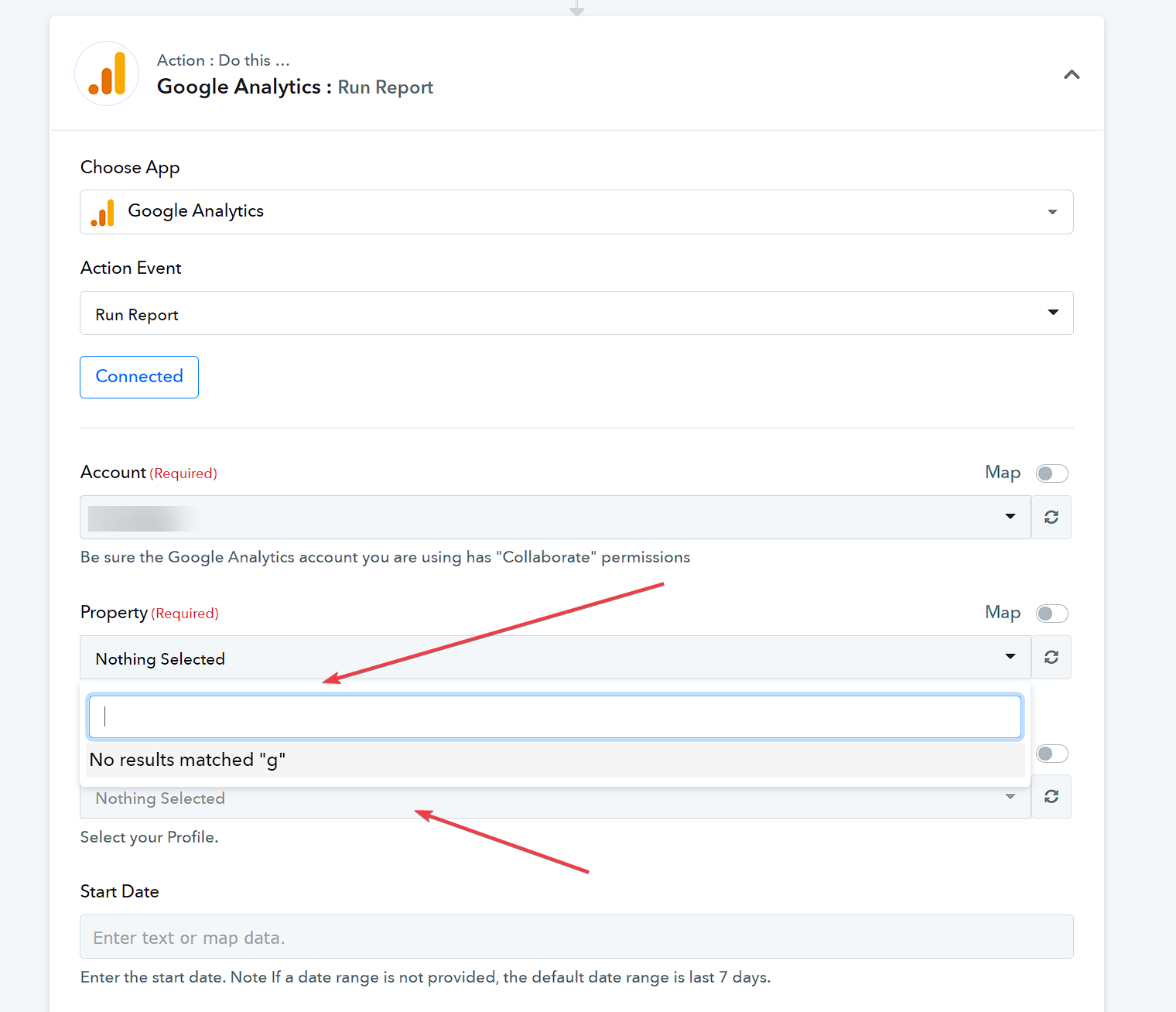
I connected the GA account but i am not able to select the property and profile in the dropdown.
Can Anyone help? It is a GA4 account.
Attachments
Hey @Vikas
I am trying to automate GA reporting using Schedule as a trigger and GA as an action and then updating it on Google sheet.I connected the GA account but i am not able to select the property and profile in the dropdown.
We are currently working on it as it will require a new API version compatibility. So kindly allow us some time, we will update you soon.
Thanks @Supreme for the info. I am waiting for this to go through.
Is there any approx. timeline I can expect on this?
Thanks,
Vikas.
Hey @Vikas
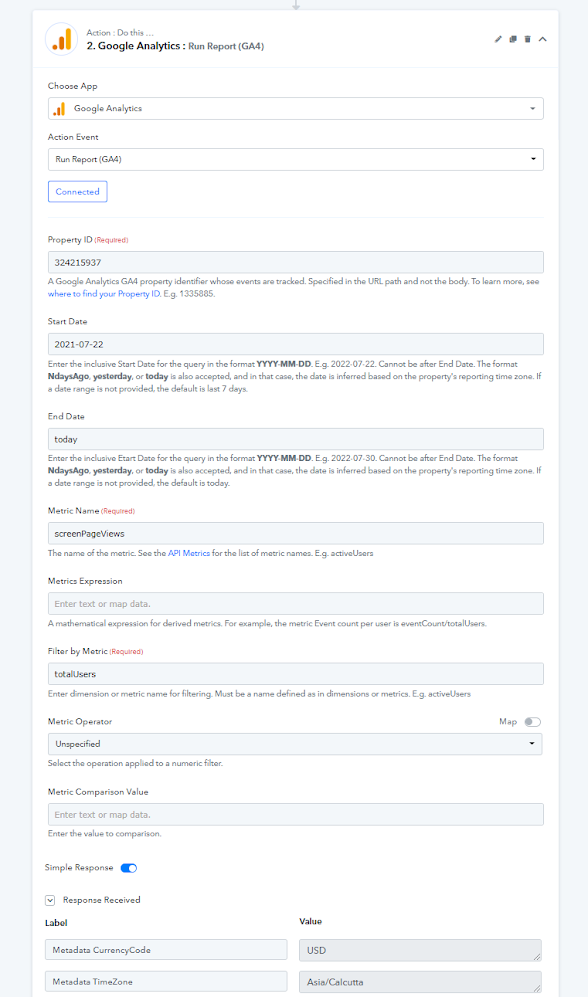
We have added the Google Analytics: Run Report(GA4) action step, kindly revire the waction step and let us know if that works for you.
Hey @Supreme ,
Thanks for the quick response. I tried the integration however I am not being able to run a report and find the data I am looking for.
Here is my use case -
I am looking to reports in a google sheet. The data I need would be - Daily users, sessions, events, bounce rate, pages visited, conversions etc. I am entering the details but not able to get the data in the test request.
Can you please create a video tutorial or a documentation for the same?
Also, @Fagun Shah Can you help me here?
Thanks,
Vikas.
Hey @Supreme ,Thanks for the quick response. I tried the integration however I am not being able to run a report and find the data I am looking for.
Here is my use case -
I am looking to reports in a google sheet. The data I need would be - Daily users, sessions, events, bounce rate, pages visited, conversions etc. I am entering the details but not able to get the data in the test request.
Can you please create a video tutorial or a documentation for the same
Also, @Fagun Shah Can you help me here
Thanks,
Vikas.
I have not used Google Analytics integration before. But share your workflow name as well so @Supreme or @Pabbly will be able to check your workflow and help you.
Hey @Vikas
Kindly share the name of the respective workflow with us, so that we can look into it and can guide you accordingly.
We have checked your account and found the workflow where you've used the Google Analytics: Run Report(GA4) action.
We tried to change metric filter condition and able to run it. Here is the screenshot attached.
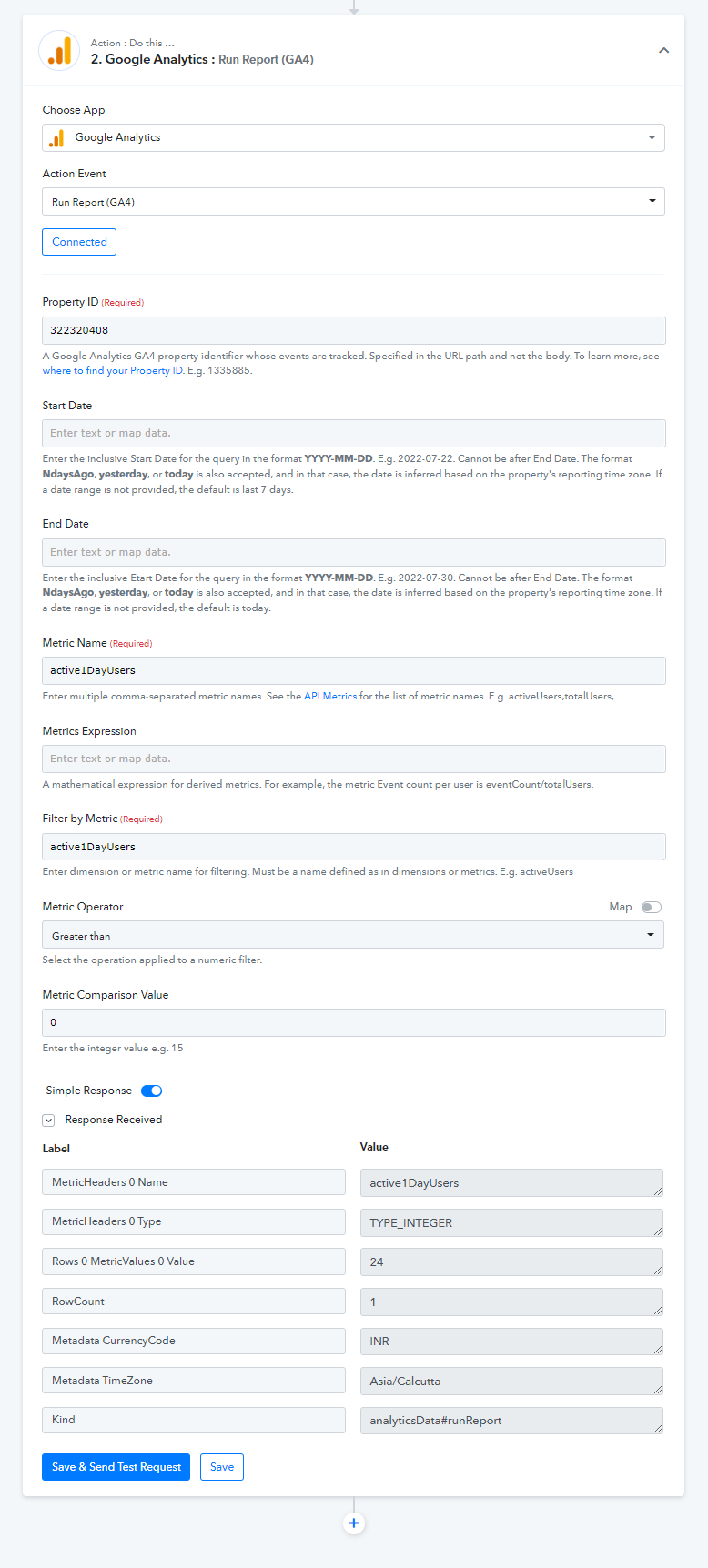
You can pass multiple comma-separated metric names in the Metric Name field to be returned in the response.
Hi @Naveen @Supreme ,
I appreciate your help.
1. How can I map the date in this case,I need to update the date column in the google sheet for the day the report is generated.
2. Also, there seems to be an issue connecting the google sheet.
Please check this video https://www.berrycast.com/conversations/b776240a-369a-553d-8e84-6bf532ee725d
Thanks,
vikas.
1. You can make use or Date Time formatter: Current Date action to get the current date and map its response in the google sheet.
2. We didn't get any issue with Google Sheet action, Could you please try to load it in an incognito or private window of your browser.
It seems you have any extension enabled in your browser.
Try once, it should work. Also, we have made some update in the Run Report response so, you will get more simplified data in the response.
Great! Thanks @Naveen
I was able to run the reports.