Salesflare > Update Account - Description Not Working
Status: Closed · Asked by Jeff McLean Marketing on · 0 views
Hey Team,
Caught an issue today. I have a flow set up where after a trigger I will check to see if a contact/account exists. If it does exist I use the "Update Account" workflow. Specifically the Description field of the account.
When setting up and testing the Update module I get a "Success: 1" response, but when checking the account the description is not updated.
I am guessing the JSON pushed to the salesflare API is just missing the "description" key? Could you guys take a look.
Thanks so much.
Hi @jmmarketing,
It seems like you haven't mapped/entered anything the the Description field of 'Update an Account' action step. Please map the data in Description field and try again.
https://drive.google.com/file/d/1a77N2sgVoyBImdtBlIq1m-YglXyt7ToS/view?usp=sharing
Hey Arshil,
Yes, you are correct.
After playing around with it I removed the description and did the "Add Internal Note" module instead.
I have recorded a video of using filler text for the description.
Also, I noticed that the Tags are not updating either. Not only do the tags not populate completely (looks like there is a limit) but when you type in the Tag manually and submit it does not update on the account.
Here is the video: https://filetransfer.io/data-package/YfXUWNqA#link
I am sure I could use the "Add Tag to Account" module, but I would rather do it all in the update. If I need to use that for now, then OK.
Please check now if the Tags are updated or not.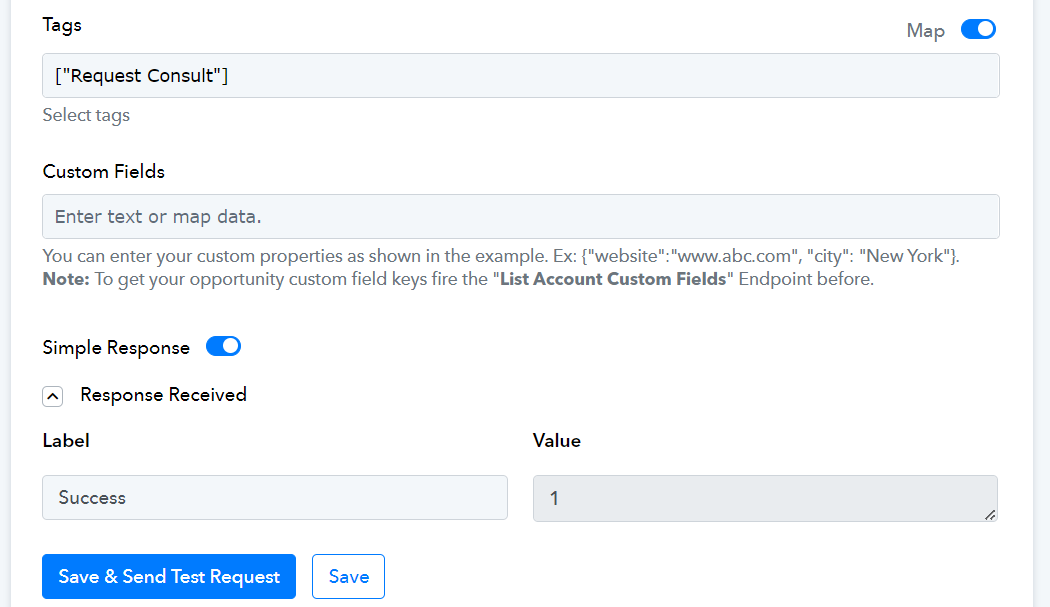
That worked. Looks like it needs to be in an Array format.
Thanks for the help.