Salesforce Search Record
Status: Closed · Asked by mgoesshofmag on · 0 views
I am trying to use the Saleforce Search Record function. https://connect.pabbly.com/workflow/mapping/IjU3NjUwNTY1MDYzNzA0MzM1MjZlNTUzYzUxM2Ii_pc
In the field for 'Salesforce Object' it won't let me select anything.
What is causing this?
Markus
Hi @mgoesshofmag,
Please log in to your Pabbly Connect and Salesforce accounts in an Incognito Tab, and establish a new connection. While establishing the new connection, please ensure that you grant the necessary permissions as shown in this video.
Hi Arshil,
I have created another salesforce connection in an incognito tab and it still doesn't work.
I am trying to create a flow where a lead is either created or updated. So my understanding is that I need to have a step that searches for a record, and then have another step with the Pabbly Router.
Is that right?
Here is a video showing how Salesforce Objects aren't shown when 'Search Record' is selected https://us02web.zoom.us/clips/share/0_Ely8VMkm0am_9hlLH5maP-GMVDdHYbdJV9tkqrVTGif3DQ6sTRvKXj7DueA--i06w6bzMBQwr47M9kqmgne0Jt.y3foeXzBbn707kzH
Kindly record a short screen recording making a new connection with your Salesforce account. Make sure to show yourself granting the necessary permissions in the popup.
Thank you for sharing the video. Please allow us some time to look into this concern. We will get back to you with an update soon.
Hi Arshil, do you have an update on this please?
I have forwarded your concern to the integration team and they will look into it.
Hi, has the integration team been able to look into this?
Our team is checking on it and shall notify you with an update soon.
Hi, it's been 10 days since I submitted this issue and it's still not been resolved.
Are you able to give me a rough timeframe of when this will be fixed?
Thank you,
Markus
Apologies for the delay, but our team is currently investigating the matter and will provide you with an update shortly.
COuld you please give me an estimate of how much longer this will take to fix?
Hey @mgoesshofmag
It may take up to 7 working days, according to the integration team's consultation.
We will notify you as soon as we have any updates.
Hey @mgoesshofmag
Create a new connection in your workflow with the PC test name and provide us with the information on whether your REST API is enabled. Note that the REST API is not enabled for this Organization.
https://help.syscloud.com/how-to-enable-rest-api-for-your-salesforce-org
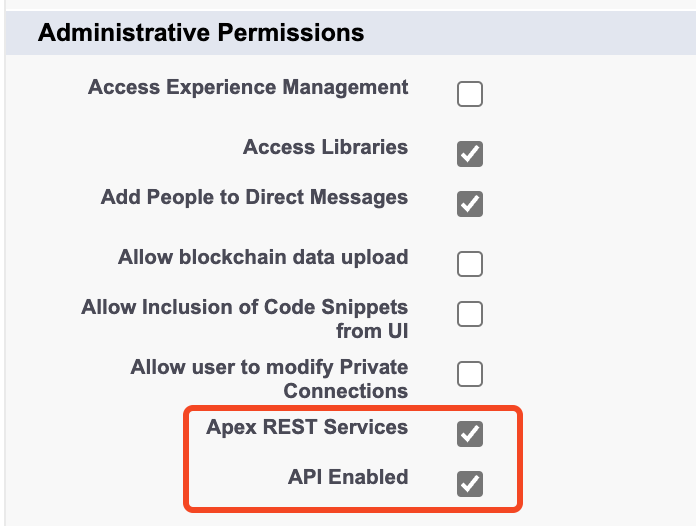
Hi, I have managed to get the Saleforce API to work.
Within the flow I have I am looking to add a new or update a lead in Saleforce.
Do I need to do this with a conditional split?
I have setup a conditional split, but how do I need to setup the Update lead flow?
Do I need to do this with a conditional split?I have setup a conditional split, but how do I need to setup the Update lead flow?
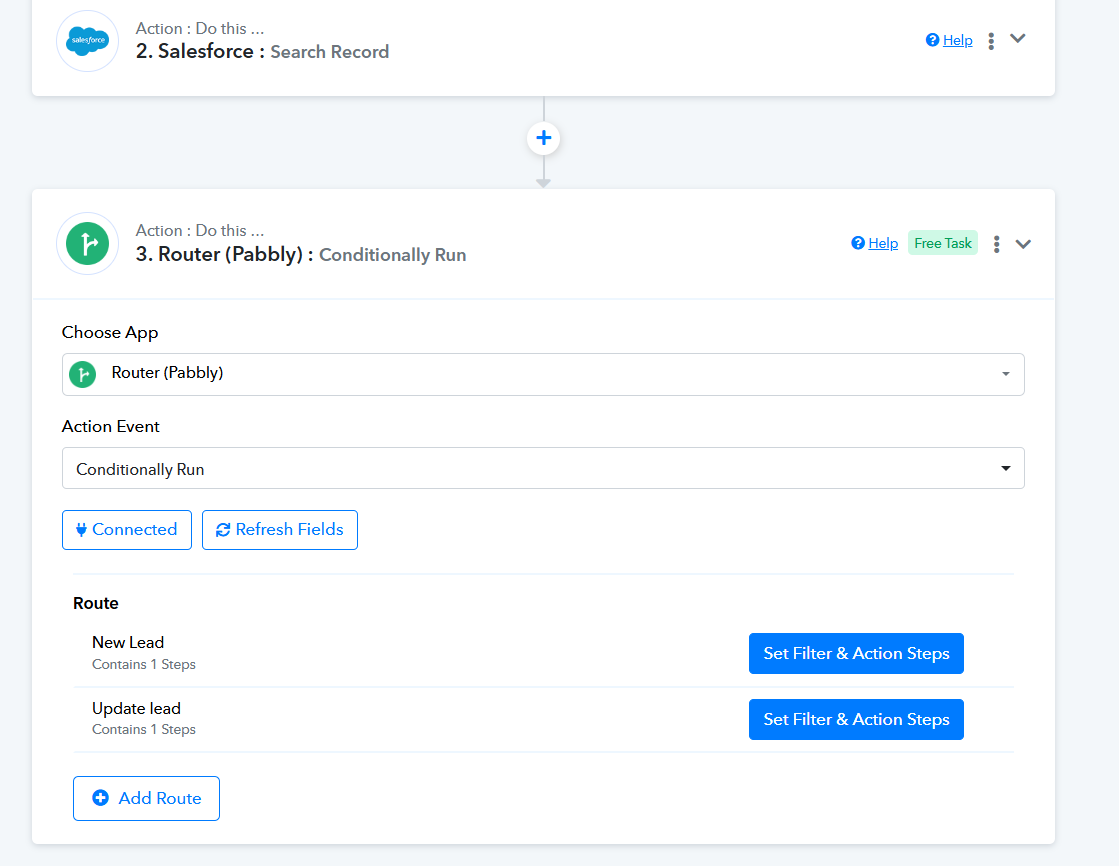
To accomplish this use case, add a Router to your workflow with two routes. Route 1 will create new records if they don't already exist in your Salesforce account. Route 2 will update contacts that already exist in your Salesforce account.
Hi, I have done that but am having difficulty setting up the update contact route.
You can see here: https://connect.pabbly.com/workflow/mapping/IjU3NjUwNTY1MDYzNzA0MzM1MjZlNTUzYzUxM2Ii_pc
Hi, have you been able to look at this please?
I have adjusted the Filter condition and properly mapped the record ID in the Update Record action step of the Salesforce workflow. You can now map the necessary data in the action step as required.
Thank you.
I ran a test with the email [email hidden]
I first created a new record which worked. I then tried to update it and it failed.
Could you please have a look at the history?
Markus
I have changed the filter condition in your workflow it should now create or update the contact accordingly.
That works.
Thank you