Save an image inside an email
Status: Closed · Asked by realestatebroker on · 0 views
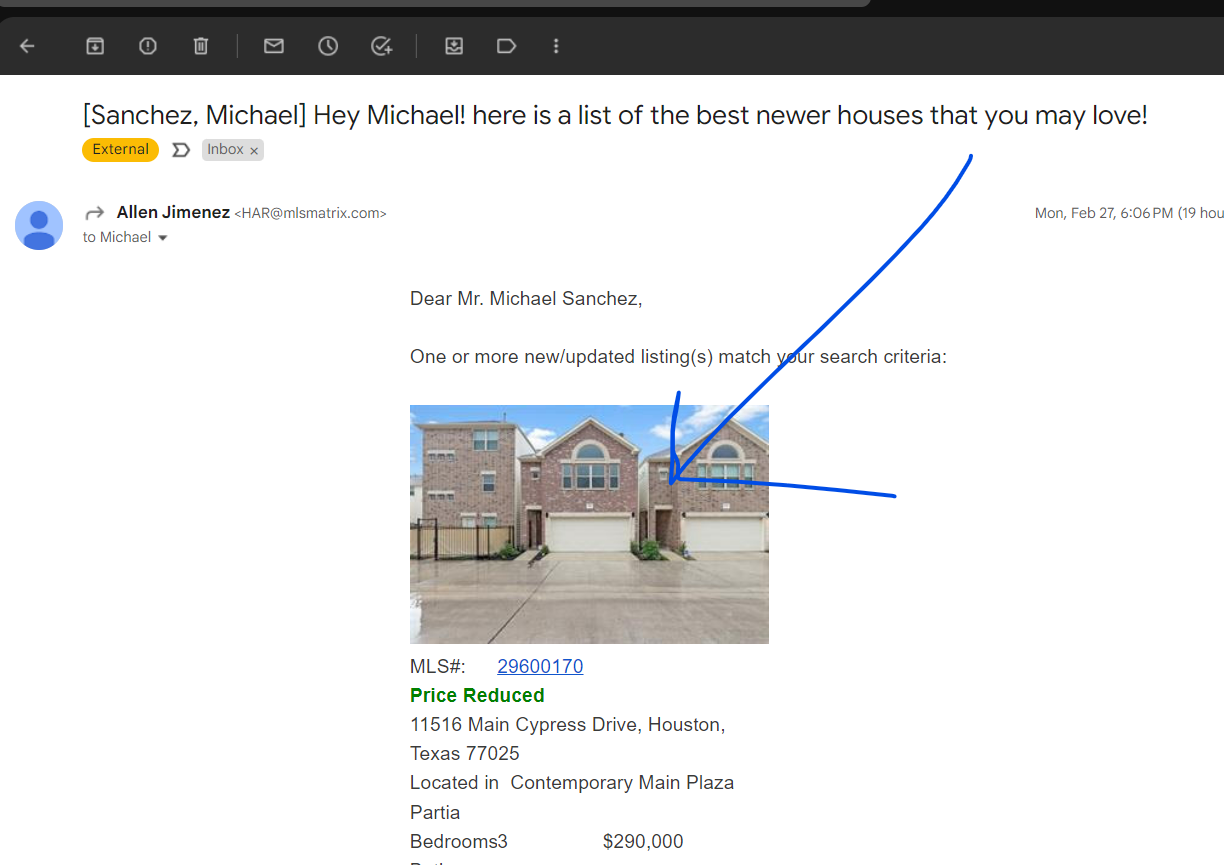
Help... I need to save an image thats inside an email
I sent the email to pabbly >> received
I see a lot of code but do not know which (or how to) extract that image code out of the body html.
HTML Body Attached
Hey @realestatebroker
In this case, you have to pass the attachment link from Email Parser. If you are unable to find it, then please re-capture the response with an attachment from your email.
Please check the below screenshot for a better understanding.
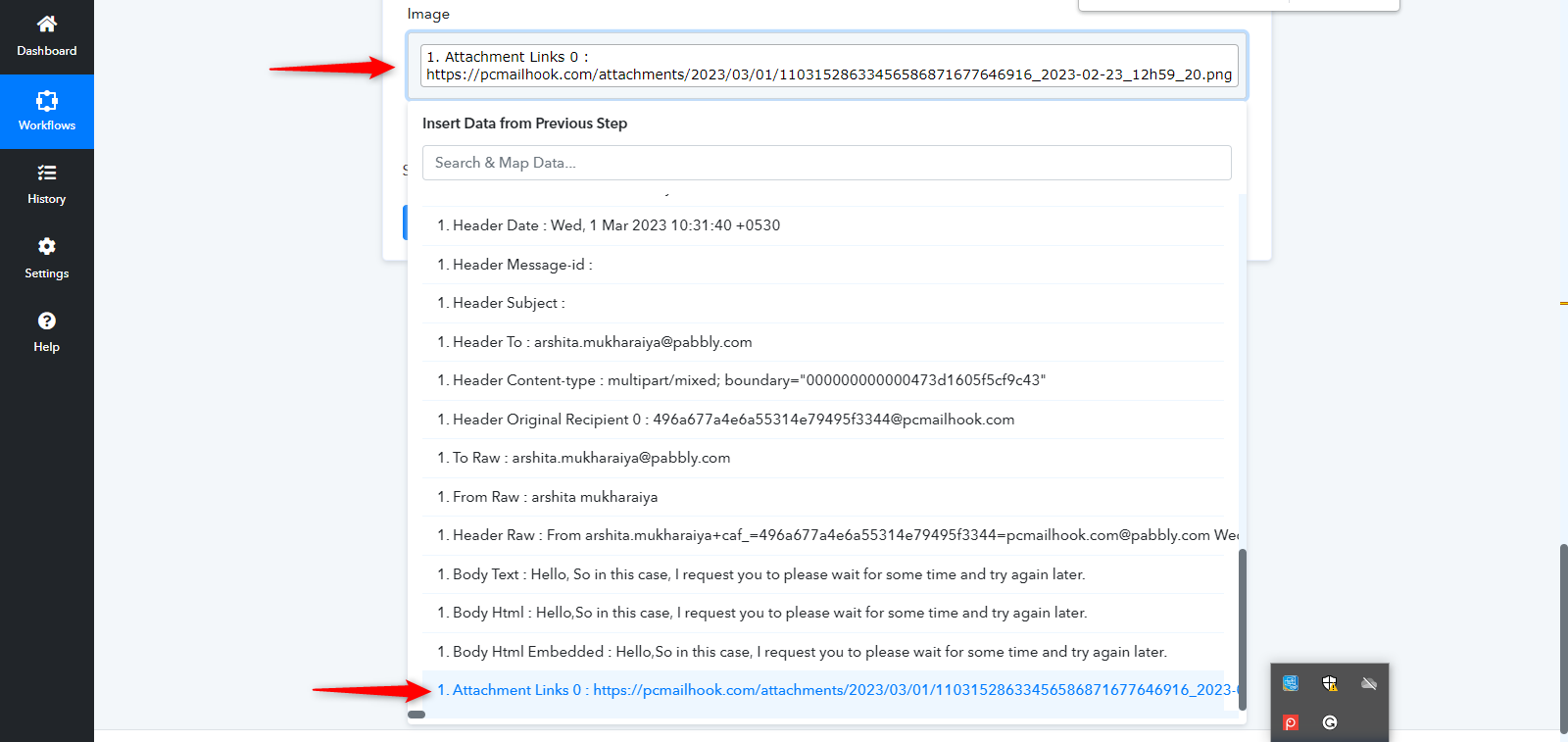
Also, you can refer to the below video:
(Watch the First part of the video)
Hey @realestatebrokerIn this case, you have to pass the attachment link from Email Parser. If you are unable to find it, then please re-capture the response with an attachment from your email.
Please check the below screenshot for a better understanding.
Also, you can refer to the below video:
(Watch the First part of the video)
that is incorrect and not helpful... MY EMAIL HAS A IMAGE IN THE BODY OF THE MESSAGE ... NOT ATTACHMENT..
Hey @realestatebroker
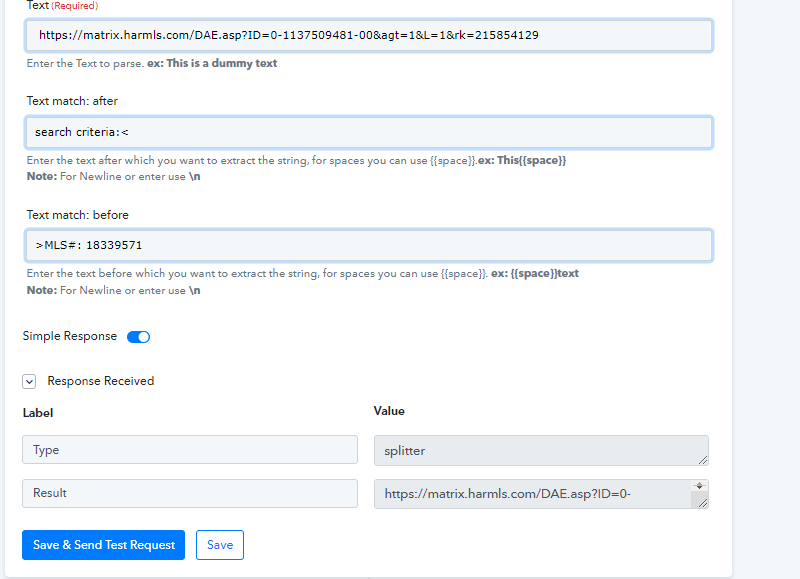
In order to Extract the image, you have to select the "Text Formatter" and select Text Parser as an action event and parse the Image from the body of the message.
Please enter " search criteria<" in Text match: after and ">" in Text match: before. It will Parse your Image HTML.
Please check the below screenshots for a better understanding:
Let me know if you still facing the same issue.
Ok that worked I figured it out ... now I have a new problem. I will upload it