Save and send test request on Facebook page
Status: Closed · Asked by watawasaw on · 0 views
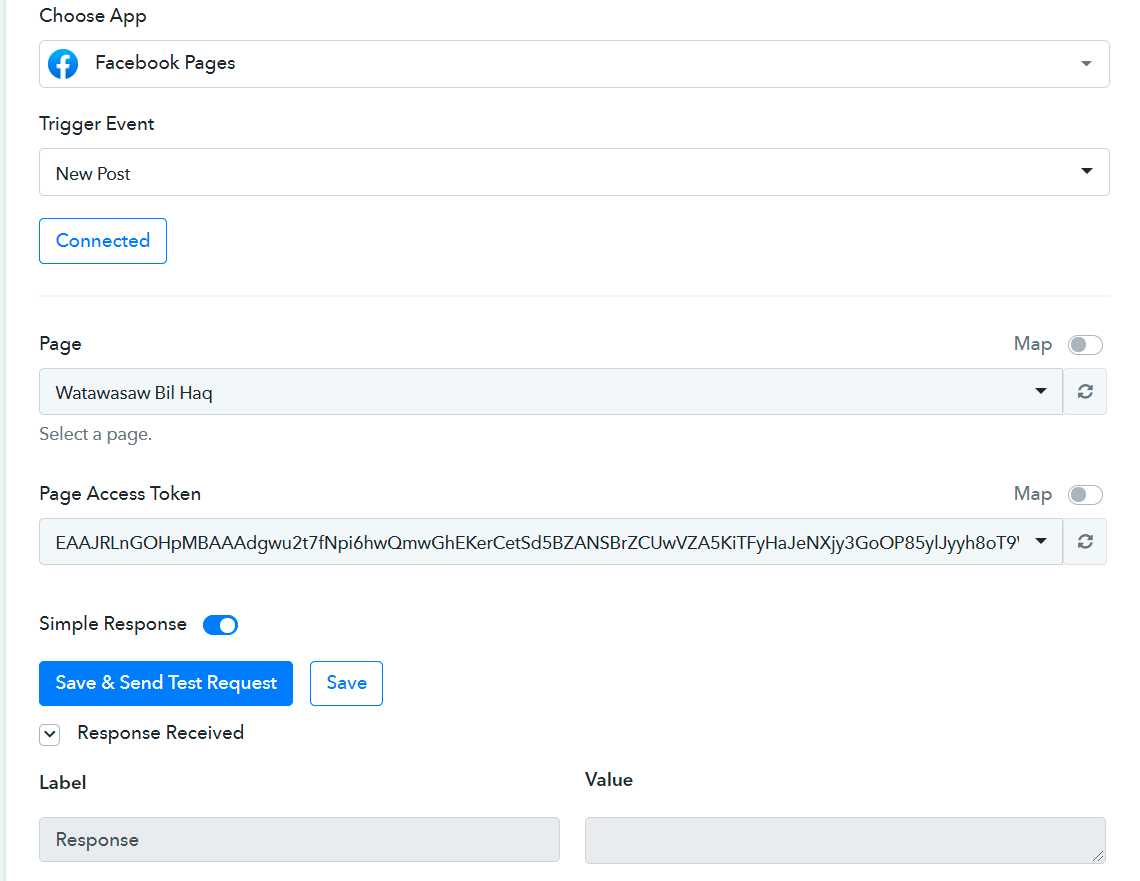
There is a problem with this app at save and send a test request on Facebook page. An empty label appears as response received at any try as shown on the attached screenshot.
Attachments
Hey @watawasaw
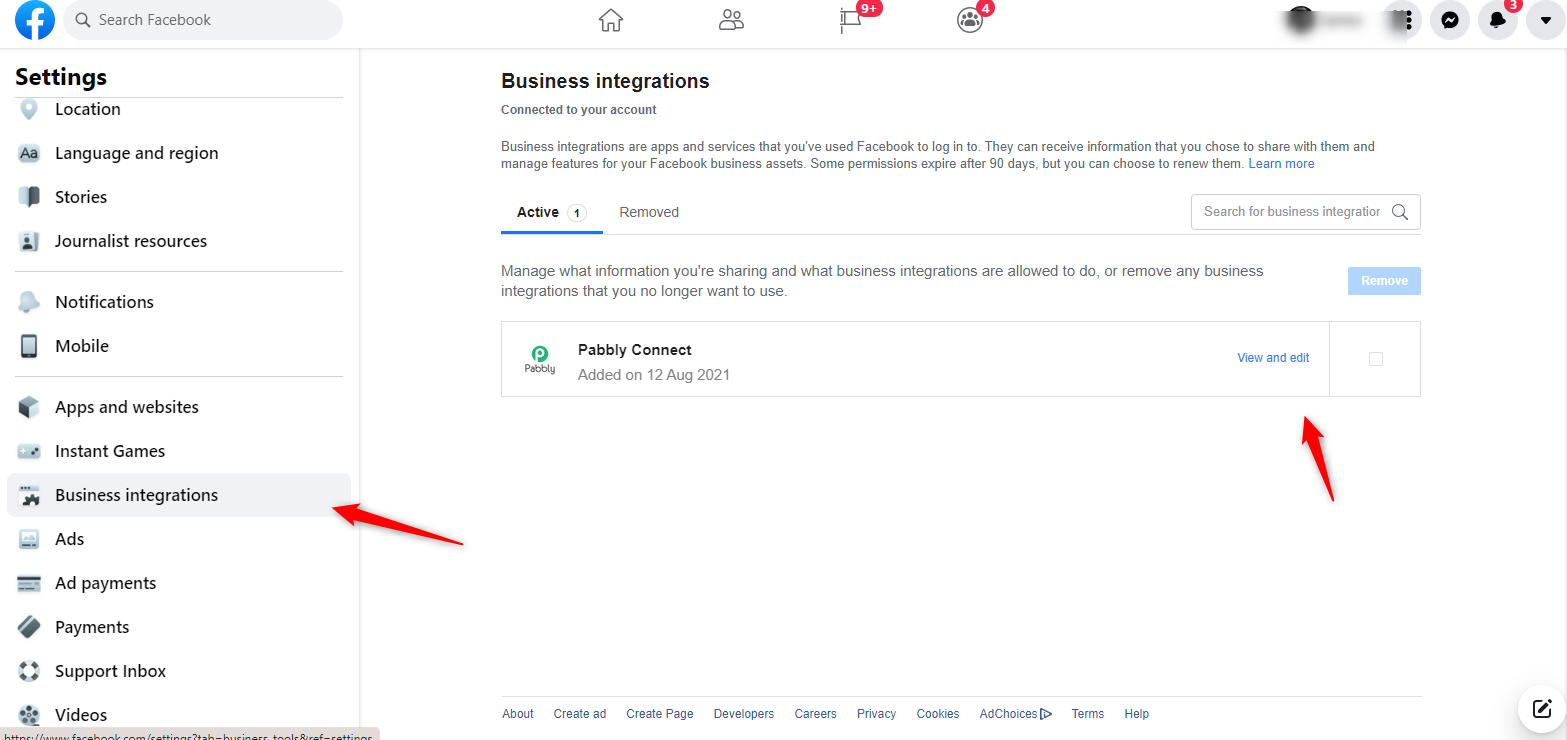
Could you please try re-installing the Pabbly Connect app from your Facebook account by removing it first and then adding it back by re-authorizing it from the Facebook "New Post" Trigger event?
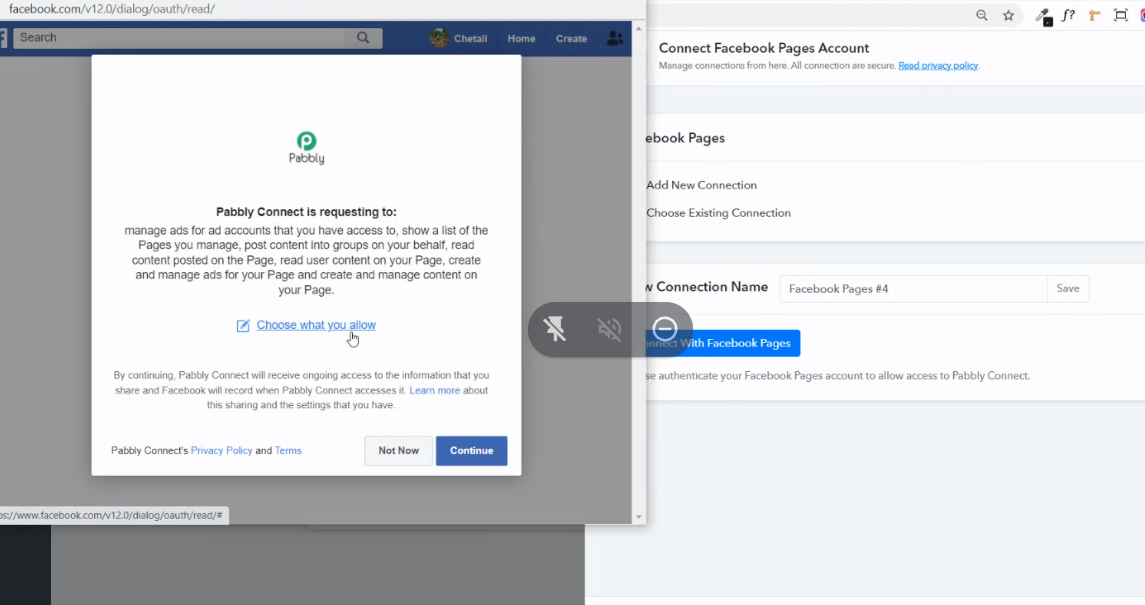
Then try authorizing your Facebook account -
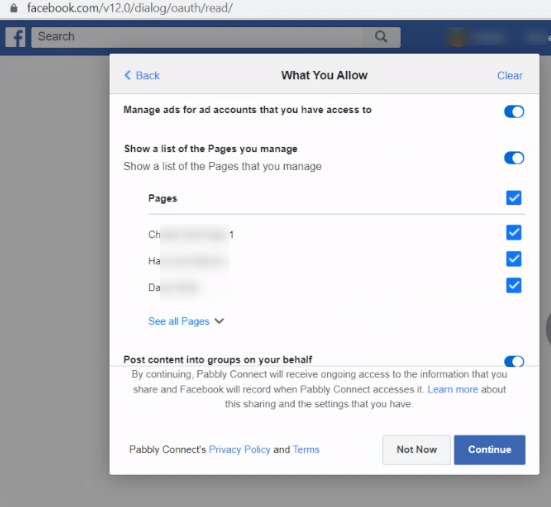
After checking that you have all the permission access to your desired pages from Facebook while connecting your account?
Regards
Hey @watawasawCould you please try re-installing the Pabbly Connect app from your Facebook account by removing it first and then adding it back by re-authorizing it from the Facebook "New Post" Trigger event?
Then try authorizing your Facebook account -
After checking that you have all the permission access to your desired pages from Facebook while connecting your account?
Regards
Hello sir,
I have tried this to no avail. When I authorised it, I ensured all the pages were checked. However, when I tried the save and send a test request again, it still doesn't show up for that one Facebook page, though it did show up for another. Could you kindly advice please?
Thank you.
Hey @BHcc
Could you please follow the steps mentioned and please check again in your Facebook account that you have authorized the permissions to the respective Page in the Business Integration section.
Could you please try re-installing the Pabbly Connect app from your Facebook account by removing it first and then adding it back by re-authorizing it from the Facebook "New Post" Trigger event?[IMG width="657px" alt="1631333240663.png"]https://forum.pabbly.com/attachments/1631333240663-png.5403/[/IMG]
Hey @BHccCould you please follow the steps mentioned and please check again in your Facebook account that you have authorized the permissions to the respective Page in the Business Integration section.
Hello @Supreme
I have done the steps twice now, and double checked the permissions in the Business Integration section. Everything is ticked/blue.
Hey @BHcc
Could you please create a separate Private thread on the forum, so that we can assist you accordingly?
https://forum.pabbly.com/forums/private-discussions.27/