Save attachments from Gmail to a Google Drive folder
Status: Closed · Asked by Q-L on · 0 views
Good day, everyone.
A new user here. What are the best approach to save any Gmail attachments to a Google Drive folder of choice? I do that currently with Zapier (https://share.getcloudapp.com/4gur2Z5p) and wonder how Pabbly does it, if possible.
TIA.
Q-L
As pabbly connect does not have gmail trigger you need to setup email parser to forward all emails to pabbly email parser email id.
Attachment size limit is 1 mb.
Here is a video on email parser -
Wonderful. Thank you very much, Fagun. I will view the video and get going with it!
Hi, I think this tutorial is obsolete. Let me explain.
I forwarded my email form gmail to the email parser but I get the links "all separated" (see attached file), not as an array as seen in the tutorial.
If I could get an array I could use the iterator to bulk process all of them and then filter the desired links (in my example, I want to discard the image files).
The problem is i get all the links separated and I dont `t know how to bulk process them without the iterator. Furthermore, sometimes I receive 1, 2 or 3 links so I can´t neither deal with this different number of attachments. Any help will be welcome! Thank You
Attachments
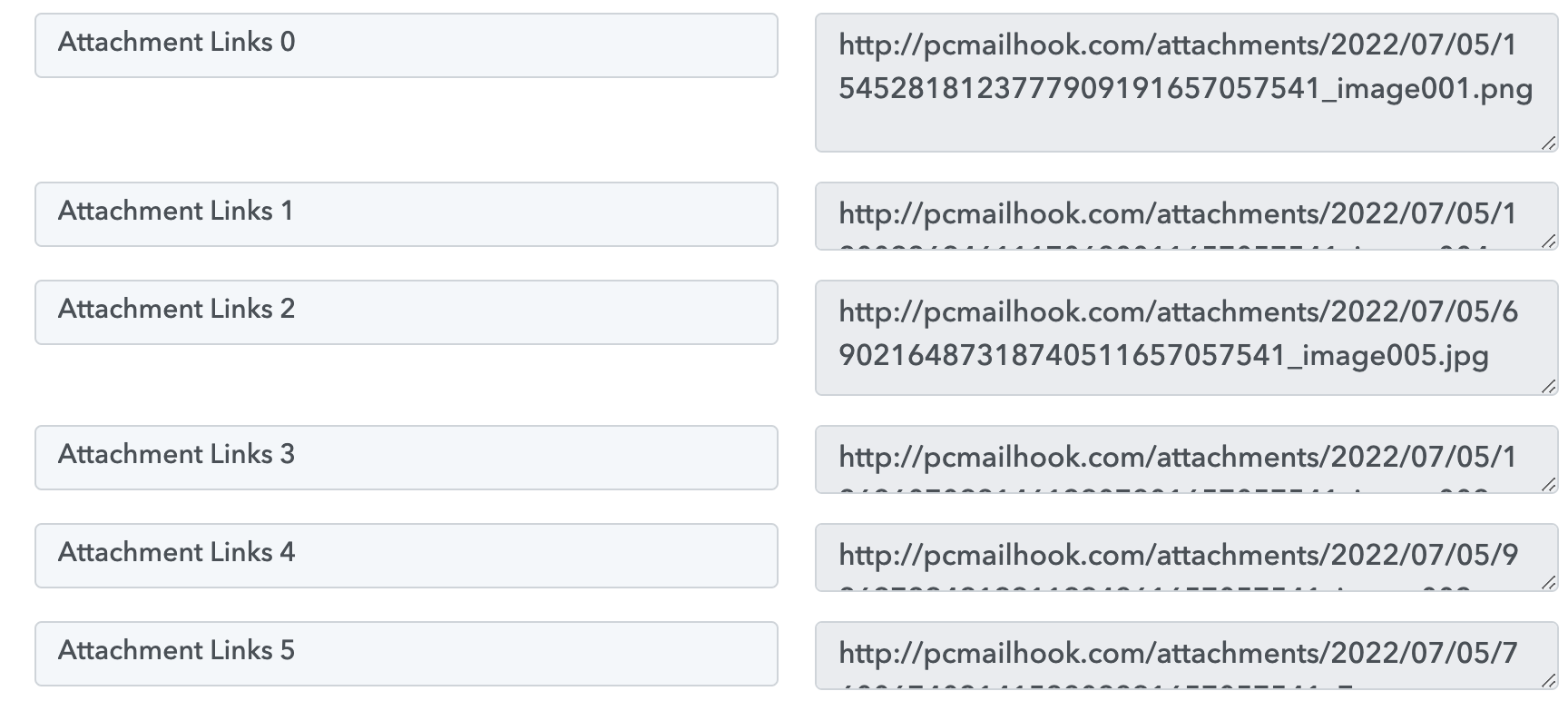
Hi, I think this tutorial is obsolete. Let me explain.I forwarded my email form gmail to the email parser but I get the links "all separated" (see attached file), not as an array as seen in the tutorial.
If I could get an array I could use the iterator to bulk process all of them and then filter the desired links (in my example, I want to discard the image files).
The problem is i get all the links separated and I dont `t know how to bulk process them without the iterator. Furthermore, sometimes I receive 1, 2 or 3 links so I can´t neither deal with this different number of attachments. Any help will be welcome! Thank You
To capture the response as an array you need to toggle off the simple response.
To capture the response as an array you need to toggle off the simple response.
Woow, your answer has been very helpful, thank you and excuse my ignorance!
Another detail that may be of interest... When doing a test with the iterator module, you will only receive the first value. This is not a bug since when executing the live workflow it will process all the values one by one.
Happy day!