Saving Connections do not save
Status: Open · Asked by Mathew Kulkewycz on · 0 views
When clinking on 'save' at the 'Connection page', this does not save. The only way to save the connection/new connection is to first click save, open up the related module and click save again. Too many steps and the current way to get it to save is very frustrating, causing abortive work.
TLDR
Please fix the connect save function:
Just wasted a days worth of work because the 'save function at the 'connection level' does not work' as thought.
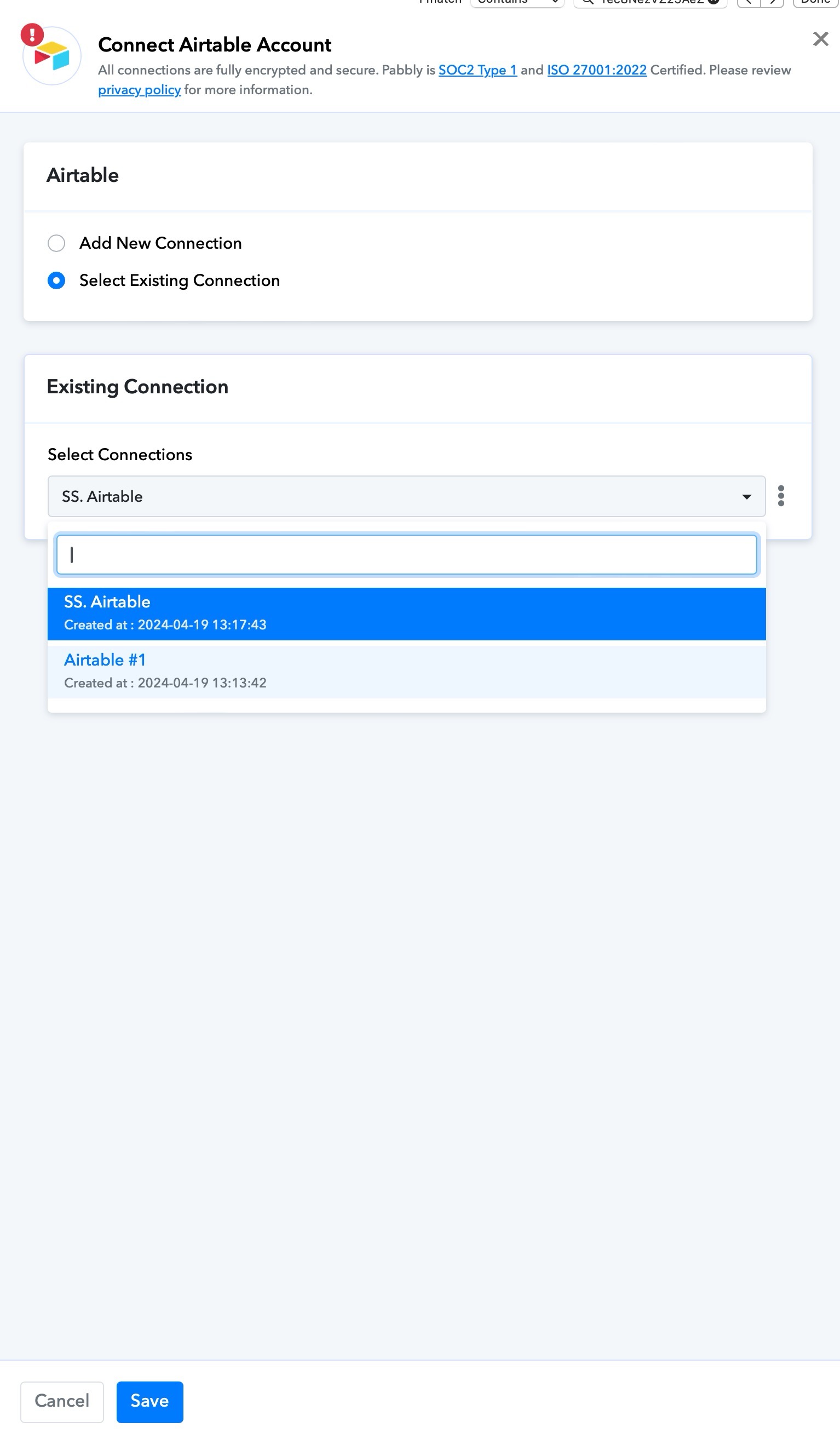
Hi @Mmmk,
To save a new connection, you first have to click on 'Save' in the connection window.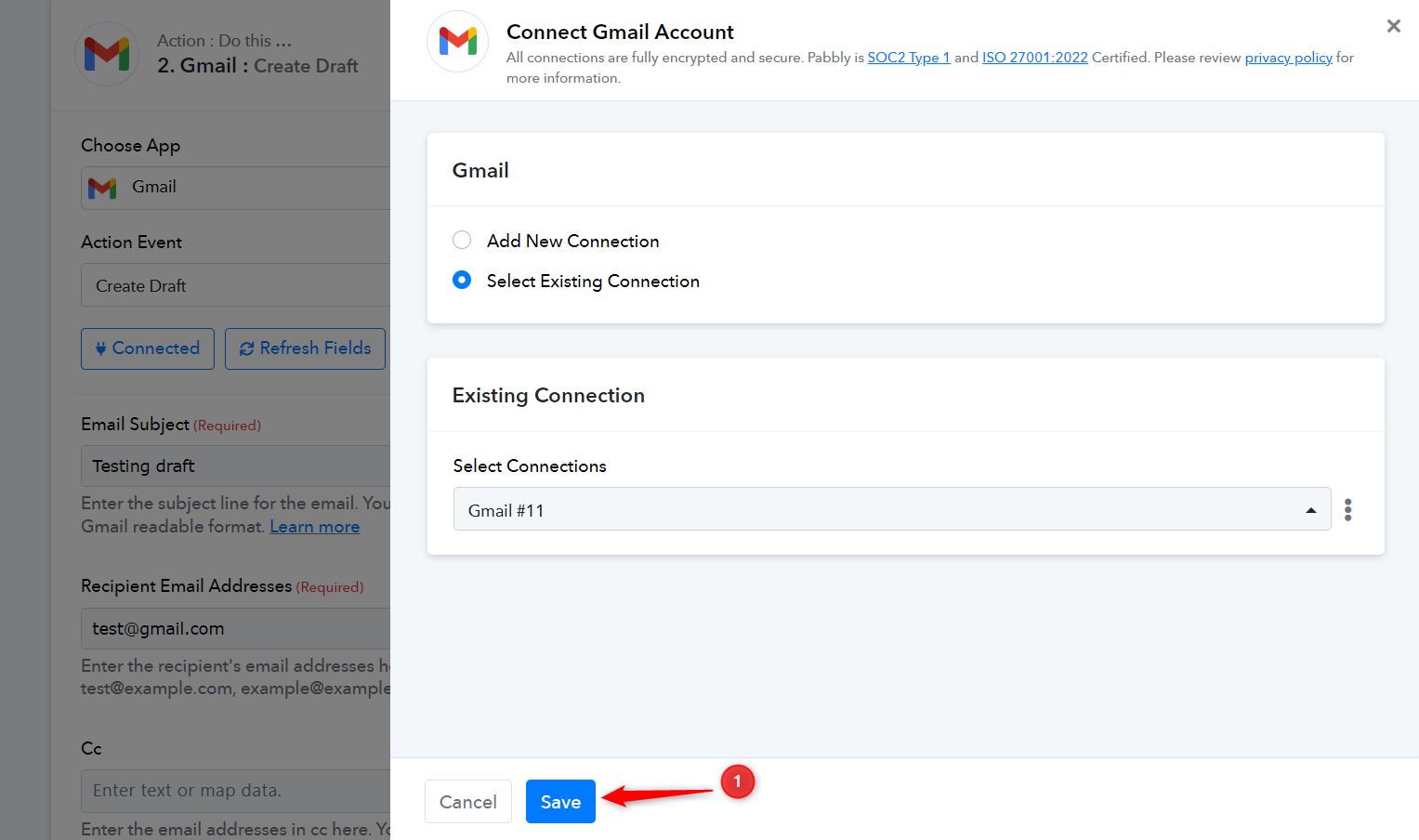
Then, click on 'Save' again in the trigger/action step.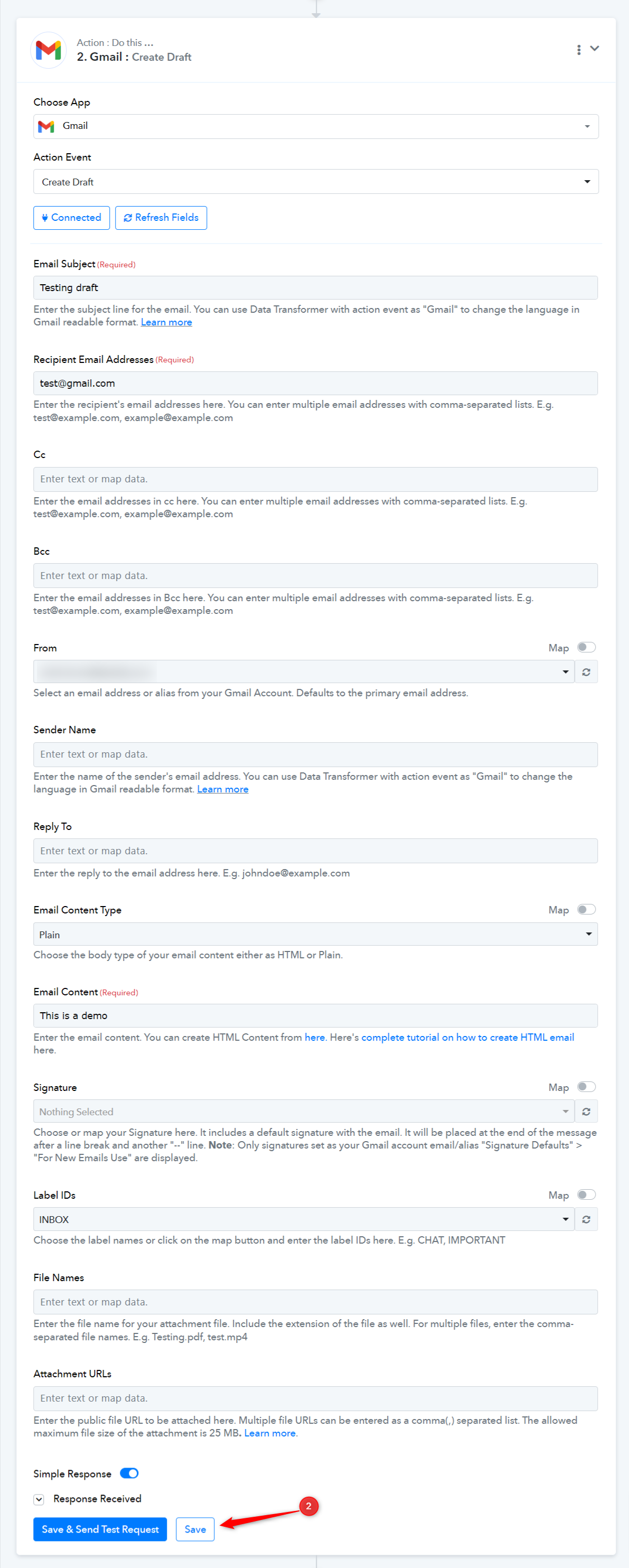
Found that out the hard way, as mentioned above. Can the first 'save' be changed to 'save' (the connection) please?
You need to save the action step to save the. overall mapped and configured connection of the action step