Scheduler Related + Birthday Reminder
Status: Closed · Asked by zest83 on · 0 views
I need to enable different timings on the Birthday Reminder Sheet & send a message in that chosen time slot only!
https://docs.google.com/spreadsheets/d/1d7sVDR4rGWX9GmcPj8fAKXdx04p9oFu7hVR9Y_aeLuA/edit?usp=sharing
For this, I can enable router which will Filter & Match the Time given and Input in a New Google Sheet.
This google sheet will be specifically for that "time slot" only!
There are 69 different time options available in the sheet.
Is there anyway around this... so I don't need to create 69 Google sheets & 69 workflows
Scenario:
MASTER Workflow
https://docs.google.com/spreadsheets/d/1d7sVDR4rGWX9GmcPj8fAKXdx04p9oFu7hVR9Y_aeLuA/edit?usp=sharing
(Router Enabled here + Google Sheet (Add Row) Trigger ... This will add the row if it matches that particular time chosen!
There will be one google sheet per time slot. Hence 69 total time slots for every 15 minutes.
I need a better solution!
I was informed by your team, that the Iterator + Delay + Router functionality is not working properly earlier... This would definitely make things easier for me... Everything I mentioned above would come in One Workflow instead of 69 Workflows!
Any other solution to this, please?
Hey @zest83
If you want to send a message according to the time assigned by you in google sheets then please check out the following shared workflow.
I hope this might help you out.
https://connect.pabbly.com/workflow/share/WhJSYFIdVDVSGwRQVB8HIAscCyJUHgRSUDcIGg##
So one workflow per time slot - correct?
Hey @zest83
So one workflow per time slot - correct?
Yes! Kindly give it a try and let us know if that works for you.
Is there a way to start the scheduler at 12 AM EveryDay for this workflow...
Or the Beginning time does not matter...?
Because as per UTC... 6.30 PM would be 12 AM next day IST correct?
You have put the time as 12:11 utc ... Which means the scheduler will run the workflow at 5.41 PM
Please check the Workflow you created and shared.
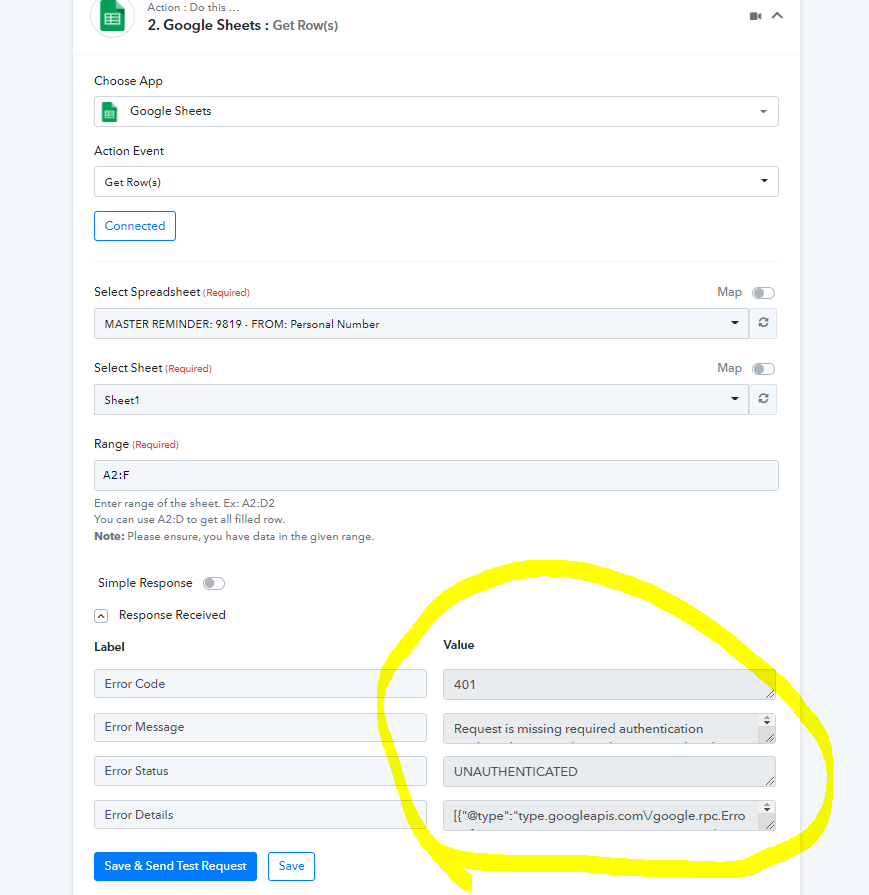
When I changed the UTC time to 19.30 and did a SAVE & TEST
It threw an Error
Attachments
Requesting update
Thanks
Request attention on this
Thank you
Hey @zest83
Kindly reconnect the "Google Sheets: Get Row(s)" action step, since you haven't connected your Goggle Sheets.
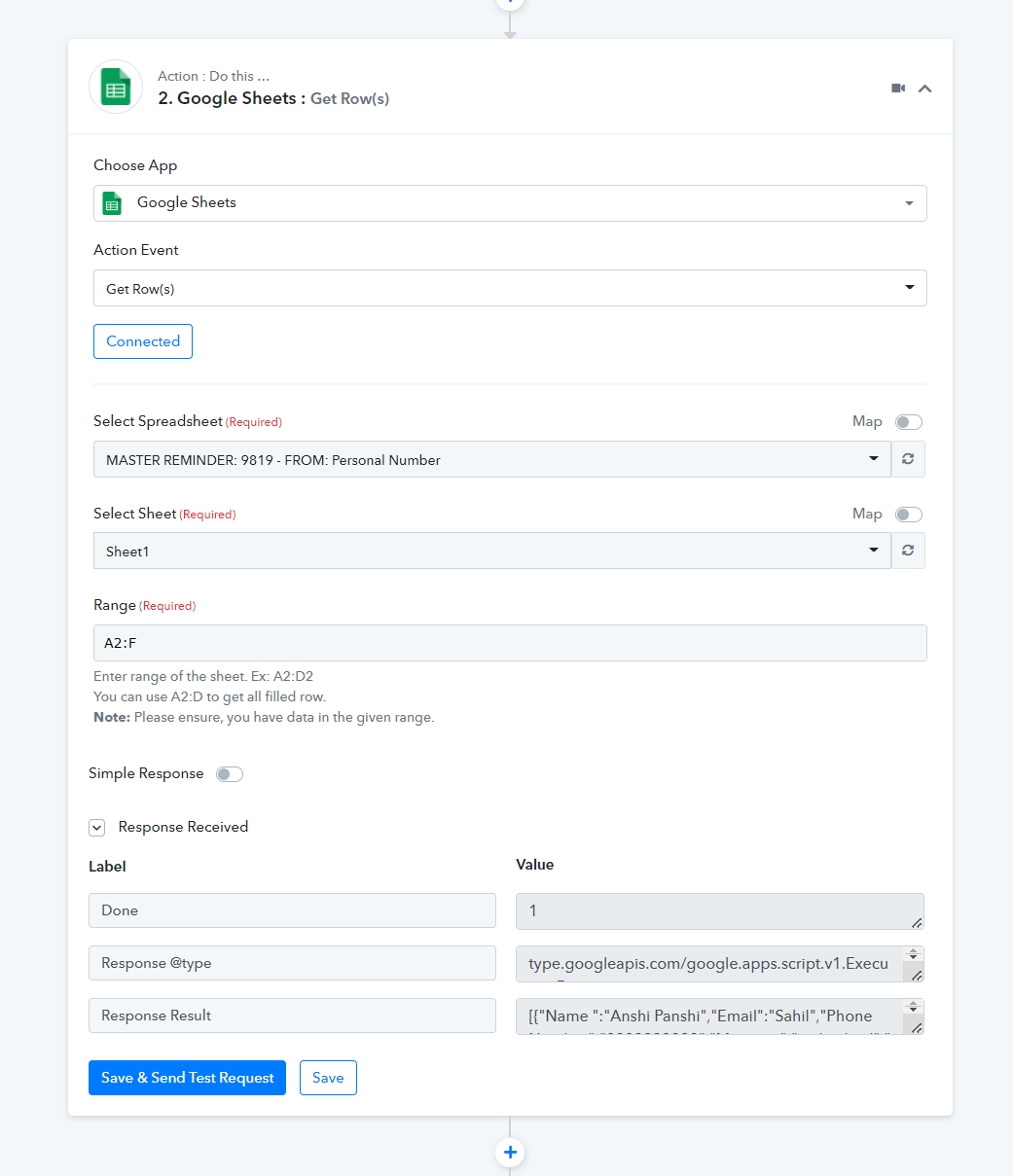
I have connected the google sheets now: https://connect.pabbly.com/workflow/mapping/IjM1MTM0OSI_3D
please do check
I have put the scheduler at 12 AM IST every day - Once a Day.
Have I done it correctly?
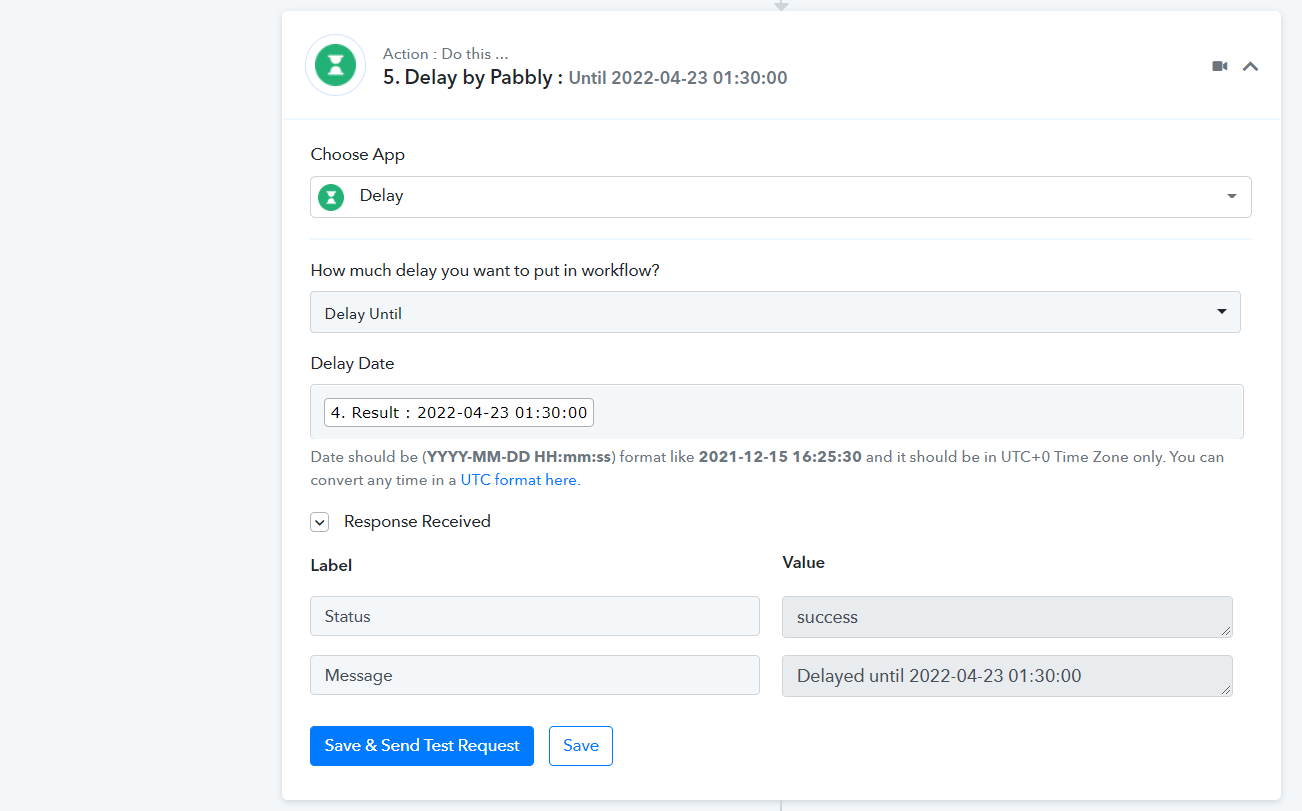
Also, the Workflow should show 12 AM right... but it shows 1.30 AM ....
Attachments
Hey @zest83
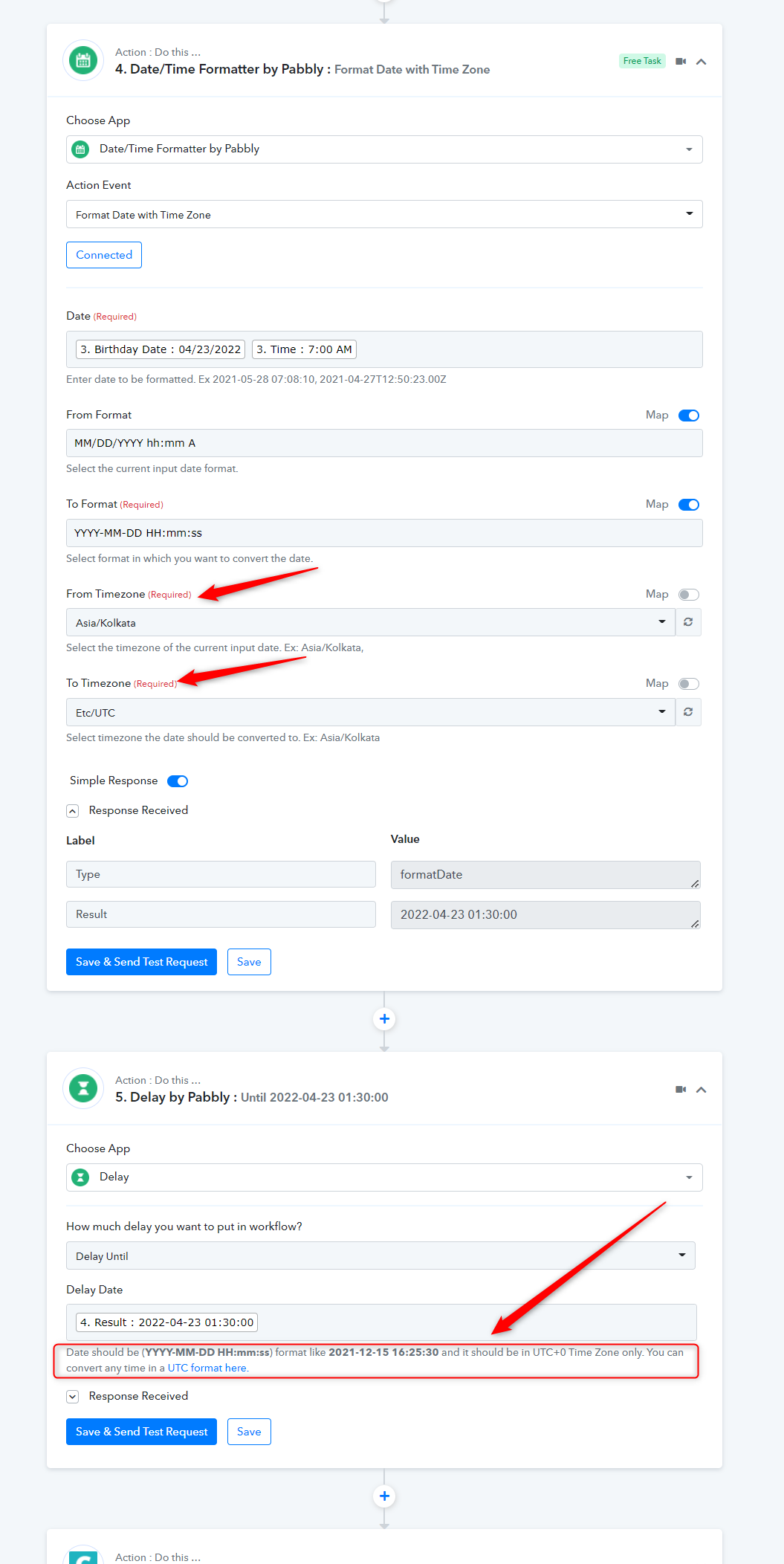
Since the Delay action step takes the date-time in UTC format, you have to first convert the time in UTC from IST to use the action step.
Though we have already set the action step for you, kindly give a test submission to your workflow and let us know where the workflow is getting stuck.
Hey @zest83Since the Delay action step takes the date-time in UTC format, you have to first convert the time in UTC from IST to use the action step.
Though we have already set the action step for you, kindly give a test submission to your workflow and let us know where the workflow is getting stuck.
tried a real time test
Tried the workflow, its not working!
Google Sheet link: https://docs.google.com/spreadsheets/d/1d7sVDR4rGWX9GmcPj8fAKXdx04p9oFu7hVR9Y_aeLuA/edit?usp=sharing
I tried the workflow, its not working.
Please check
Request attention, thanks
Hey @zest83
As we can see from your account, the workflow (Daily Reminder - Multiple Timings in One Workflow) seems working fine.
If you getting confused about how you have to pass the time in the Schedule trigger then kindly convert the desired time at which you want to run the workflow. Though we have already mentioned that in the help text.
Kindly alter the time according to the UTC from IST and then pass it on.
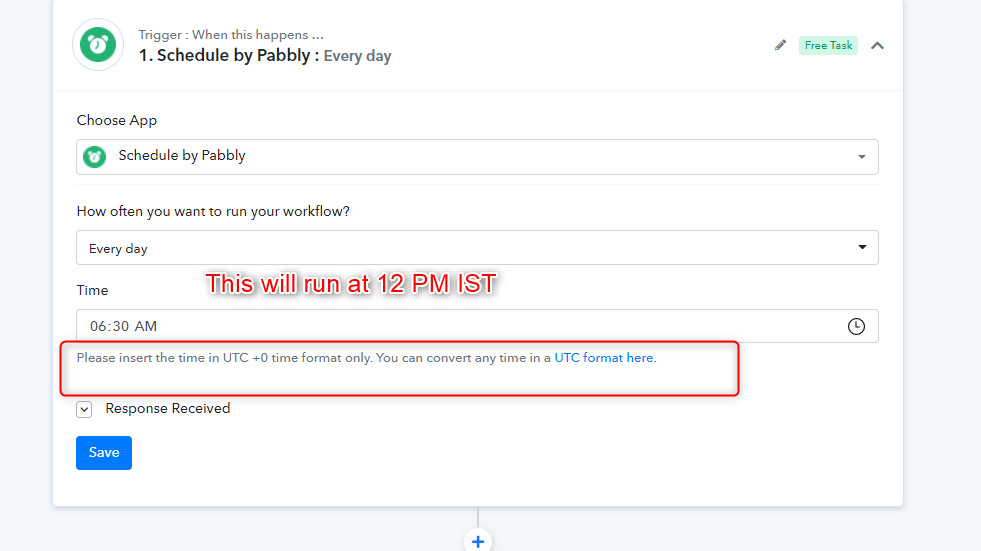
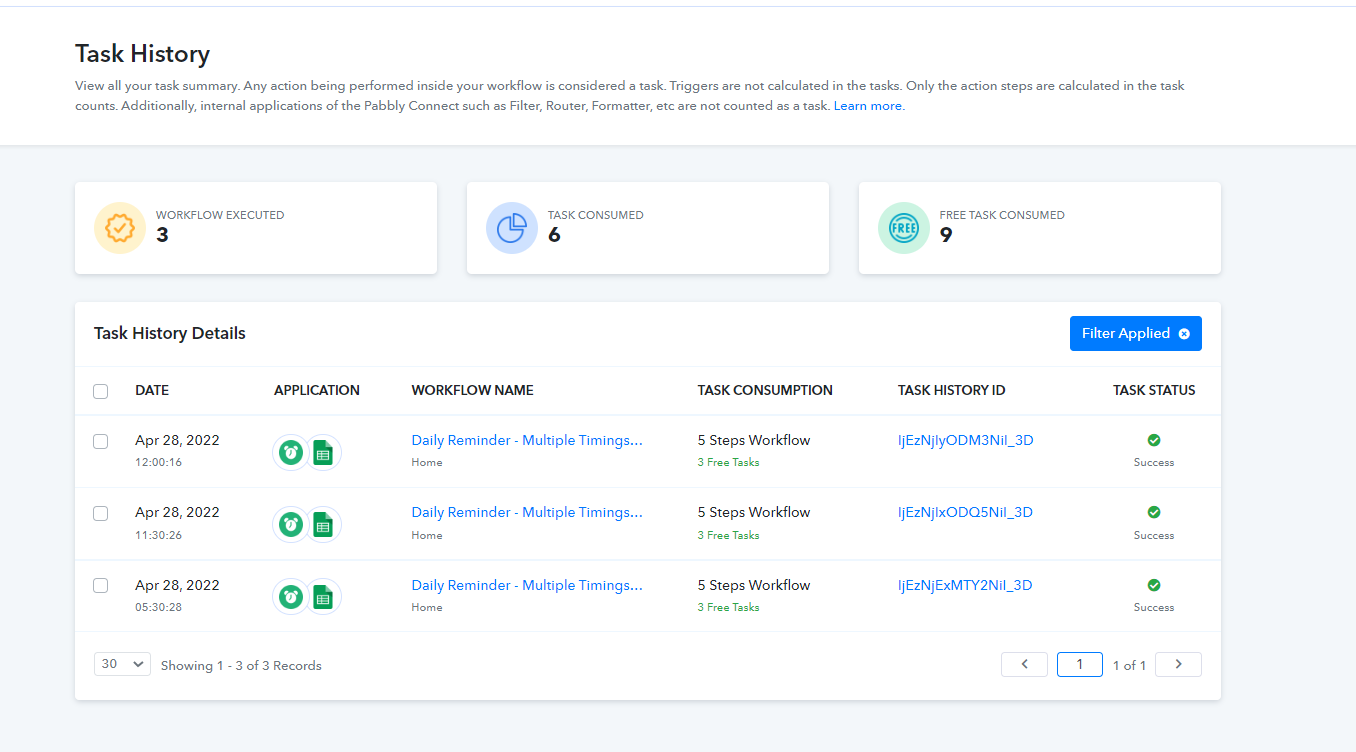
Hey
Not confused anymore
But its not working ... the workflow is not sending messages at the given time as per the google sheet
You set up the workflow
Please could you check and tell me, what is not working...?
Coz the messages are not being sent... as per the time mentioned in the google sheet
Please help on the same
thanks
Hey @zest83
Kindly add birthday and time in one column eg - YYYY-MM-DD HH:mm:ss and then the recapture the Get Rows action step, pass the Date Time in the " Date/Time Formatter by Pabbly: Format Date with Time Zone".
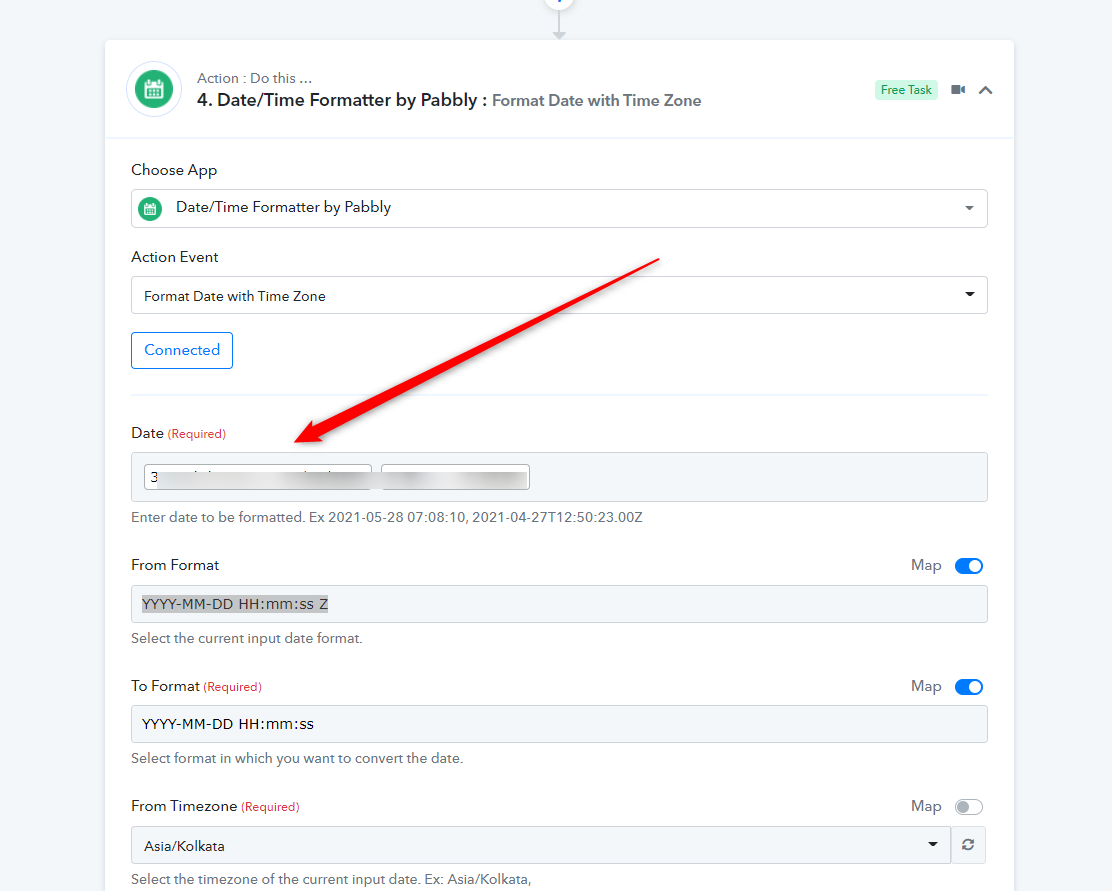
Its working now.
Thank you
Took a bit to figure out!