Scheduling my tasks based on a captured time stamp
Status: Closed · Asked by tycoon1962 on · 0 views
Dear Support,
My use case is:
1.
I get a Calendly booking three days later, and the meeting time is captured inside Pabbly.
I wank a task to execute the previous evening at 7:00PM their local time.
I want a task to be executed 15 minutes before the meeting time.
Question: How can this be achieved?
2.
Meanwhile, another meeting is also booked for two days later.
I wank a task to execute the previous evening at 7:00PM local time.
I want a task to be executed 15 minutes before the meeting time.
Question: Can the two instances of workflow run independently without interference? If yes, please guide.
Thank you
Hi @tycoon,
Please share the Workflow URL where you have set up Calendly as your trigger step. Also, state whether the meeting time captured in the Pabbly Trigger step is in UTC, your local time, or their local time.
If you haven't set up your workflow yet, please create a new one from scratch, set up Calendly as your trigger step, capture a new meeting, and check the time zone in which the meeting time is captured.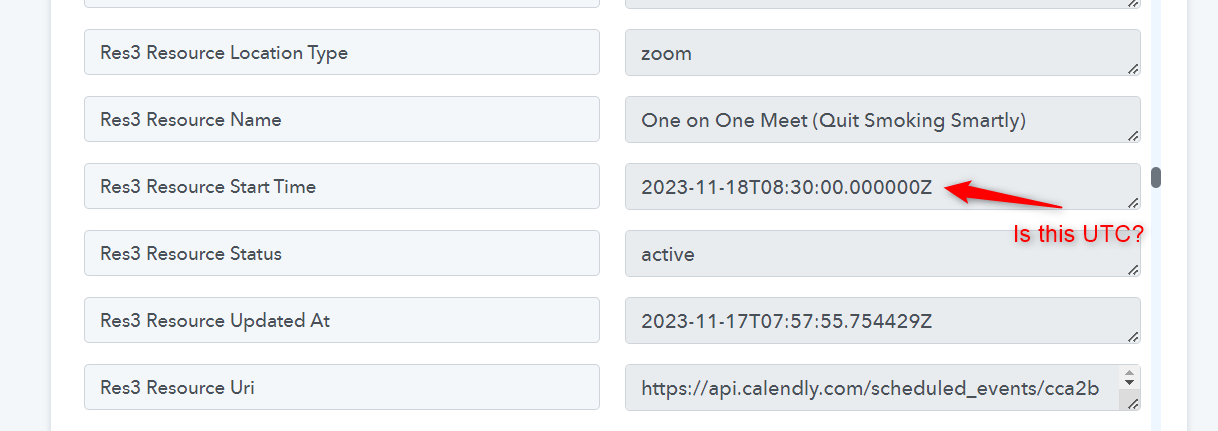
Hello Arshil,
The workflow is shared. However, I have used TidyCal to book the meeting. https://tidycal.com/sundeepvaish/for-pabbly
Res1 Starts At, Res1 Ends At, Res1 Created At, are captured in UTC.
Since everything takes place in India, I'm not sure what time zone the form will be captured in if it is filled from a different time zone.
Me: Hi! If a form is filled in a different time zone than it was created and shared, how will the time stamps of the data be collected? Thank you
TidayCal: Hi! When a user fills out a form in a different time zone than the one in which it was created and shared, the time stamps of the data collected will be based on the user's time zone. TidyCal auto-detects the user's time zone based on their internet browser settings. This ensures that both the user and the owner/setter see the time zone that is relevant to them. If you have any other questions, feel free to ask! ?
Hope this will be useful
I wanted to check if you'd like to receive notifications for the upcoming event. You can set up notifications to be sent 15 minutes before the event starts, 1 day before the event, and a few hours before the event. Please check the following video lesson here -
Ok. Thanks. Ill check.
Meanwhile, my other question still remains:
One workflow is till executing as time delay is set up. What happens if it is triggered again?
a, Both the processeses will execute properly and independently.
b. First will terminate and second will start.
c. Second will not execute.
Reagrds
One workflow is till executing as time delay is set up. What happens if it is triggered again?
Does this mean that after running the delay, the subsequent execution will have the same delay time? Please clear the situation.
Yes.
Trigger action one at 9:00 AM: Task one is executed instantly, and task two is executed after 10 hrs (at 7:00 pm).
Trigger action two at 11:00 AM: Task one is executed instantly, and task two is executed after 10 hours (at 9:00 PM).
Trigger action three at 11:30 AM: Task one is executed instantly, and task two is executed after 10 hrs (at 9:30 pm).
Hope it's clear now.
Hey @tycoon1962
You can refer to the following logic to create the automation.
1. Trigger: Calendly Booking`
- Trigger: When a new event is scheduled in Calendly.
2. Task for the Evening Before the Meeting
- Calculate the previous evening at 7:00 PM.
- Delay until that time.
- Execute your task.
3. Task 15 Minutes Before the Meeting
- Calculate the time 15 minutes before the meeting.
- Delay until that time.
- Execute your task.
Workflow 2: For Another Meeting Two Days Later
1. Trigger: Calendly Booking
- Trigger: When a new event is scheduled in Calendly.
2. Task for the Evening Before the Meeting
- Calculate the previous evening at 7:00 PM.
- Delay until that time.
- Execute your task.
3. Task 15 Minutes Before the Meeting
- Calculate the time 15 minutes before the meeting.
- Delay until that time.
- Execute your task.
You can create separate Workflows: Create one workflow for each meeting scenario and Independent Execution: Each workflow runs independently based on its specific trigger.
You have missed my query and questions altogether.
There's only 'ONE' workflow with many time-delayed actions.
I had two basic queries:
1. How to set those 'time-delayed' actions.
2. What will happen to the workflow if the 'second' trigger is fired while the 'first' trigger has not finished all the time delayed actions?
Anyway, it may be faster for me to research and get the answers.
Thank you
1. How to set those 'time-delayed' actions.
https://connect.pabbly.com/workflow/share/XRUFNwJVBGcETlI4A1BRdltPBwMIUgY_Bx4DEVJdAXlUGVU-DE0PZVoWUnBRFgRlBUwAagVaBWUMGAQAAFYJelROCBoHBAB6WxZTYFQRWmldAwUtAmM#
You can set up the delays in your workflow in this manner. We have used Gmail as an example; you can replace it with any application of your choice. Here, whenever a meeting is captured, an email will be sent to the attendee a day before at 7 PM, and another email will be sent 15 minutes before the meeting.
2. What will happen to the workflow if the 'second' trigger is fired while the 'first' trigger has not finished all the time delayed actions?
Both instances of the trigger will run independently without affecting one another.
Thank you, Arshil. That is bang on the dot. Much appreciated.
Regards
Sundeep
Hi Arshil,
Two more questions please:
1. What will happen to the 'a day before at 7 PM action' if the booking is done on the day of the meeting? Will it not be fired or disrupt the workflow?
2. What will happen to the '15 minutes before the meeting action' and the workflow if the booking is done 10 min prior to the meeting?
Thank you in advance.
Best regards.
Hey @tycoon1962
In both of these cases the email will not be sent as the delay would be going into past that time. We would suggest that you add another Gmail "Send Email V1" directly after the trigger step so that your users get an instant email regardless of when they booked it.
Further, you can also create a workflow if in case it is necessary to send different emails even when users have booked a meeting 10 or 5 minutes prior. Please take reference from this workflow and let us know if you encounter any issues.
Thank you for your help and workflow. It is my sincere appreciation.
Talking of a different challenge, I want the action to trigger immediately, only if it occurs between 7:00 AM and 11:00 PM. Otherwise, it must trigger the following day at 7:00 AM.
How can this be done?
So, for example, if your workflow triggers on August 10th at 11:30 PM, you want the next steps to be executed on August 11th at 7:00 AM. Similarly, if it triggers on August 10th at 2:00 AM, you want the next steps of your workflow to execute on August 11th at 7:00 AM. Is that correct?
If the workflow triggers on August 10th at 11:30 PM, I want the next steps to be executed on August 11th at 7:00 AM.
And, if it triggers on August 10th at 2:00 AM, the next steps of my workflow should execute on August 10th itself but at 7:00 AM.
Hope it is clearer now.
Thank you.
You can setup your workflow in this manner to achieve your use case:
https://connect.pabbly.com/workflow/share/DUUFN1MEA2AHTQljAVIEIwoeBABXDQQ9UksBE1ZZAHhXGgR_UxIIYglFVnQETwVkBE0HbQZZUzMKHldTB1EFdgEbBztXVFAqVBlVZlMaADMNUwUtUzI#
In Route 1: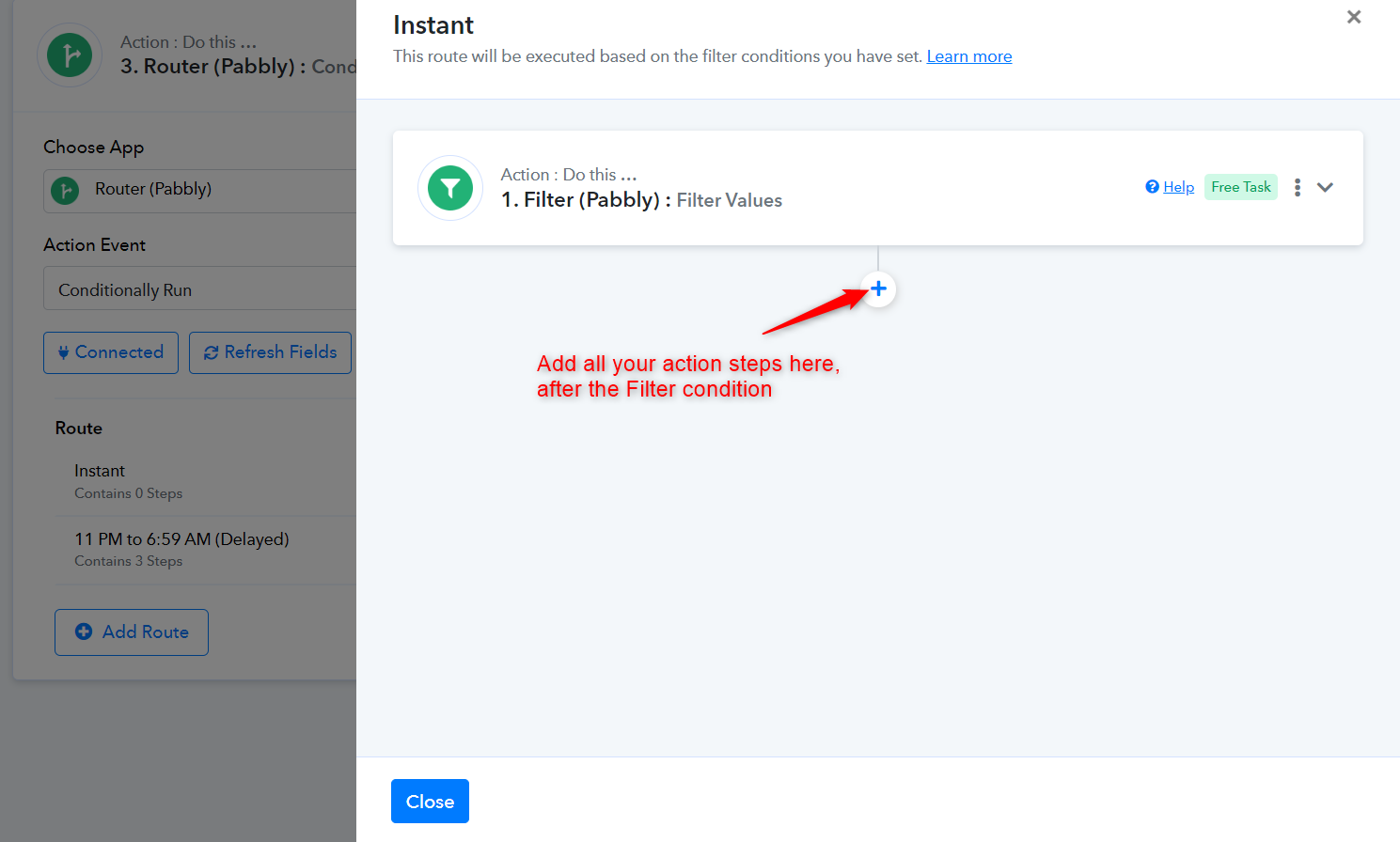
In Route 2: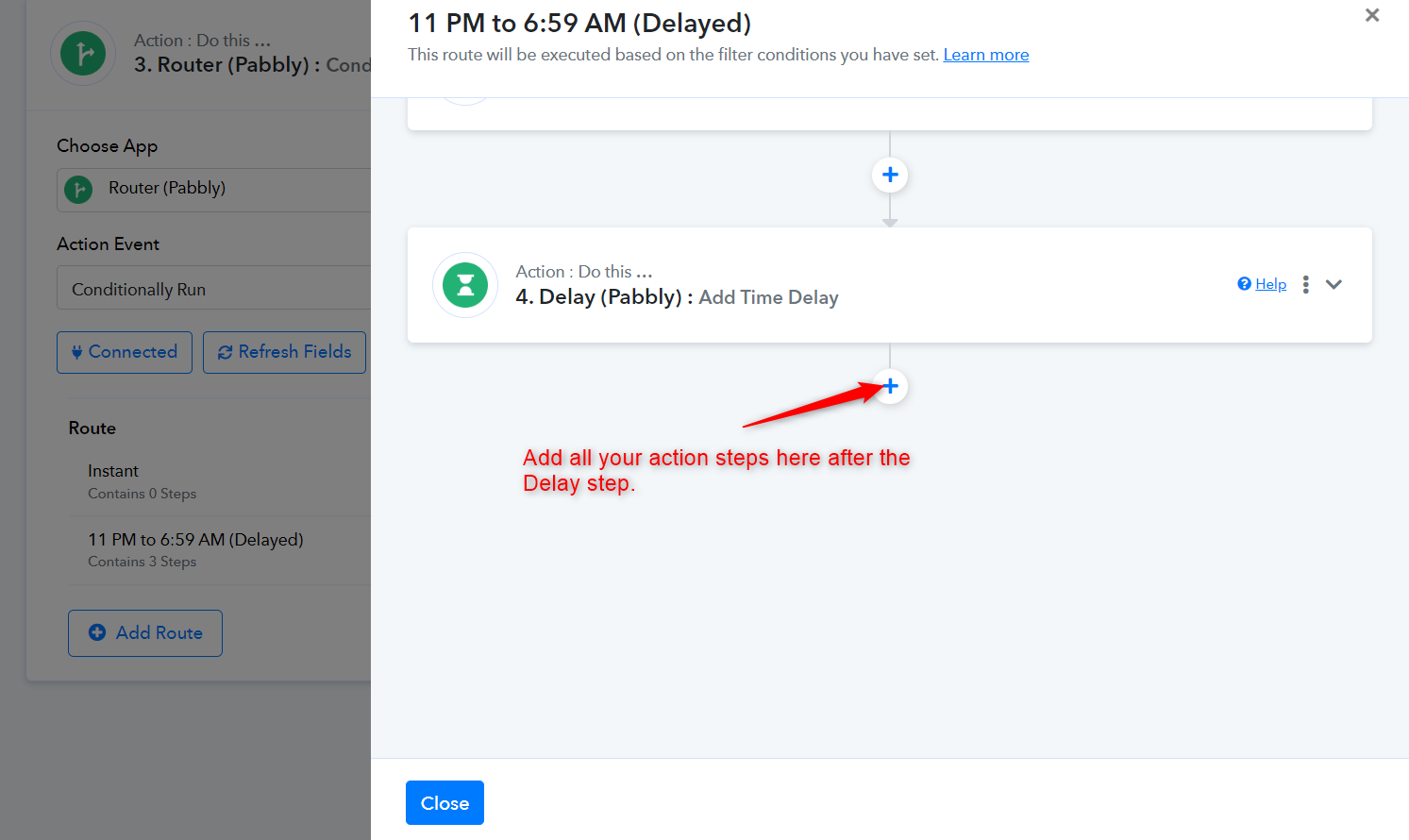
Other than the trigger step, kindly avoid making any changes to the Router conditions, Code, Delay, or Date/Time Formatters while testing.
from datetime import datetime, timedeltadef calculate_date_in_utc(ist_datetime_str):
# Parse the input datetime string in IST
ist_datetime = datetime.strptime(ist_datetime_str, '%Y-%m-%d %I:%M %p')
# Convert IST to UTC by subtracting 5 hours and 30 minutes
utc_datetime = ist_datetime - timedelta(hours=5, minutes=30)
# Get the time component in IST to determine the condition
ist_time = ist_datetime.time()# Check conditions and adjust UTC date
if datetime.strptime('11:00 PM', '%I:%M %p').time() <= ist_time <= datetime.strptime('11:59 PM', '%I:%M %p').time():
utc_datetime += timedelta(days=1)
elif datetime.strptime('12:00 AM', '%I:%M %p').time() <= ist_time <= datetime.strptime('05:29 AM', '%I:%M %p').time():
utc_datetime += timedelta(days=1) # Change this to 1 day instead of 2
elif datetime.strptime('05:30 AM', '%I:%M %p').time() <= ist_time <= datetime.strptime('06:59 AM', '%I:%M %p').time():
pass # No change needed for this range# Return the result in YYYY-MM-DD format
return utc_datetime.strftime('%Y-%m-%d')
# Example usage with the specified date
ist_time = '2024-08-25 11:30 PM'
result = calculate_date_in_utc(ist_time)
print(result) # Output: 2024-08-26
Thank you ArshilAhmad! Let try and revert.
Hello ArshlAhmad. The workflow is working perfectly. Thank and I appreciate it.
I was wondering if we could copy and paste an entire workflow as action steps in another workflow. Can we?
Or, could we copy and paste multiple action steps with one copy-paste function?
I was wondering if we could copy and paste an entire workflow as action steps in another workflow. Can we?
You can clone the workflow, which will copy all the steps and create a new one as it is. You just need to configure the trigger event by capturing the webhook response.
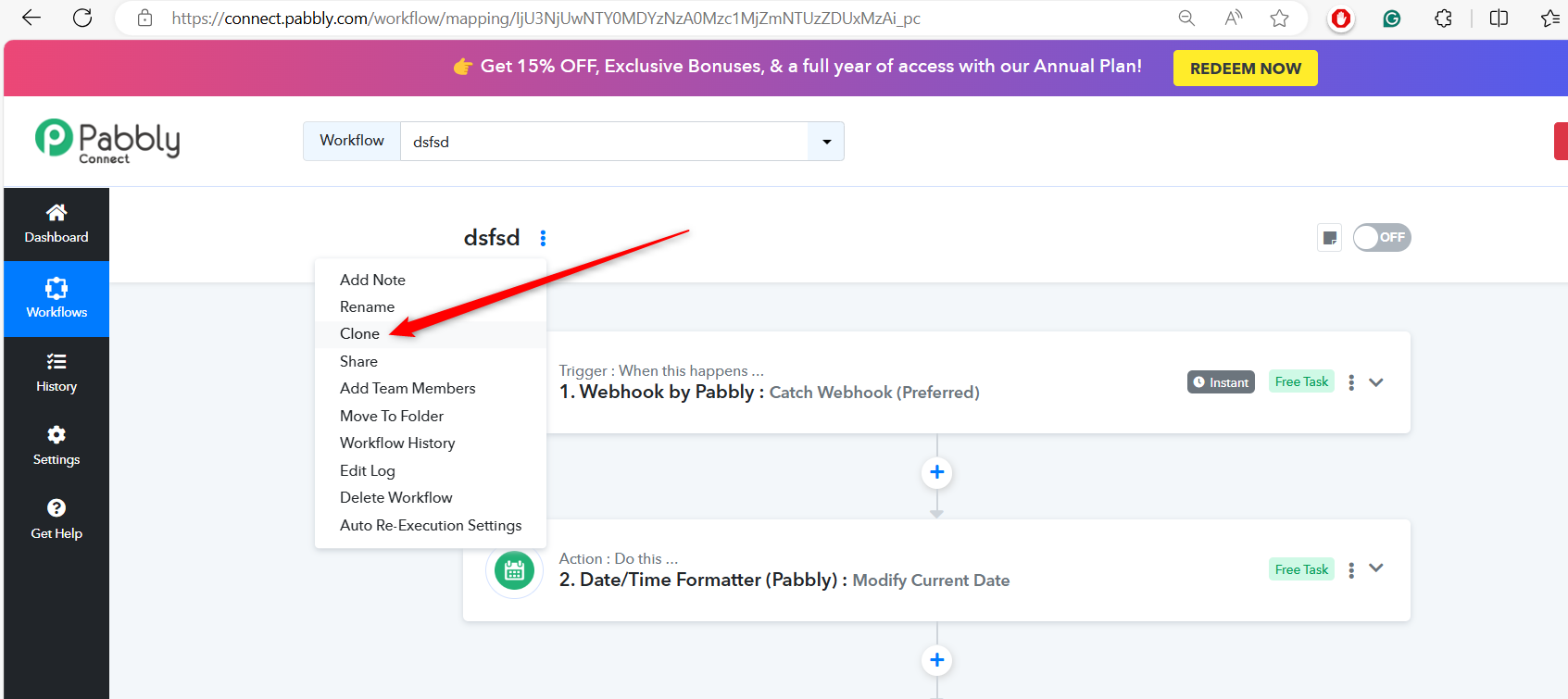
1. Hi! I can paste steps but can't paste a workflow inside another workflow. Can I?
2. Also I'm having a challenge copying and pasting
'Action : Do this …
3. Code (Pabbly) : Run Python'
step into my workflow from the workflow you shared.
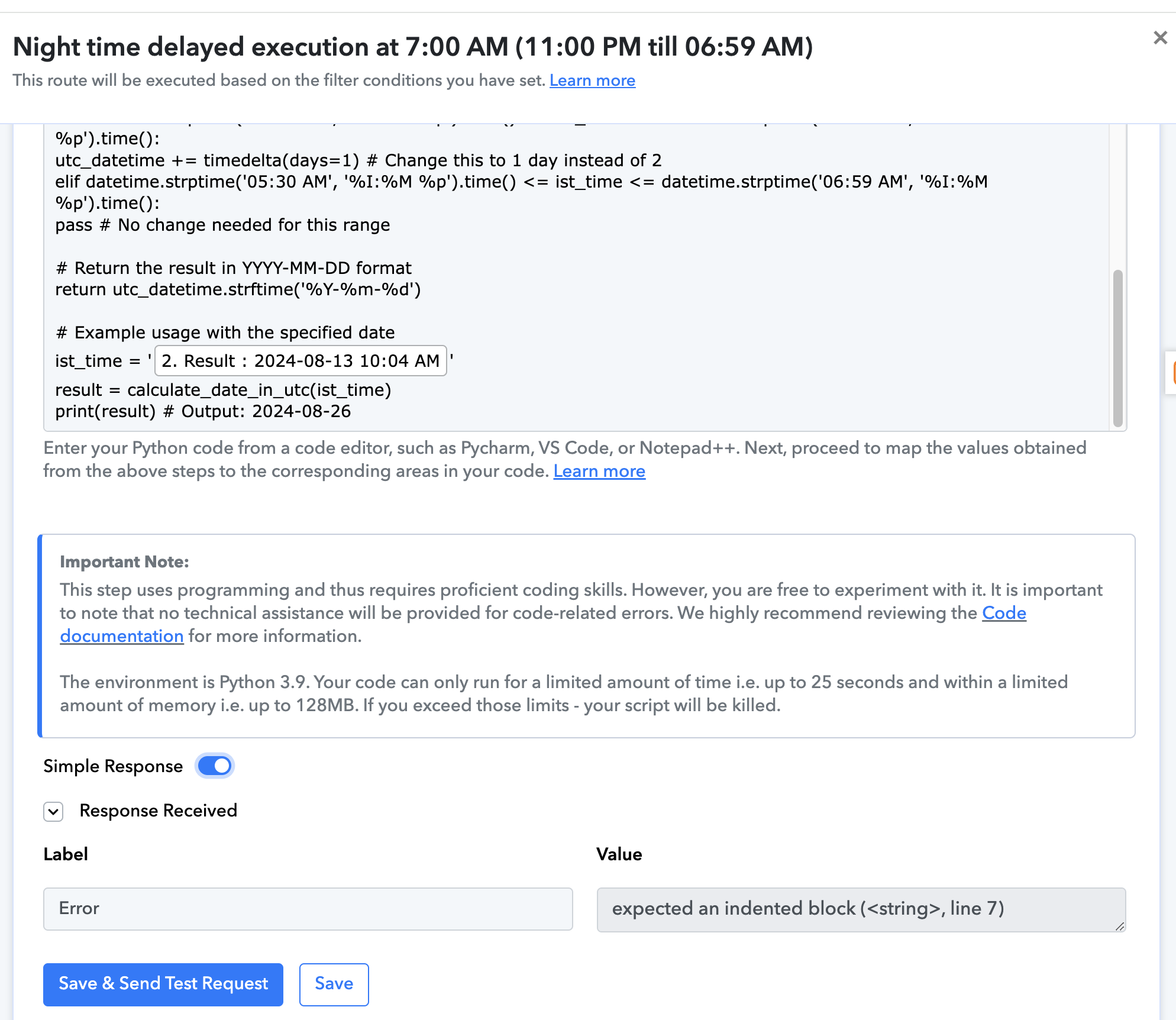
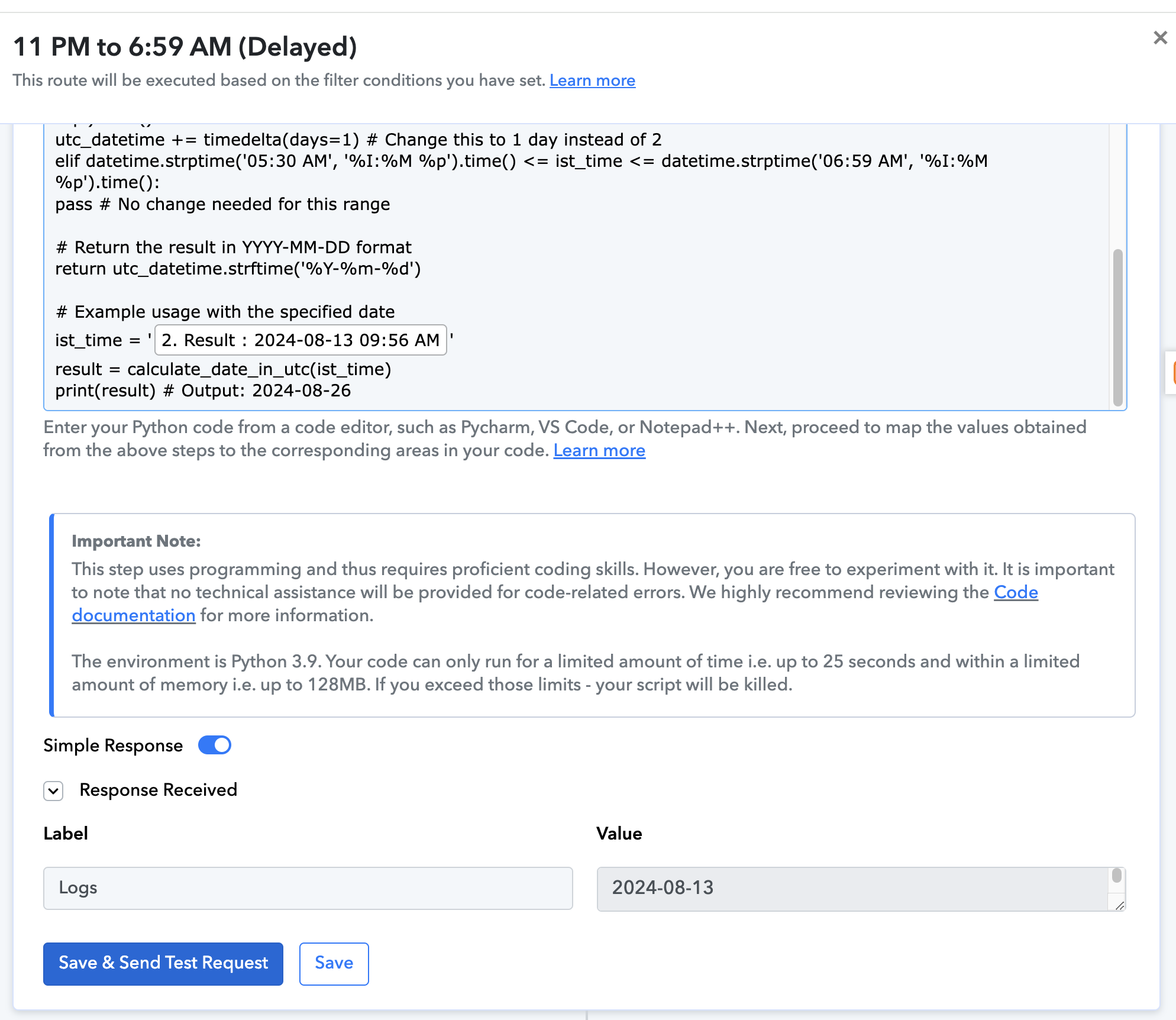
Please check Screenshots
When I run your original workflow, I get this result: 'Screenshot One'
But, when I run a copy of it, I get this result: "Screenshot Two'
What am I doing wrong?
Attachments
Ok. I think I have resolved '2.' query.
I have to copy and paste the code in my workflow and then map the field for it to work. now it's working fine.
My query '1.' still remains.
To send the message notification from your workflow within a certain time interval you can refer to the similar logic mentioned in the following video lesson.
Supreme, you are way behind in this journey. We have already resolved that as well as other time options and combinations.
Now, my questions are:
1. Can we copy-paste a workflow inside another workflow?
2. Can we copy-paste 'multiple steps' together inside a workflow?
I hope I have explained my query correctly.
Thank you
No, it's not possible to copy the entire workflow or multiple steps of a workflow together into another workflow. You can only copy individual steps.
No, it's not possible to copy the entire workflow or multiple steps of a workflow together into another workflow. You can only copy individual steps.
Thanks, ArshilAhmad, for that clarification.
One thing is still unclear to me. When I copied-pasted the 'Code (Pabbly): Run Python' step, it did not function appropriately until I pasted the code separately inside the step and then mapped the field.
Why is it so?
Please wait, we are checking on it. Shall notify you with an update soon.
Thank you. Your help and guidance are much appreciated.
It's possible that while copying and pasting the step to another workflow, it didn't recognize the mapped date from above, which caused it not to work correctly. Since you pasted the code again and, more importantly, mapped the value again, it was recognized the next time, and the code worked. Although copying and pasting usually works without requiring any changes to the data, remapping may be needed sometimes.
Thank you.