Search Drive Folder Failure After Creating Successfully
Status: Closed · Asked by IChild Company on · 0 views
Hi Community
We kept having this problem:
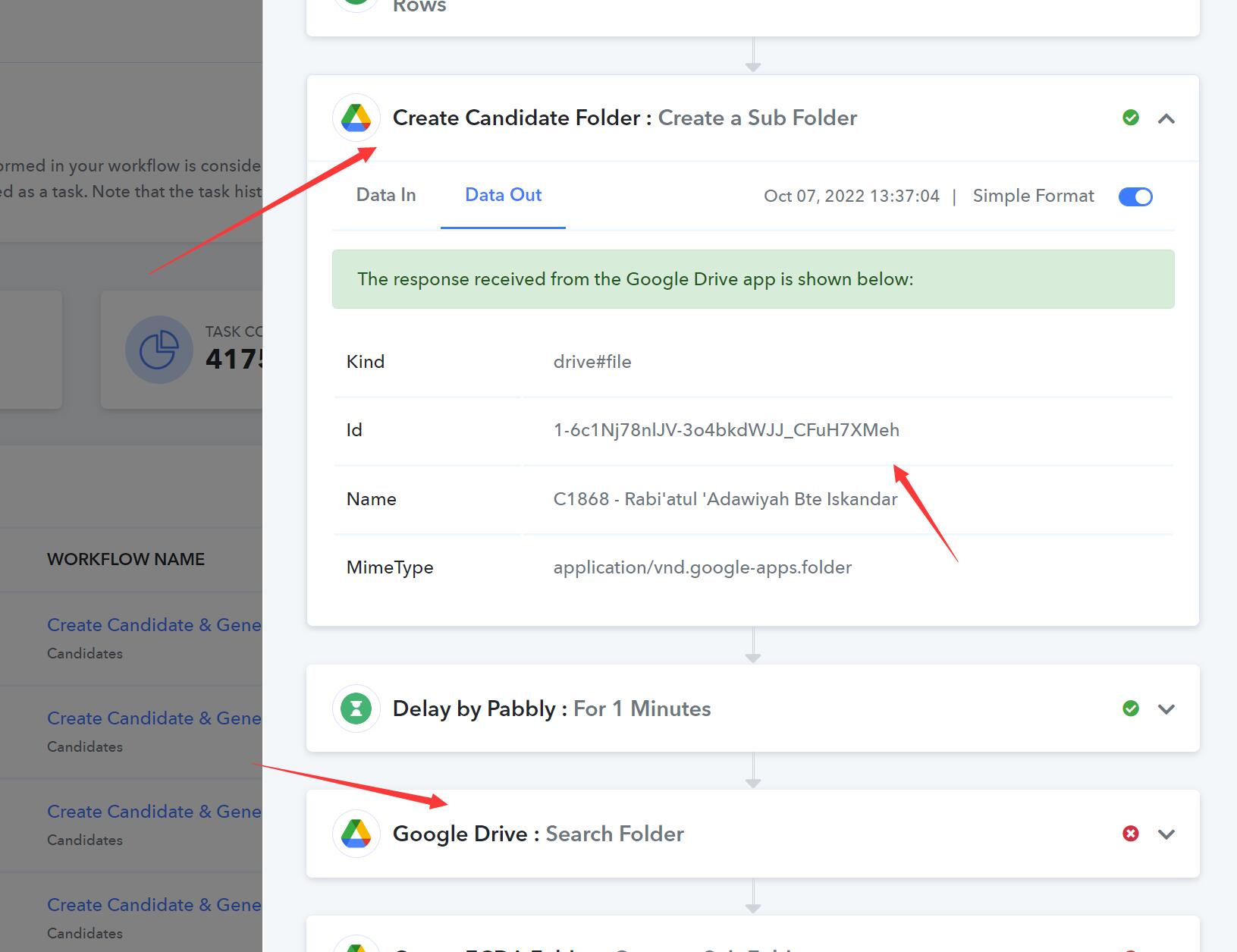
1. Creating Sub Drive Folder: Success
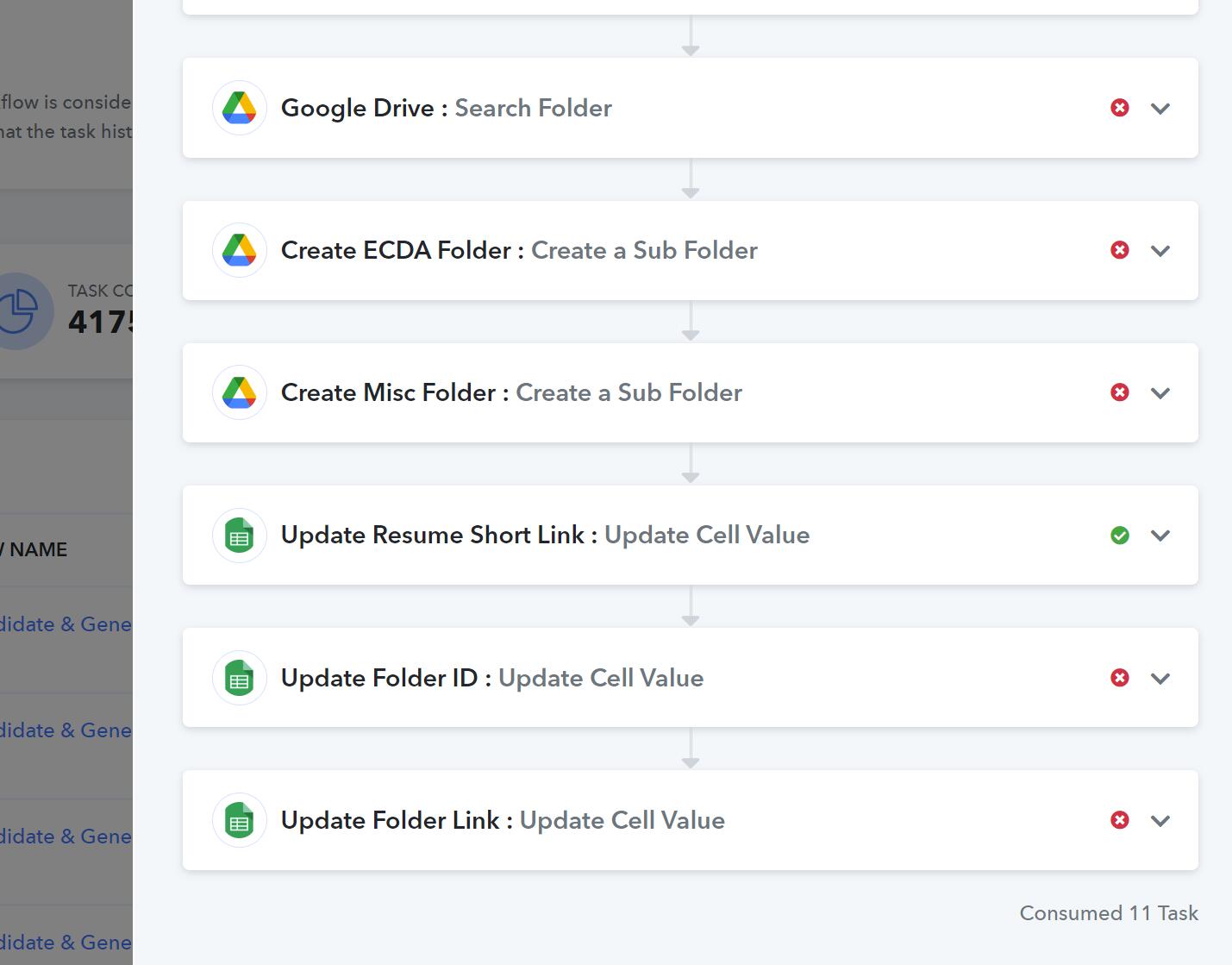
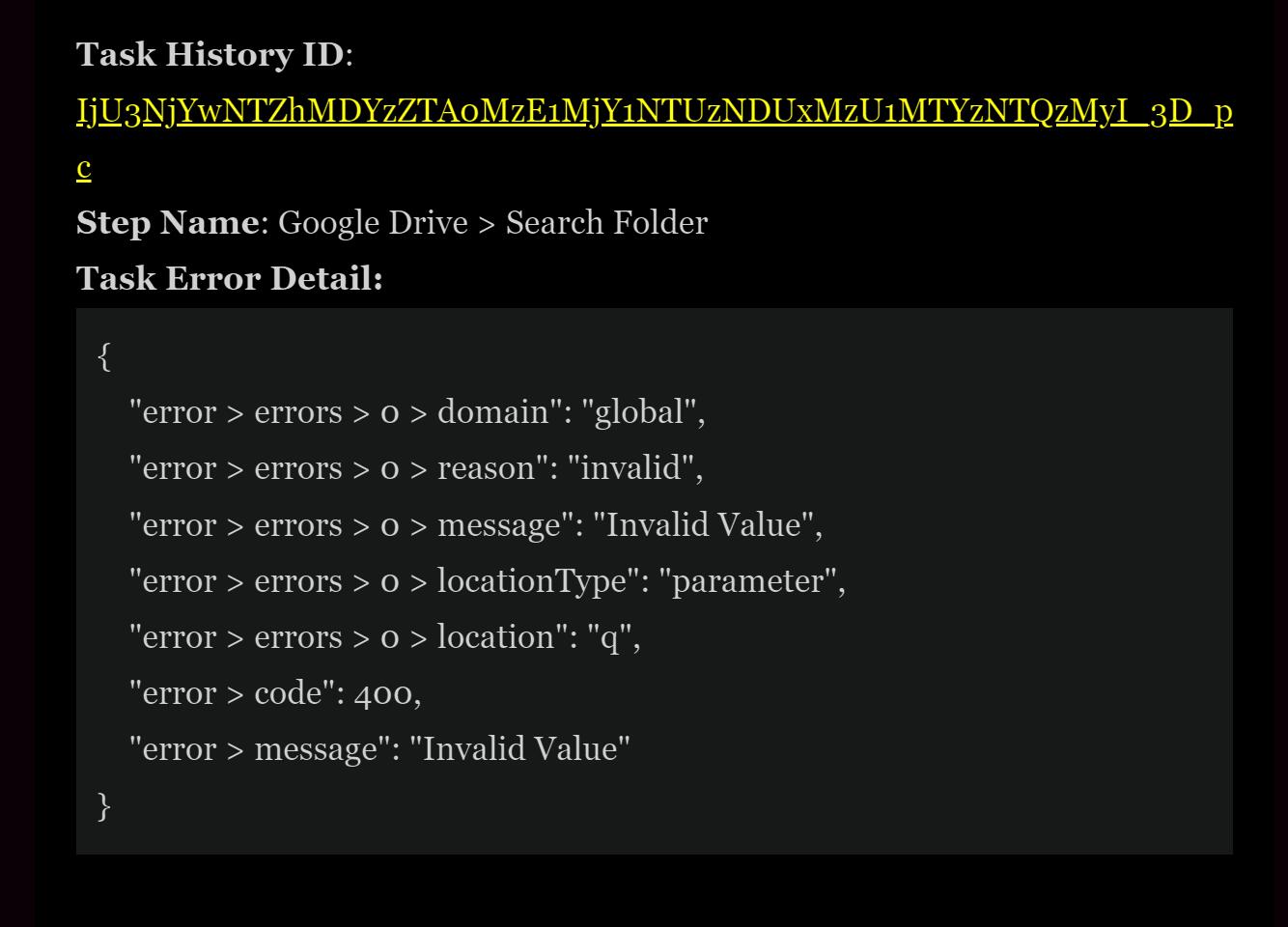
2. Search for This Folder: Failure
We even delay 1 minute before the Search is done. Still have occasion issue.
The above will then lead to subsequent failure for the rest of the step.
TAsk History ID: IjU3NjYwNTZhMDYzZTA0MzE1MjY1NTUzNDUxMzU1MTYzNTQzMyI_3D_pc
Attachments
Hey @ichilddev
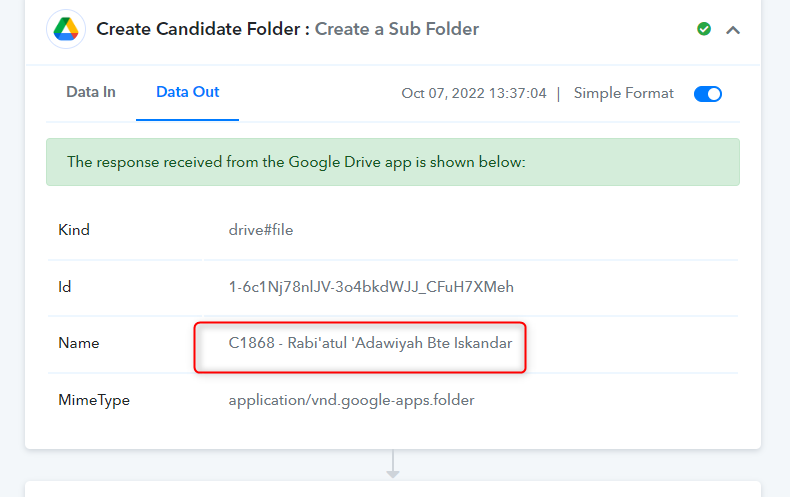
We checked the details and found that you are passing the special characters in the subfolder creation. Kindly remove the special characters and then test.
Thanks
Kunal
Hey @ichilddevWe checked the details and found that you are passing the special characters in the subfolder creation. Kindly remove the special characters and then test.
Thanks
Kunal
Thanks for the reply.
Is there a filter provided by Pabbly to check for special candidates before name are used, since the folder name is automatically created.
Appreciate any response.
Hey @ichilddev
We are sorry, but we don't have any filters to check for special characters in the application. While creating a folder kindly make sure that you do have not to use the special character.
Does pabbly has a list of special candidates we can use to explicit check on?
We are sorry, but we don't have any filters to check for special characters in the application. While creating a folder kindly make sure that you do have not to use the special character.