Search Row action in Stackby always returns all rows
Status: Closed · Asked by TimPonting on · 0 views
Hi there
I have been scratching my head on this one - I am doing some text parsing in Pabbly (which works like a dream) and then using a string to find a row ID in a Stackby column.
Here is the Stackby table set up as an example. I'd like to search a record for the row containing, say "Applicant".
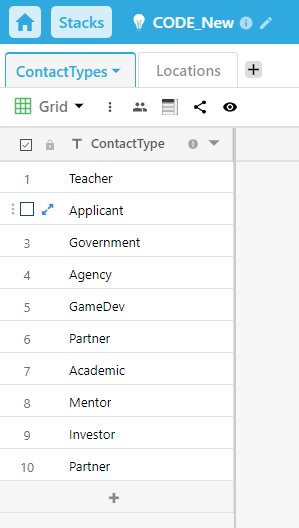
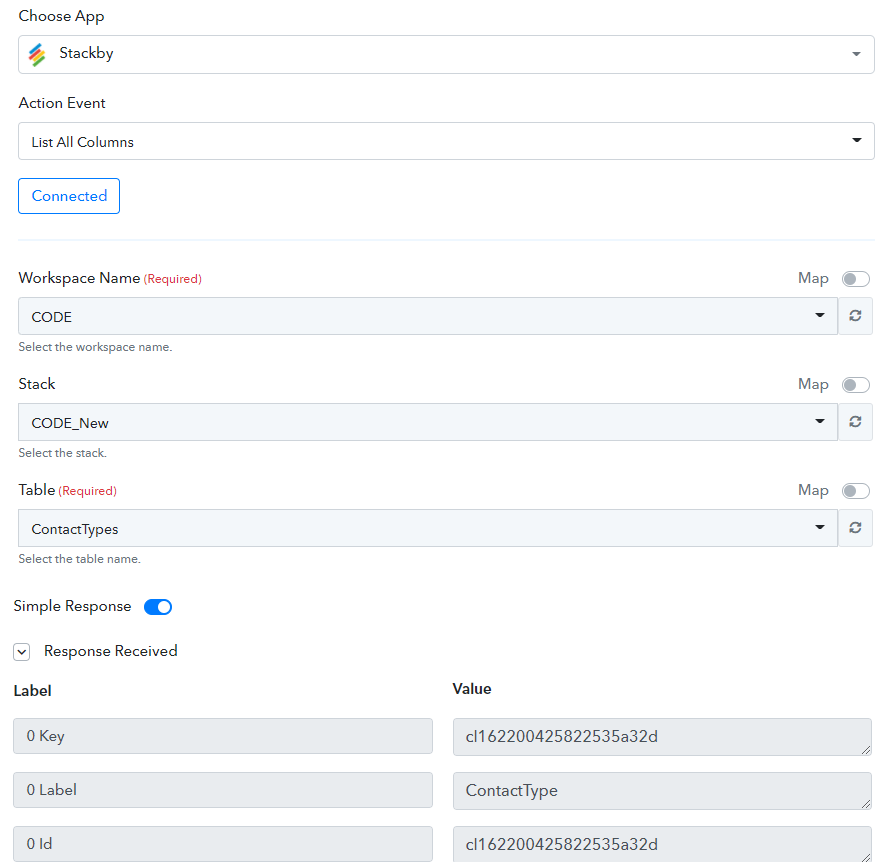
Below I query Stackby using the List Columns action:
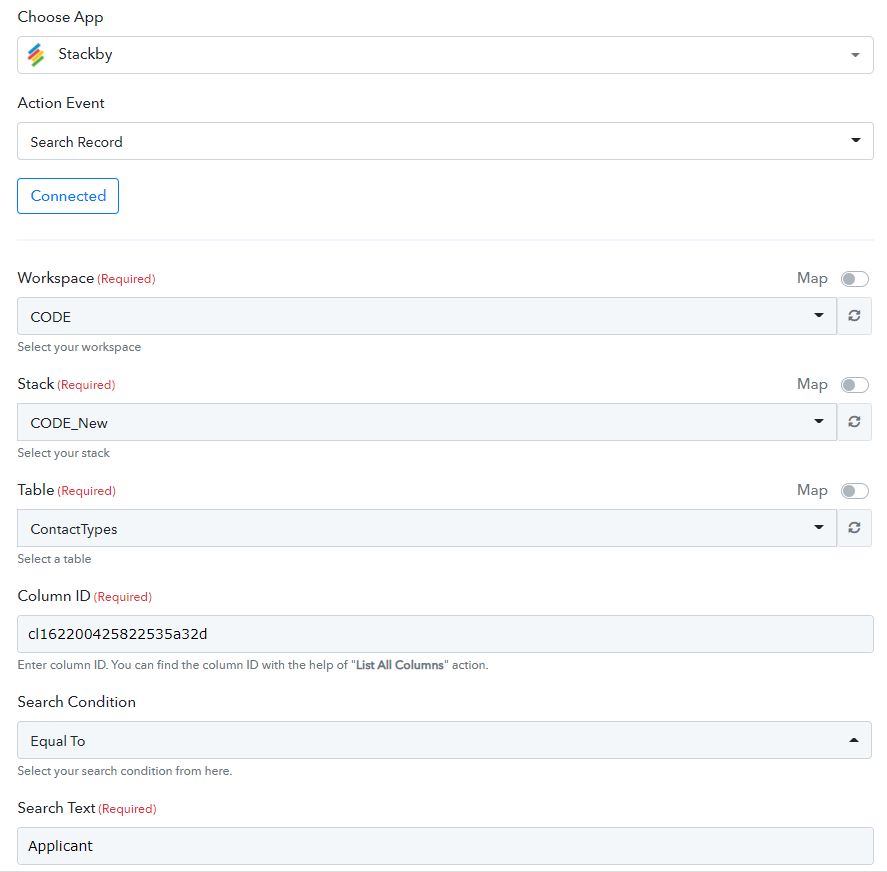
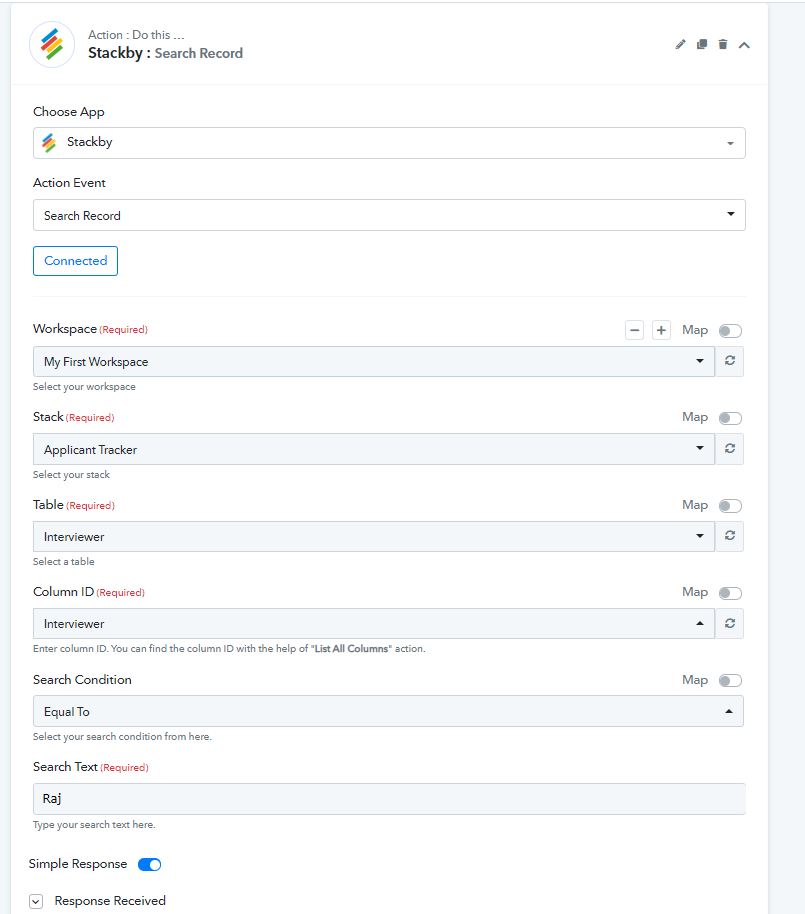
Then I use the Search Record action in Pabbly to find a record in this column (I just used the text string "Applicant" rather than any earlier input just for this example). I also tried "Contains" as well as "Is Equal To" with as simpler string. In any case, here is the set up for the Search Record using the column ID from above.
And the result is:
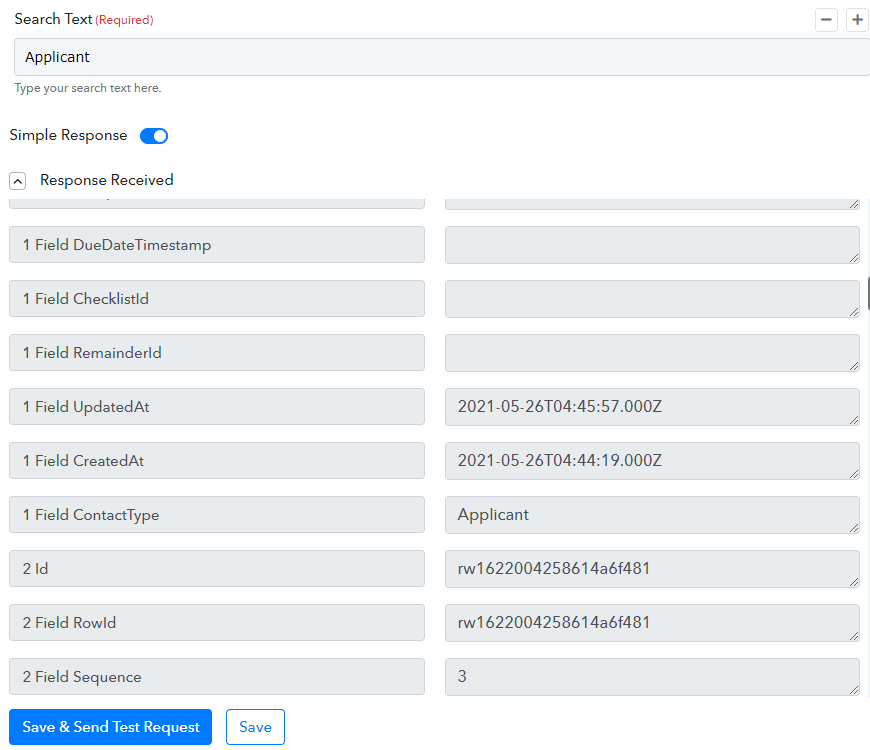
You can see Applicant in the result, but in fact the result is just a list of all the records in the table. This result is produced whatever you search for - whether it is in that column or not.
I also tested this using the Search Record action in Airtable but that works perfectly. However I have already paid for Stackby a while ago and really would rather use Stackby as it works fine in itself.
I have tested this on multiple Stackby databases to make sure there's no corruption issue.
Can you look into this integration problem please? Many thanks.
Tim
Hey @TimPonting
We are currently looking into your concern and will get back to you shortly.
Hey @TimPonting
I have been scratching my head on this one - I am doing some text parsing in Pabbly (which works like a dream) and then using a string to find a row ID in a Stackby column.Here is the Stackby table set up as an example. I'd like to search a record for the row containing, say "Applicant".
We looked over your concern and contacted Stackby team for this. They have made some updates on Stackby action and now you can find the column with the "text" written on it.
Please check this out and we hope this might help you.
Hi @Supreme Verma
I can now get my Search to work :-) Thank you!
Just to let you know, the dropdown always brings in the column names of the first table in your Stack, even if you refresh which is not expected behaviour. But since you can manually enter the correct column name, this makes no real difference :cool: so nothing further needs fixing. Thank you!
Wrong column names for the Entities Table...
...But makes no difference if you enter the correct column name manually - it works as expected in this case :-)
Thanks again
Tim