Search through task history by customer email
Status: Closed · Asked by Support | Goodness Lover on · 0 views
Hi, as per the title, I need to find out why an automation failed. It's a flow with multiple routes, so it's not easy to look up the specific product's history. I'd like to trace it by customer or webhook returned data, generally. Is there a way to do that?
Hey @Anastasia
If you want to look for the task's status in the history section you can make use of the history section of your workflow.
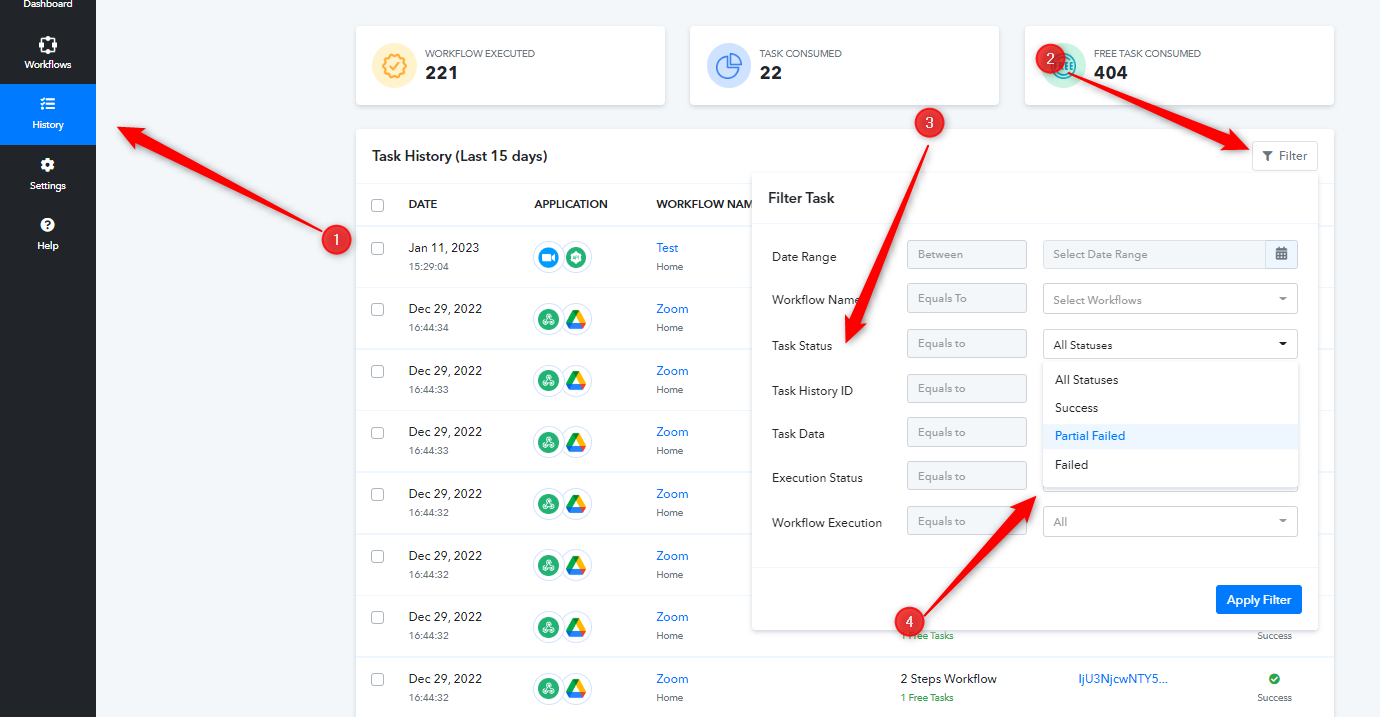
And if you want to find specific data in your history log then you can Task Data field from the filter section.
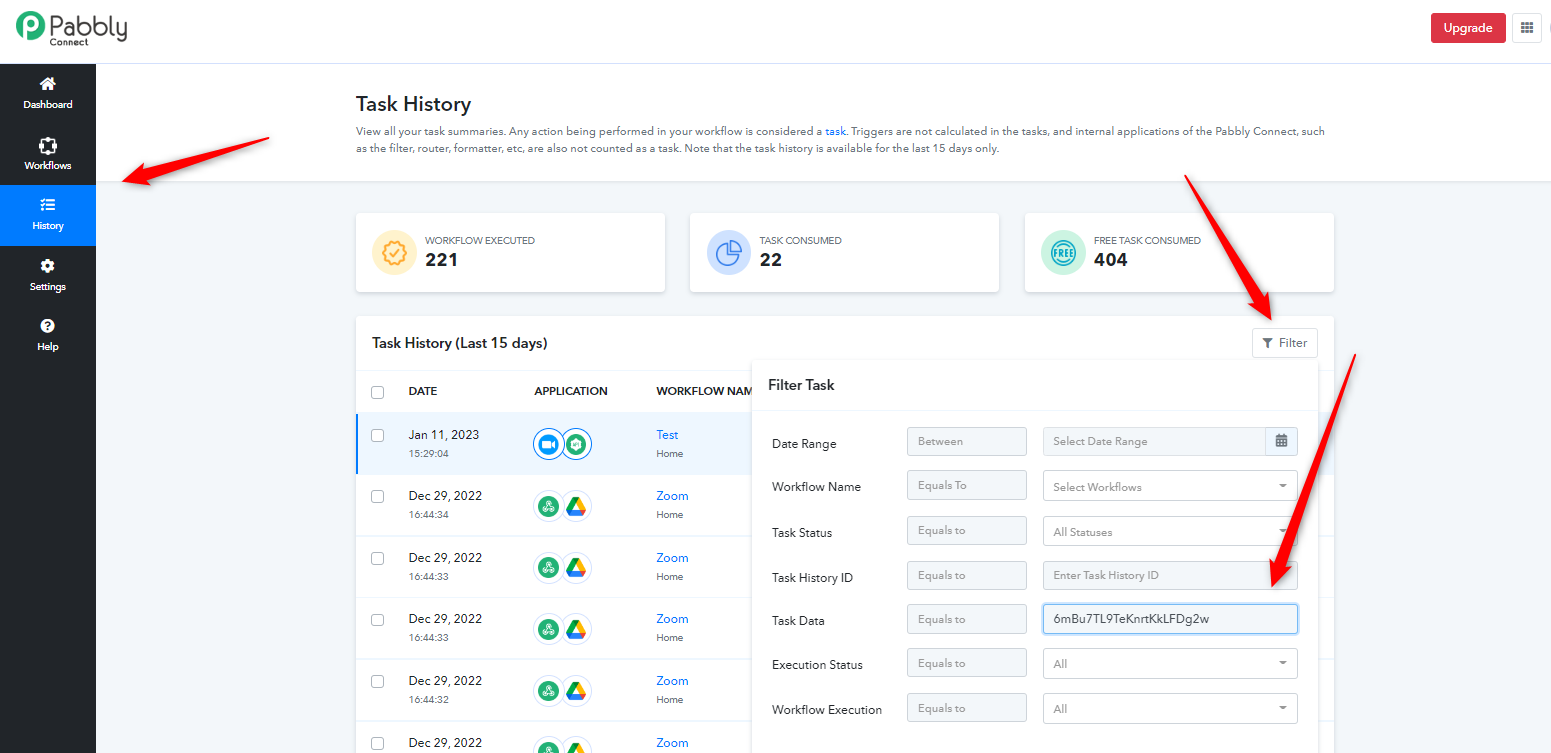
Hi! I tried that, but when inputting the customer's email as data it brought up nothing. Does that mean it never triggered? Should the customer email count as data?
Hi! I tried that, but when inputting the customer's email as data it brought up nothing. Does that mean it never triggered?
Probably the email address might not have been entered in your workflow.
Hi Supreme. I don't follow. The email address is part of the webhook response and utilised further down the flow. Can I not check through History using webhook response data? I need to trace a specific order.
Hey @Anastasia
Please note that your 15 days history is only stored in your Pabbly account. If you are looking for the data response beyond 15 days back then it is not possible to retrieve it.
Further, you can check the short clip on how you can search a task id on the basis of the email address.
Thanks!