Send Image from Telegram to Whatsapp through waapi
Status: Closed · Asked by lohith on · 0 views
Hello!!
Workflow - Whenever I send an image to my telegram bot, it should send that image file to whatsapp group through Waapi.
What did I do?
I created a telegram bot using botfather as suggested by pabbly connect and I set up the trigger event for that bot as "SET WEBHOOK/WATCH UPDATES". I ran the test by sending an image file to the bot and it was successful in fetching the webhook data and I got something like this for API RESPONSE
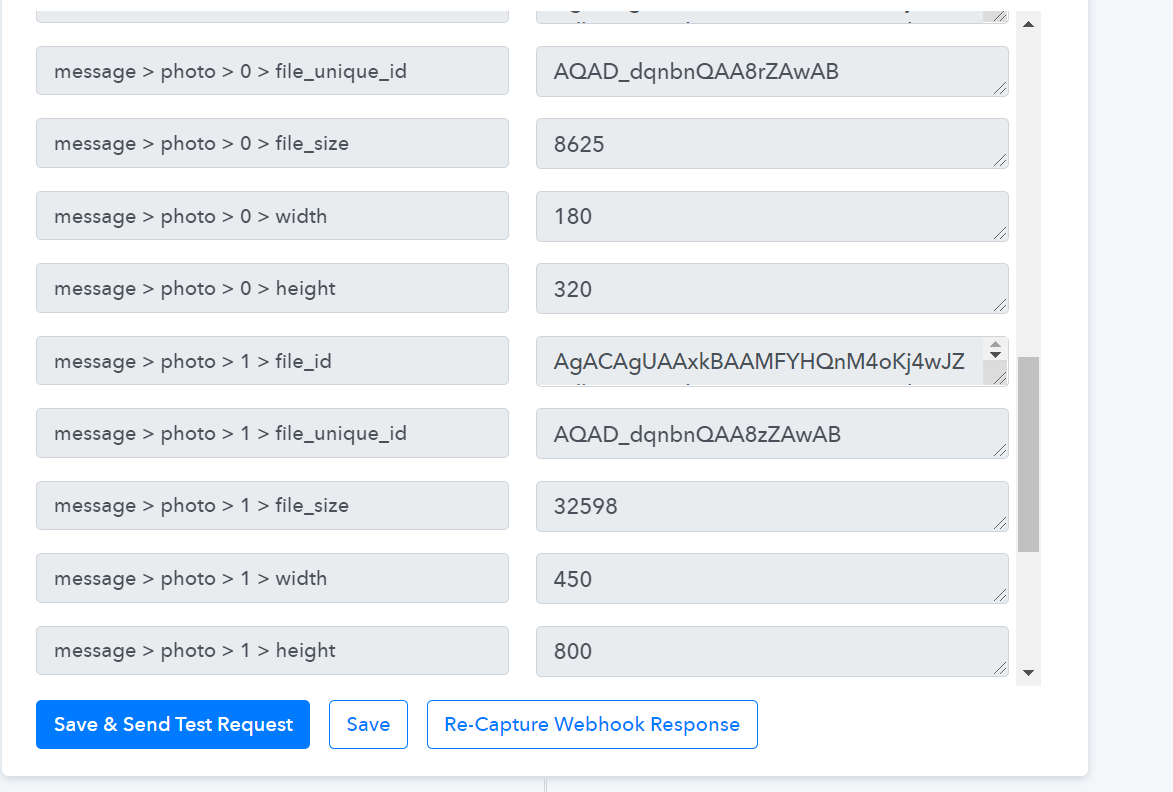
I got to understand that the webhook fetches file_id, dimensions, etc.
Where i am stuck ?
I am not able to fetch that file and route it through WAAPI to send it to my whatsapp contacts.
Please help me out to resolve this. If you have any other workaround for this please feel free to suggest me.
TIA
Hey Lohith,
We are working on your use case and will update you shortly.
Hey Lohith,
Whenever I send an image to my telegram bot, it should send that image file to whatsapp group through Waapi.
We have added the endpoint " Get file " to Telegram Bot Action.
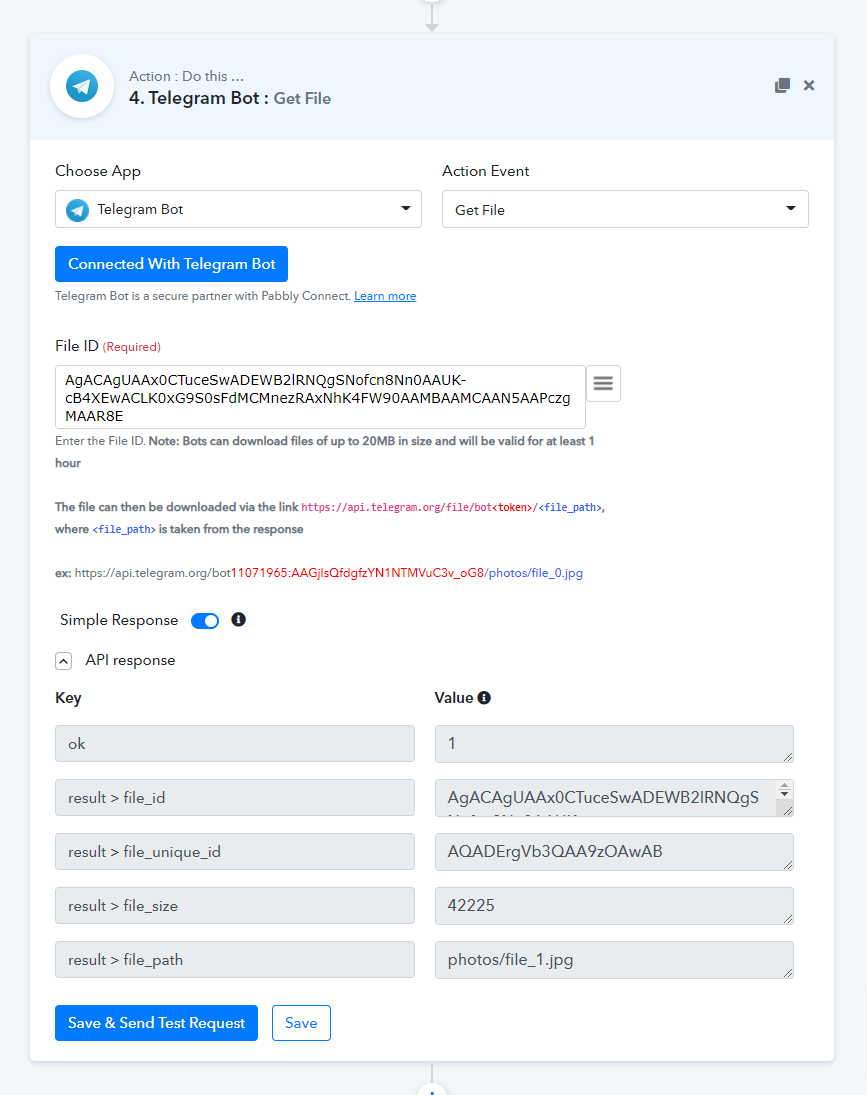
With the help of this, you can now get the image that you are trying to send on WhatsApp through WA API from Telegram.
After getting the file from the " Get File " endpoint of "Telegram Bot", you can then map this in the WA API's " Send File ".
I hope this might help you.
@Supreme Verma Wowwww!! looks great thanks for that swift action by your team. Will try out and let you know the feedback.
Hey @lohith
As we checked the Google My Business Action the Media Source URL, which you are providing it doesn't have permission to get access publicly or doesn't exist.

Response -

On browser response -
You can check it by firing the same Image URL in ur new tab.

So kindly provide the URL with the existing file.
Hey @lohith
While checking the Telegram action and in the GMB action.
The mistake was in the GMB's Media Source URL as it was missing the "file" words in the URL.

***Tip - Pick the ideal size of the Image from the Trigger to map the image in the "Get File" endpoint of the telegram, as GMB takes the specific size of the image.
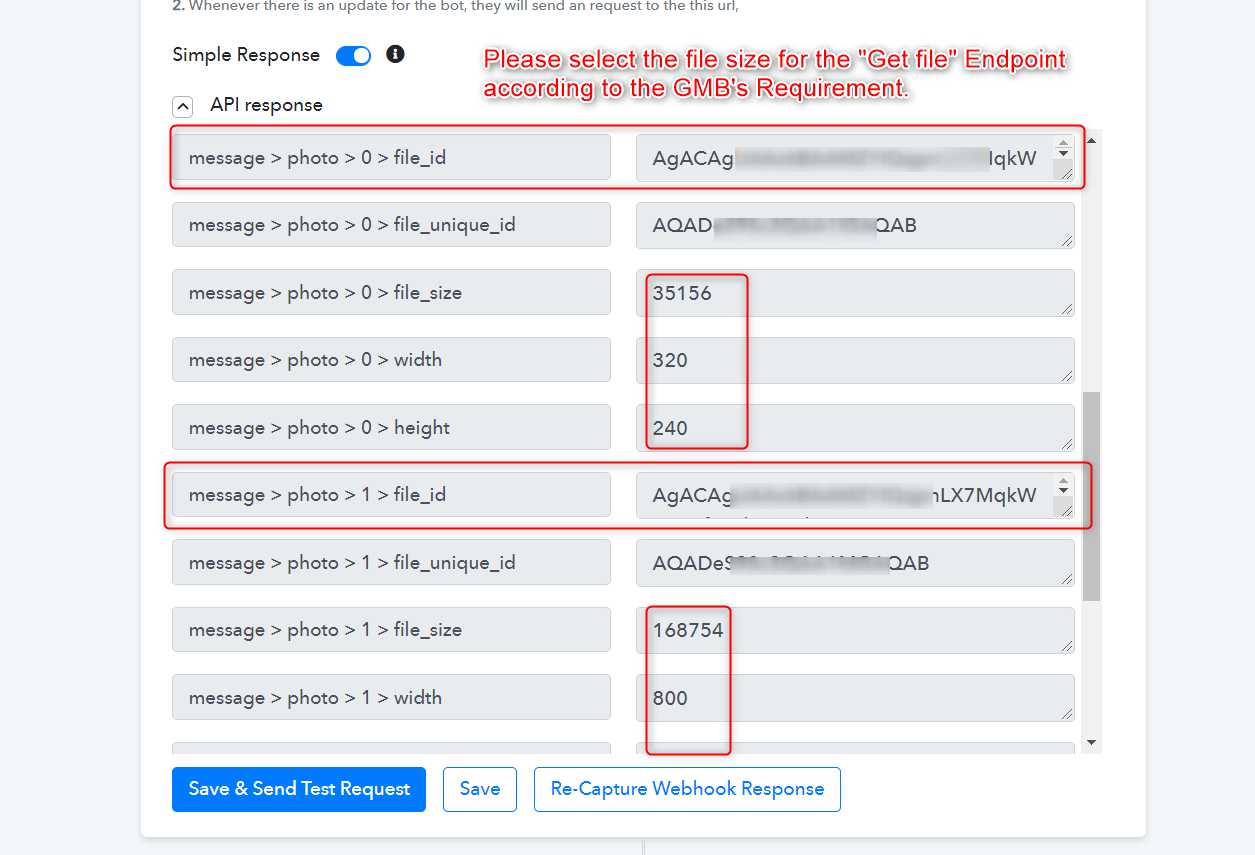
Then map that file_id in the GMB's media source URL.
Although we have done that for you in your workflow.
So please check and try.
@Supreme Verma Thanks a lot. It works like a charm.