Send In Blue Update Contact With Custom Fields Action Issues
Status: Closed · Asked by Fagun Shah on · 0 views
1. It is not assigning the list.
2. How to pass boolean values for custom fields.
Watch video - https://www.berrycast.com/conversations/96819768-ce17-57f6-ab9a-70183077d743
Workflow URL- https://connect.pabbly.com/workflow/mapping/IjI1NjczMiI_3D
Email of Account - [email hidden]
Hey @Fagun Shah
To pass the boolean values on the custom field of Sendinblue, you can use "{{##boolean:false}}" for no and "{{##boolean:true}}" for yes.
We have tested the action event and the contacts are getting into the respective lists. Though the drop-down will display all the lists from the folders.
Hey @Fagun ShahTo pass the boolean values on the custom field of Sendinblue, you can use "{{##boolean:false}}" for no and "{{##boolean:true}}" for yes.
We have tested the action event and the contacts are getting into the respective lists. Though the drop-down will display all the lists from the folders.
Not working.
And if List drop-down is only for display than please add related information below that or remove that from the action.
https://www.berrycast.com/conversations/586a73ca-f55e-5015-895c-7071ce57b903
Hey @Fagun Shah
Correction - To pass the boolean values on the custom field of Sendinblue, you can use "{{##boolean:false##}}" for no and "{{##boolean:true##}}" for yes.
Hey @Fagun ShahCorrection - To pass the boolean values on the custom field of Sendinblue, you can use "{{##boolean:false##}}" for no and "{{##boolean:true##}}" for yes.
Okay that works. But I the list issue is still there. It does not add user to list selected.
Hey @Fagun Shah
We have created a new action event "Sendinblue: Create or Update Contact" where you can leave the List field empty if you do not want to create in a list.
Kindly try this and let us know how it works for you.
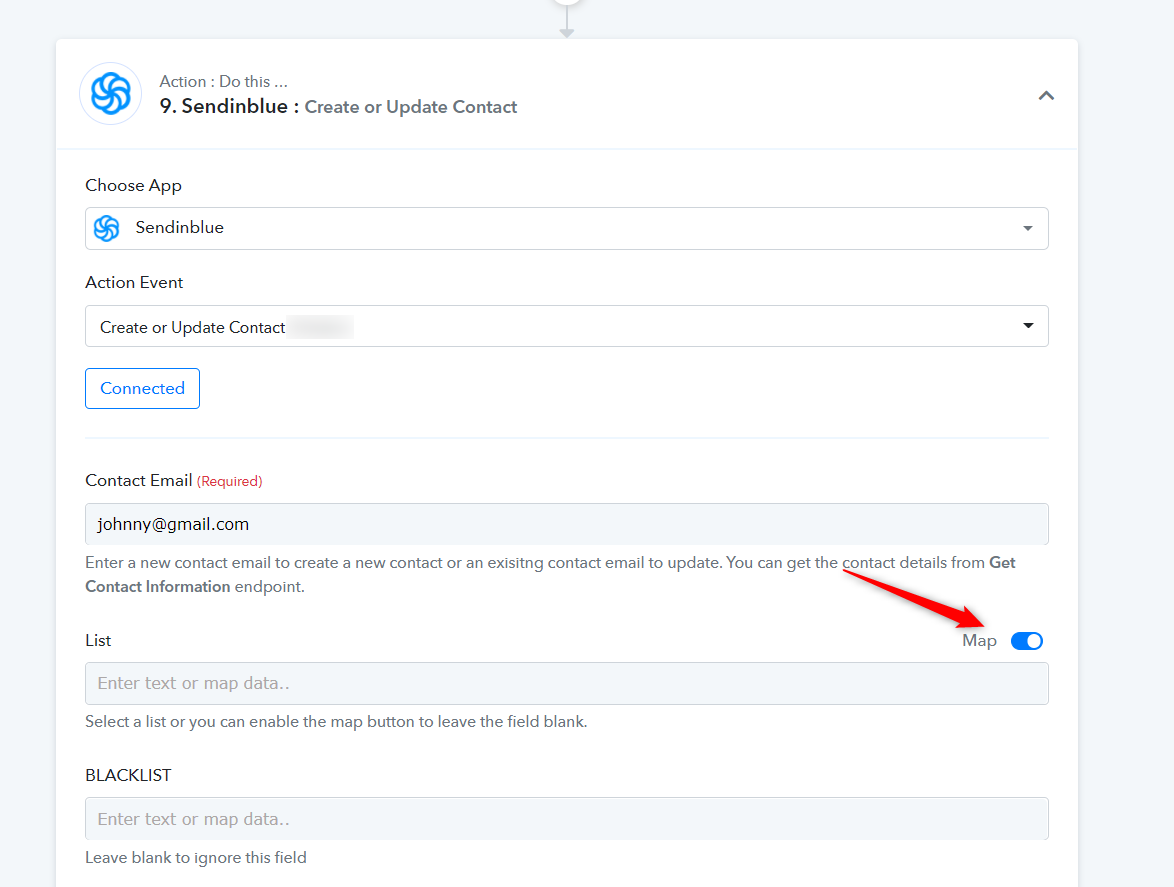
Okay, so this works fine. Still you guys need to add some instructions related to boolean field values. And if possible consider making it easy. Non-techie people fear by seeing "{{##boolean:false##}}"
Hey @Fagun Shah
We are currently working on the functionality to make it more simple for our users. Soon we will make the desired update on the action.