Send Photo from woocommerce to telegram group
Status: Closed · Asked by Jiffy on · 0 views
Hello!
May i know how to send photo from woocommerce to telegram.
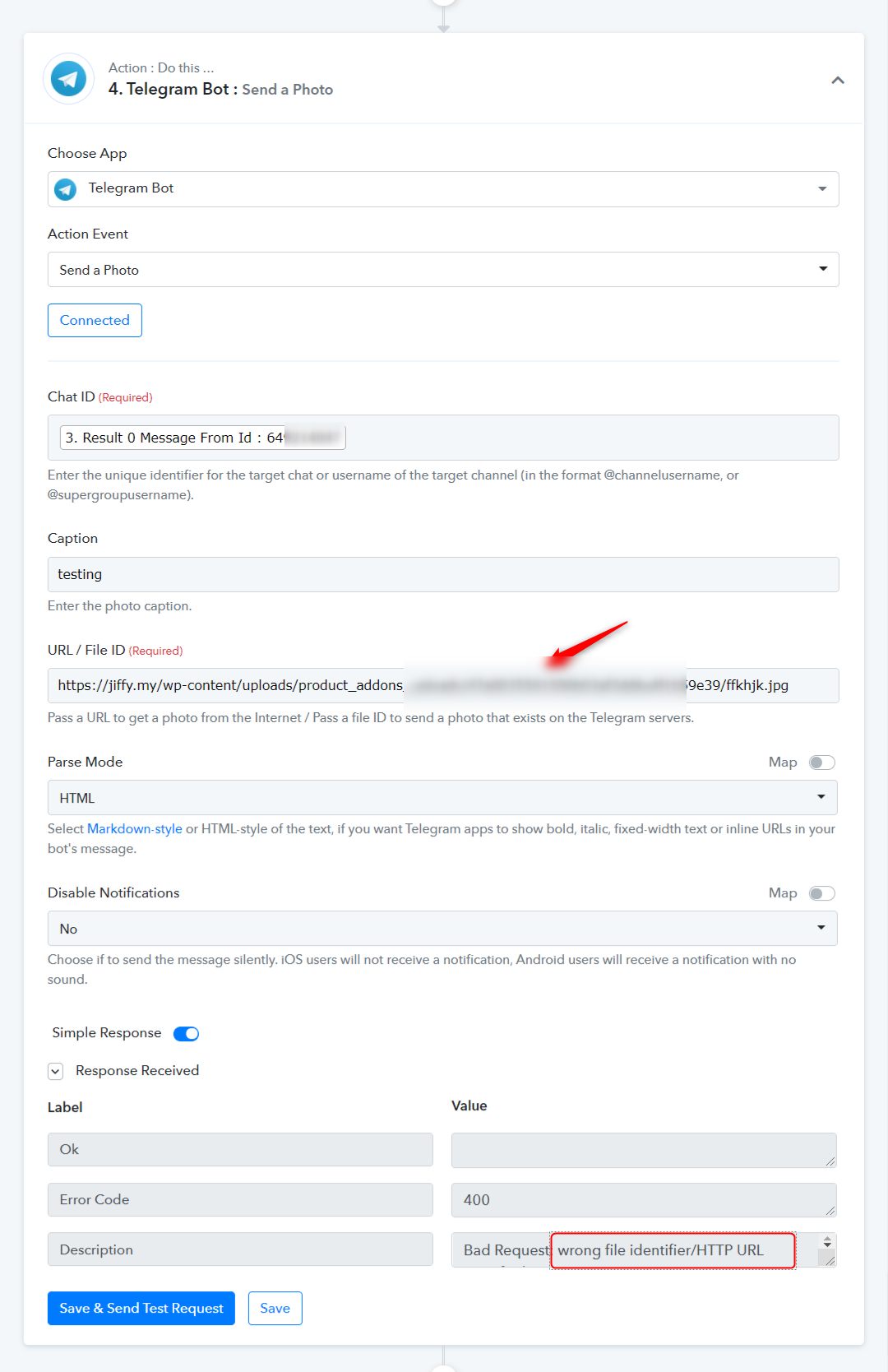
i have tried using the send photo function but when I map it to the file, it says-
error code: 400
Bad Request: wrong file_id or the file is temporarily unavailable
hope you guys can help me
Thank you
Hey @Jiffy
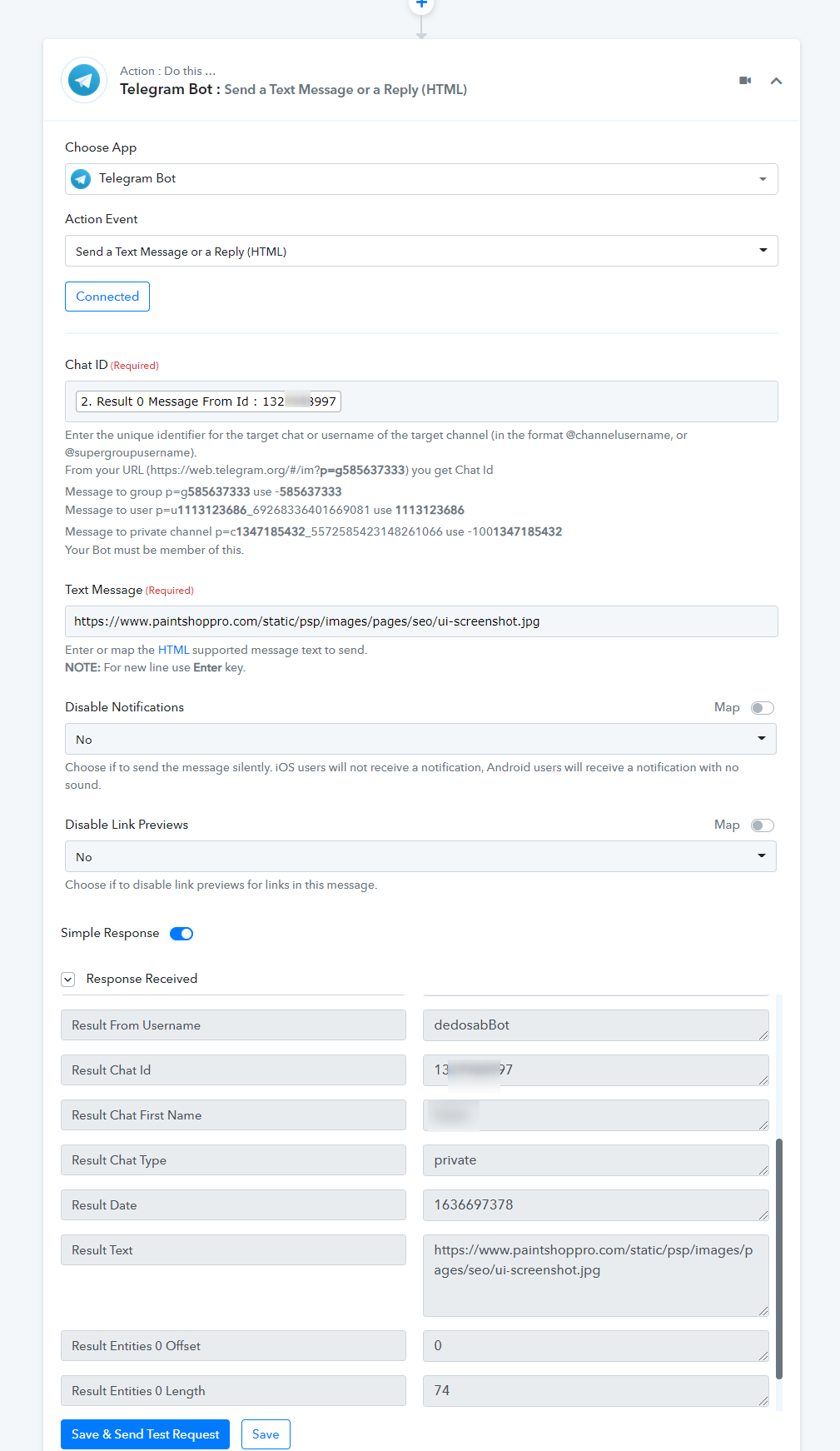
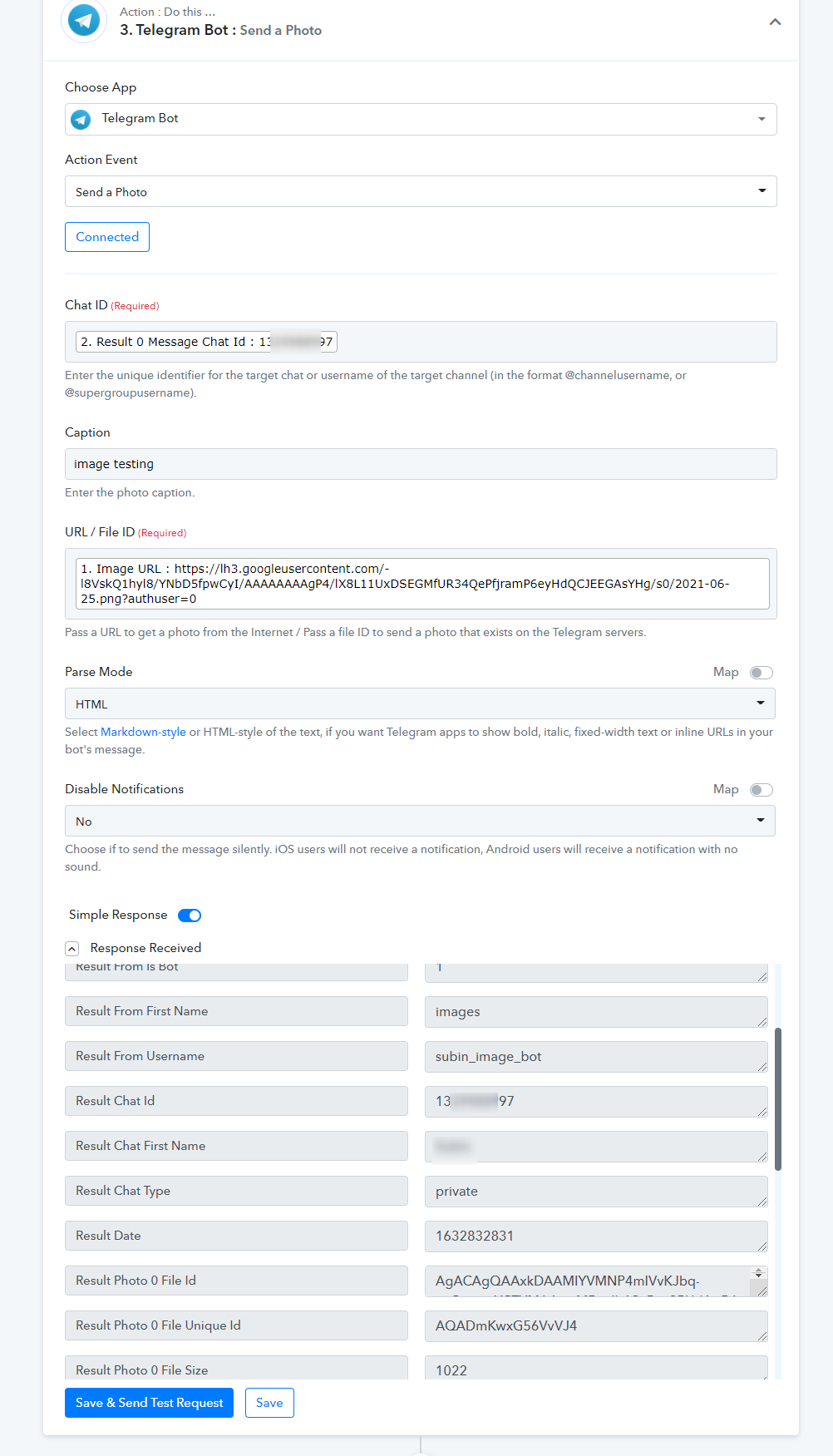
By Telegram's "Send a Text Message or a Reply" and "Send Photo" action events, you can easily send the photo (Publicly accessible). You do not need to use the "Get File" action event to send photos unless the photo is available on Telegram but as we can understand you are trying to send the photo from WooCommerce to Telegram and you can simply send the photo by the following action steps.
Please check out the following screenshot for a better understanding -
Further, you can also refer to our tutorial video for better understanding -
(Watch the second part of the video)
youtube.com/watch?v=-n9tb9xyaq8
Thanks!
i have tried but this is the the response, can you help me figure out how to solve this. thank you so much!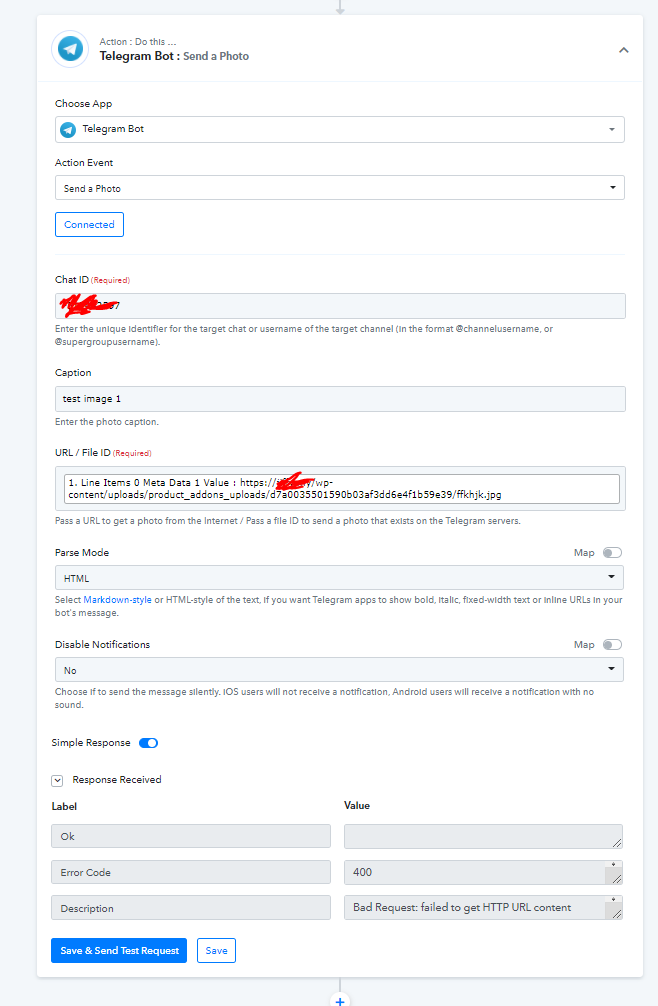
Hey @Jiffy
You can also use "Telegram Bot: Send a Text Message or a Reply (HTML)" to send the image file URL. Although we have set the action step in your account and seems like it is working.
Kindly cross your Telegram for the test submission.
Regards
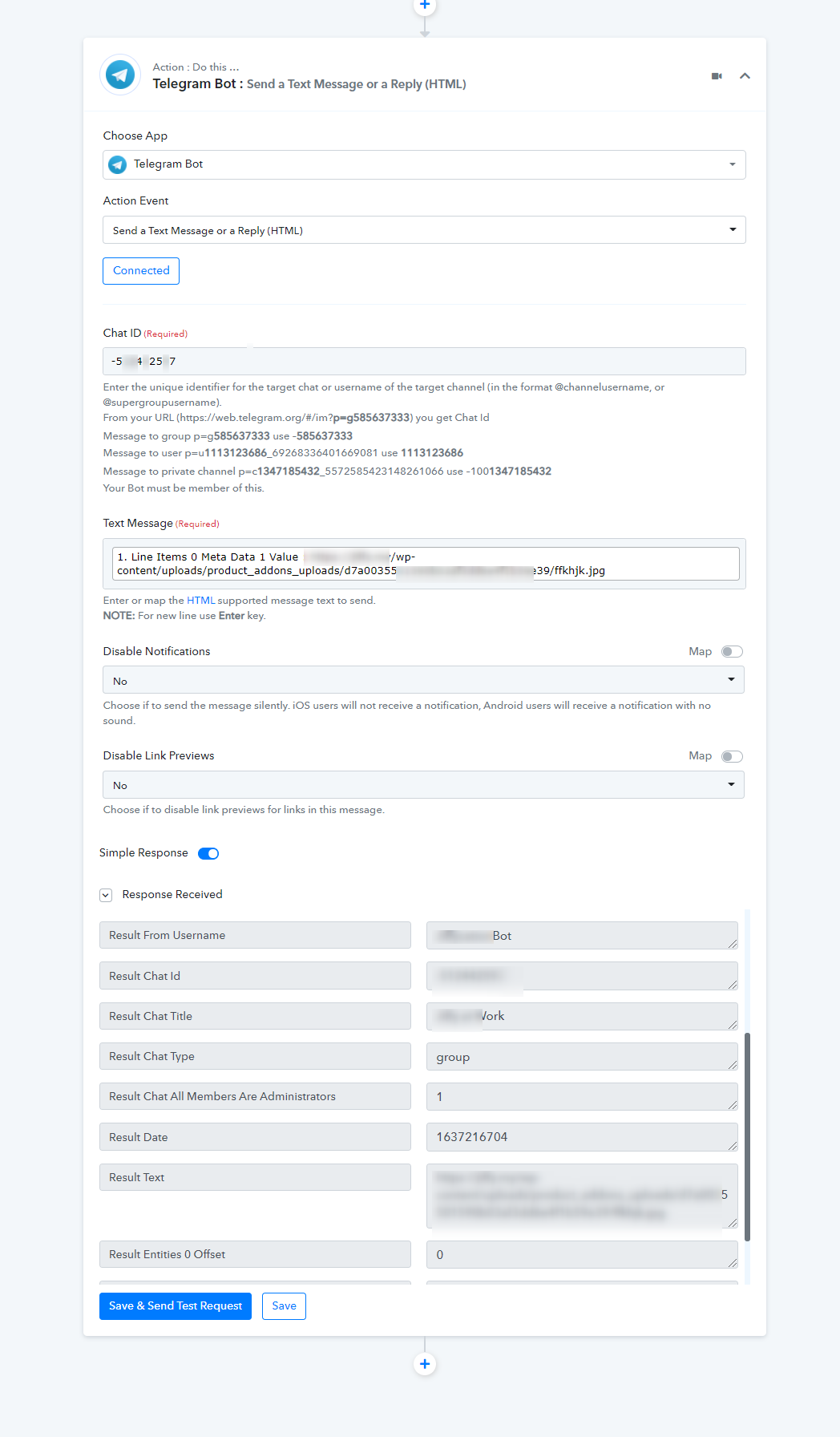
it is working but is it possible to turn the link to image?
instead of just send the link, i want it to send in jpeg format(photo) not link(text)
Hey @Jiffy
The image which you are trying to send from WordPress is currently not being supported by Telegram and that's why it cannot be sent to be as a full image. Somehow it is considering Image URL as HTTP URL and that's why it is not processing the image file. Further, you can try resizing the image and then try passing it.
Kindly check this with the Telegram team to process the image which you are trying to process.
Regards