Send SMS Respond.io
Status: Closed · Asked by Steven on · 0 views
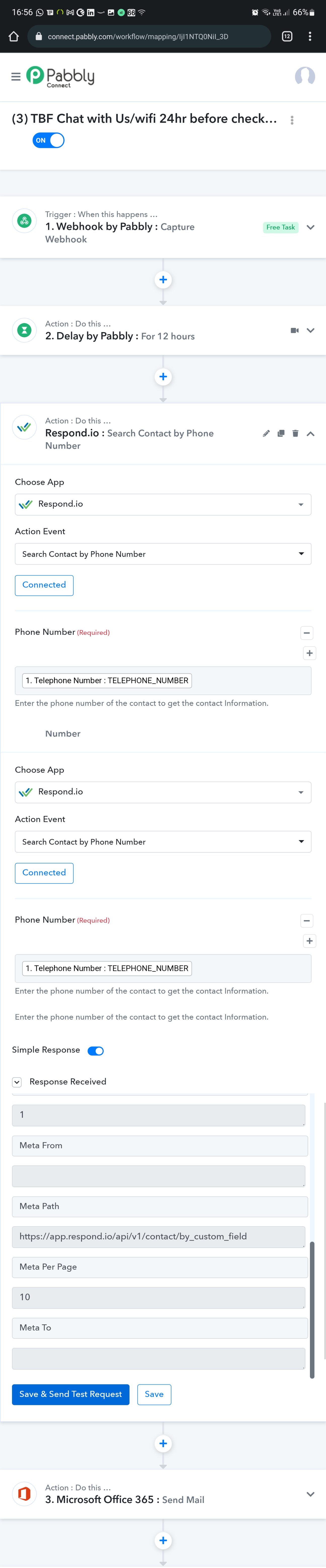
Hi team. We are trying to send a SMS via respond.io.
When a guest books our property 24hrs before /after they arrive we I want to send them a welcome SMS.
We have successfully done the webhook to pull the data from our system however when we search for contact on respond.io with telephone number respond.io dosent provide us with the ID needed to send a SMS.
The phone number is going to be different each time so I can't even put my own contact number in in order to bring up the field to map it to send a text message. Hopefully this makes sense.
Hey @Steven
In the Respond.io action step, you need to map the phone number instead of passing a sentence in the "Phone Number" field.
E.g. - 9854721450
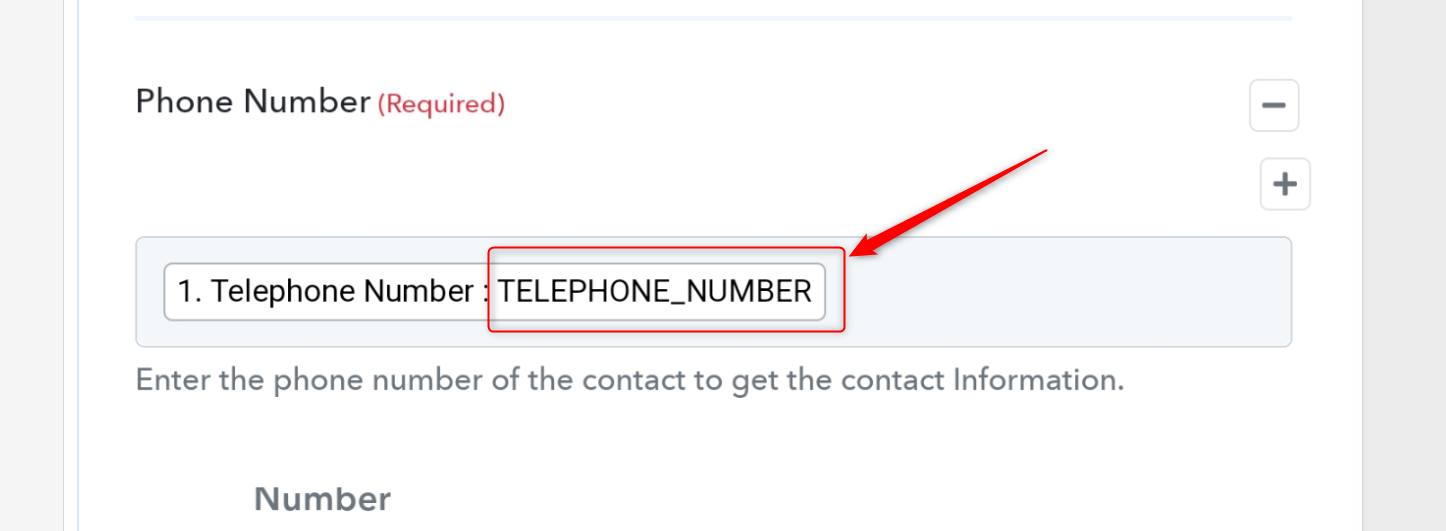
This is the issue on having we have different guests checking in so there contact number is always different.
Is there a way to capture the correct data when the weather is triggered or or is it possible to use the data from history of tasks
Hey @Steven
While initially setting up the workflow you need to pass the data label which has a phone number on it because might need its response data to map it in further, action steps.
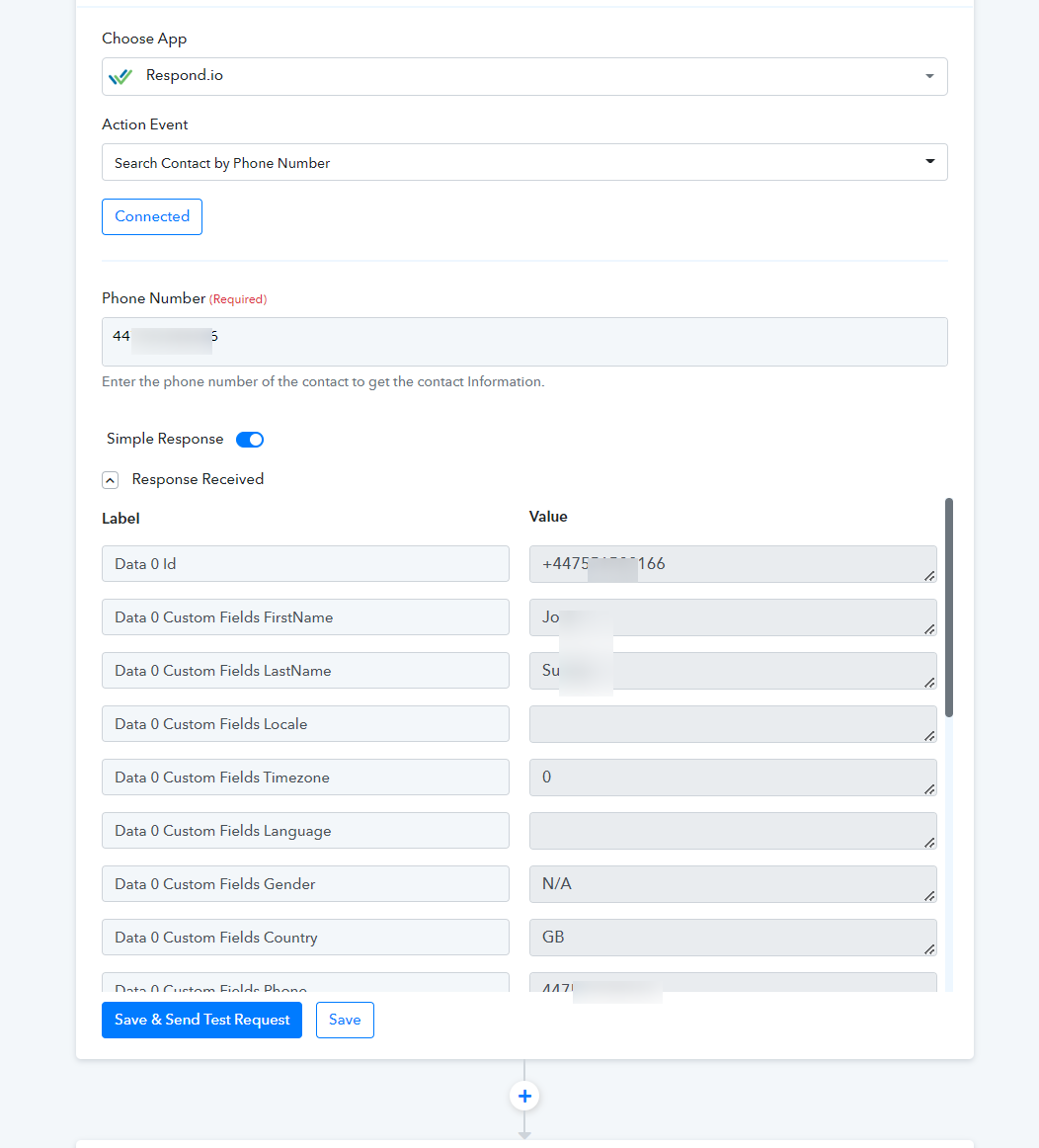
Though the workflow will only execute all the further action steps in real-time when you have that particular user's phone number exists in your Respond.io account.
I have tried the above but when I do that the next stages failes.
Just tried doing this and it's not finding the contract?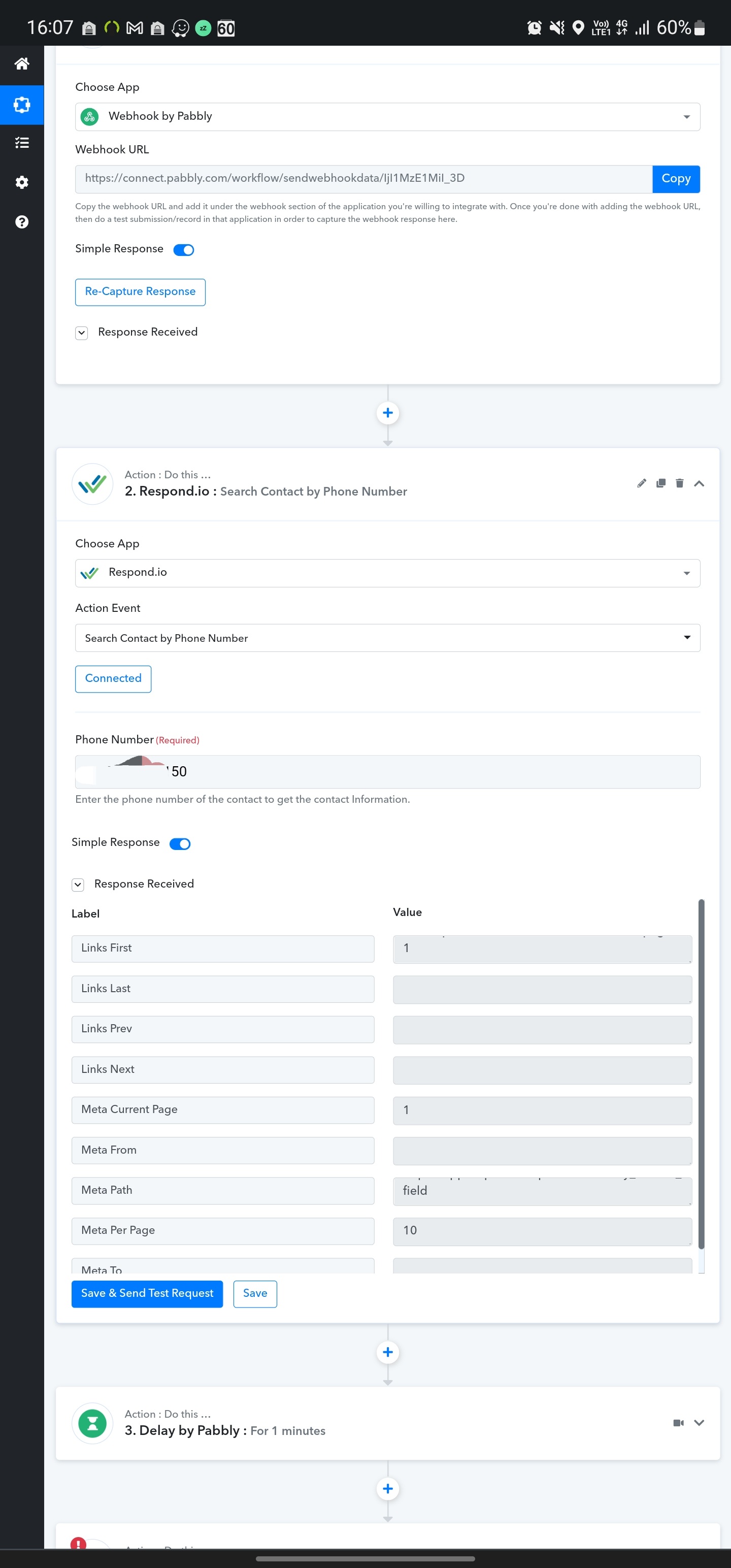
Hey @Steven
If you are getting the complete data in your labeled data which you have mapped in your workflow then it should work properly in the real-time execution of your workflow.
As per the latest history log of your workflow, we can see you haven't passed the + before the country code in the 360 dialog action step. Though we have added the + sign in the phone number field.
Kindly give a complete test submission and check your workflow accordingly.
I tried it with +44 and it still isn't working.
Hey @Steven
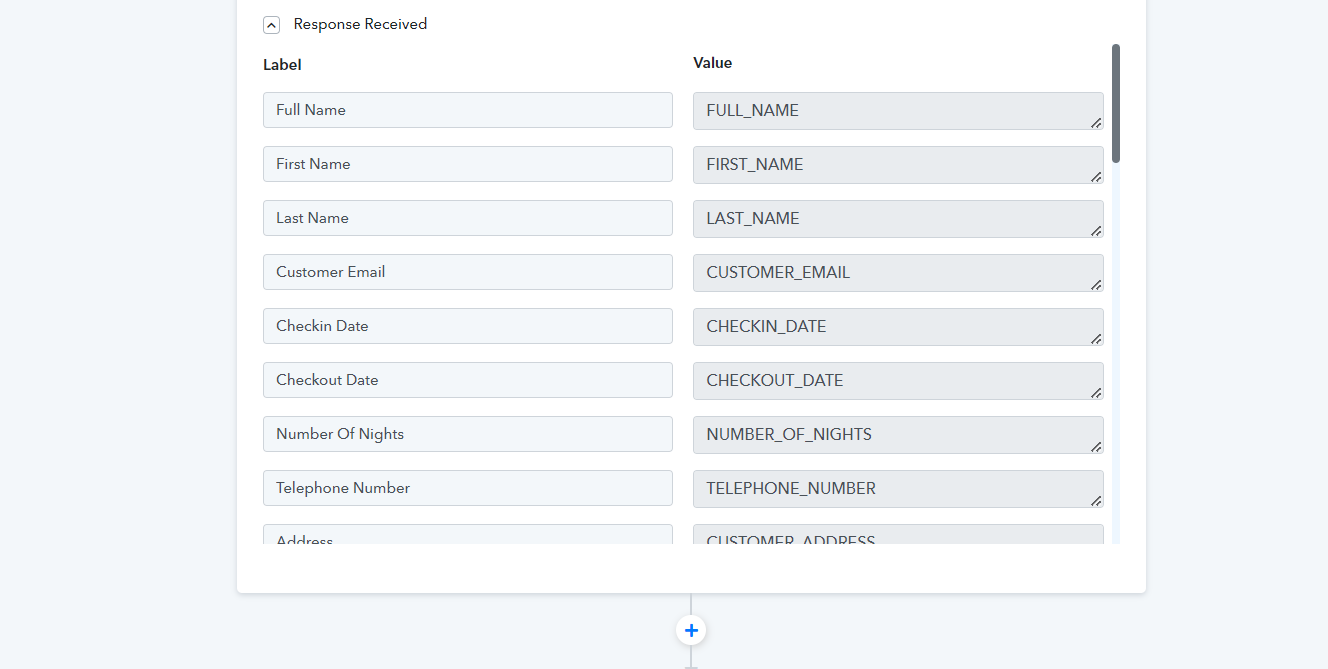
Please capture the webhook response with real data according to its data label type. Since you haven't captured the webhook response in real data.
@Steven is your issue solved or do you need help
~ AUTOMATION EXPERT
~ QUALITY SERVICE
~ ENTREPRENEUR
~ TECH INQUISITIVE
@Steven is your issue solved ?? or do you need help
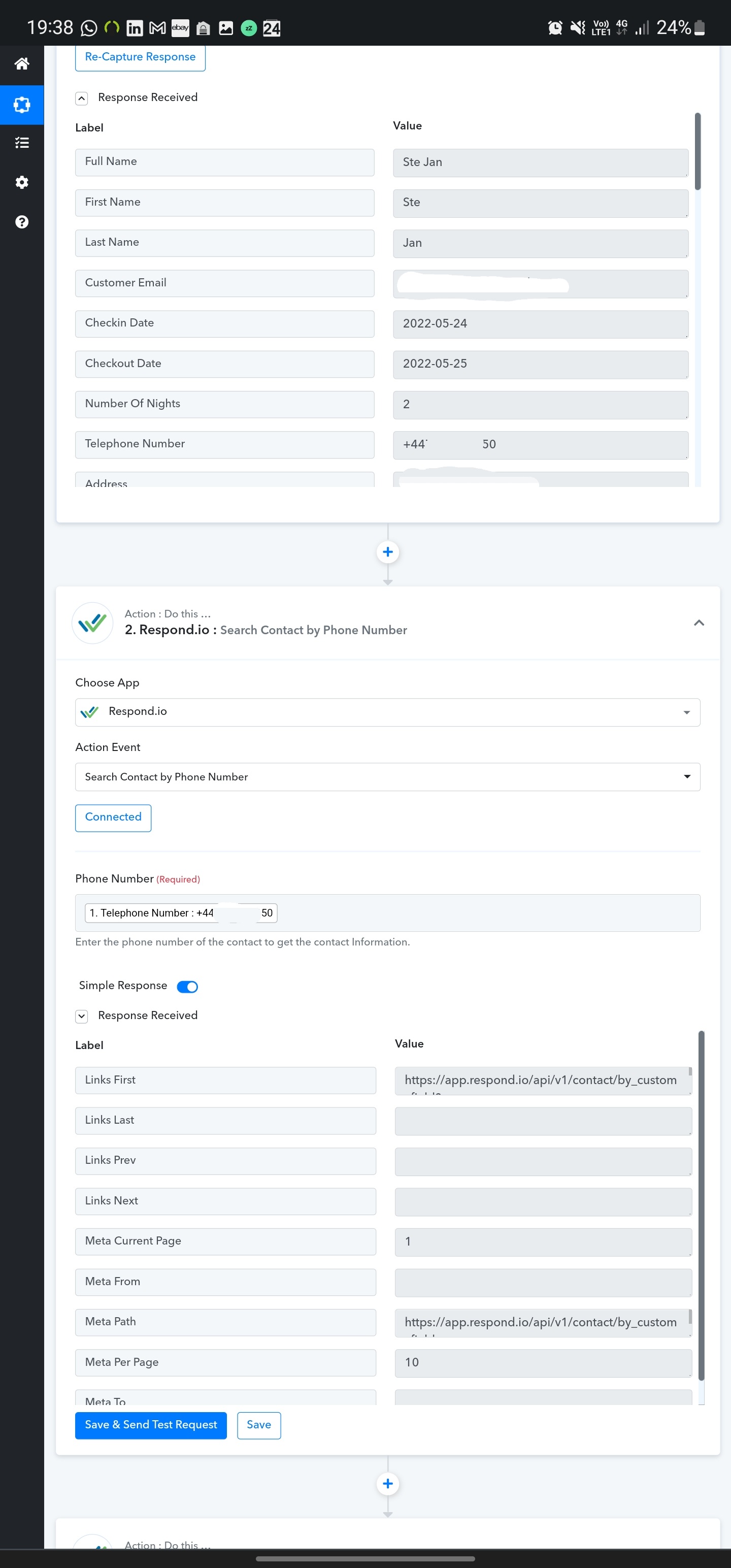
Still having issues, I managed to resolve it in the one work flow I was working on however I am trying a different workflow and it's getting a error, not providing me with user ID.
See attached
Attachments
unless i understand the complete flow its not possible to sort this out just with screenshot. you can connect with me over my email. and we can help you sort this out.
~ AUTOMATION EXPERT
~ QUALITY SERVICE
~ ENTREPRENEUR
~ TECH INQUISITIVE
unless i understand the complete flow its not possible to sort this out just with screenshot. you can connect with me over my email. and we can help you sort this out.
The only flow above is a webhook?
The only flow above is a webhook
yes ! but you are triggering the webhook from from some data so without understanding the flow of data its npt possible to find the solution and map the fields. we can help you setup the flows whcih will be paid job. kindly contact us on [EMAIL][email hidden][/EMAIL] if you are interested to resolve this earliest. or connect us on zoom or google meet
~ AUTOMATION EXPERT
~ QUALITY SERVICE
~ ENTREPRENEUR
~ TECH INQUISITIVE
yes ! but you are triggering the webhook from from some data so without understanding the flow of data its npt possible to find the solution and map the fields. we can help you setup the flows whcih will be paid job. kindly contact us on [EMAIL][email hidden][/EMAIL] if you are interested to resolve this earliest.
I'm not going to pay for you to set up my flows I no how to set up my flows but there is an issue with the response.
I'm not going to pay for you to set up my flows I no how to set up my flows but there is an issue with the response.
i was talking about your troubleshooting response only...anyways best of luck ! hope you crack it soon :)
~ AUTOMATION EXPERT
~ QUALITY SERVICE
~ ENTREPRENEUR
~ TECH INQUISITIVE
Hey @StevenPlease capture the webhook response with real data according to its data label type. Since you haven't captured the webhook response in real data.
Hi I have tried this but still getting a issue. Please see my other replies and screen shots
Hey @Steven
Please do not pass the phone number with + as a prefix, please check out the following screenshot the action step is working fine.
So, kindly now map the phone number field accordingly to use your automation.
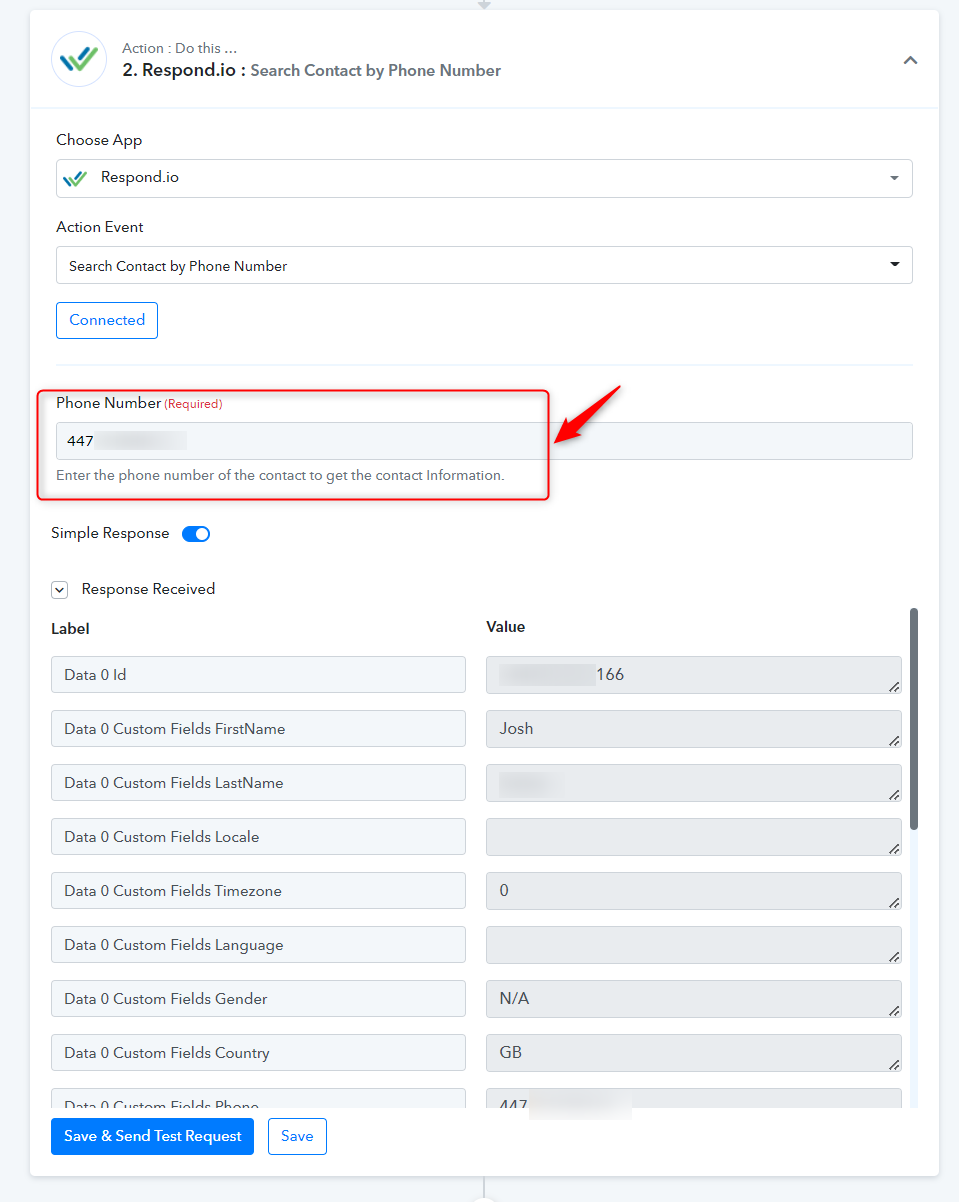
Hey @StevenPlease do not pass the phone number with + as a prefix, please check out the following screenshot the action step is working fine.
So, kindly now map the phone number field accordingly to use your automation.
I have tried doing this manually and dosent work.
Is there a way to only use the numbers in the response of the webhook as I can remover the + in the webhook.
Just to let you know it's working fine on another work flow.
Hey @StevenPlease do not pass the phone number with + as a prefix, please check out the following screenshot the action step is working fine.
So, kindly now map the phone number field accordingly to use your automation.
Attachments
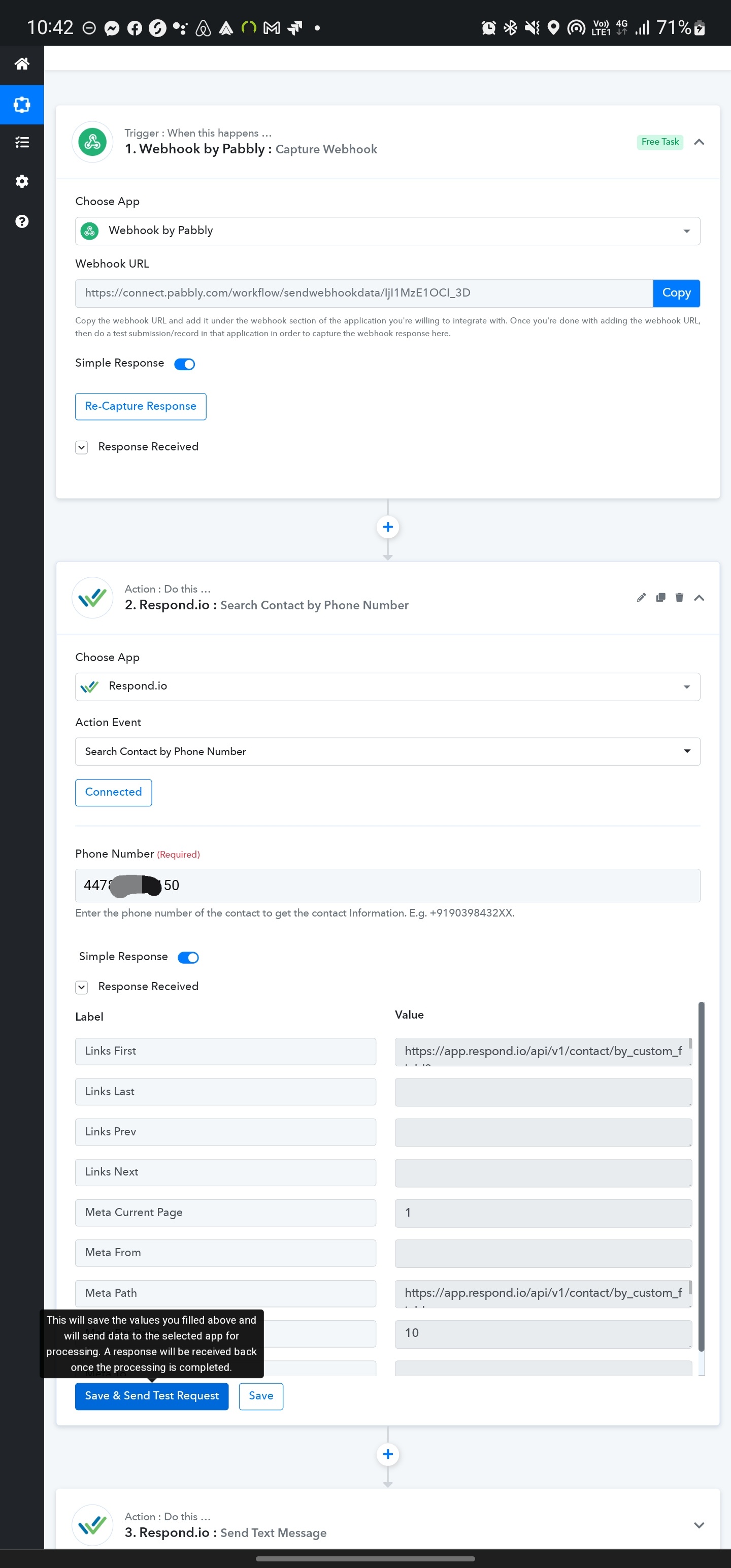
Is there a way to only use the numbers in the response of the webhook as I can remover the + in the webhook.
Yes, here is the workaround - https://forum.pabbly.com/threads/how-to-extract-phone-number-from-the-user-submitted-numbers.38/
Still not working.
Still not working.
Can you email your respond.io account login details at admin@pabbly.com? We will check it at our end and let you know.
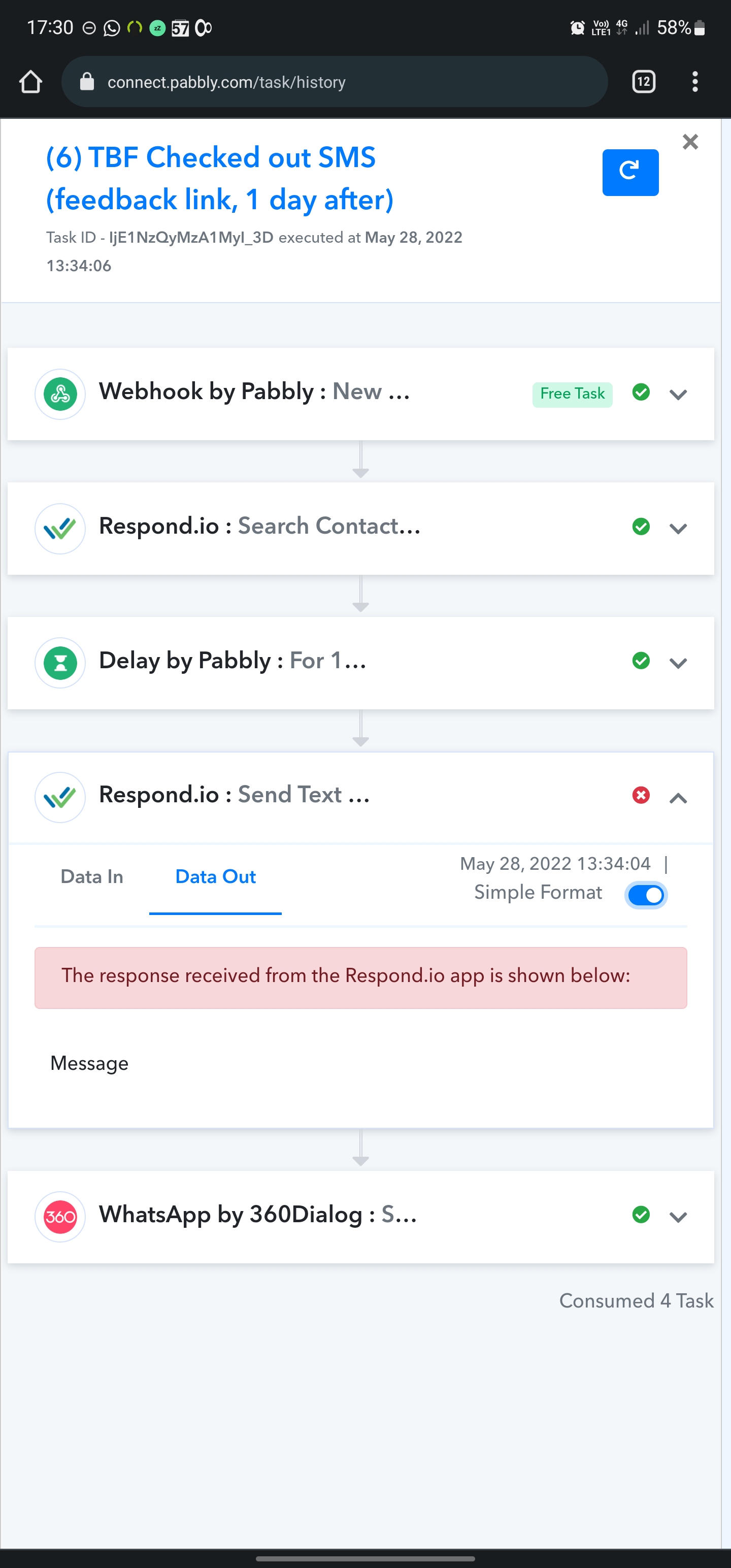
I have sorted the above issue (getting the customer ID) when I test and save it works fine. But it fails in live mode.
See attached
Attachments
I just had been to your workflow and found that, the contact ID is not mapped correctly. Kindly, reconfigure this app and then check.
It will work.
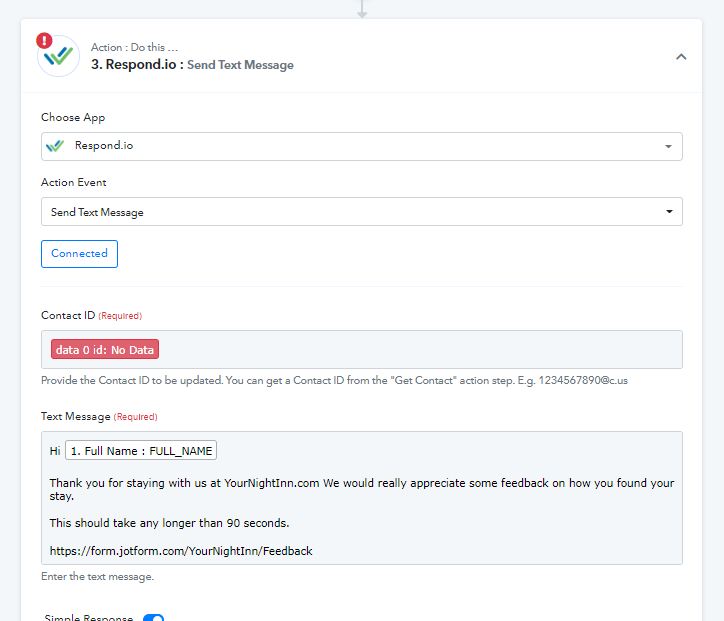
I just had been to your workflow and found that, the contact ID is not mapped correctly. Kindly, reconfigure this app and then check.It will work.
Sorry I should have made it clear at I think you are looking at the wrong workflow.
Workflow 3 and 4 are failing but I working when I save and test
Any update
Hey @Steven
Please check out the following short recorded video for your above concern.