Send Zoom Recording To pCloud
Status: Closed · Asked by Joshua Riggs on · 0 views
Can someone walk me through the steps to upload a Zoom Recording to pCloud after the meeting is completed and then email that recording to the participant?
Is this possible through Connect?
I set up the app for Zoom and connected my pCloud account. After recording a meeting and sending the test, the automation added a file to pCloud but it's not the recording.
Here's a video showing my set up: https://u.pcloud.link/publink/show?code=XZbx3bVZss2DHA3607p54l9k7BkjQH5tFzgy
Help?
Hey @jkriggs
As we can see from your workflow, the video URL which you are getting from Zoom is password protected, you need to make that video URL publicly accessible then only you can upload the video.
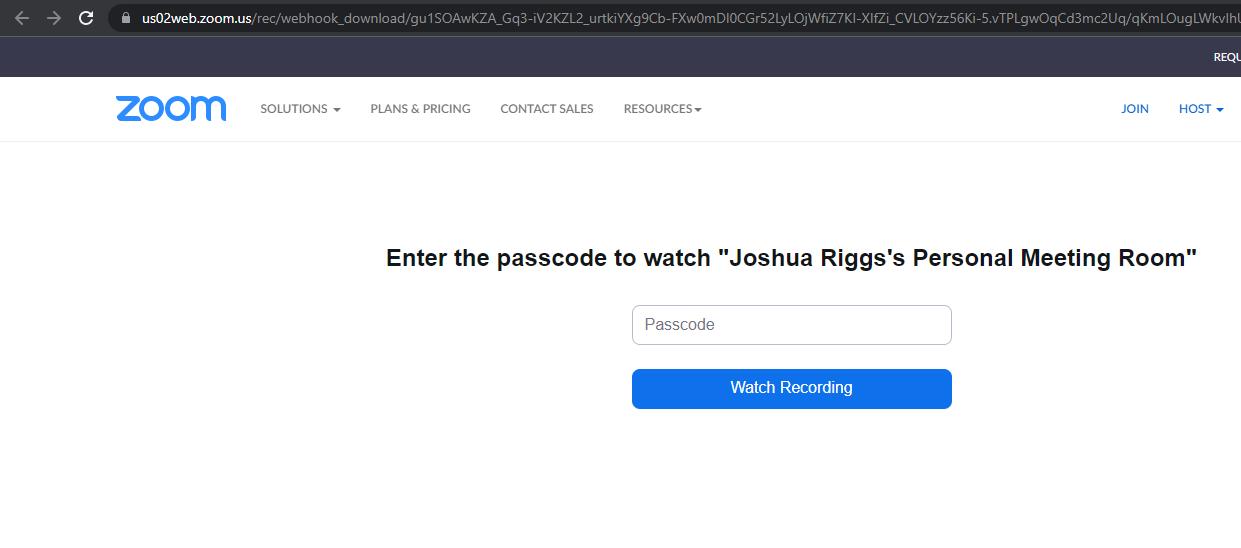
I do have the URL as public - unless I'm missing something.
File downloads to pCloud but it's not a usable video.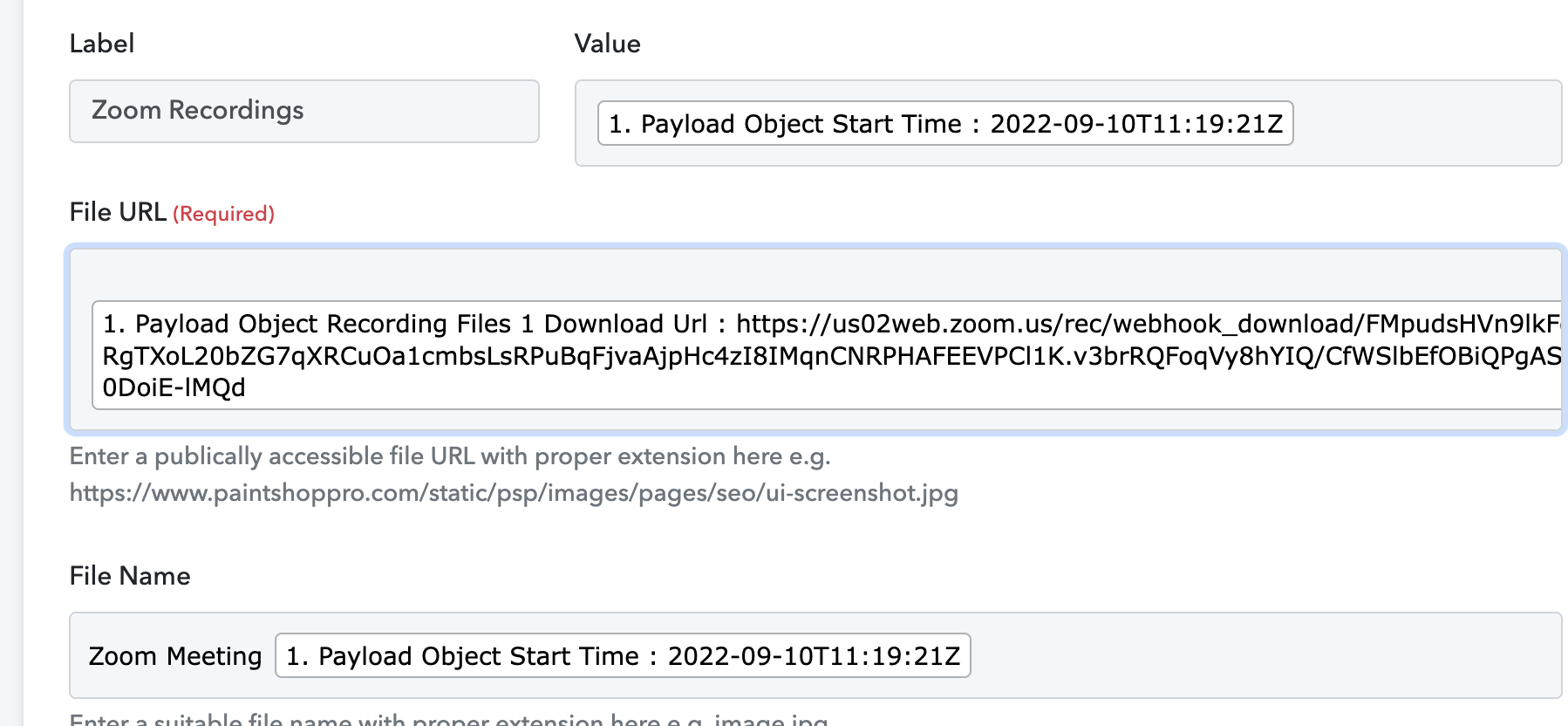
https://u.pcloud.link/publink/show?code=XZlLGbVZ1UjCkxf4Nv5em0837RA5hfFsTn7y
Okay. I found out the issue. Under Zoom Recording Settings, I had to uncheck
Require passcode to access shared cloud recordings.
Now the file is uploading properly.

@Supreme Now that the files are uploading to pCloud - how can I automate to share the recording file with the Zoom participant?
I'm not seeing an email field for Zoom participants other than my own email.
Hey @jkriggs
You can use the "Zoom : List Meeting Registrants" action step to retrieve all the users from your meeting.
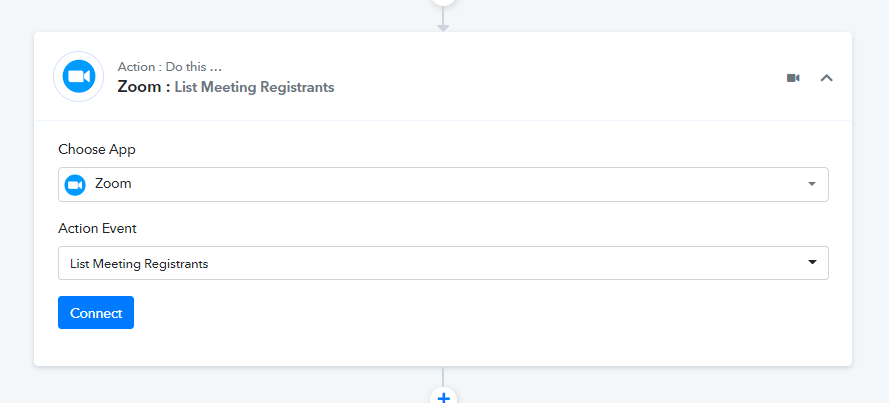
Okay - I don't have Zoom Registrations set up because most of my Zoom meetings are automatically created via Calendly. How can I see who is scheduled? and then send them the pCloud link of the recording?
Here's the workflow I am trying to create:
1. User schedules meeting with me via Calendly
2. Calendly automatically creates a Zoom meeting and add to my calendar
3. I record the meeting to the cloud
4. Pabbly adds the recording to my pCloud files.
5. Pabbly gets the info of the user and emails the recording link to them.
Is this possible?
Thanks for any help you can give.
Hey @jkriggs
Kindly allow us some time, to look into the possibility of your usecase.
Following up on this request - any progress on automatically sending a Zoom recording to pCloud and then sending that link to a Zoom attendee?
Following up on this request - any progress on automatically sending a Zoom recording to pCloud and then sending that link to a Zoom attendee?
Please refer to the following screenshot and try this at your end.
1. Please select the trigger event from your Zoom as "recording.completed" to get the downloadable URL from your Zoom when a new meeting gets completed.
2. Further, use can use the "P-cloud : Upload a File in Folder" action step to upload the file in your P-cloud application.
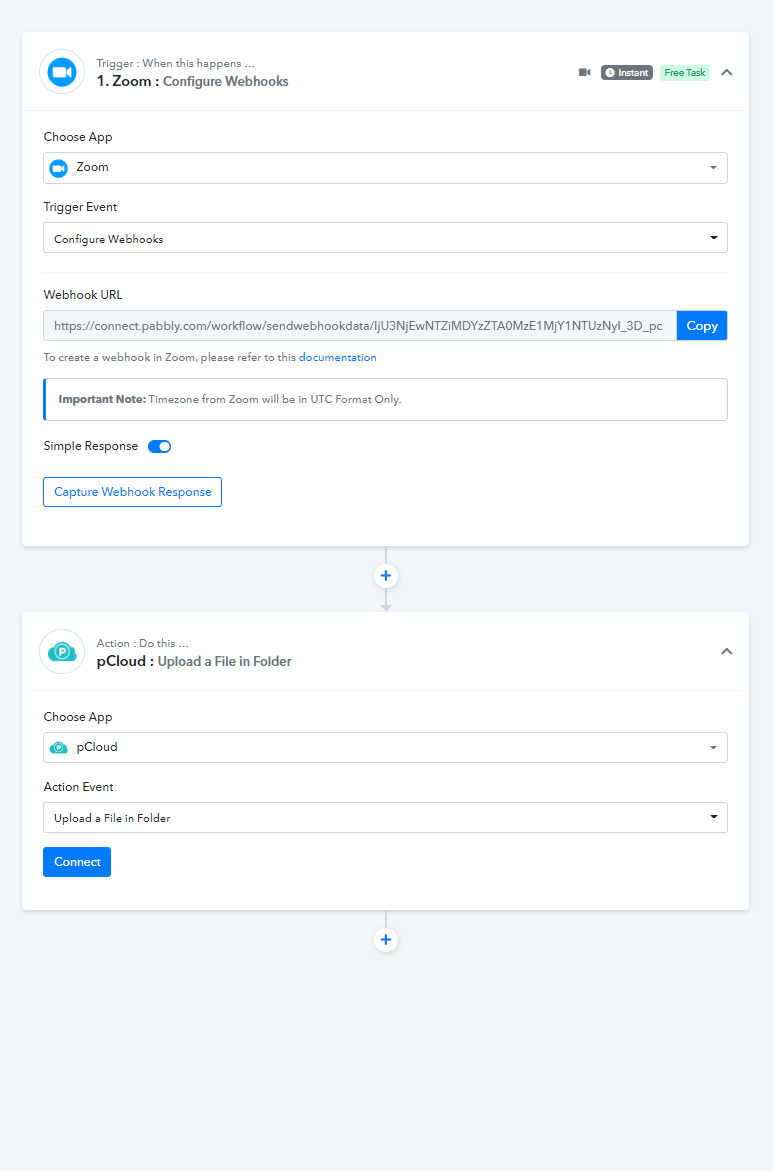
Yes - I am doing that now. Getting the recording to pCloud is not the problem.
I need to know how to send that pCloud link of the recording to the participants of zoom after the meeting is over.
Hey @jkriggs
Please check out the following screenshot on how you can process the registrants from your meeting to send the PCloud video link.
Now you only need to set the Gmail action step to pass the PCloud video link.
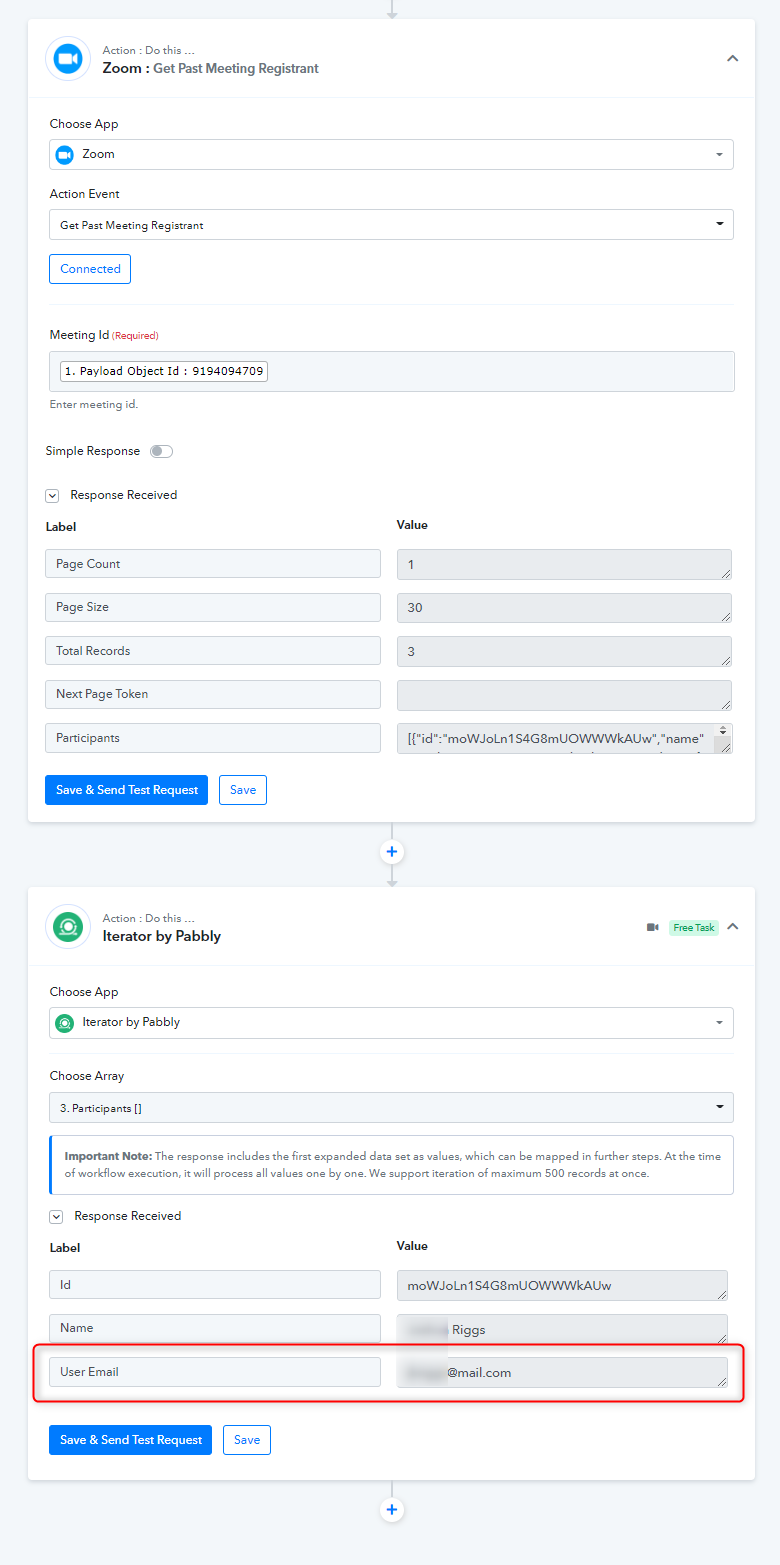
I mentioned this early in the post - when someone schedules a meeting through calendly - they are not set up as a registered user. So I can't use the action you describe above.
Here's the workflow I am trying to create:
1. User schedules meeting with me via Calendly
2. Calendly automatically creates a Zoom meeting and add to my calendar
3. I record the meeting to the cloud
4. Pabbly adds the recording to my pCloud files.
5. Pabbly gets the info of the user and emails the recording link to them.
Is this possible?
I mentioned this early in the post - when someone schedules a meeting through calendly - they are not set up as a registered user. So I can't use the action you describe above.Here's the workflow I am trying to create:
1. User schedules meeting with me via Calendly
2. Calendly automatically creates a Zoom meeting and add to my calendar
3. I record the meeting to the cloud
4. Pabbly adds the recording to my pCloud files.
5. Pabbly gets the info of the user and emails the recording link to them.Is this possible?
Please refer to the following screenshot and try this at your end.1. Please select the trigger event from your Zoom as "recording.completed" to get the downloadable URL from your Zoom when a new meeting gets completed.
2. Further, use can use the "P-cloud : Upload a File in Folder" action step to upload the file in your P-cloud application.
[IMG width="652px" alt="2022-10-03_10h38_49.png"]https://forum.pabbly.com/attachments/2022-10-03_10h38_49-png.16432/[/IMG]
You can try the following action step with the above-mentioned action steps -
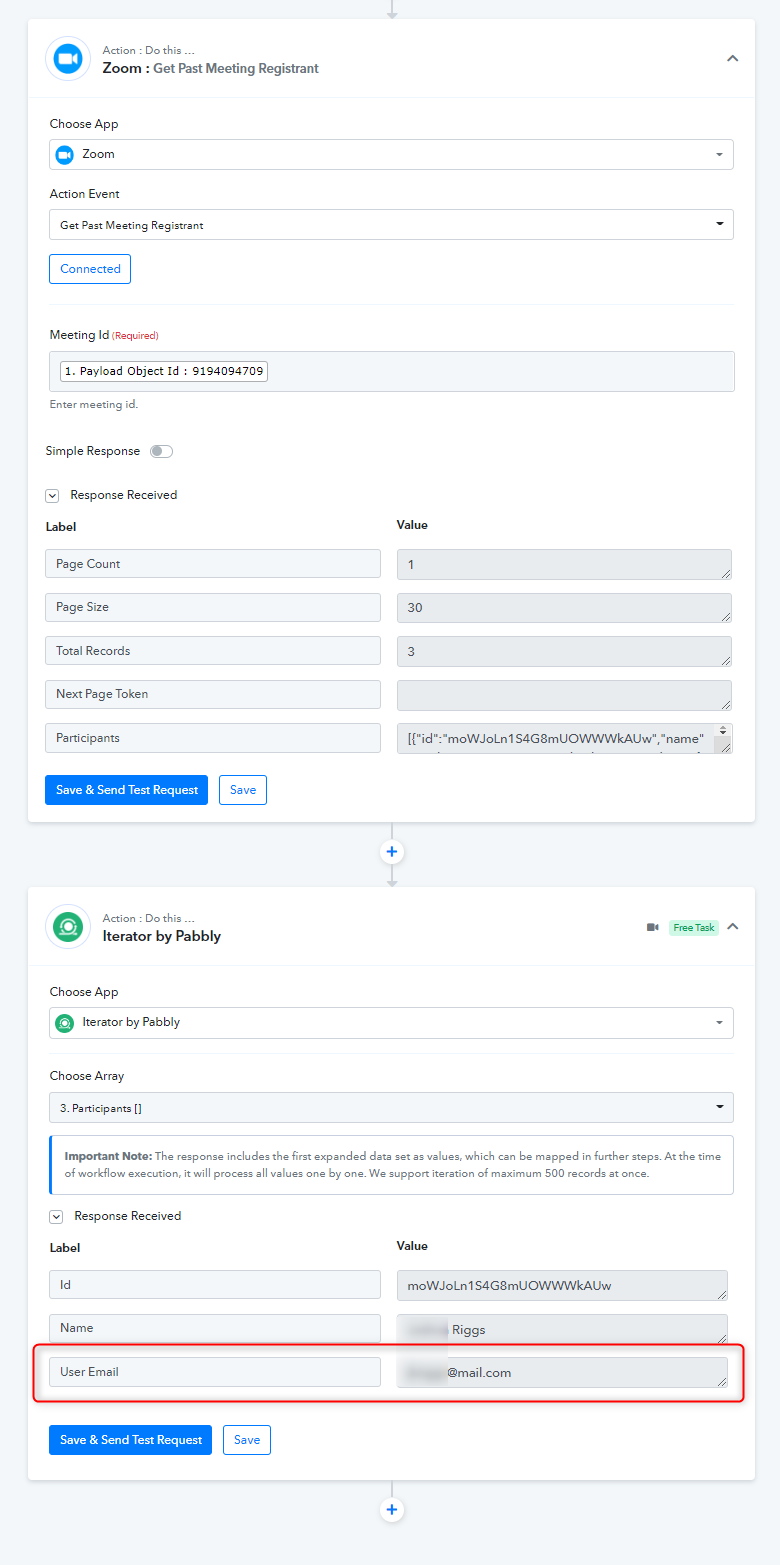
Okay - I have the list but now I need to send the link of the pCloud upload to that registrant.
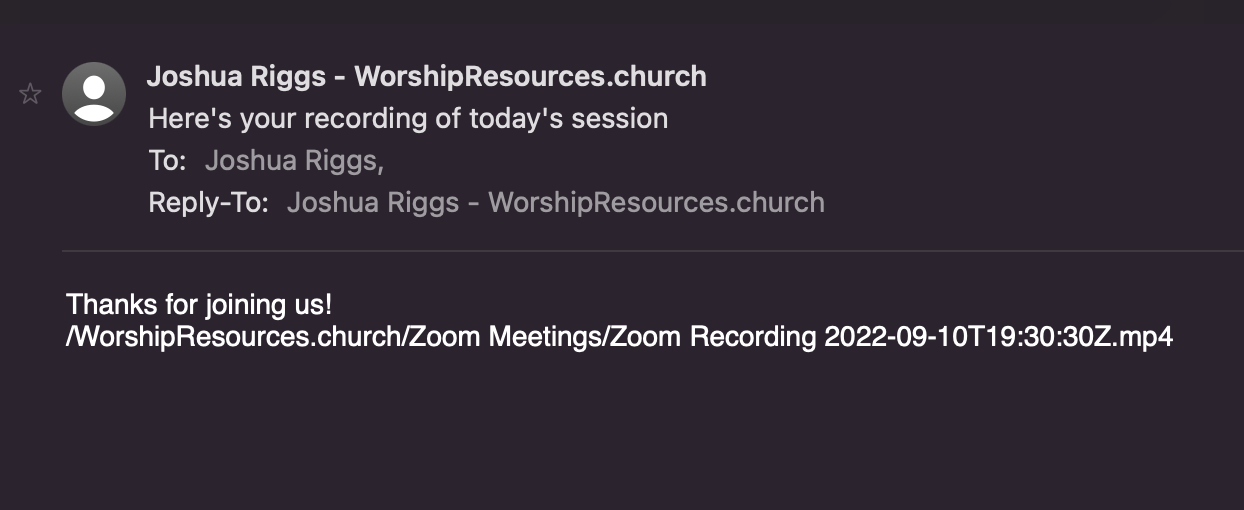
When I send the email - it's not a link just a file name / path.
Is there any way we can jump on a call to walk through this?
Here's the issue I'm having / how far I have gotten.
https://u.pcloud.link/publink/show?code=XZb66SVZabn2suUFLUYC0wGPvmfEejs1xkiy
Attachments
Is there any way we can jump on a call to walk through this?
As of now, we are not providing telephone or any virtual support. But you can record a short video on your concern so that we can look into it.
Here's the issue I'm having / how far I have gotten.
Kindly try passing the URL in the following format.