Sendinblue list data to Spreadsheet - not getting all data from sendinblue list contact
Status: Closed · Asked by mdrazibkhan on · 0 views
I was trying to connect Sendinblue contact data to a Google spreadsheet. I am getting only the email and list ID. I need to get all attributes data from Sendinblue. Is there any solution or alternative way?
Thanks
Hey @mdrazibkhan
Email ID and the listing ID are the only data that was sent by SendinBlue to the Trigger response of SendinBlue. We cannot manipulate the response being sent from their end.
You can consider using another event "Get a Contact Information" to get all attributes.
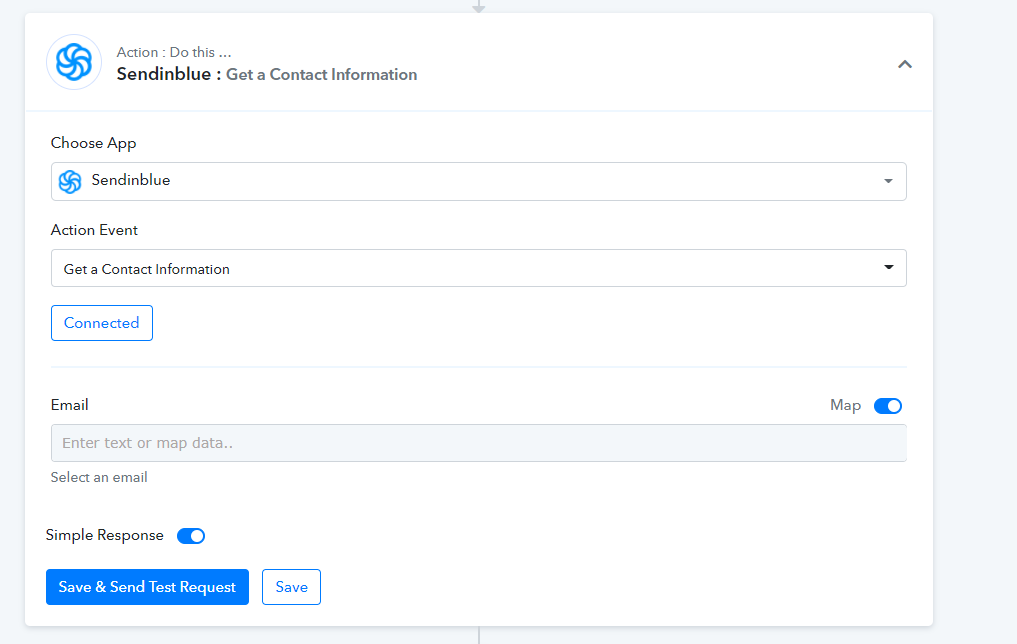
Hi @Supreme Verma . I am also trying to get data from new leads in Sendinblue, in my case to send them to ClickUp. Here is what I have done:
Created a trigger: Sendinblue : New contact added to list. Then I put the webhook in Sendinblue and sent a test and captured the webhook response
Created an action: Sendinblue : Get a contact information. Here I got a dropdown list of email addresses from Sendinblue to choose from – I assume for mapping purposes.
Created an Action: ClickUp : Create a task with custom fields. Here after selecting the list in ClickUp to send the data to, I can map the data collected in Step 2 to the right fields in ClickUp.
Then I sent a test request and it all worked well.
However then, when I actually added a new client in Getresponse, instead of that client’s data going to ClickUp, Pabbly sent the test data that I was using to map in Step 3.
What am I doing wrong? Obviously I want the data from the new addition to Sendinblue to go to Clickup when I add a new client – not the sample data from the mapping.
James
Hey @Boojum
We looked into your workflow and found that in the Sendinblue "Get Contact Information" you have selected the default email address and because of that the same contact has been processing all the time.
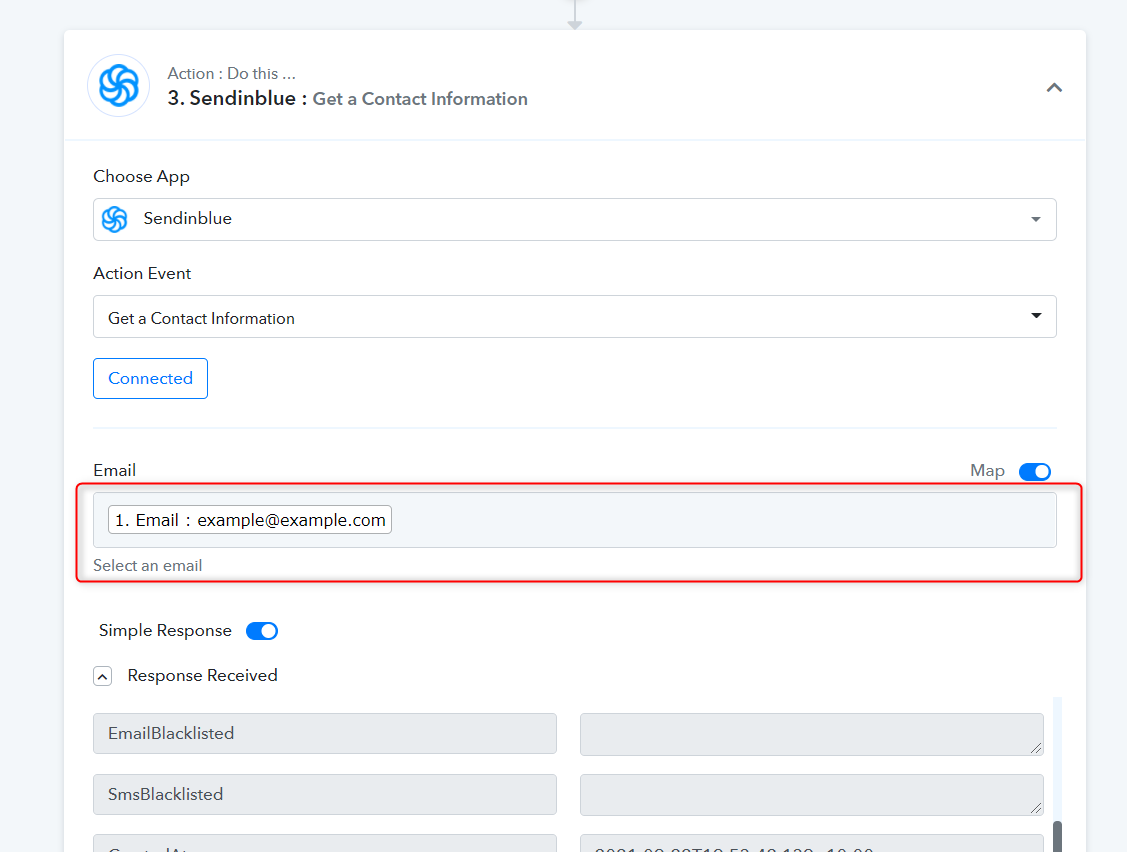
So, we have mapped the email id coming from trigger response which will now work dynamically and we have tested further which is working accordingly now.
Kindly try again and let us know if that works for you.
Thanks
Thank you - that is working now.