Sending Broadcast Whatsaap Cloud API using google sheet
Status: Closed · Asked by Arasu on · 0 views
Hi Team,
Whenever I pushed my broadcast message through google Sheets, I face a blow error only on my approved template text message only, WhatsApp pre-build template such as 'Hello world' works fine, and is delivered to all contacts. we look for suggestions for the below error.
Error Message - (#132000) Number of parameters does not match the expected number of params
Error Type - OAuthException
Error Code - 132000
Error Error Data Messaging Product - whatsapp
Error Error Data Details - body: number of localizable_params (0) does not match the expected number of params (1)
Error Error Subcode - 2494073
Error Fbtrace Id - AbSLScPR9EEJgVml3xPpV9M
send me a screenshot of your workflow pls, because there's a problem with your assigned parameters.
send me a screenshot of your workflow pls, because there's a problem with your assigned parameters.
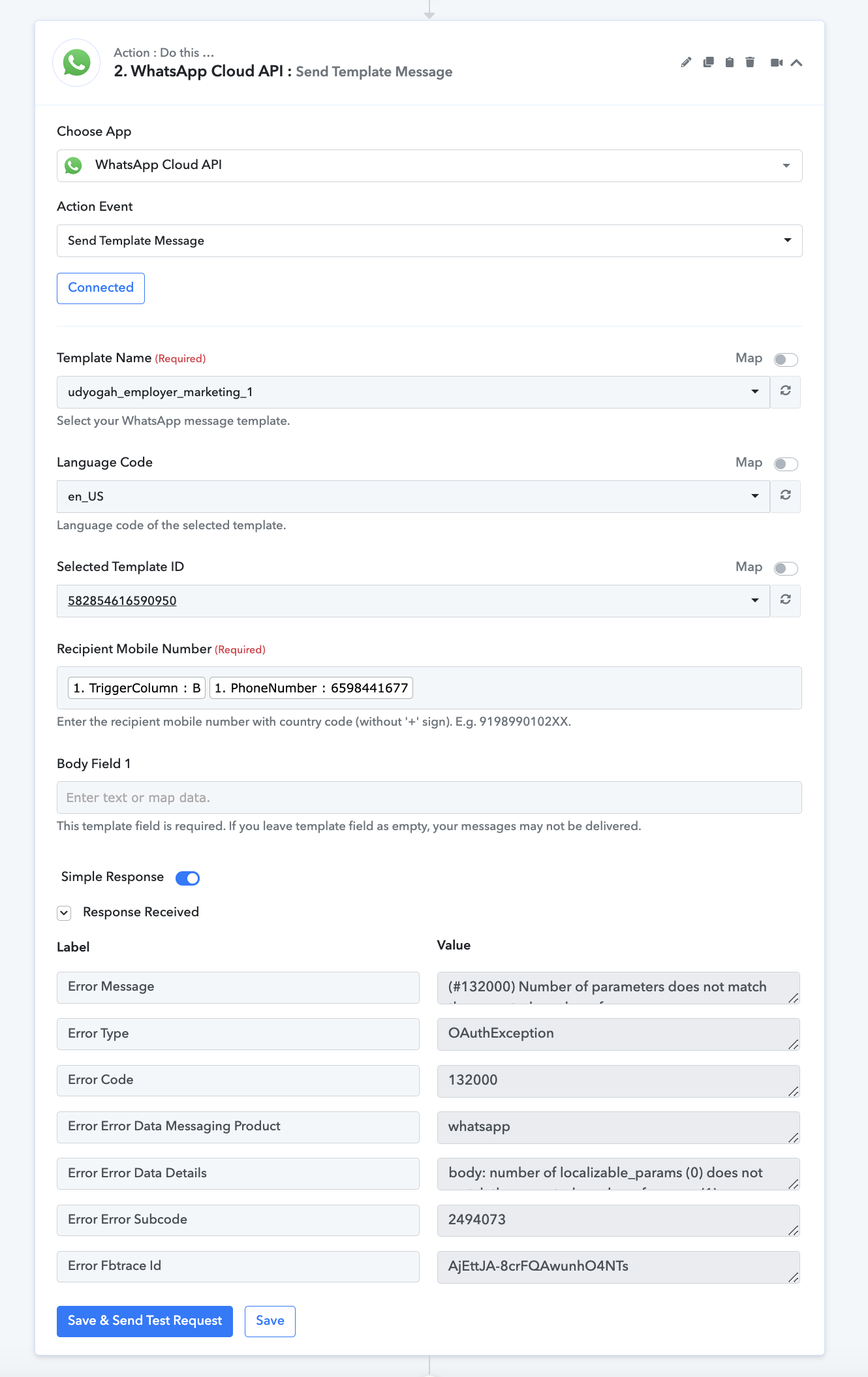
we are tried in 2 scenario, 1. Tiggercolum B and added number
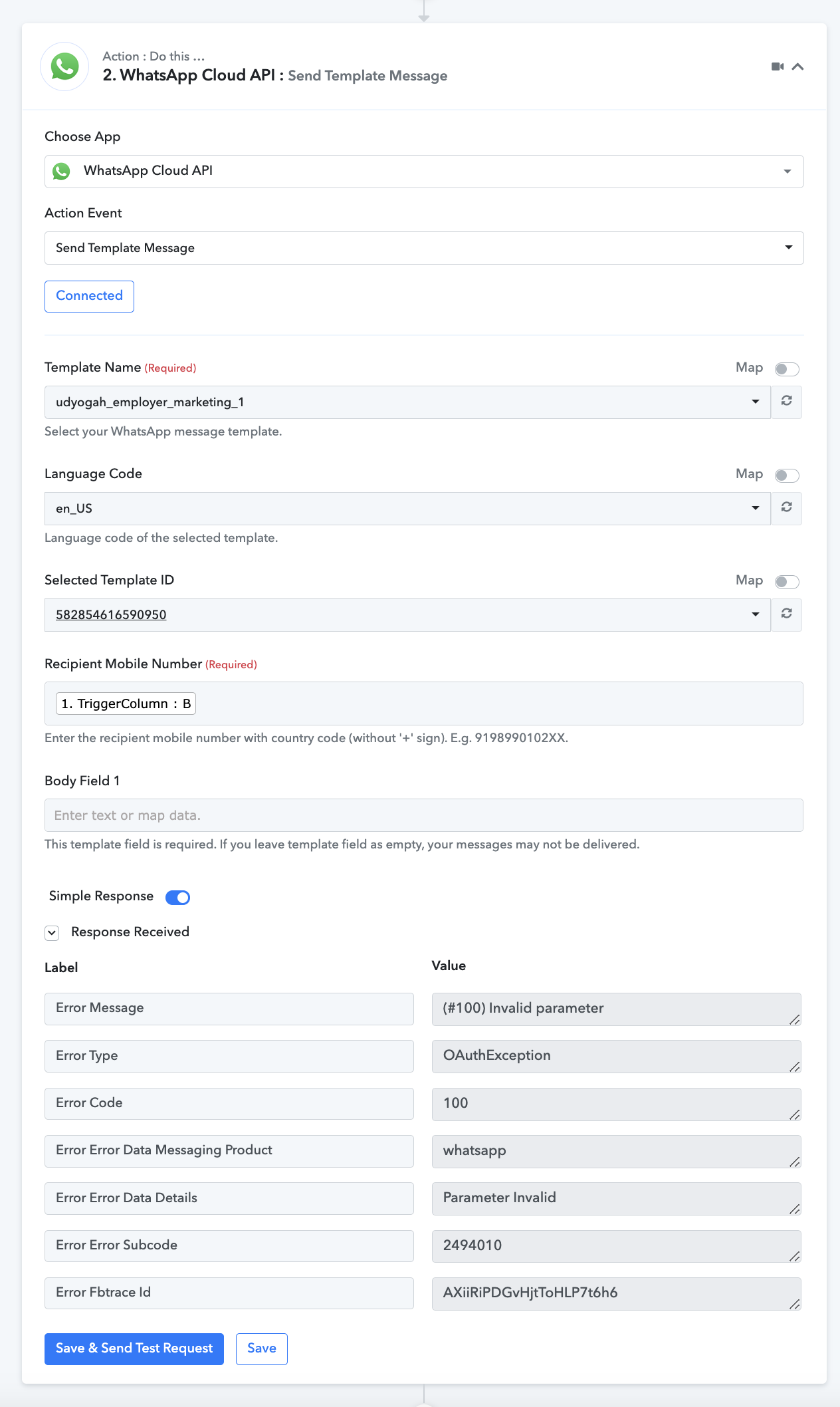
ok I got your problem
In the recipient mobile number you have to assign the column that has the whatsapp number to send message
and in Body field 1 you have to assign the column that has your variable in your template like if your message is (Hi {{1}}, How are you?) then the {{1}} is Body field 1 and here you have to assign the column that has the name.
maybe this will help:
I'd pick up my clients whatsapp number from google sheets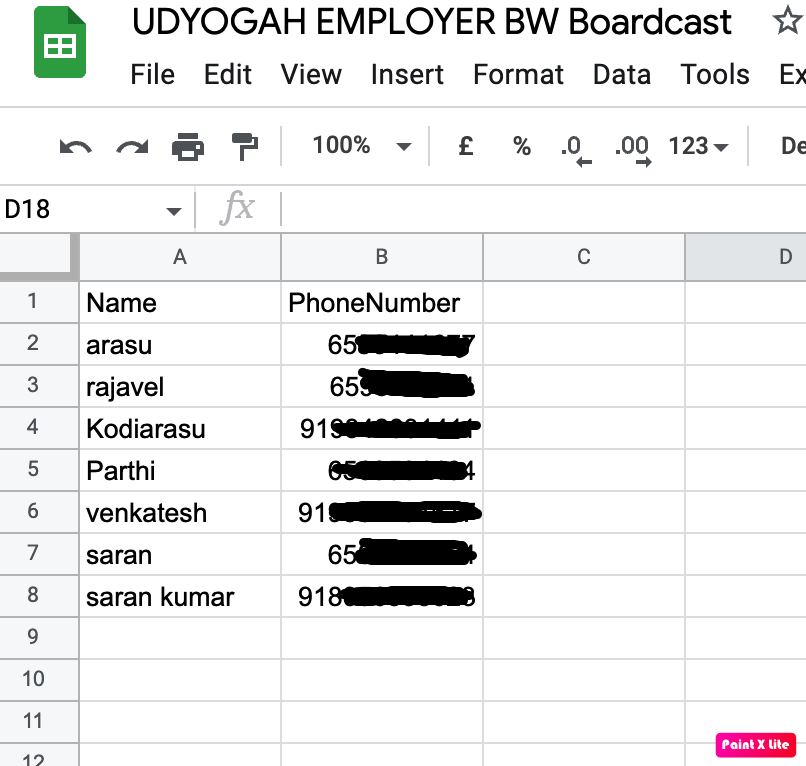
just put column b row no. 2 response in Reciepent's Mobile Number
just put column b row no. 2 response in Reciepent's Mobile Number
please find the attachment, any suggestion
step - 1
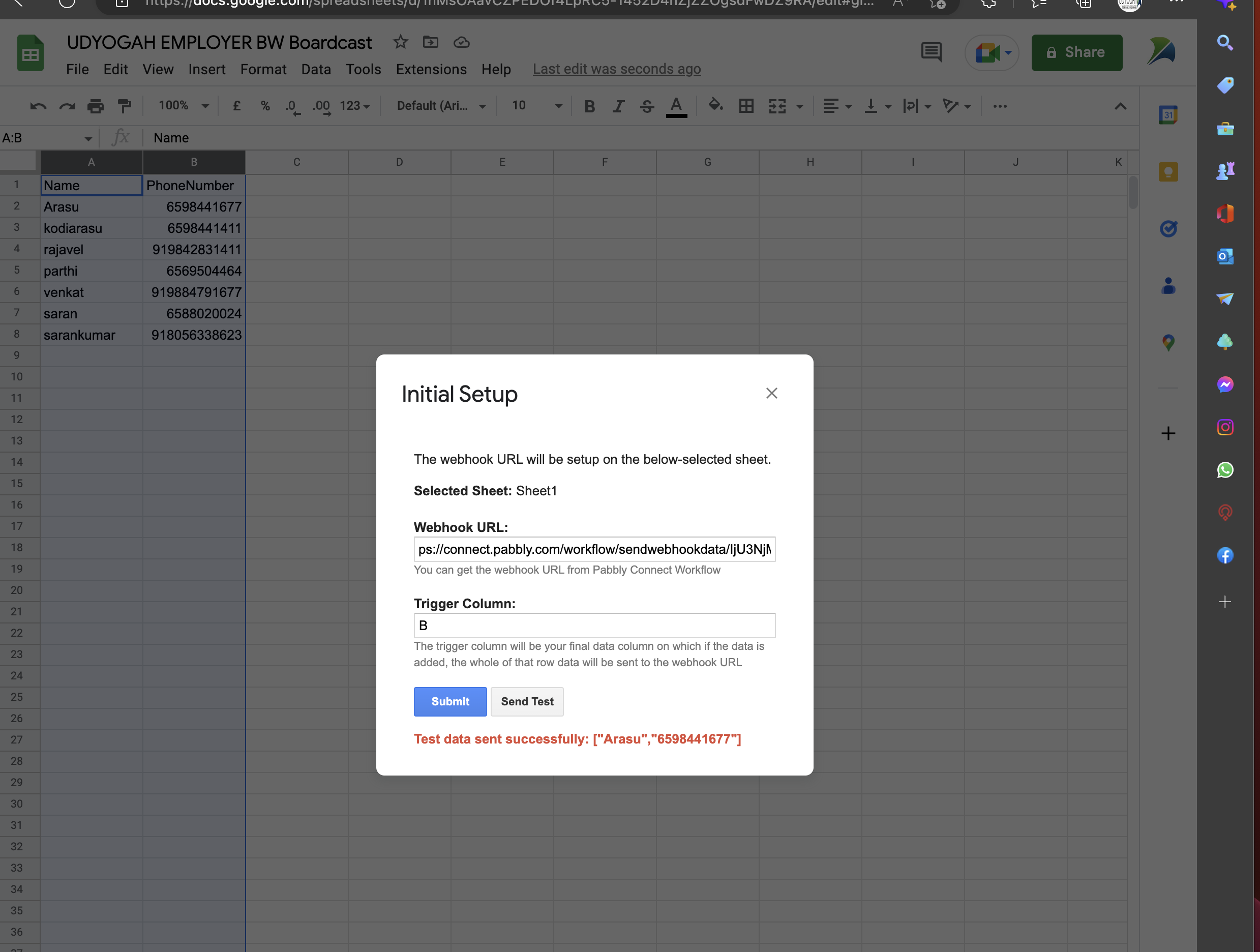
Step - 2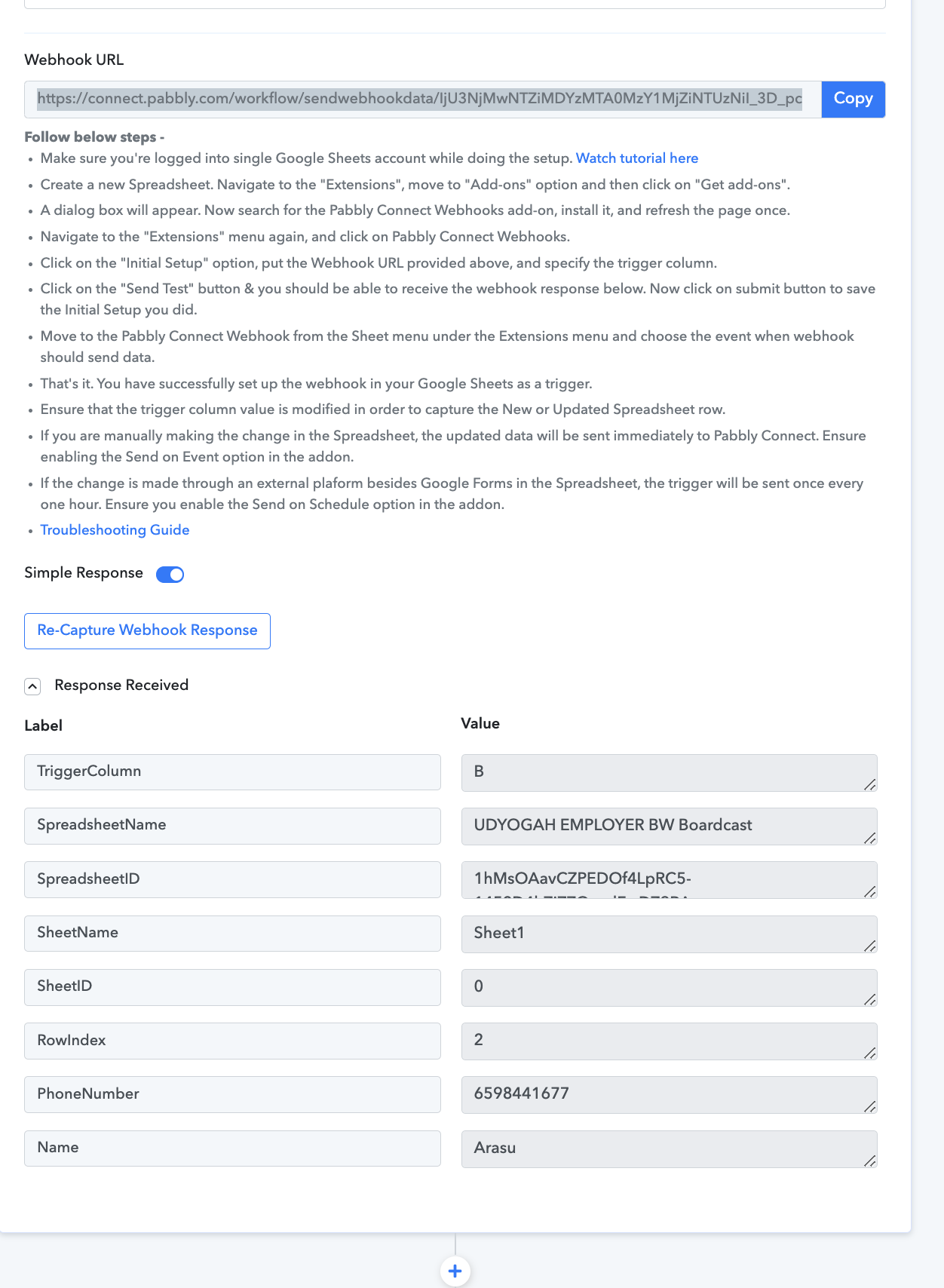
Step - 3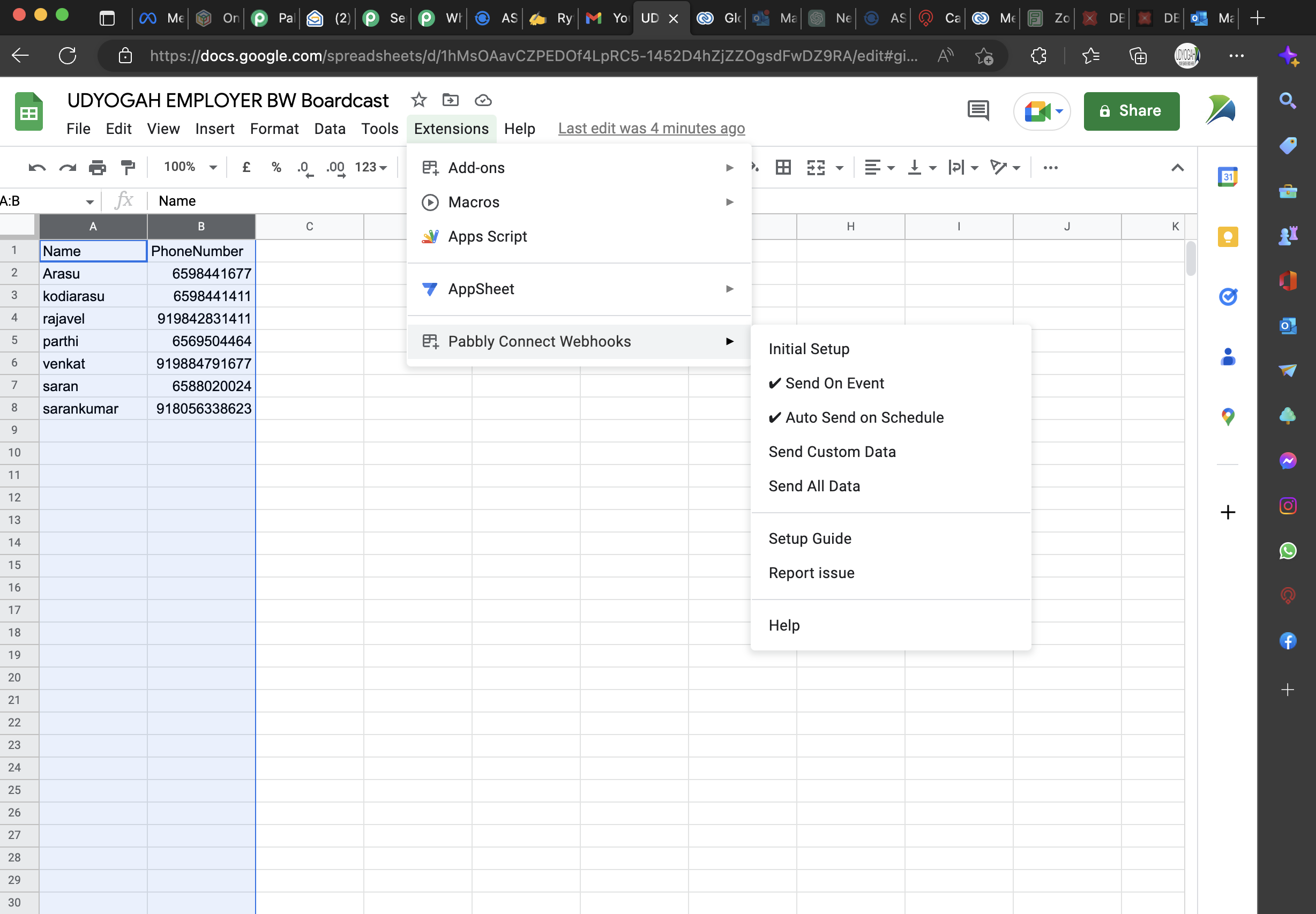
step - 4
How we try also error appear and kindly give suggestion, thank you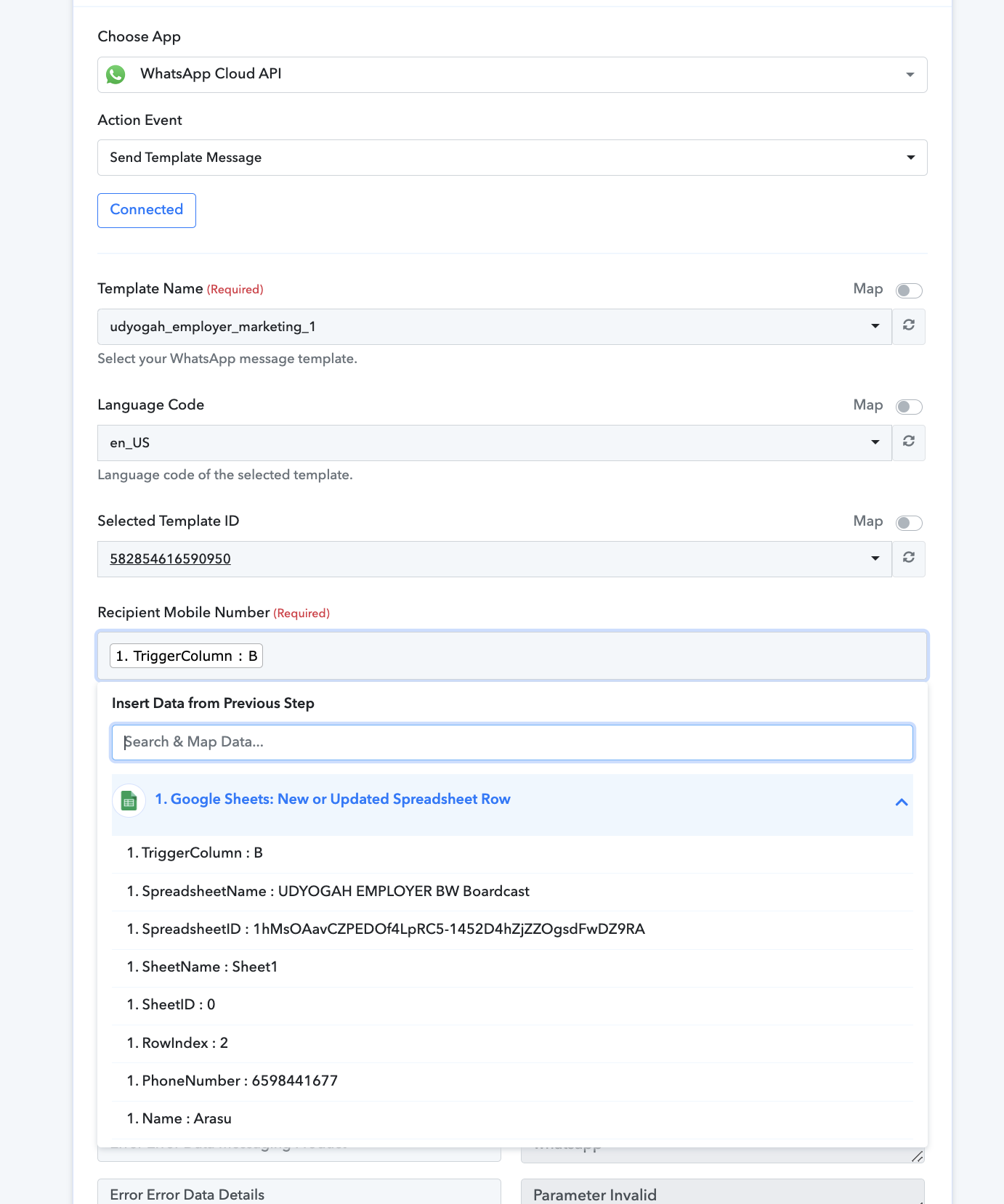
Don’t add trigger column in it just enter number column
Also check the video I sent you, it will tell you how to do this….
Don’t add trigger column in it just enter number column
the single number working fine, but multiple numbers
Just copy and paste your step to send message and change the mobile number column to the second mobile number column
Just copy and paste your step to send message and change the mobile number column to the second mobile number column
Actually it's working fine for only text template, after execute your work flow, i have to go and change google sheet, select send all data, whatsapp execute to all colum in B, even whenever ever select 'send all data' it's contniusly push the last step whatsapp.
but if i have message with image won't works, your work flow tigger well, no message are deliver, But in your workflow status shows it deliver.
Please check and advise.
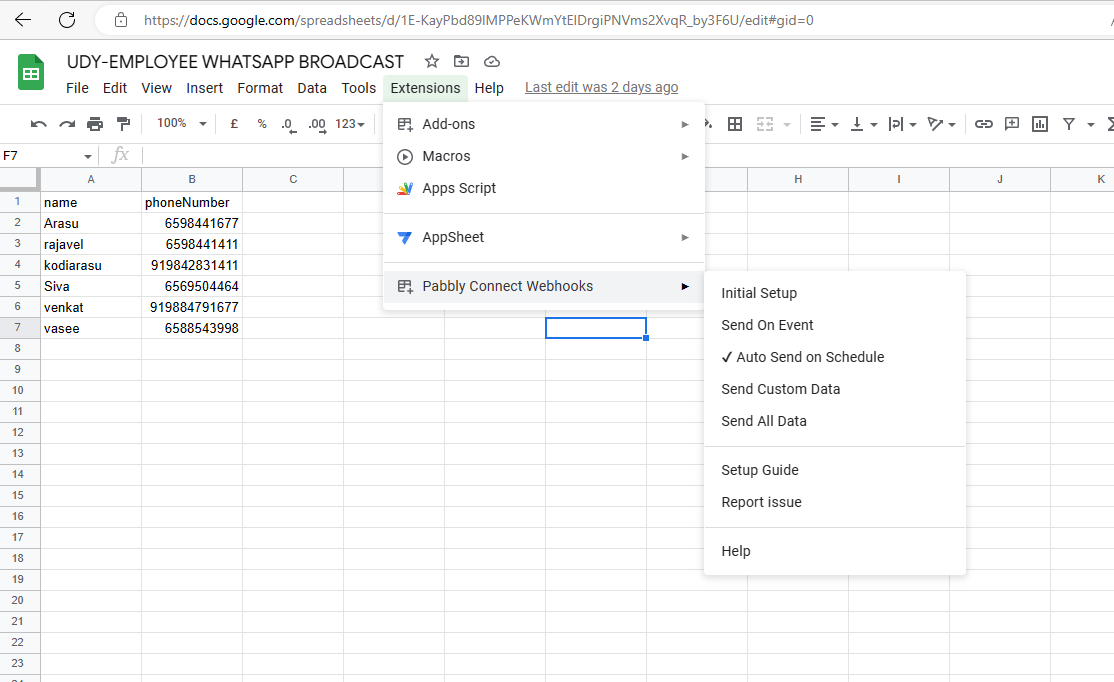
can you give anydesk my d your system, if you don’t mind because it would be easy for me fix your problems
Also you don’t need to add 91 before number
And you have to select send on event
Because auto send on schedule is for forms
Also you don’t need to add 91 before number
have to send WhatsApp to different country, as per your instruction, i should add country code without +,
And you have to select send on event
when i select even whatsApp push to first number only, when i select 'sell all data' it's push to all number
Well it’s not important to include 91, I have tested it…
Pls let me connect you with anydesk, if you don’t mind
so I can check what’s the problem
Hi,
template with image not working,
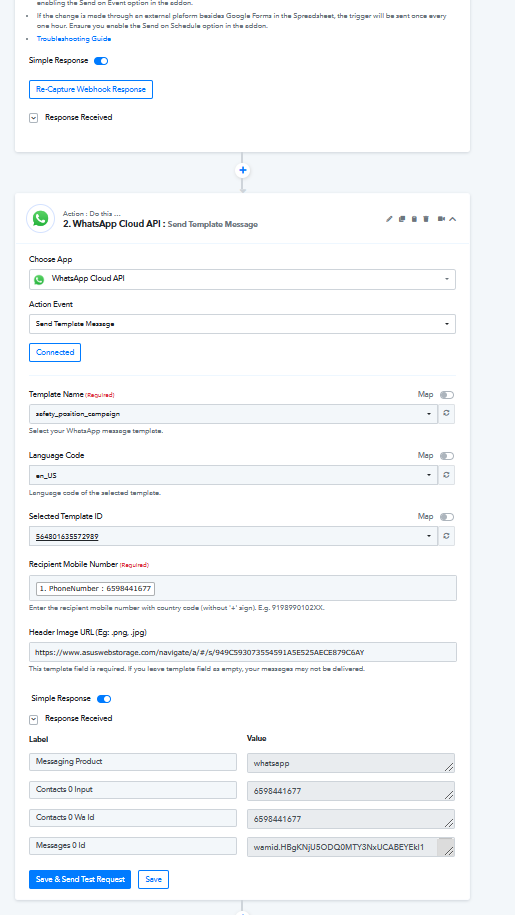
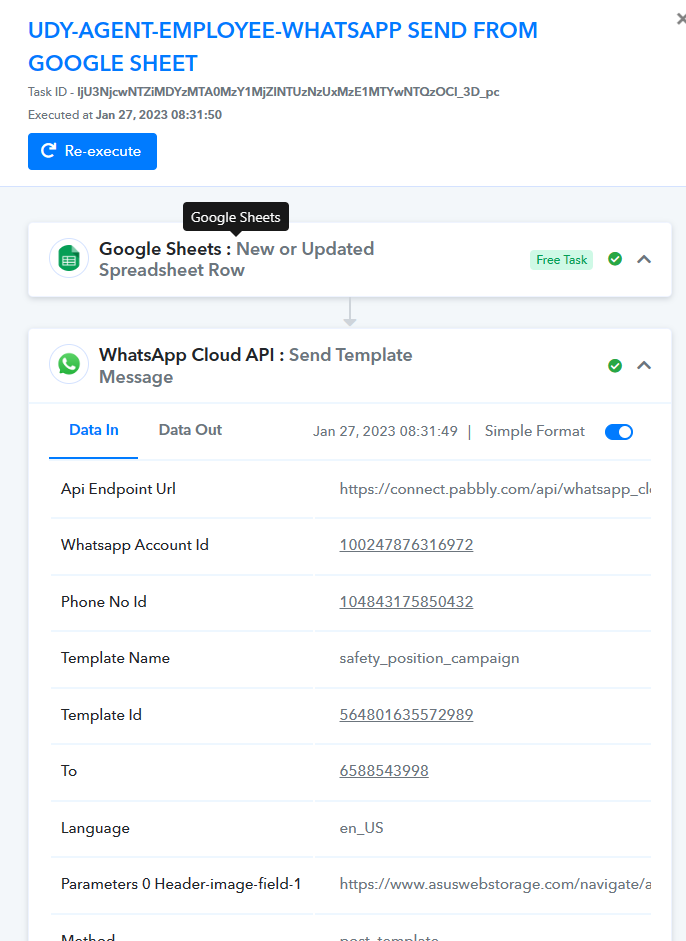
it's shows executed but no delivery to mobile number
You have to give direct link to image, like you can click open image in new tab after right clicking on image and then copy the url and paste it in Pabbly
Pls let me connect you with anydesk, if you don’t mind
yes
yes
can i share my any desk now
Ok share me anydesk
And put this link -https://wrb01.asuswebstorage.com/webrelay/directdownload/?x-asc-sid=10014&fi=3791407753&ve=1&queryMode=pft&pv=1&x-asc-sid-version=6.12.5(66a03b3b)&x-asc-device-name=aW9zKDE2LjEuMCk=&x-asc-os-version=iOS&tlt=K6dI7h9fs3Ugwo%2FVSOFvRaIPhsxMAzewhoteNeSjDLo%3D
I am waiting…..
648012 373 my any desk id
648012 373 my any desk id
connect my system again plz
Please connect
youtube.com/watch?v=okJsWWwuCrc
maybe this will help
regarding your broadcast whatsapp message from google sheet