Sendy Not Receiving Email Address Sent from Google Sheets
Status: Closed · Asked by EponaAuthorSolutions on · 0 views
Hello,
I have set up a Google Sheets to Sendy automation. I've created a new Sendy connection and been told the Http 200 code I receive as a response from my test is okay.
However Sendy is not receiving the email address information.
Please advise. Thank you.
Hey @EponaAuthorSolutions,
Please grant me access to your workflow by adding me as a team member. This will allow me to gain a better understanding of your issue.
Once you have added me as a Team Member, do let us know the name of your workflow.
Email: arshil.ahmad@pabbly.com
Also, remember to revoke access once your query has been resolved.
Attaching a video for your reference:
Hey @EponaAuthorSolutions,Please grant me access to your workflow by adding me as a team member. This will allow me to gain a better understanding of your issue.
Once you have added me as a Team Member, do let us know the name of your workflow.
Email: [EMAIL]arshil.ahmad@pabbly.com[/EMAIL]
Also, remember to revoke access once your query has been resolved.Attaching a video for your reference:
Done! My apologies for taking so long. I thought I'd subscribed to this topic.
Based on your task history, it appears that after June 17, 2023, you haven't received any data from your Google Sheets. As a result, the subscribers are not being added to Sendy.
If you have made any entries in your Google Sheets and they are not appearing in your task history, please ensure that the "Send On Event" option is enabled. If you are entering data in your Google Sheets through an API, then make sure that the "Auto Send on Schedule" option is also enabled.
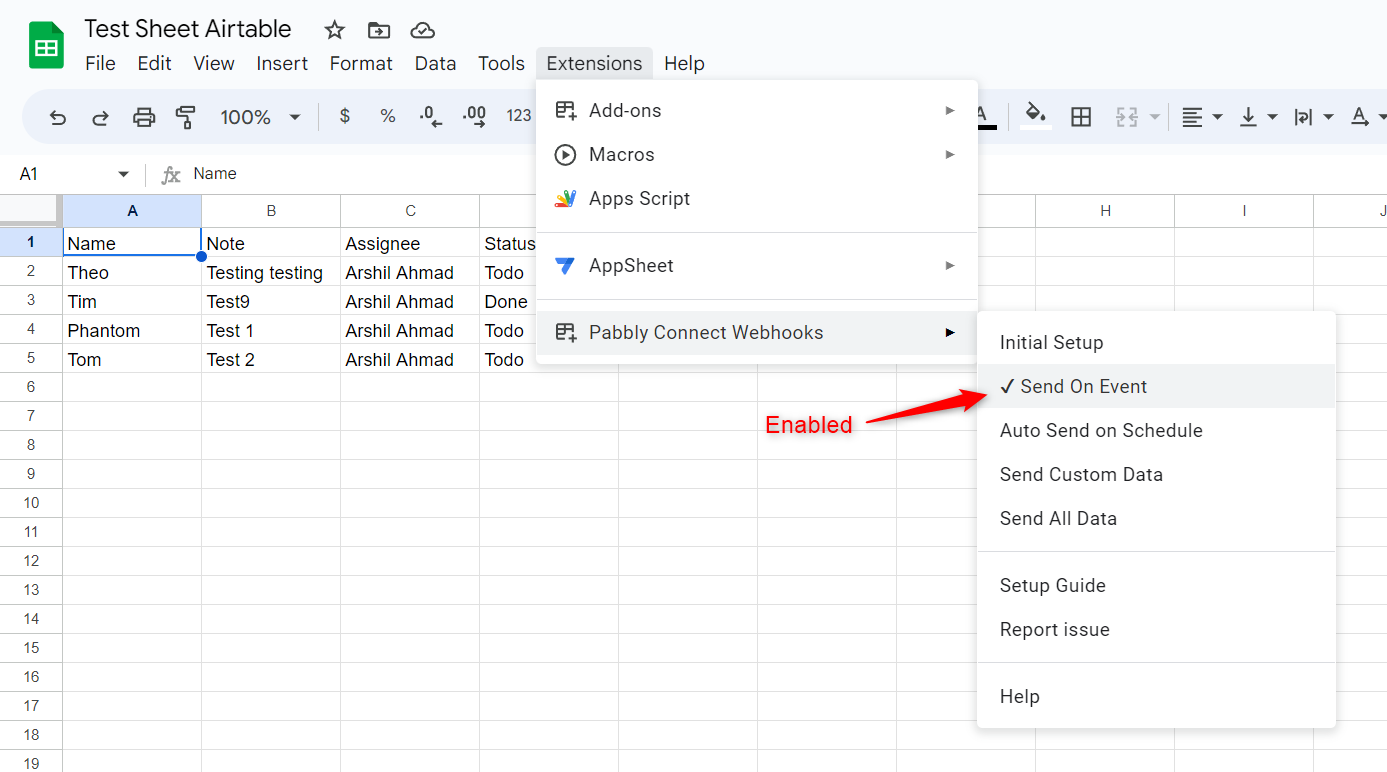
Please note that, in order to execute the trigger, you have to enter data in your Trigger Column.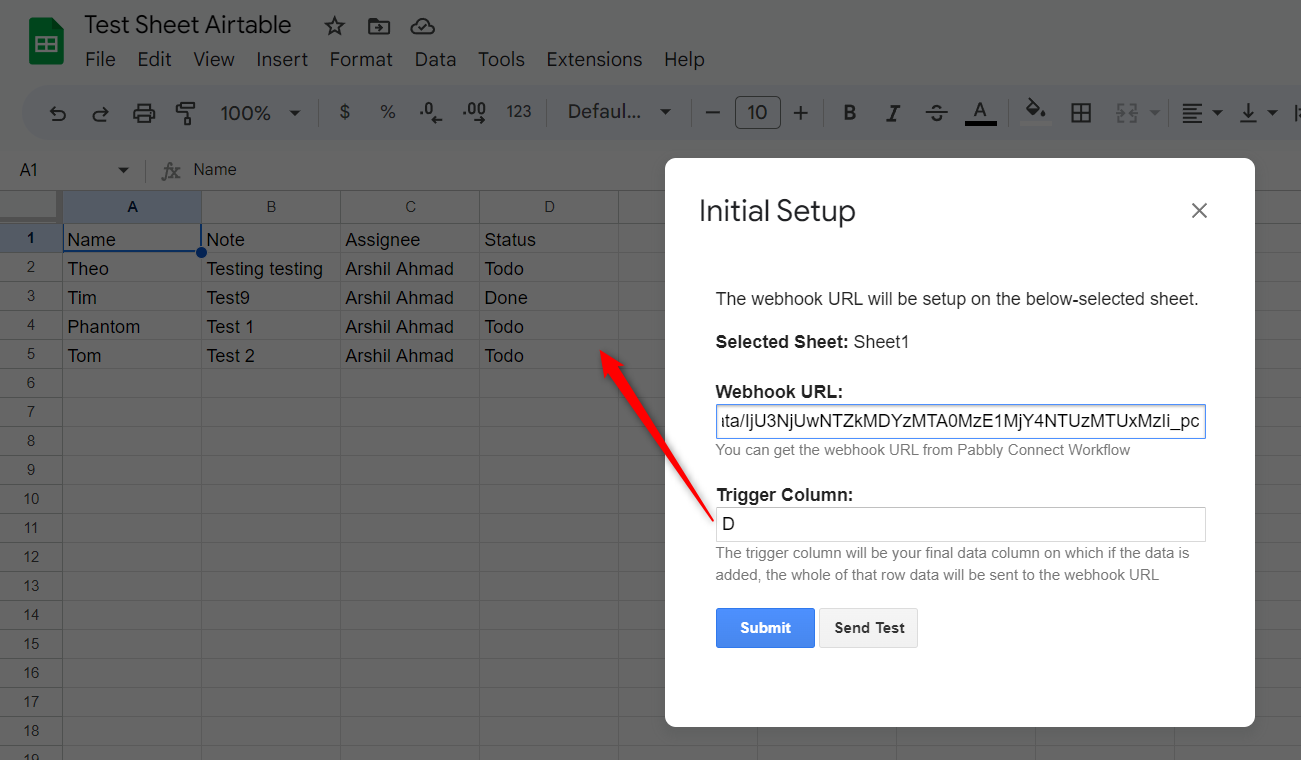
=============================================================================================
If the issue persists, please disable this workflow and set up a new workflow from scratch (without cloning) by following the steps provided in the attached video:
Thank you. I just verified those things and it worked. Appreciate the support!