Setting Up Failed Payment/Rebills/Authorize.net (Live Products)
Status: Open · Asked by Malcom on · 0 views
When we are setting up a Subscription or a Webhook that is "Already" live, and we can't test it what is best practice?
For example; I always run into a situation where I'm using Pabbly for a Subscription, and I can do the test for Purchase or Refund (becuase I can test that at that moment) but I have trouble for the following:
- Failed Payments
- Accepted Payments
- Cancel Memberships
Similar to when I just created a webhook with Pabbly and Authorize.net
I was able to add in the webhook to the (Endpoint) and save it but I have to wait for a Subscription to "trigger it"? Plus while I wait is the Workflow Active?
Now, my question is when the product is already live. How do I set this up in Pabbly?
Do I set up what I can and leave the Workflow (Active) and wait? I believe I've done that but when I come back my Workflow is "deactivated". What is the best practice for this...
So I need help with how to capture these events when the product is already live. It difficult to wait 30 days for a subscription event to later find out that it doesn't work.
Also, when I do capture that event; can I copy it and change the (Product ID ) so that I don't have to wait for another 30 days for the next product? There has to be a shortcut to accomplish; or hack to speed this up? What am I missing?
Attachments
Hi @Malcom,
Could you please state the trigger application and events you are referring to?
So I need help with how to capture these events when the product is already live. It difficult to wait 30 days for a subscription event to later find out that it doesn't work.Also, when I do capture that event; can I copy it and change the (Product ID ) so that I don't have to wait for another 30 days for the next product? There has to be a shortcut to accomplish; or hack to speed this up? What am I missing?
Could you please elaborate a bit more on what you mean by 'copy it and change the (Product ID)'?
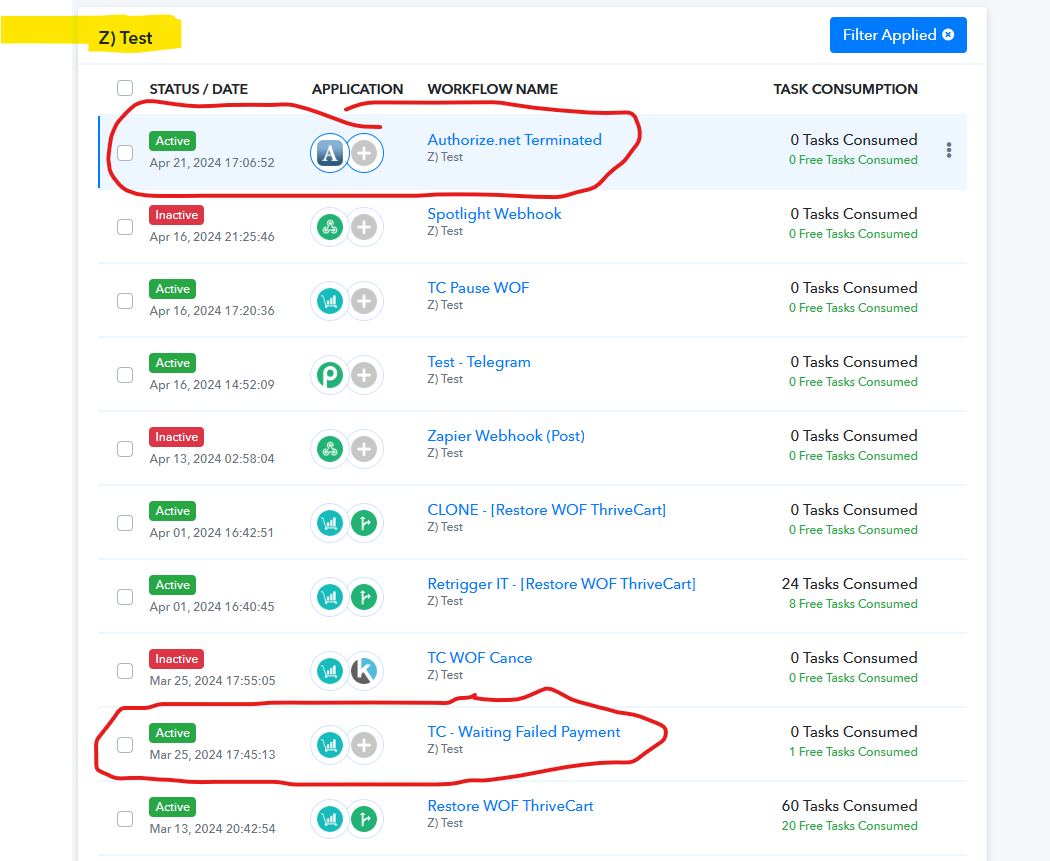
The trigger application was Thrive Cart and Authorize.net. I placed that in the image if that helps.
ThriveCart Events:
- Failed Payment
- Subscription Cancel
Athorize.net
- Subscription Suspended
- Subscription Cancelled
Does that help?
The concern is that I cannot Suspend an Order or Cancel an order to test it. Those have to come from a (Live Subscription)....
What is the process or best steps given those situations
Currently, for both of these cases, you have to create a dummy live payment/subscription and then intentionally make it fail, cancel, or suspend. Alternatively, for ThriveCart, you can test the trigger steps in Test mode. Unfortunately, there is no workaround for triggering the workflow through any other method in live mode at the moment.