Share workflow + Affiliate LINK
Status: Open · Asked by raynimator on · 0 views
Hello,
How do i share Workflow and Attach my affiliate link to the workflow share url
Hi @raynimator,
Affiliate link and Workflow URL are two completely different things. You would have to share the Workflow URL and Affiliate link separately.
To share your workflow you will have to follow the steps given below.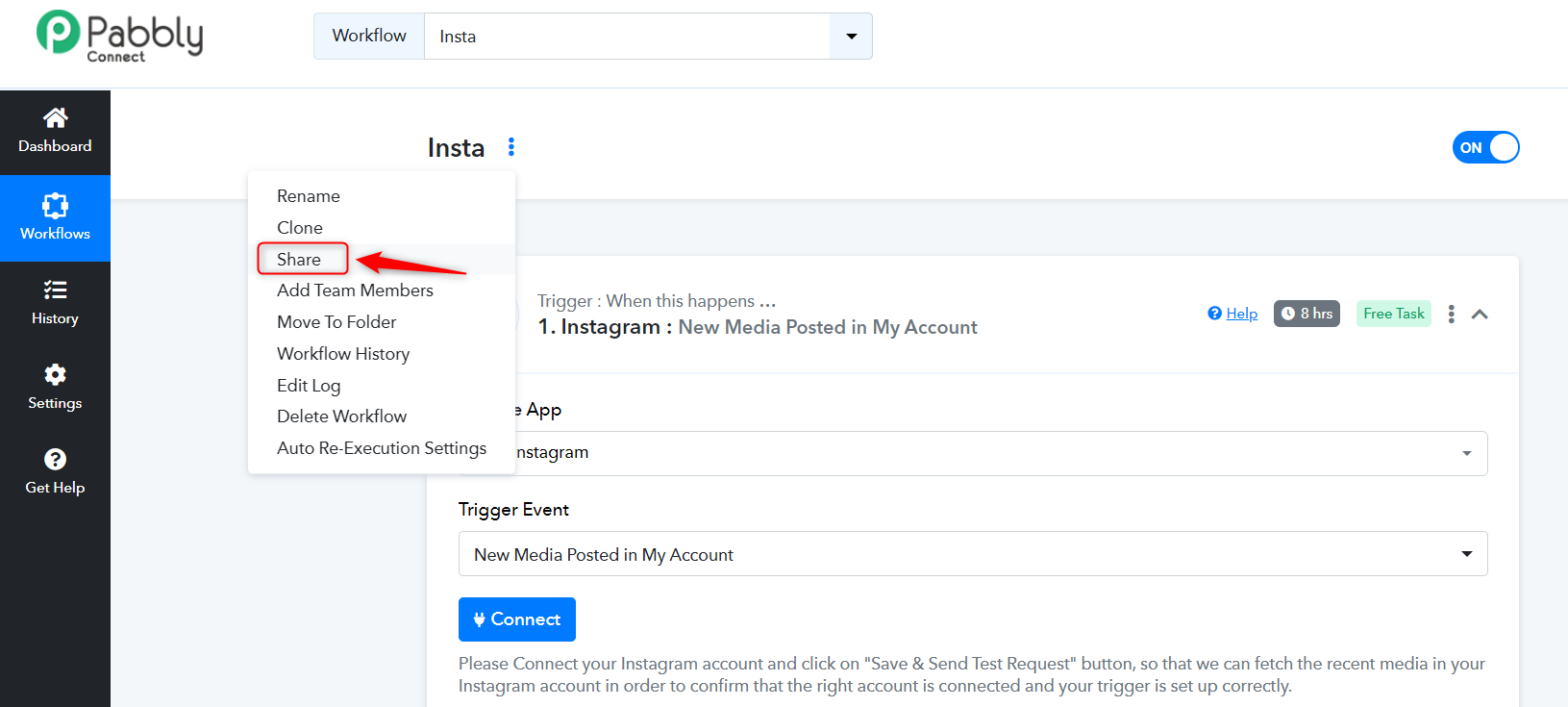
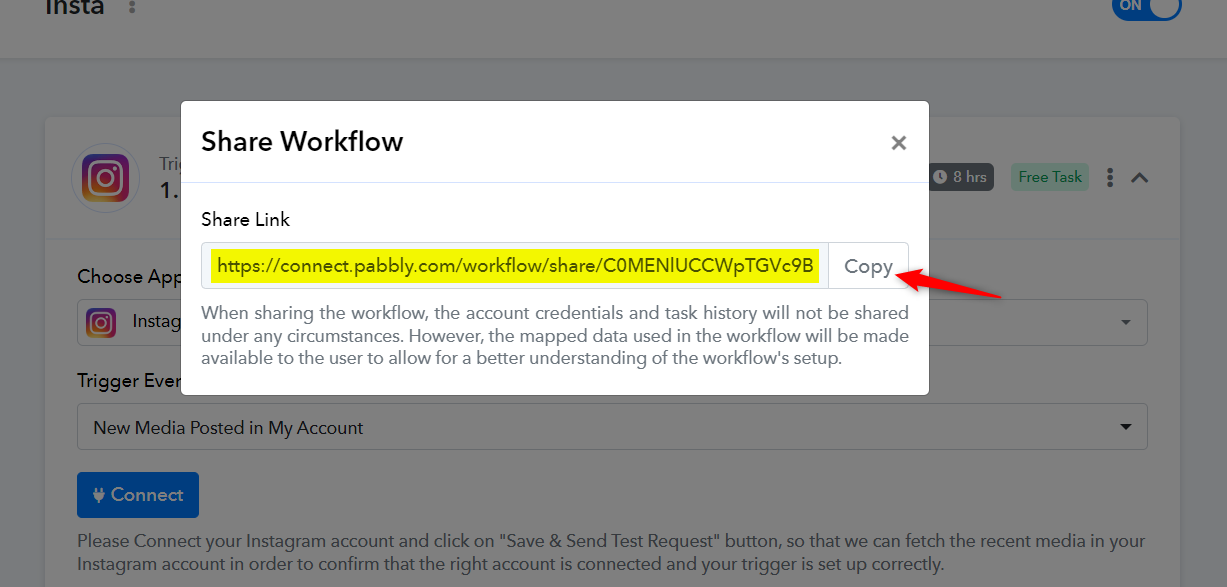
Read the documentation shared below to understand how you can signup for our affiliate program and share your affiliate links.
https://www.pabbly.com/affiliates/
And there is no way to connect both?
I mean i have to share the button first to register pabbly. But if they don't register through Affiliate link
but then they click shareable workflow link, they might register without my affiliate...
Please allow me some time to discuss this with my team. I will get back to you with an update soonl
I had a discussion with the technical team, and they have informed me that merging the affiliate link and workflow URL is not possible for now. You need to share them separately. Users to whom you are sharing the affiliate link need to use your affiliate link to register their account, and then use the Workflow URL you shared.
I suggest you make a request for this core feature on our dedicated platform, and in the future, whenever this feature is implemented, we will let you know.
https://pabbly.featureos.app/b/Feature-Request