Shipstation Fields must be updated
Status: Closed · Asked by Shlomo Zaga on · 0 views
A big part of the deal is "Automation".
I want to use Pabbly Connect to Trigger info from my Google Sheet to Shipstation (shipping software).
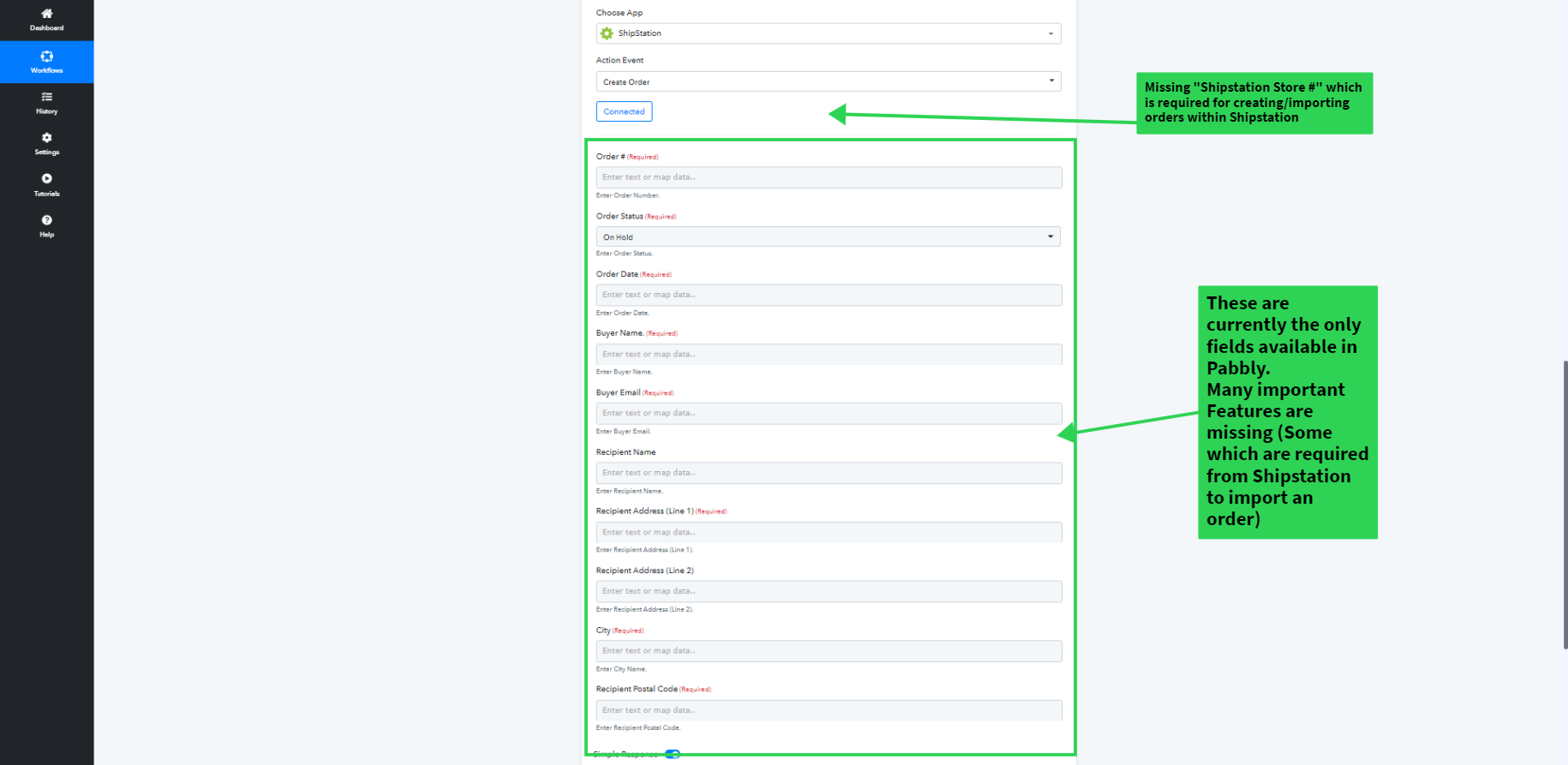
SHIPSTATION IS CURRENTLY INTEGRATED WITH PABBLY, BUT UPON CHECKING MOST OF THE FIELDS ARE MISSING (WHEN CREATING A NEW SHIPSTATION ORDER)
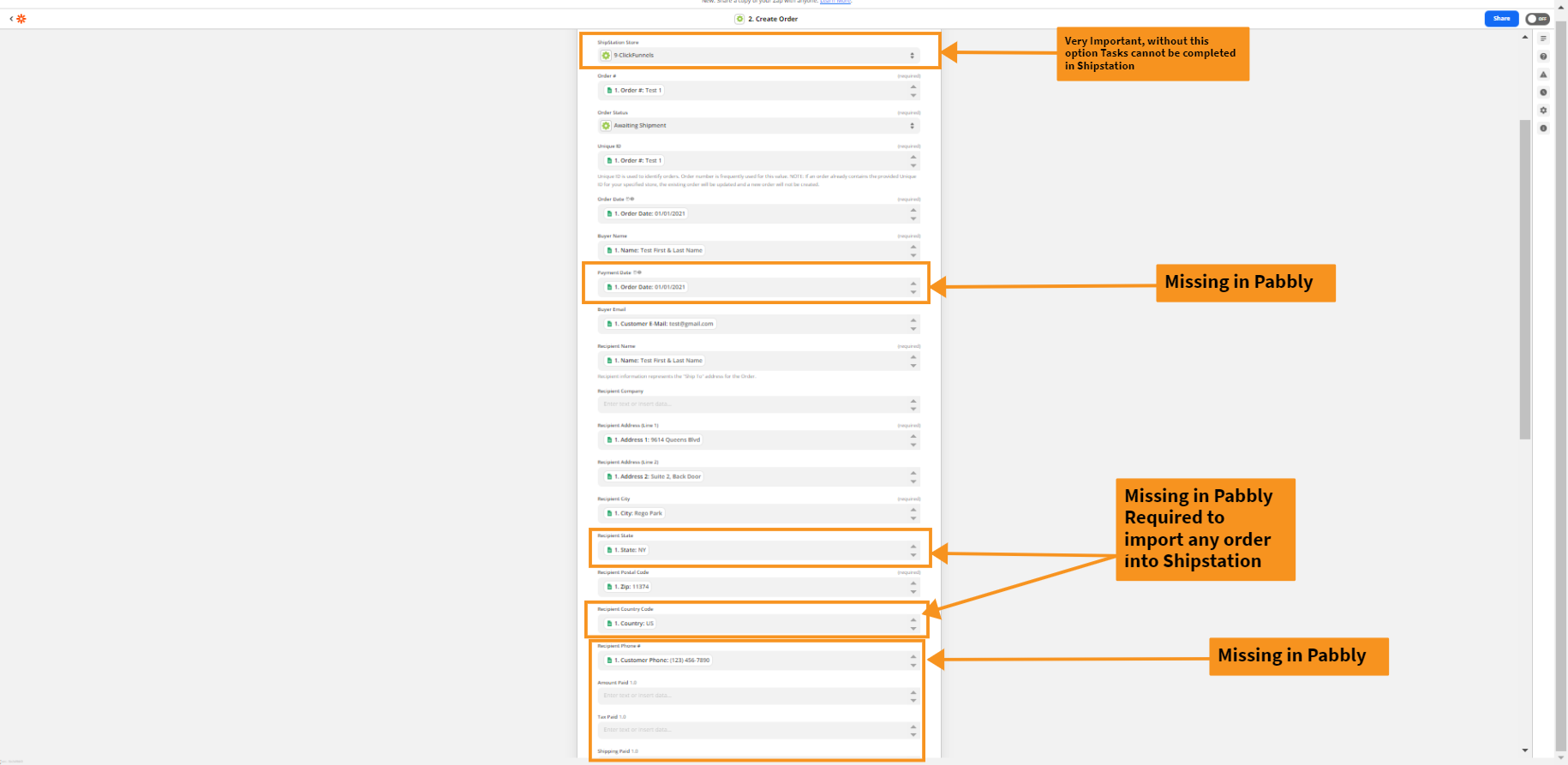
some of those fields are required from Shipstation in order for orders to successfully import. Without those fields, I can not complete the Automation.
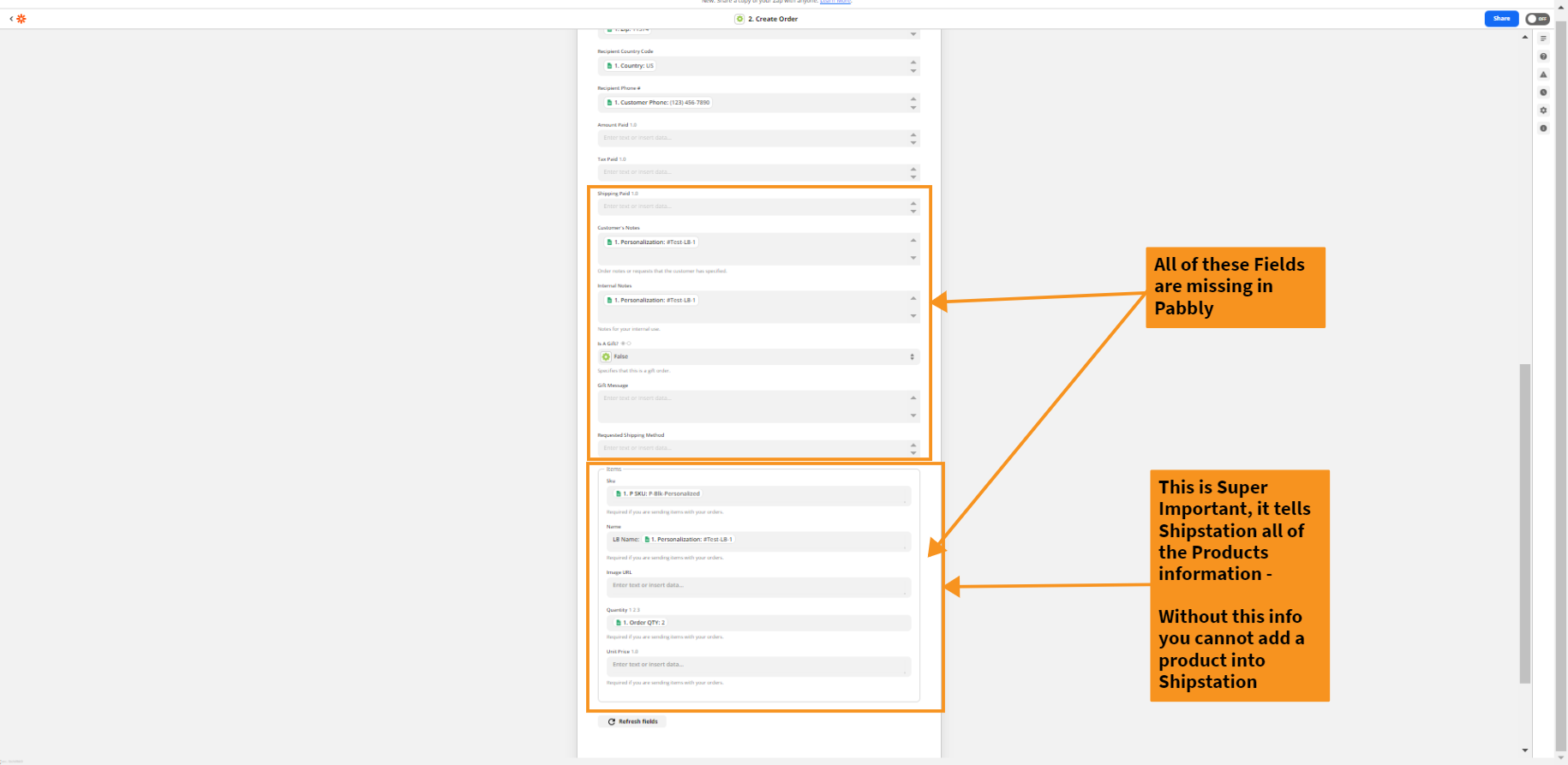
Very Important: All of the fields for "Product info" are missing.
Those fields are super important because the whole idea of importing to Shipstationm is to ship this specific product - but if I cannot tell Shipstation what the product is, I cannot ship the product.
At this moment, I am forced to use Zapier because of the lack of Shipstation action fields.
I really need the Pabbly team to add those fields for Shipstation ASAP.
@neeraga Please share the screenshots below with the @Pabbly Team. The Screenshots highlight all of the fields that are missing in Pabbly for a complete Shipstation integration (which are currently present in Zapier) - It is ALOT of Fields & many are required to complete the Automation.
If you can please get the team to work on it ASAP, that would be really appreciated!
(Also Posted in FB Group)
Attachments
We are looking into this and will update you.
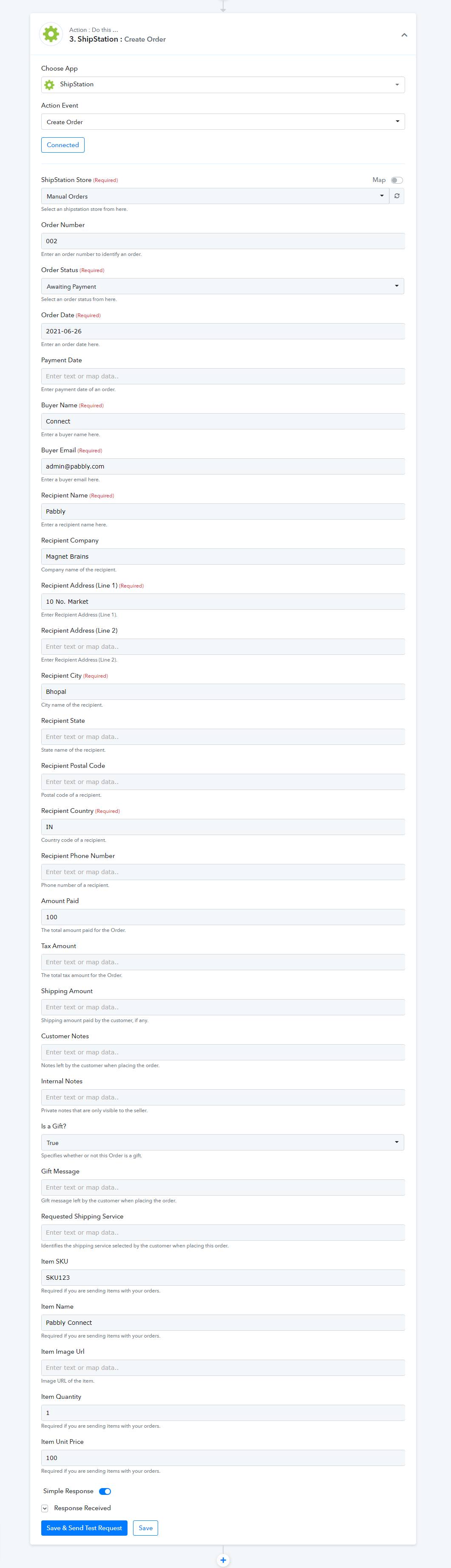
We have updated the action event of Shipstation. Please check at your end -
Thanks for this!
I will check & test it first thing in my morning.
I also noticed that the Shipstation Trigger is completely blank.
Is there any way to get these Trigger fields added?
I’ll explain,
The second part of my automation will be to add the tracking number back onto the Google Sheet after the order is shipped from within Shipstation.
I tried creating a new automation which starts with a trigger from Shipstation to Google Sheets, but the Shipstation trigger step (step 1) come up blank.
We do have Shipstation triggers as well -
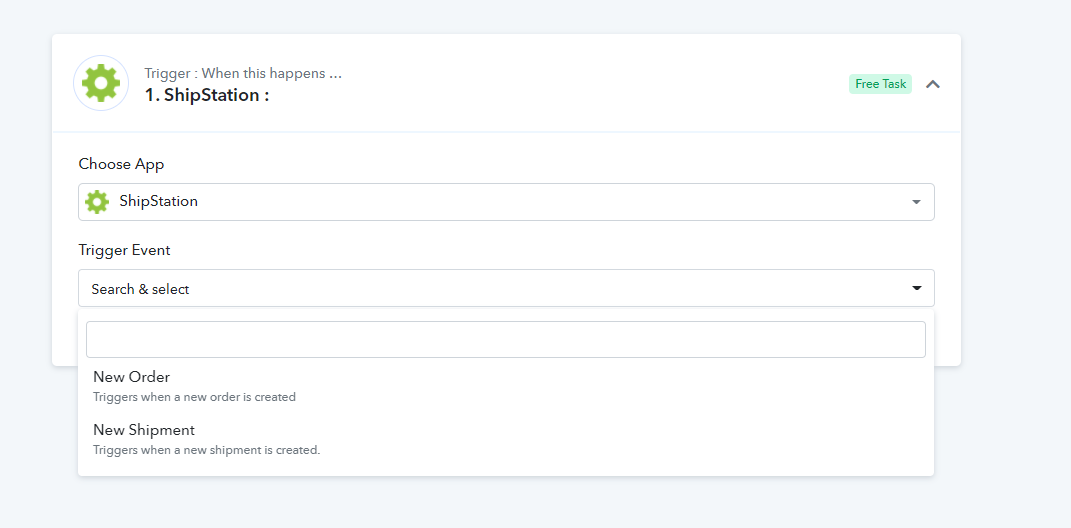
Unfortunately not, when you click on “New Shipment” it comes up blank & doesn’t have any of the necessary fields - unless I am missing something.
Maybe you have a video on how to use the Shipstation Trigger, because I couldn’t get it to work.
Please create a new shipment first in your Shipstation account and then click on "Save & Sent Test Button" so that you can get the response in your Pabbly Connect workflow -
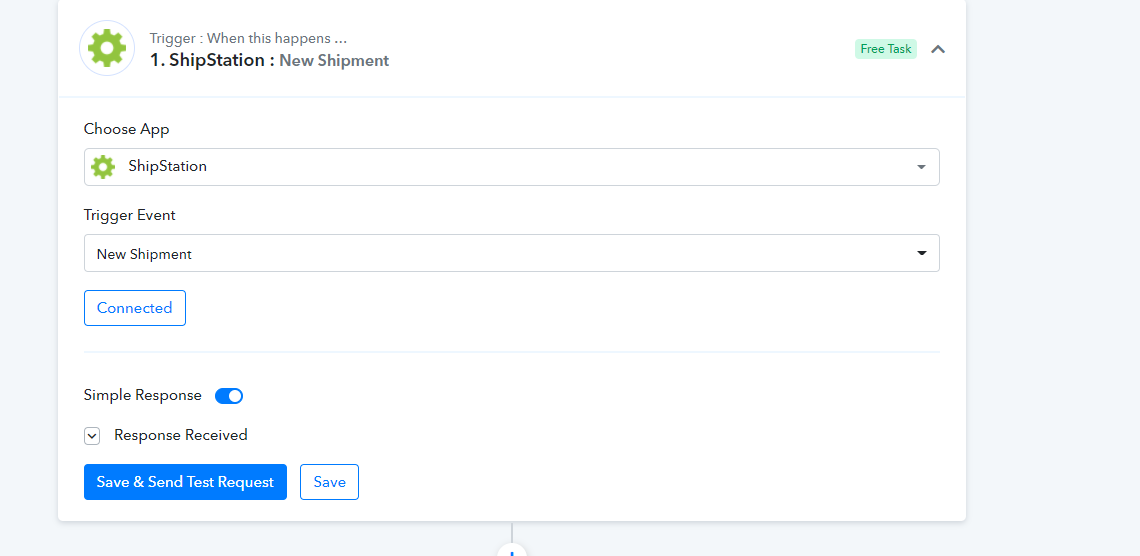
I have plenty of shipments in my Shipstation account. I have tried multiple times.
oabbly works fine when I select “New Order” as a trigger, but it doesn’t work for “Mew Shipment”.
seems like something needs to be updated
We will check this and update back to you in some time.
Please check now. You will be able to get the response -
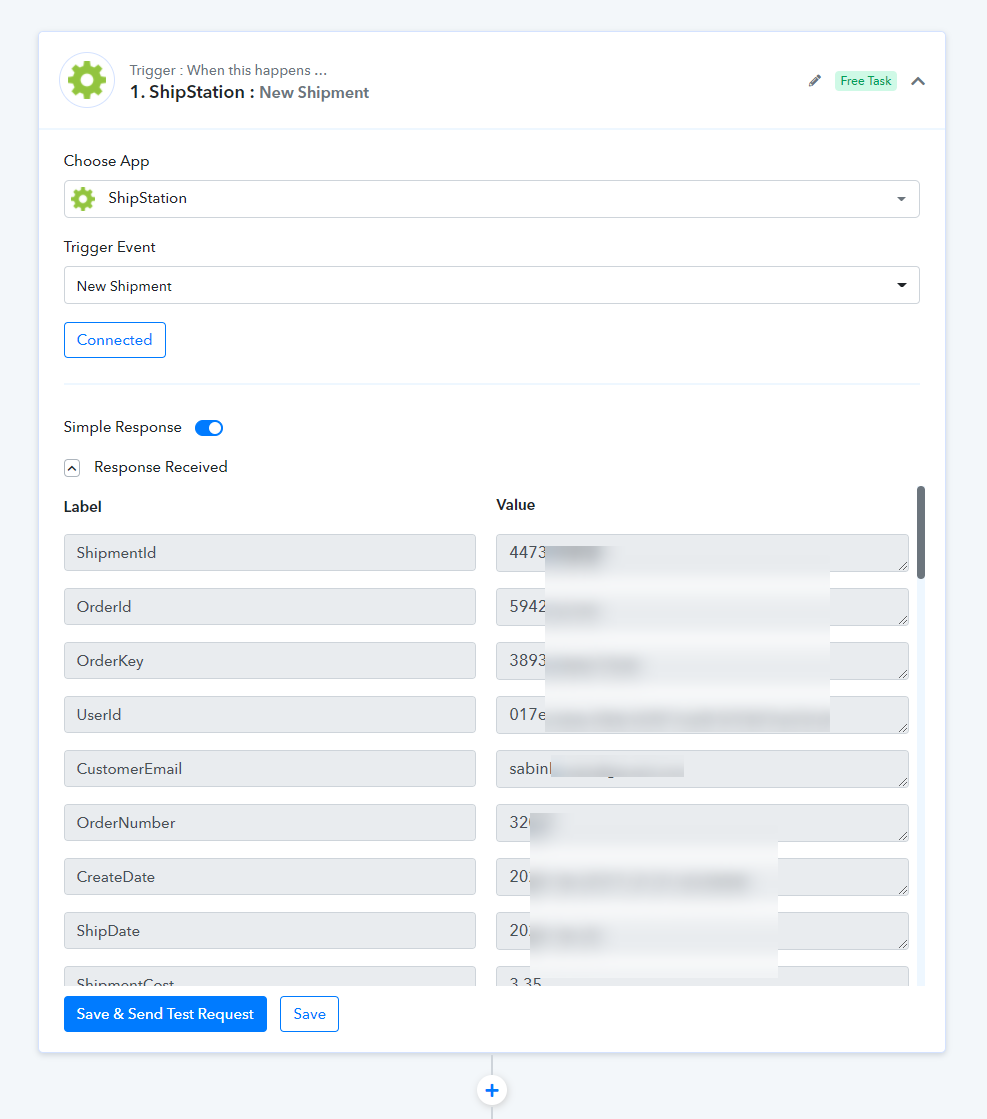
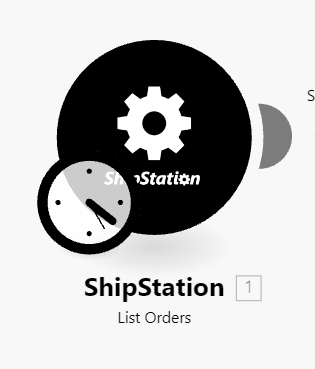
@Pabbly I just noticed "list orders" is missing in Pabbly. Surely this is just a mistake, right? ;-)
It's available in both Zapier and Make.
?
Hey @Ms_Sarcastic
We have added the "List Orders" action step in the Shipstation's integration, I hope this might help you out.
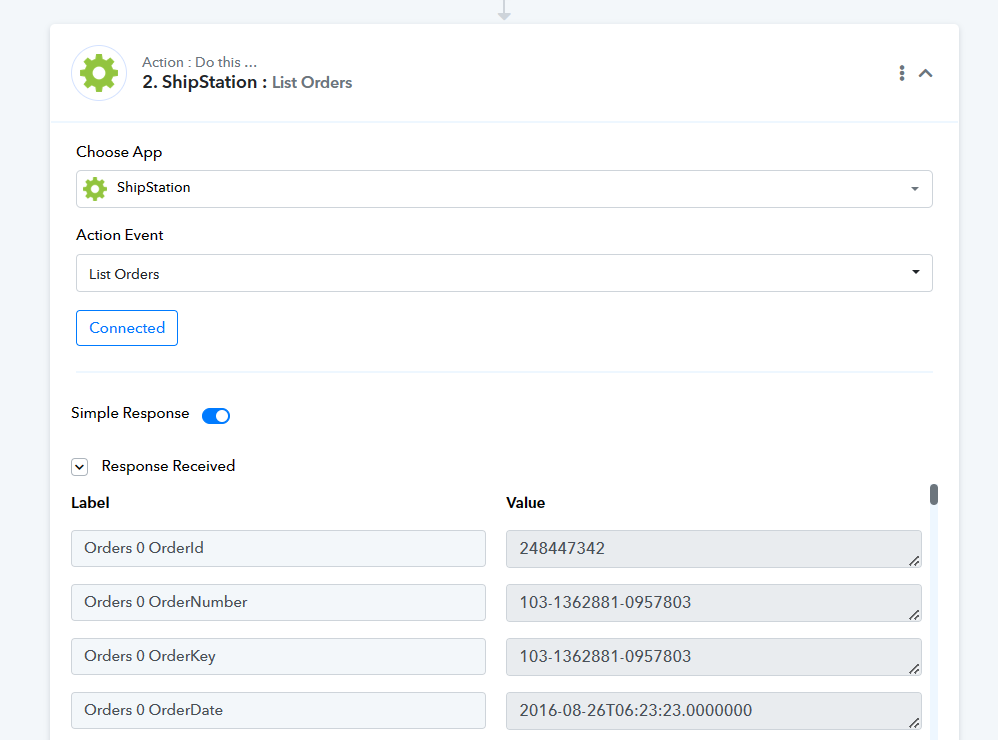
Hey @Ms_SarcasticWe have added the "List Orders" action step in the Shipstation's integration, I hope this might help you out.
I tried it out, and as seen in your screenshot it is pulling in records from 2016. Shipstation API lists the records in order from oldest by default.
In Make this is solved by choosing "awaiting shipment" within the "List Orders" step which ensures you're working with current records only, seen here:
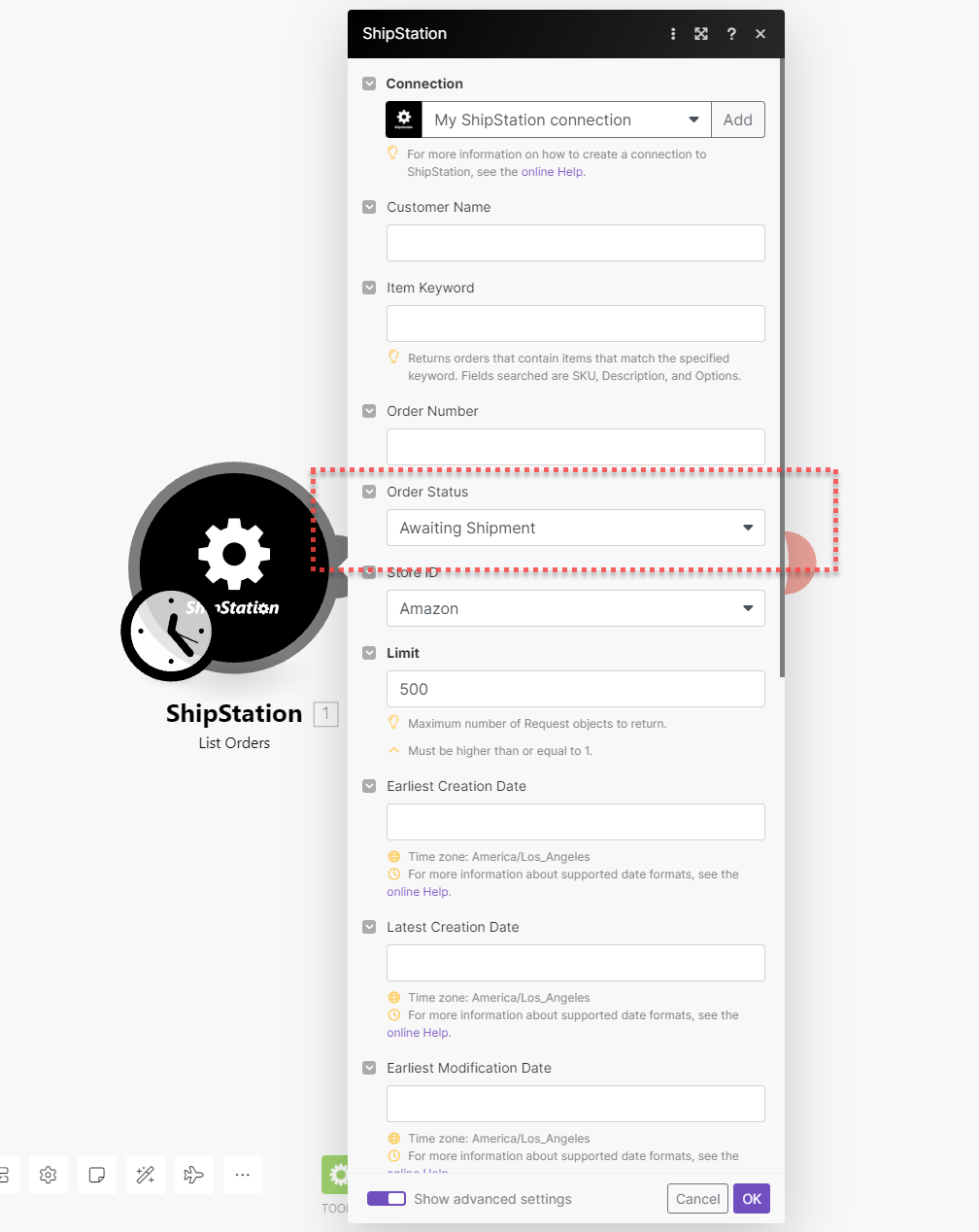
How can I achieve this in Pabbly? I have around 60,000 records in SS ?
FYI Shipstation does not allow you to update records in shipped status (which are "old records" by definition) via API anyways, according to their dev docs.
Knowing this, is it possible to set Pabbly as a whole to retrieve records in order from newest to oldest?
And/or have the ability to specify "awaiting status" in the same step, so it's not pulling my records from 7 years ago by default ha.
Ok, we have forwarded your requirement to the team and they are currently looking into it.
Ok, we have forwarded your requirement to the team and they are currently looking into it.
Is waiting for Pabbly to fix this the only way to achieve this?
Is there any other way?
Hey @Ms_Sarcastic
I am afraid to say that it might require some time. In the meantime, you can explore using Pabbly's API to obtain the API request for Shipstation. It is advisable to seek assistance from an automation expert well-versed in REST API and its application.
Hey @Stephanie,
We are pleased to inform you that we have effectively executed the updates associated with the "List Order (Beta)" action.
Your participation in testing its functionality from your end would be highly appreciated.
Best Regards,
Nivesh
Hey @Nivesh I'm getting around to testing the "List Orders (Beta)" and it's giving me errors saying ALL the fields are required:
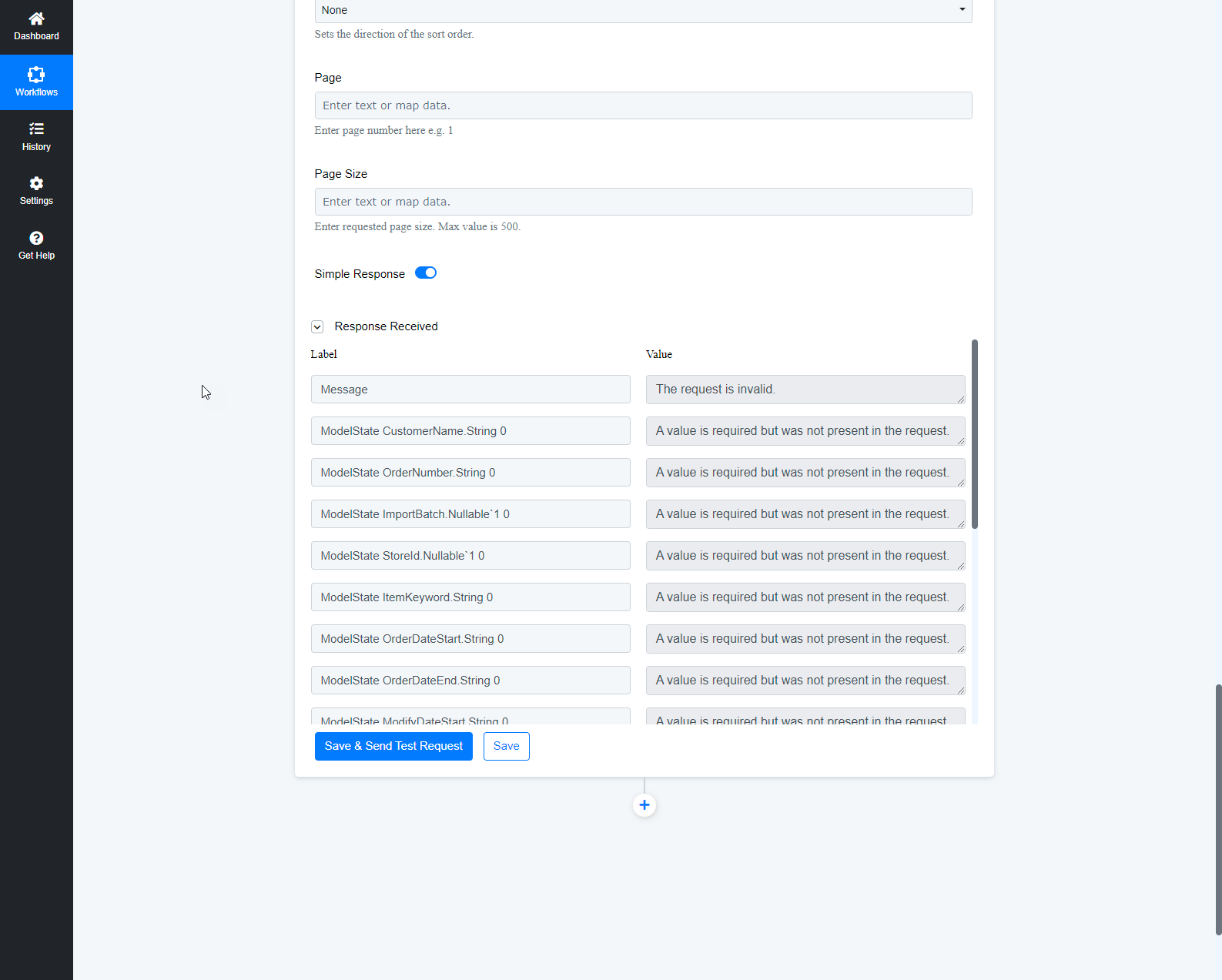
I'm assuming these are all supposed to be treated as optional filter fields, as that is the context of what I was asking about for these fields earlier in the comments.
I only used 1 of these new filter fields, which is "Order Status" and I chose "Awaiting Shipment".
Hey @Nivesh I'm getting around to testing the "List Orders (Beta)" and it's giving me errors saying ALL the fields are required:
Kindly share the workflow URL in which you have tried the same so that we can look into it.
Kindly share the workflow URL in which you have tried the same so that we can look into it.
https://connect.pabbly.com/workflow/mapping/IjU3NjUwNTZmMDYzZTA0Mzc1MjZhNTUzNjUxMzci_pc
Can you please try passing all the data possible in the action step once?
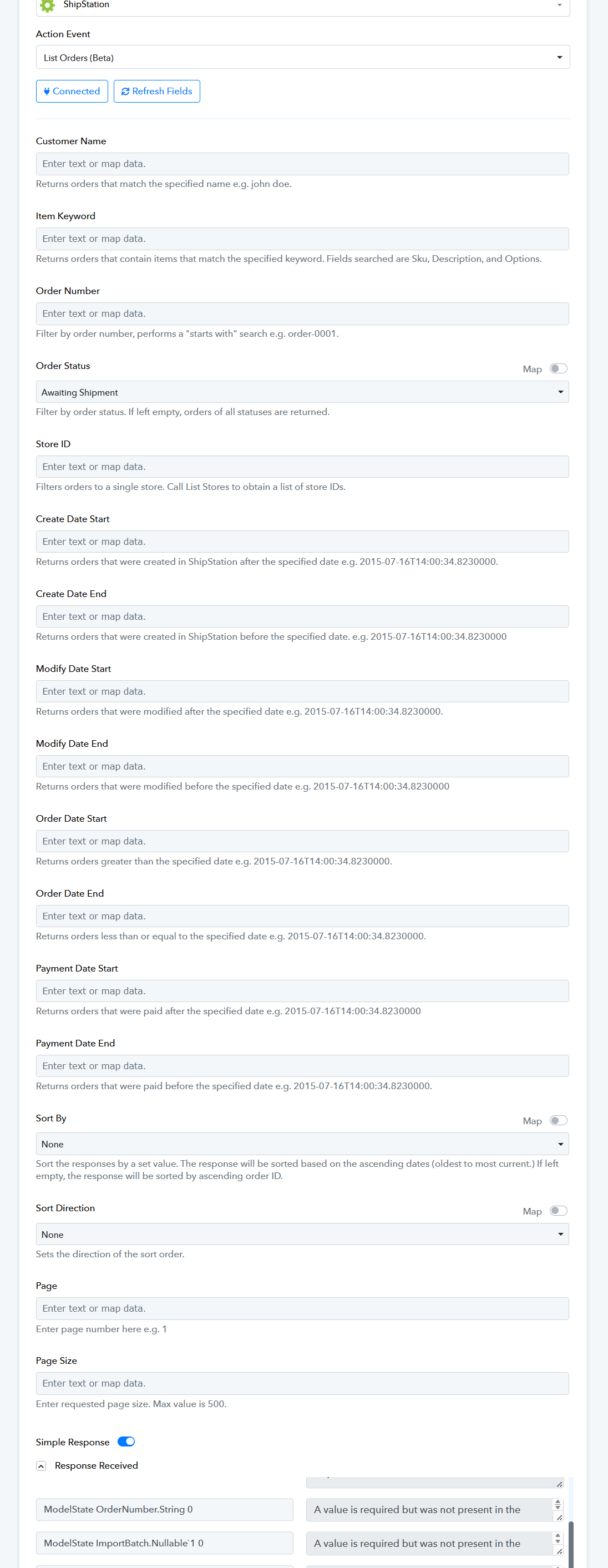
Can you please try passing all the data possible in the action step once?
There's no point to try it. If you filled all those values out you'd be limiting it to a single record... And if you only need a single record then you'd be using the get orders function or whatever it's called that already exists.
"LIST orders" should literally be a list of orders that fit the filtered optional criteria.
"LIST orders" should literally be a list of orders that fit the filtered optional criteria.
Please allow us some time, we are currently looking into it.
Hey @Stephanie,
We are pleased to inform you that we have successfully fulfilled your request. We kindly request your assistance in connecting the "List Order (Beta)" action step and try again.
If you encounter any difficulties, please do not hesitate to inform us, and we will be ready to provide assistance.
Best regard,
Nivesh