Shopify Text Box, multiple products, Google sheets - error message.
Status: Open · Asked by Freddo on · 0 views
Good morning and can you help me. I am a huge fan of Pabbly Connect but I have this problem in trying to extract multiple products from the one order from Shopify into Google sheets.
I am obviously not a programmer!!
The problem is that I use TEXT FIELDS via an app to capture information along with Shopify's product options and variants. I want to insert multiple products from Shopify into multiple rows from Google Sheets.
I have been using the following process:
1. Trigger: Shopify New Order.
Turn off simple response.
Created the web hook and successfully received a response.
2. Action: data transformer by Pabbly: line itemizer
Connected.
Line Itemas Array
1. Line Items : [{"id":12953467093123,"admin_graphql_api_id":"gid:\/\/shopify\/LineItem\/12953467093123","fulfillable_quantity":1,"fulfillment_service":"manual","fulfillment_status":null,"gift_card":false,"grams":0,"name":"BENSONVILLE MARATHON - 11-19 \/ FEMALE","price":"170.00","price_set":{"shop_money":{"amount":"170.00","currency_code":"NZD"},"presentment_money":{"amount":"170.00","currency_code":"NZD"}},"product_exists":true,"product_id":7758988902531,"properties":[{"name":" First Name","value":"Hayden" ...
Successfully saved and sent a test response.
3. Google Sheets: Add multiple Rows
Successful connection made with Google sheets.
Here is the problem.
When I try and map the data from the text field and the property's value field I received the following error messages when I sent a test request:
Error Code:
400
Error Message:
Invalid values[26][1]: list_value {
values {
string_value: "Hayden"
}
values {
string_value: "Wilde"
}
}
Error status:
INVALID_ARGUMENT
If I take out the text fields - Pabbly successfully maps the responses and the Google sheet is perfect. The problems are because of the text field - I cannot see how to solve this. Can you help please help and if you are a specialist looking for another customer, I am happy to pay.
Kind regards.
Shane.
Hi @Freddo,
Please allow us some time to look into this. We will get back to you with an update soon.
Thank you, here is the website, in test mode to place a dummy registration, use the discount 123 to skip making payment.
It appears that you are not passing the multiple line item in comma separate manner whereas you have passed the square brackets with double quotes within.
So, kindly pass the line item in a comma-separated manner as mentioned in the help text.

It appears that you are not passing the multiple line item in comma separate manner whereas you have passed the square brackets with double quotes within.So, kindly pass the line item in a comma-separated manner as mentioned in the help text.
Hello and thank you for your reply. However, I cannot change the mapping value - this is all I can select. I realise I may be doing something wrong.
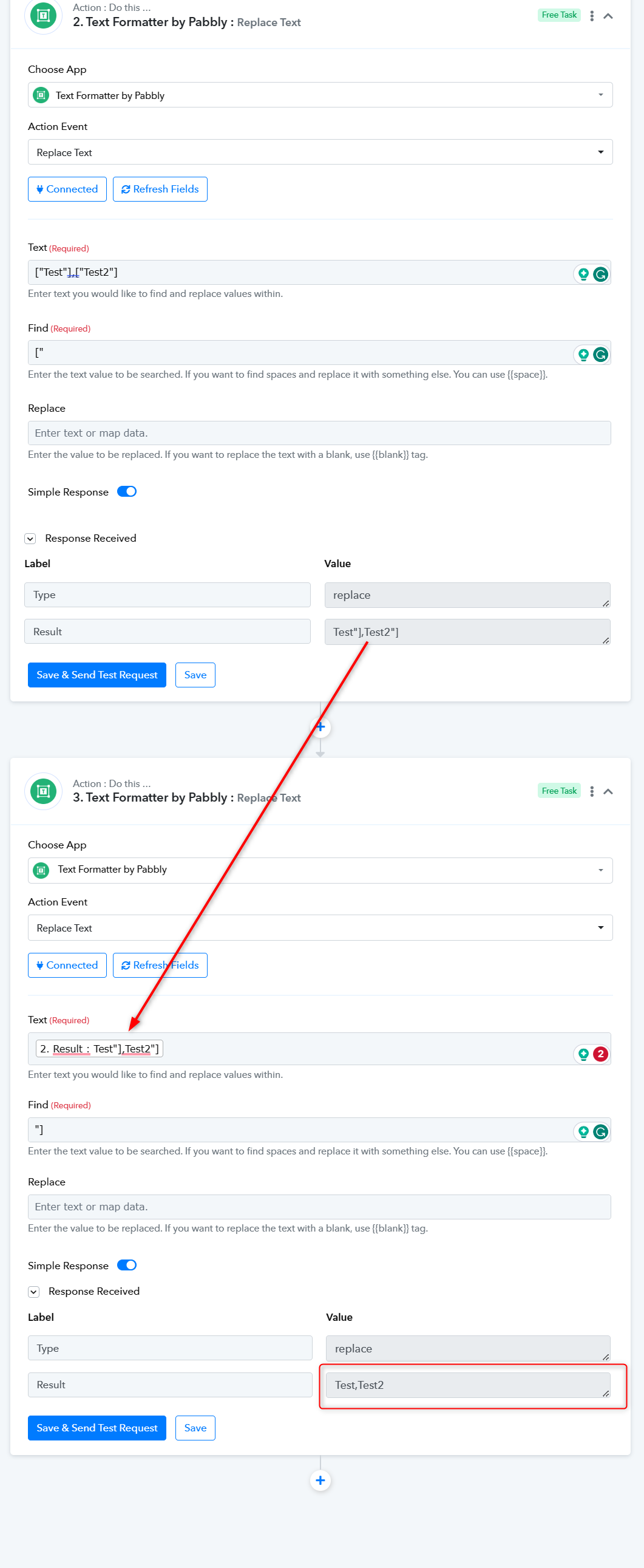
You can perform the following action step to remove the square brackets and double quotes from the given line item.
Hello, I think the problem is that the line itemizer is not creating header fields from the 2 text boxes. First Name: response Gizzy Last Name: Boy.
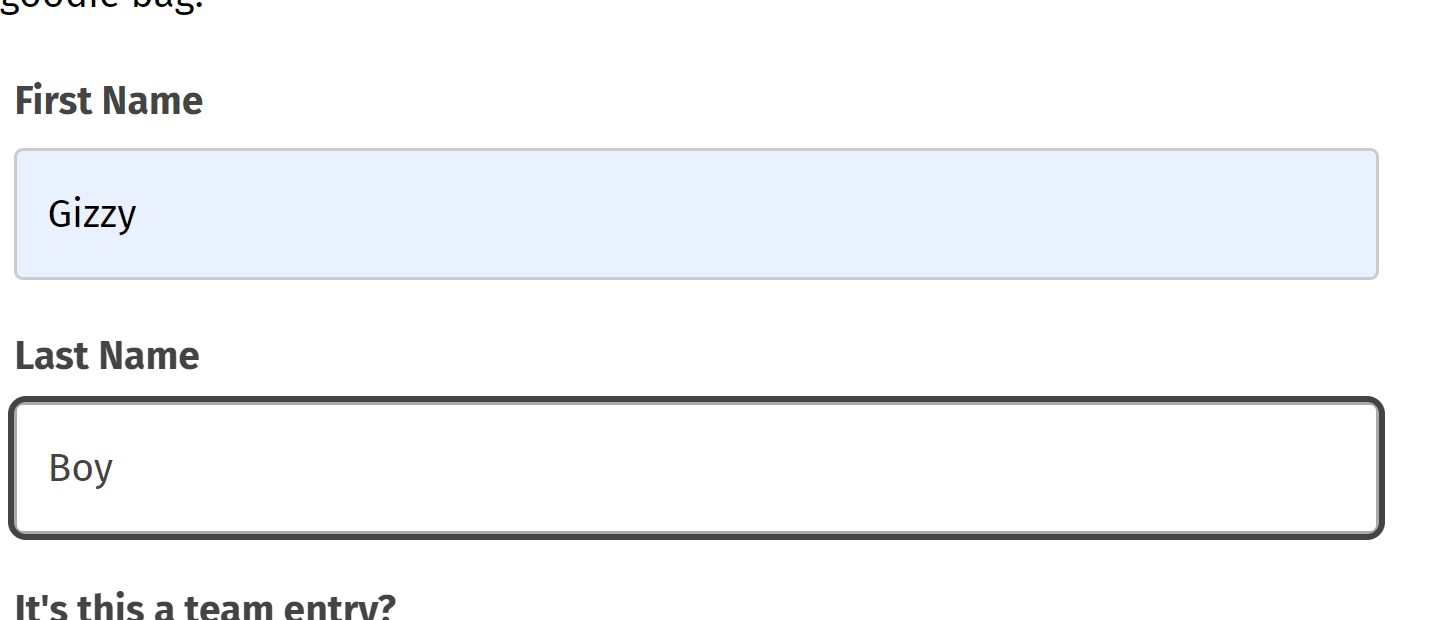
First image is a screenshot of the product text boxes - https://www.benson.software/products/bensonville-marathon
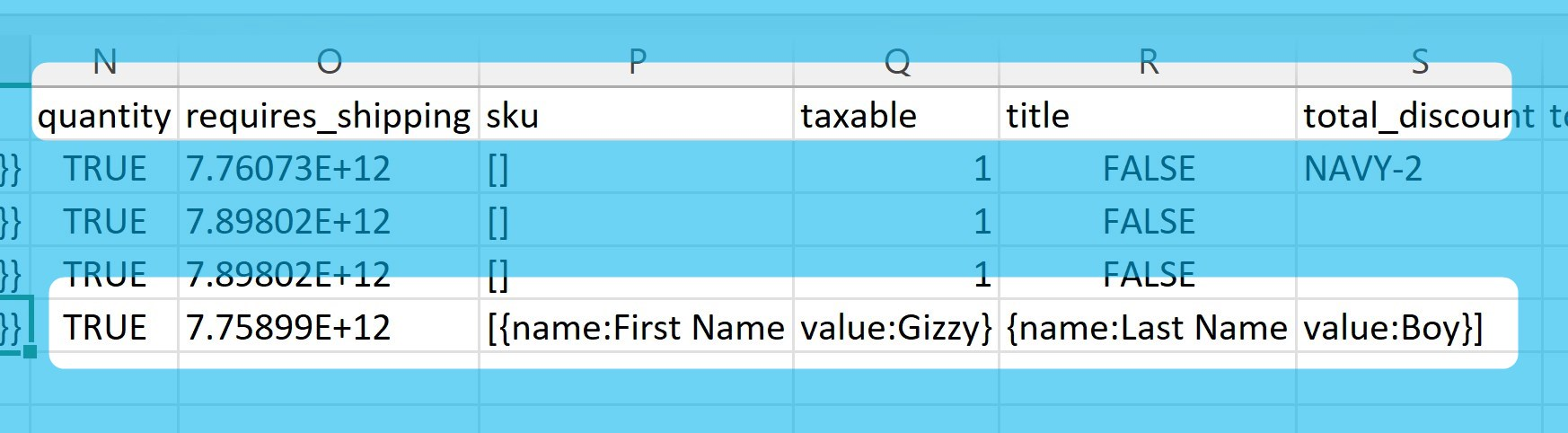
Second is the output as a csv - there are no headers I can map that say First Name and Last Name.
BTW, thanks so much for trying.