Shopify to Whatsapp Order confirmation not received
Status: Closed · Asked by Parth Nayak on · 0 views
am not getting shopify to whatsapp order confirmatio in whatsapp, pabbly says its done smoothly but am not receving whatsapp. my workflow name is "shopify order update". please cofirm
Hey @Parth
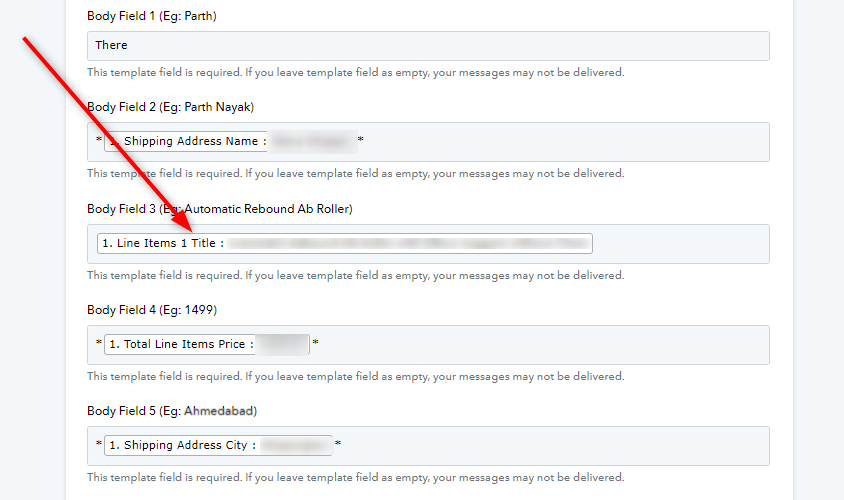
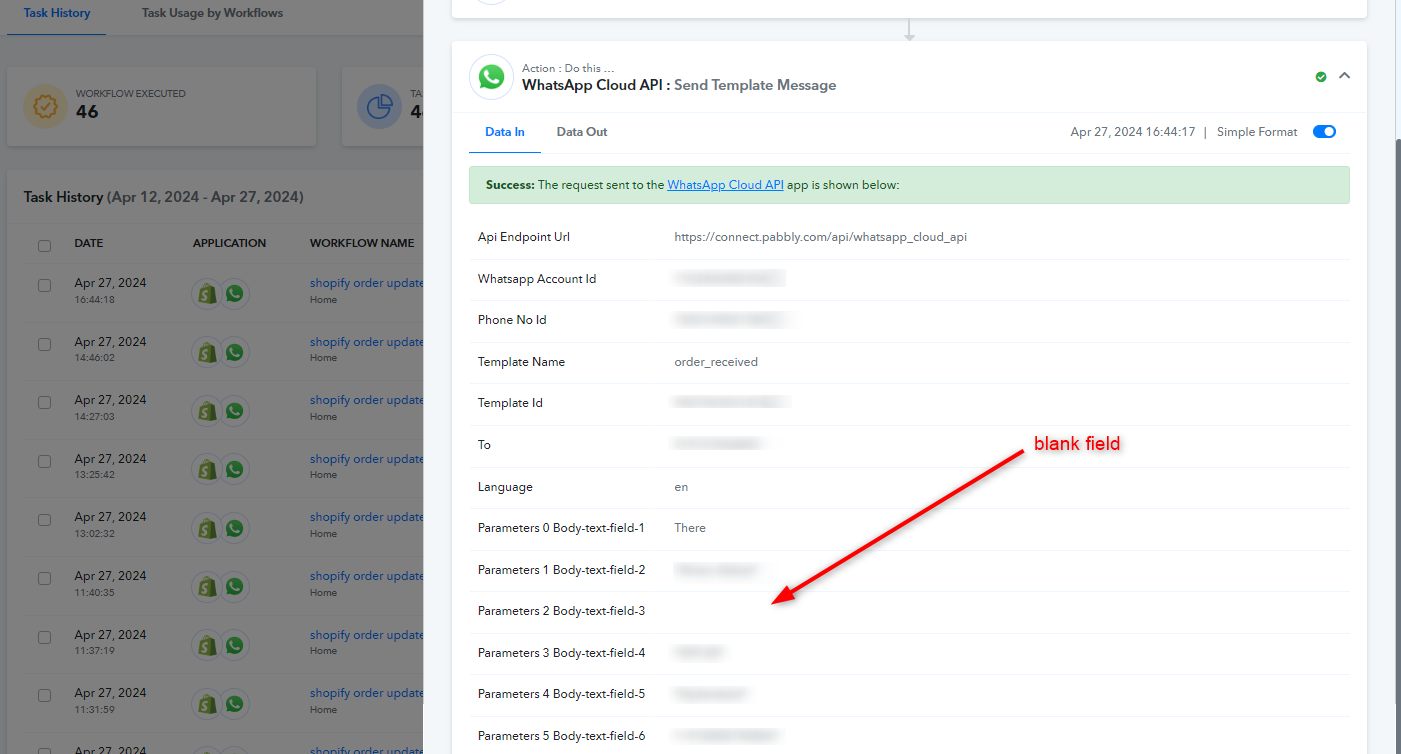
Upon looking into the task history we noticed that there was a required field missing, which was body field 3. You have mapped "Line Items 1 Title" which is not present in the responses with every new purchase. "Line Items Field 0 Title" is default which is present in every response from Shopify "New Order".
So, we would recommend you to re-capture a new response and map the "Line Items 0 Title" instead of "Line items 1 Title". Refer to the images below for more reference.
ohk thanx a ton, let me check and revert to you soon as possible
i checked, now unable to send similar information to customer, as am unable to map client mobile number in workflow, please guide
also guide am using direct whatsapp api on developer FB Panel, so when i use whatsapp template with button how to trigger another whatsapp message or action based on button click by client or team
Hey @Parth
The phone number you're attempting to use is a US number, but it's in a different format and has a different country code. You won't be able to send messages to this number with the 'IN' country code.
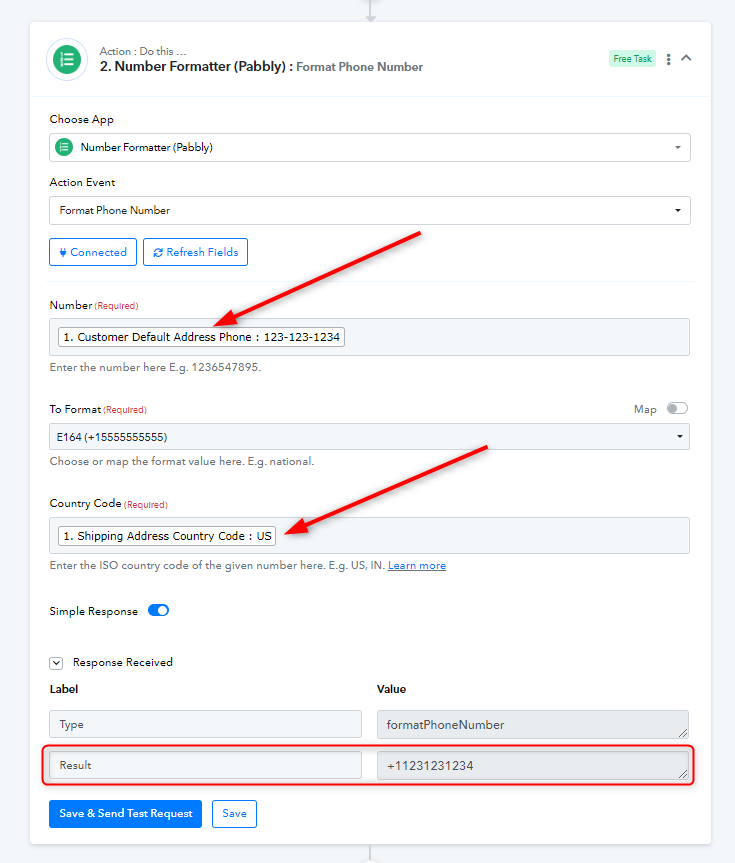
Further, some of your responses from Shopify do not contain phone number in "Phone" field. Although, the "Customer Default Address Phone" response has the phone number with every entry.
Please apply a number formatter after the Shopify trigger step as shown in the image below, and map the resulting number to the 'Send Template Message' function in the WhatsApp Cloud API.
my all customers are from india. US number is out of test setup. another question is when is send whatsapp to customer. i provide them CTA Buttons. how to trigger another whatsapp based on customer click on that CTA. please guide
Hey @Parth
You can make another workflow for responses. You can use "WhatsApp Cloud API" in trigger to capture responses and then you use router to send different templates for different responses based on CTAs. Refer to the image below.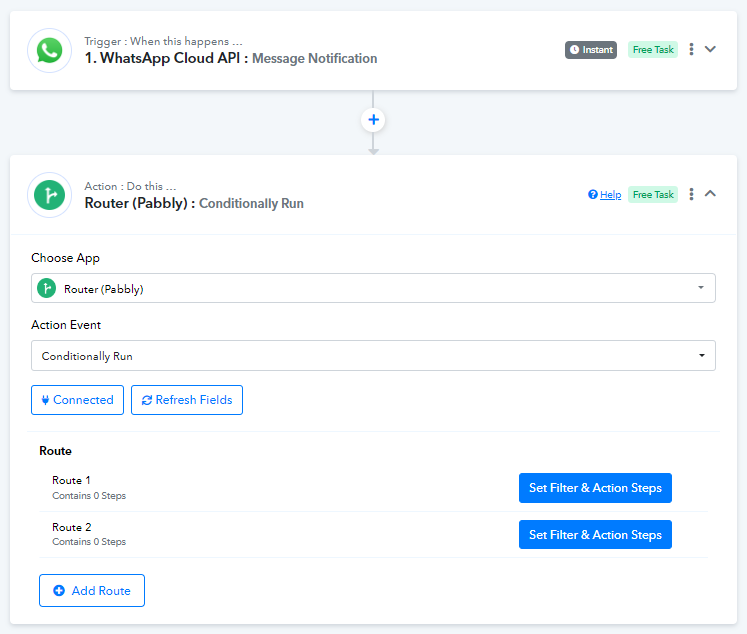
Further, you can set up the filter in different routes depending on the CTA response.
You can learn more about Routers and Filters in the video mentioned below.
can you send video on whatsapp to router based on CTA Action. as i have set up developer app in FB and sent test, but not getting any msg CTA Button click response.
Hey @Parth
We have a lot of videos similar to your use case. Please set up the trigger step of your workflow, and try responding to your message with a CTA button so that the trigger captures the response. Let us know when you have done setting this up so that we can guide you further.
Follow the instructions mentioned in the video below for making the desired template.
youtube.com/watch?v=RIhQ_s4nwzs
Further, follow this video up to 11:00 for setting up the trigger step.
youtube.com/watch?v=_yD9--12UFg
After that, with your next reply, kindly share a screenshot of the template so that we can differentiate and set up the routers accordingly.
Waiting for your response.