[SHOPIFY] unable to add multiple images for existing product
Status: Closed · Asked by lohith on · 0 views
Team,
I am trying to add and additional image to an existing product in my shopify store. So I have tried with a test workflow to see how it goes. As suggested I fetched the images using get product images and got the image id. Now in the update product action, I mapped the above image id in [Images ID to retain] and added my new image public url in [New image source url] action. But i don't see any changes in the product page.
But if i don't enter anything in the [Images ID to retain] action, and I give multiple urls in the new image source, the images are getting added.
Am not sure where am missing out
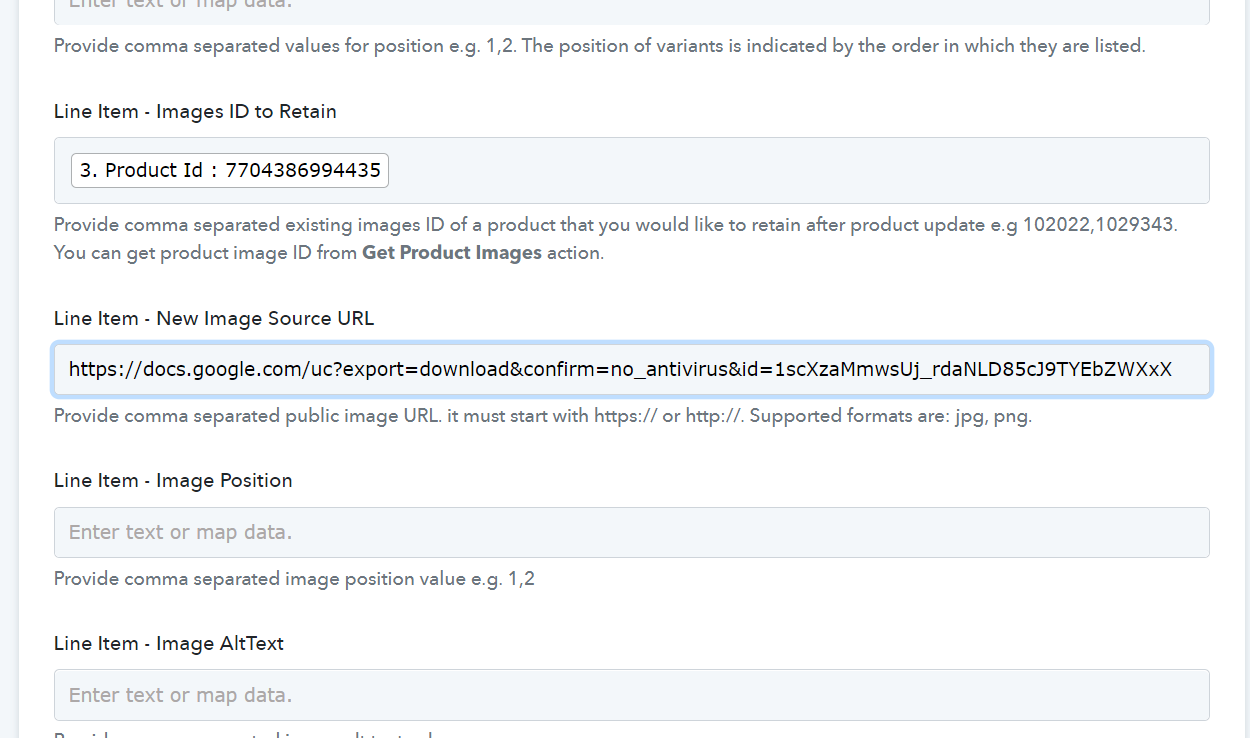
This is how I had mapped. Please let me know where am I missing?
TIA
Hey @lohith
The file URL which you are passing is not publicly accessible and does not have a proper image extension to it as mentioned in the help text.

@Supreme there's an error in the url you have entered. I have mentioned the url below for your reference. There's a space in the file id you have typed above.
https://docs.google.com/uc?export=download&confirm=no_antivirus&id=1scXzaMmwsUj_rdaNLD85cJ9TYEbZWXxX
Thanks
@Supreme there's an error in the url you have entered. I have mentioned the url below for your reference. There's a space in the file id you have typed above.https://docs.google.com/uc?export=download&confirm=no_antivirus&id=1scXzaMmwsUj_rdaNLD85cJ9TYEbZWXxX
Thanks
Seems like Shopify is unable to recognize the Google Docs Image while updating the product.
So, we would recommend you to use the "Imgur : Upload Image" action step to change the proper format of the image which you want to pass.
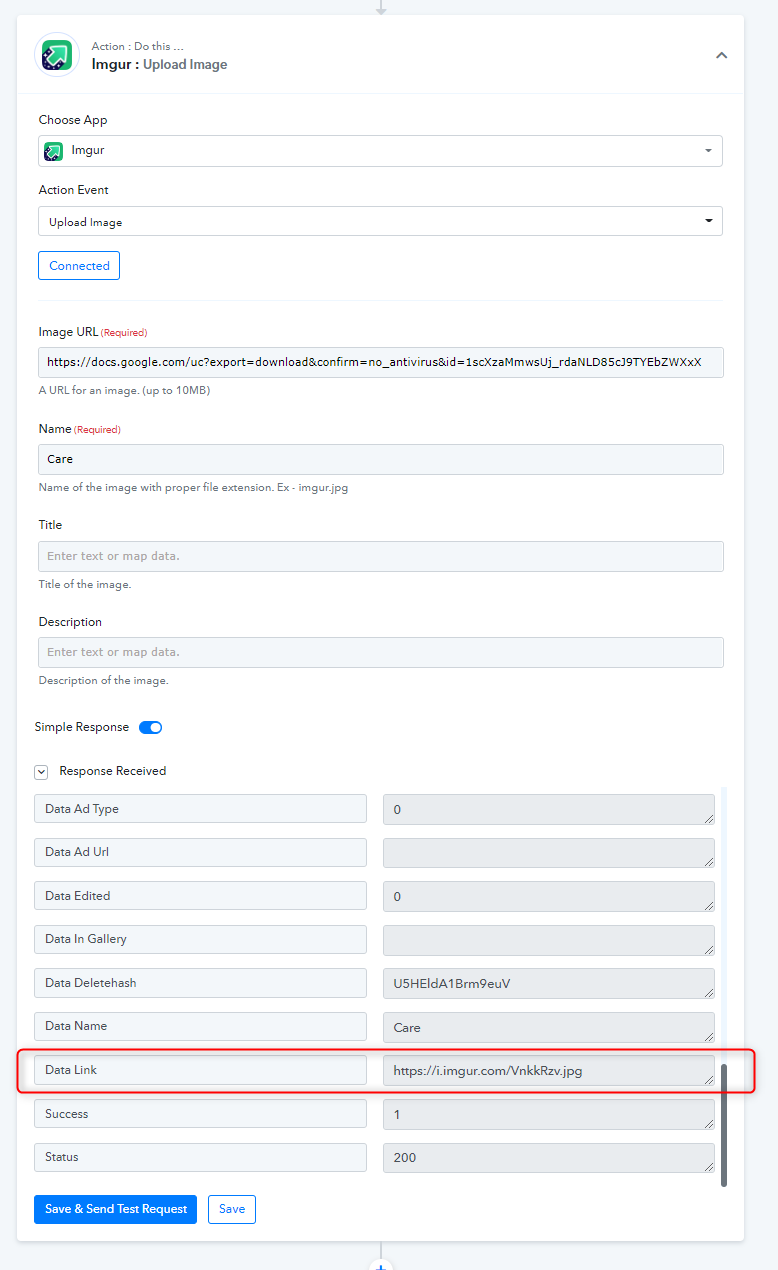
sure will check that. thanks @Supreme