


HCIBA
Member
Hello there,
So I have a client that is wanting to use pabbly in order to create a tag using LeadConnector when a new quote comes in from Simpro. I cannot, for the life of me, figure out why I cannot get this simple workflow to work.
I set up the integration correctly, as I have done it with plenty other pabbly workflows so I know that is correct.
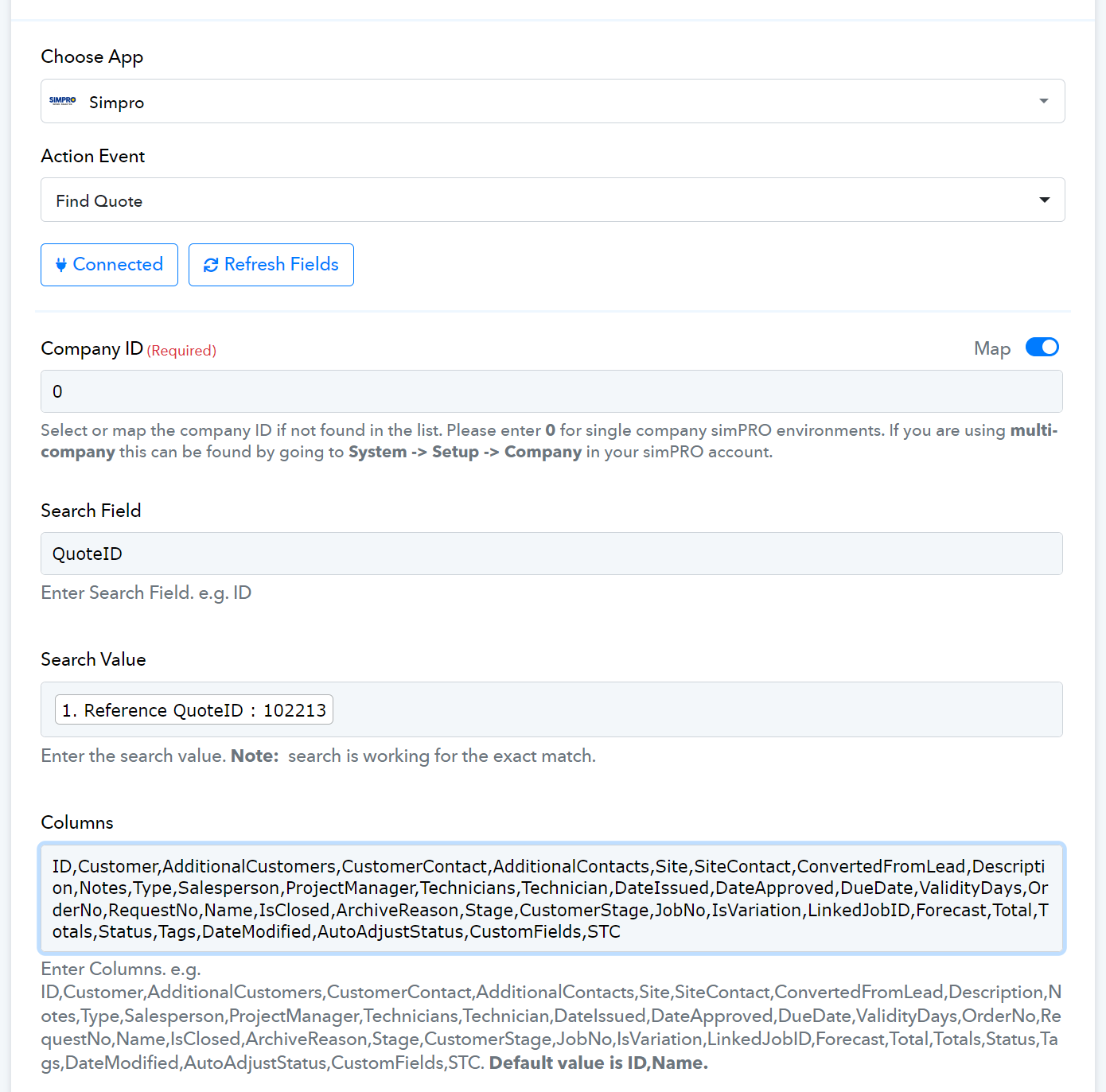
I then use simpro to "find quote" as shown below. I am only using one simpro account, so I set it to 0. However, I have also tried this with the listed account to no avail. Either way it does not work:
For whatever reason, this is the response I am getting back:
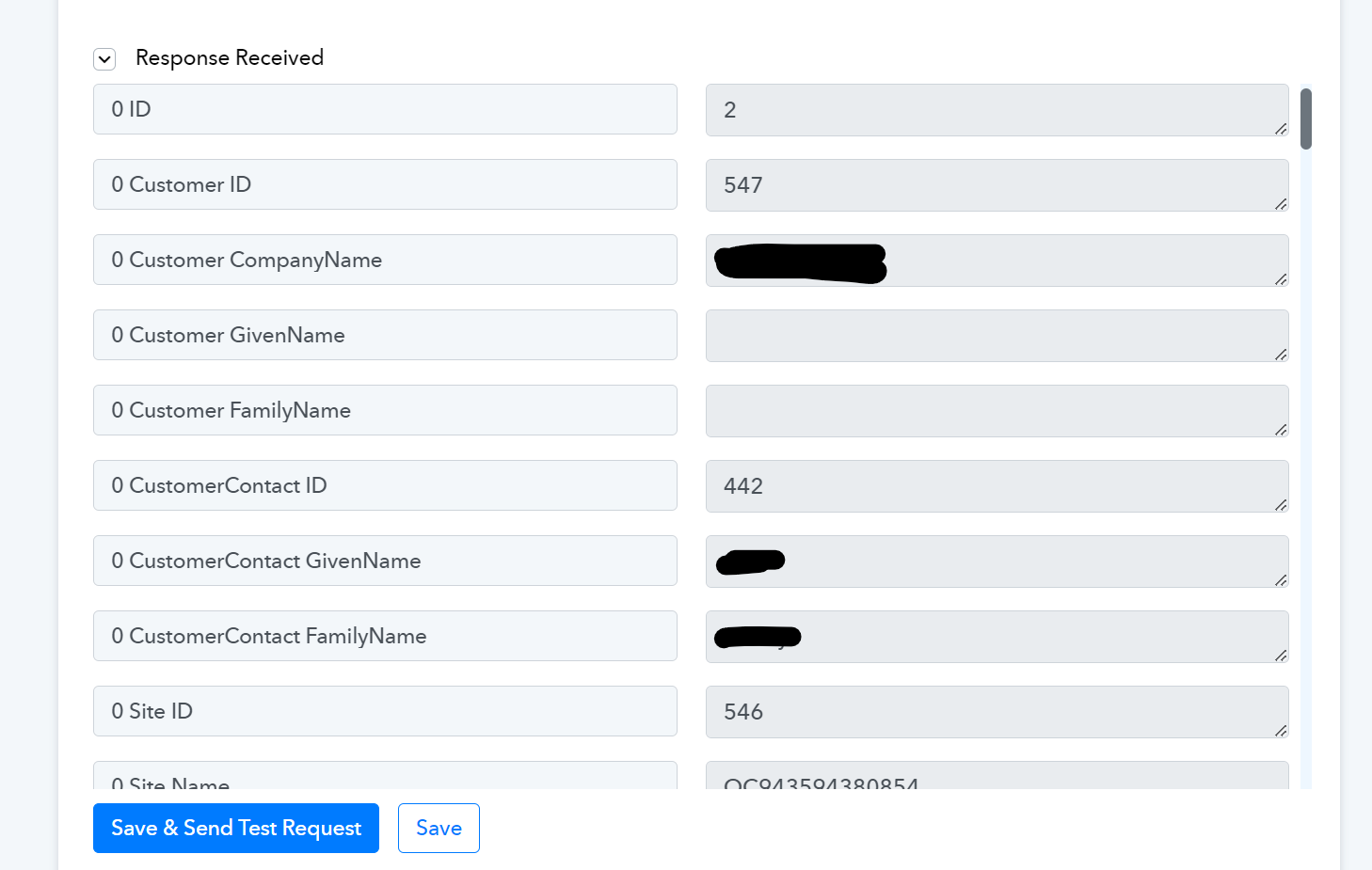
It is returning, by default, the Simpro account holder's contact information (listed in CustomerContact GiveName & CustomerContact FamilyName). Despite the fact that the QuoteID in the first screenshot does NOT belong to the account holder, but rather a test dummy I made under it's own phone number and email.
Again, I just need to be able to utilize LeadConnector in order to add a tag to the client in our LeadConnector CRM (also called GoHighLevel).
If I could get some help I would greatly appreciate it.
Thanks.
So I have a client that is wanting to use pabbly in order to create a tag using LeadConnector when a new quote comes in from Simpro. I cannot, for the life of me, figure out why I cannot get this simple workflow to work.
I set up the integration correctly, as I have done it with plenty other pabbly workflows so I know that is correct.
I then use simpro to "find quote" as shown below. I am only using one simpro account, so I set it to 0. However, I have also tried this with the listed account to no avail. Either way it does not work:
For whatever reason, this is the response I am getting back:
It is returning, by default, the Simpro account holder's contact information (listed in CustomerContact GiveName & CustomerContact FamilyName). Despite the fact that the QuoteID in the first screenshot does NOT belong to the account holder, but rather a test dummy I made under it's own phone number and email.
Again, I just need to be able to utilize LeadConnector in order to add a tag to the client in our LeadConnector CRM (also called GoHighLevel).
If I could get some help I would greatly appreciate it.
Thanks.


