Slack channel name error
Status: Closed · Asked by Jsharpp on · 0 views
I receive an error when I want to create a Slack channel.

I also tried a different name. Then I receive this message: 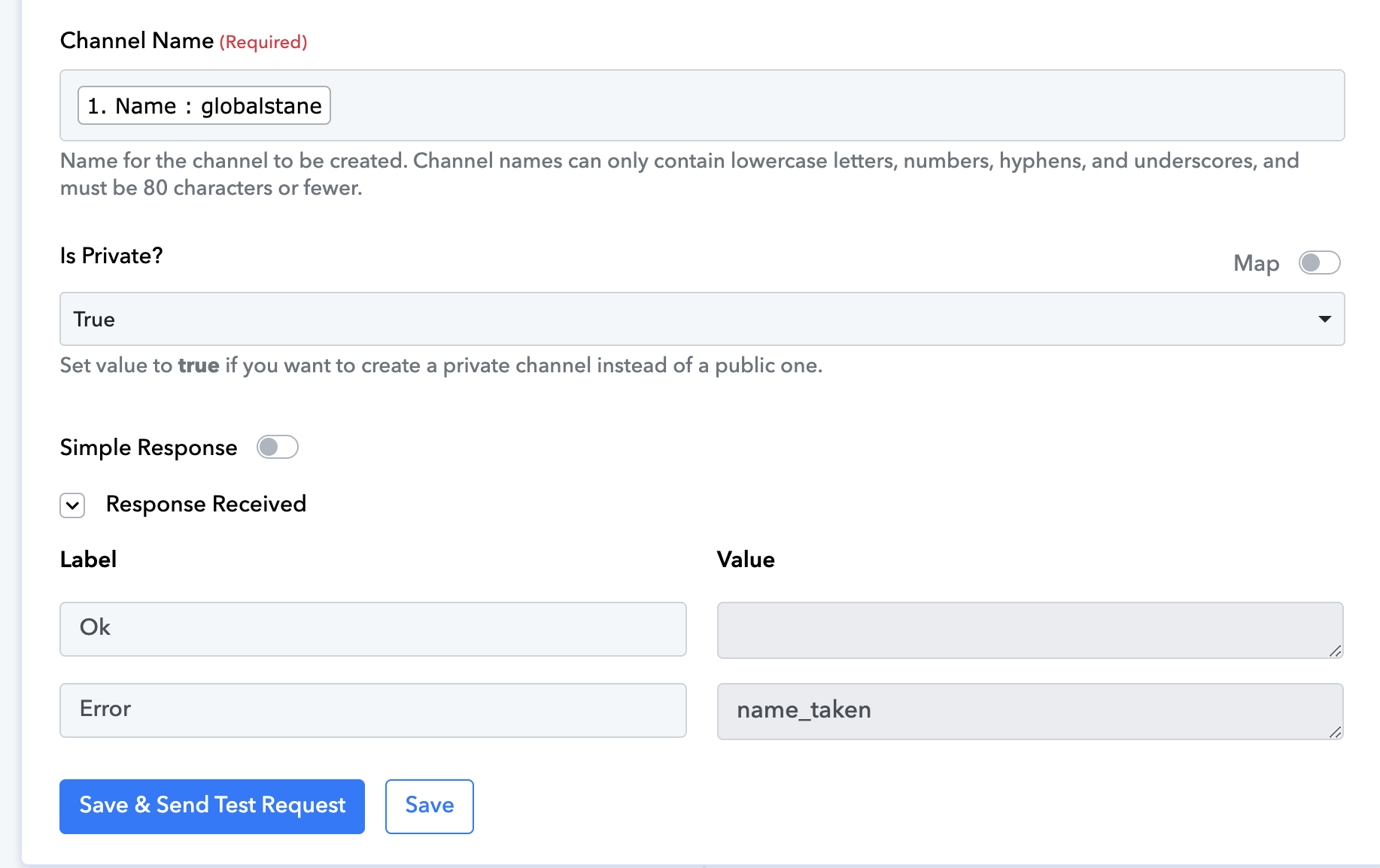
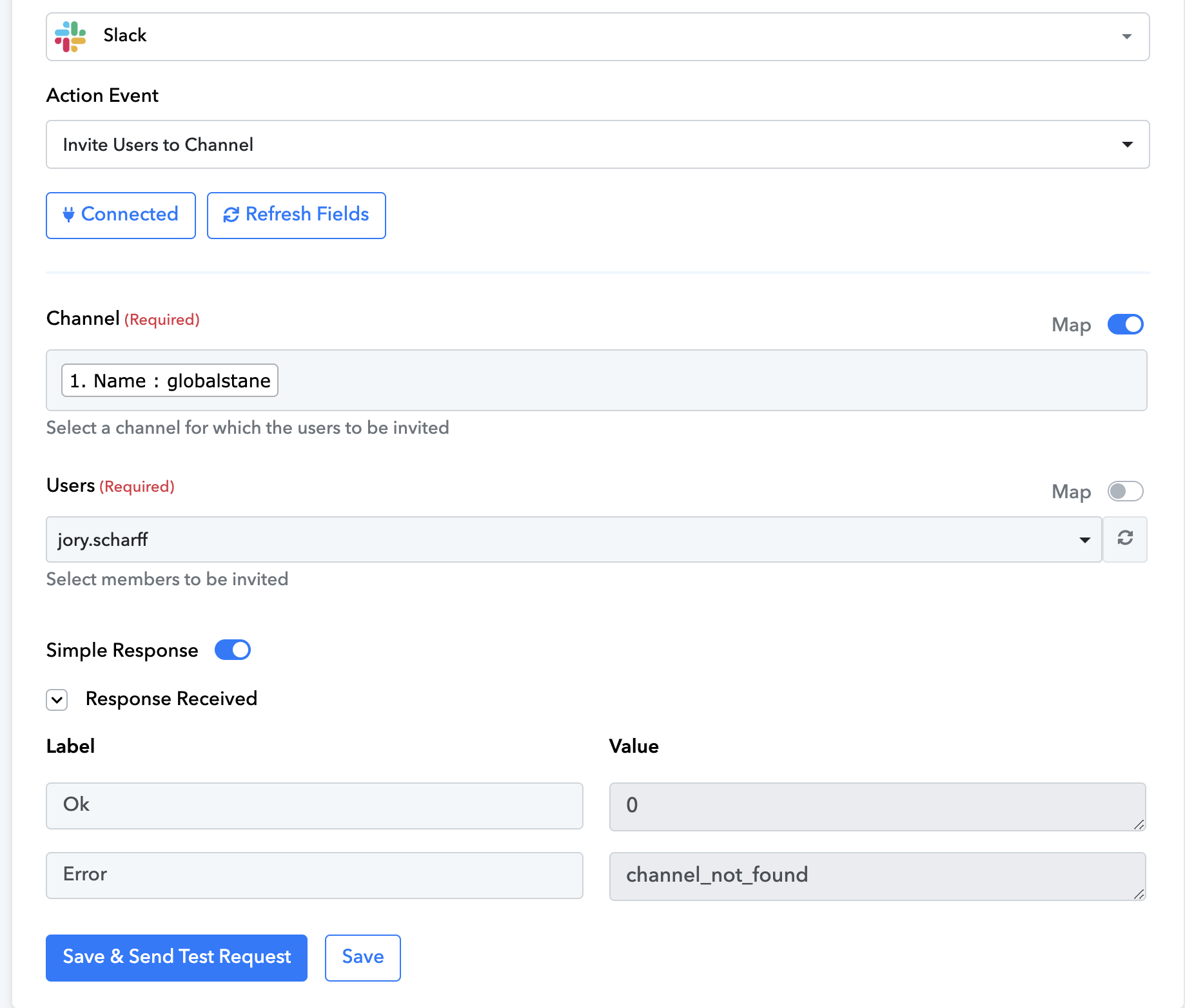
However, when I try to add a user to this channel it says channel is not found:
Hey @Jsharpp
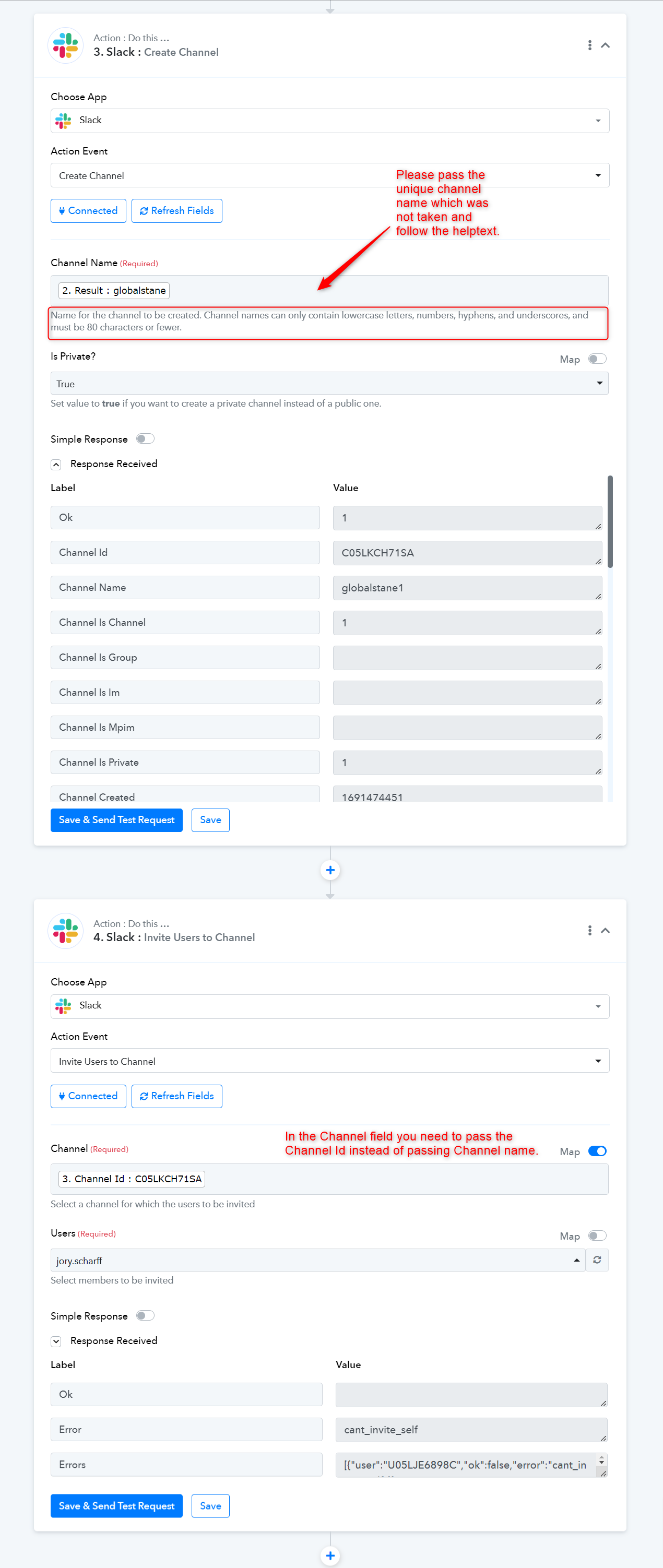
Please refer to the following screenshot and then try again.
Hello,
Thanks for your answer. This name is not taken. There is no user or channel that exist in the slack community.
I also checked other fields and get the same error.
Do you have another explanation?
As we can see from the "Create Channel" action step, you need to pass the channel name which has unique to Slack and because of that, you are getting the "name_taken" message in response from their server.
You can check the same with the Slack support team if you feel that you same channel name doesn't exist in your Slack account.
Also other names from the fields that I used give these errors. It's impossible that those names are already taken.
What can I do?
it is fixed now. I just added a random word and it's working now. thanks