SMTP does't work
Status: Closed · Asked by evgeshik on · 0 views
Hi! I try to send email via SMTP, but I always see error, like
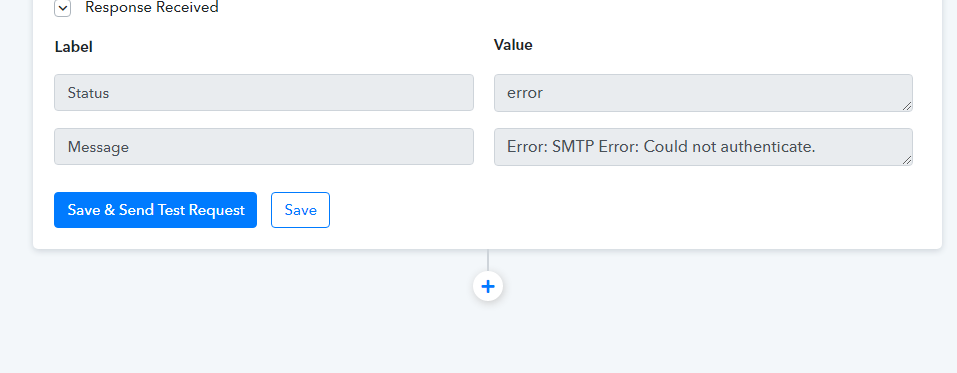
And I see in Gmail
Unsafe application blocked
This app has been blocked because it does not comply with Google's security standards.
Some apps and devices use unreliable sign-in technologies that could compromise your account. We recommend that you deny access to such applications and devices. If you want to work with them despite the risk, allow access. Google will automatically disable this feature if it will not be used.
Please check and confirm that you're using entering the correct SMTP details for the integration.
And I see in Gmail
Unsafe application blocked
This app has been blocked because it does not comply with Google's security standards.
Some apps and devices use unreliable sign-in technologies that could compromise your account. We recommend that you deny access to such applications and devices. If you want to work with them despite the risk, allow access. Google will automatically disable this feature if it will not be used.
Where you're getting this error? Can you show us a screenshot of the same?
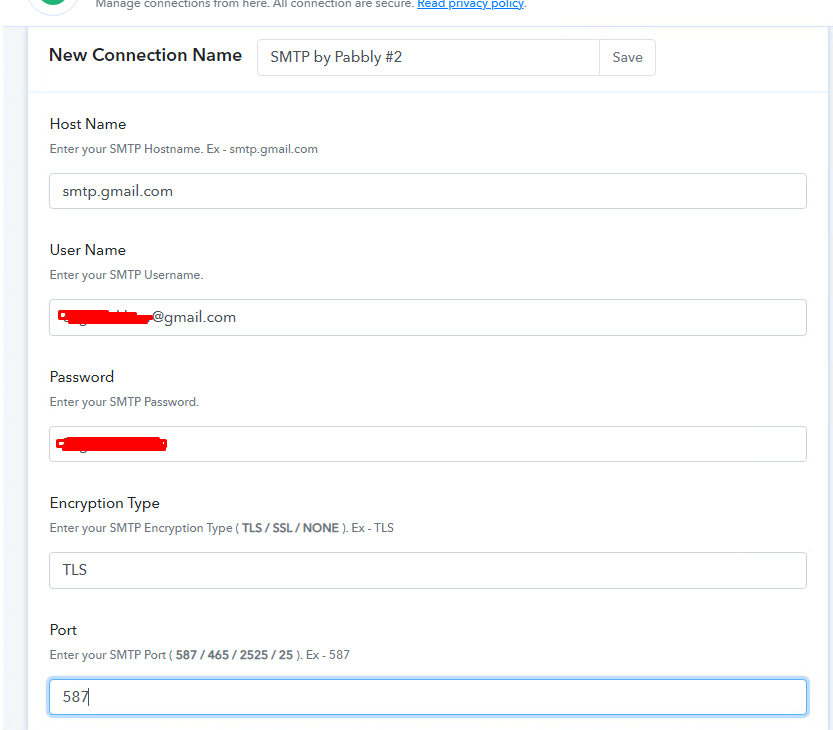
I tried different accounts and I see this error
I deleted this messege. I sow this in my email
Unsafe application blocked
This app has been blocked because it does not comply with Google's security standards.
Some apps and devices use unreliable sign-in technologies that could compromise your account. We recommend that you deny access to such applications and devices. If you want to work with them despite the risk, allow access. Google will automatically disable this feature if it will not be used.
So I can't give you a screen
Email, password are correct. I checked it in incognito
Why you're not using directly the Gmail application for this? We have native integration with them.
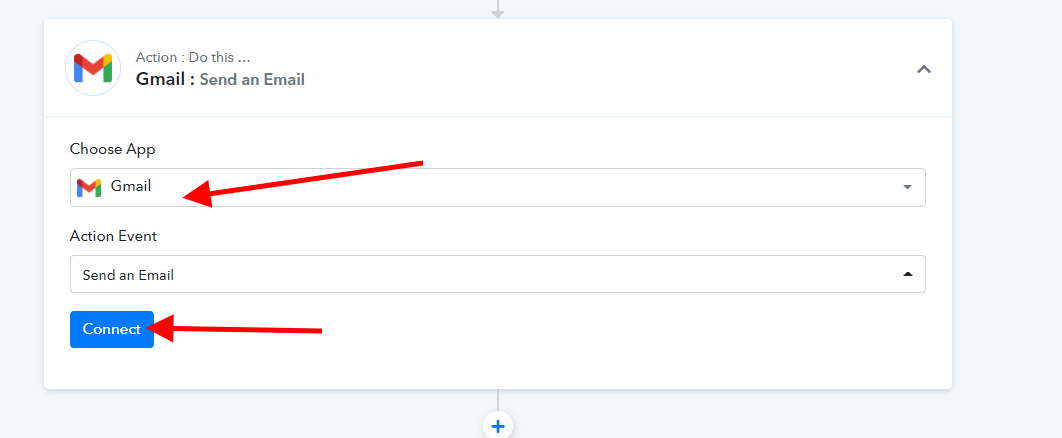
Why you're not using directly the Gmail application for this? We have native integration with them.
Oh :)
Thank you!
And how can I connect Amazon SES if I don't want to use Pabbly Marketing?
And Russian languages does't support
And Russian languages does't support
Refer to this for translating language in Gmail step - https://forum.pabbly.com/threads/gmail-translate-general-language-characters.179/
Refer to this for translating language in Gmail step - https://forum.pabbly.com/threads/gmail-translate-general-language-characters.179/
and what about connect Amazon SES if I don't want to use Pabbly Marketing?
You need to use SMTP by Pabbly for that, and then add the SMTP details which you get from your Amazon SES account as shown below -
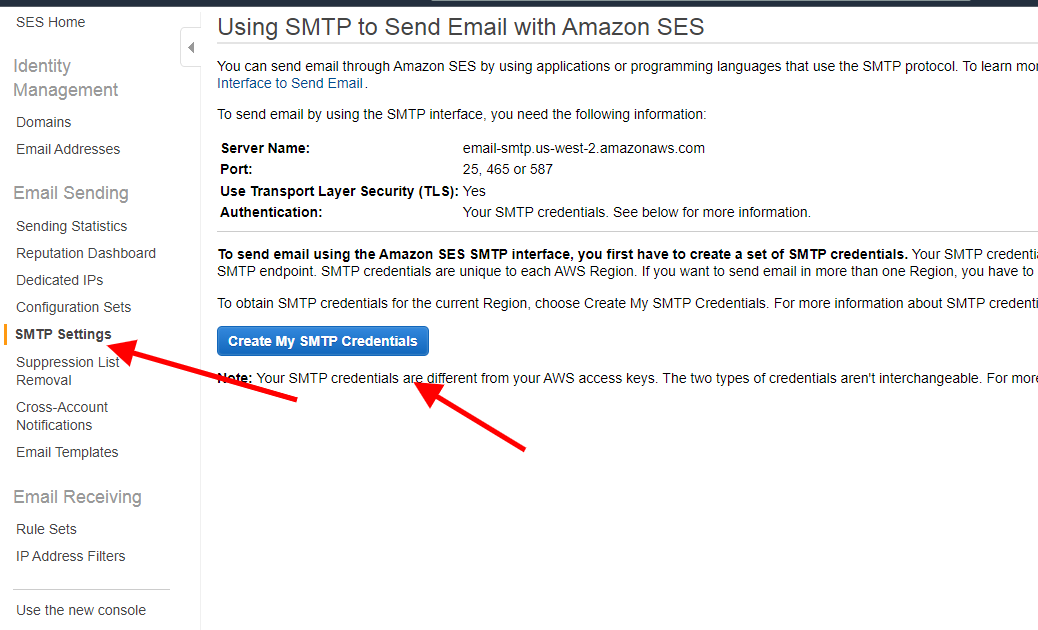
You need to use SMTP by Pabbly for that, and then add the SMTP details which you get from your Amazon SES account as shown below -
Thank you!