Snackbar issues.
Status: Closed · Asked by Brendan Bunting (#Brendo) on · 0 views
Hi Guys I keep getting this snackbar code inserted in my connections and its causing issues. Any ideas why?
Attachments
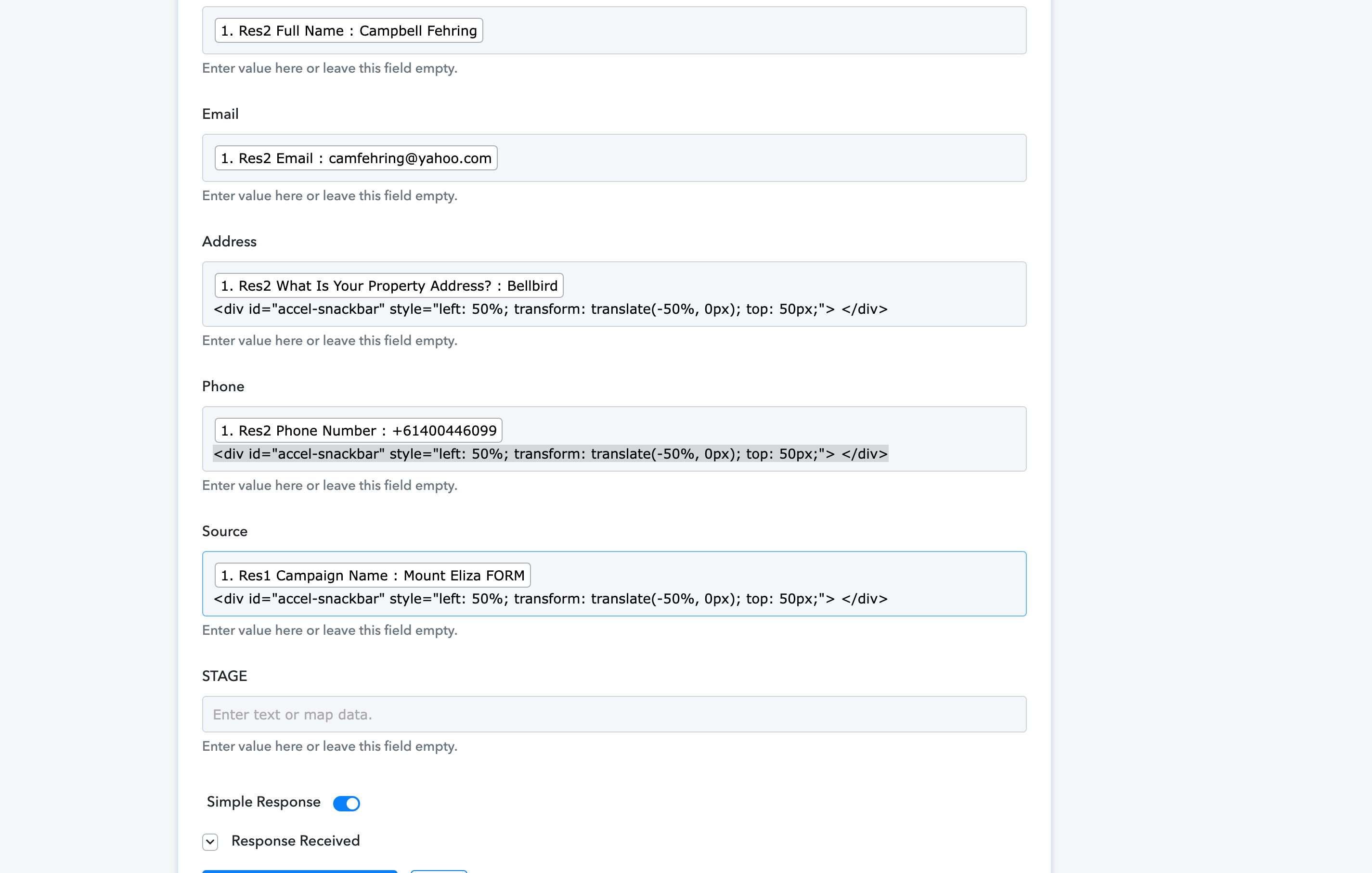
Also any way to get the google sheets connector to add a new row on top instead of at the bottom of the sheet?
Hey @Brendo
It seems like your browser's extension might be interfering while mapping the fields in your workflow or perhaps your browser's cache memory is full and because of that, the additional details are getting tucked.
Kindly try to map the data in the Incognito mode of your browser and then try complete workflow.
Also any way to get the google sheets connector to add a new row on top instead of at the bottom of the sheet?
No, it is not possible to feed the data in the Google Sheets from the bottom to the top, since the Google Sheets structure doesn't work that way.