[Solved] Zoho Campaigns - More Details Fields
Status: Closed · Asked by Tech on · 0 views
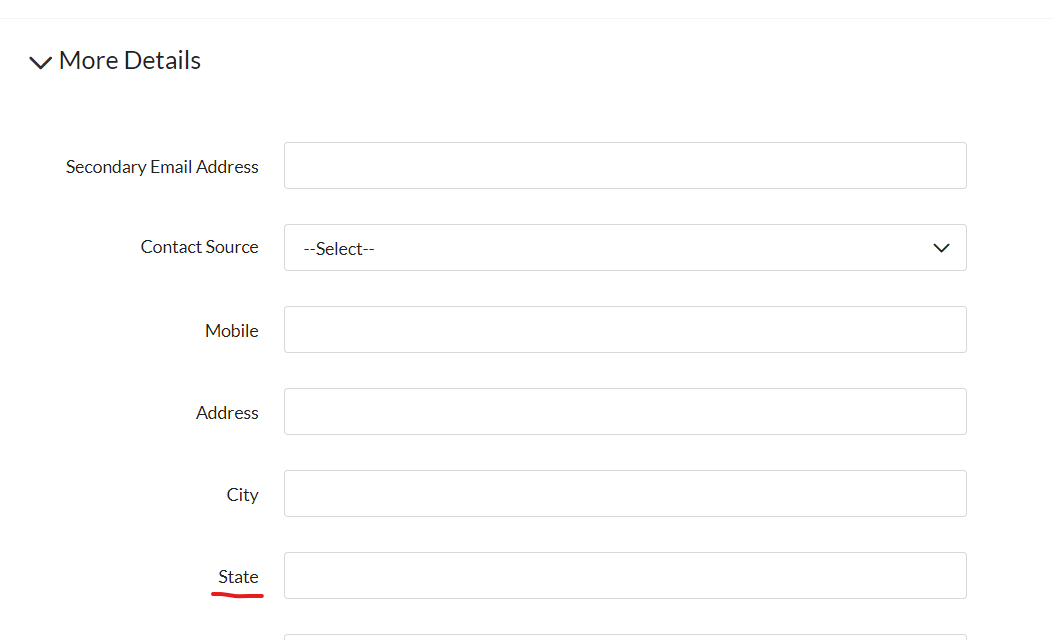
I have a workflow that adds/updates a subscriber to a Zoho Mailing list. I can map to what Zoho Campaigns categorizes as custom fields and Contact Basic Details. However, I cannot seem to map to "More Details" (screen shot). Specifically, I'm trying to map to the STATE field contained in the "More Details" section.
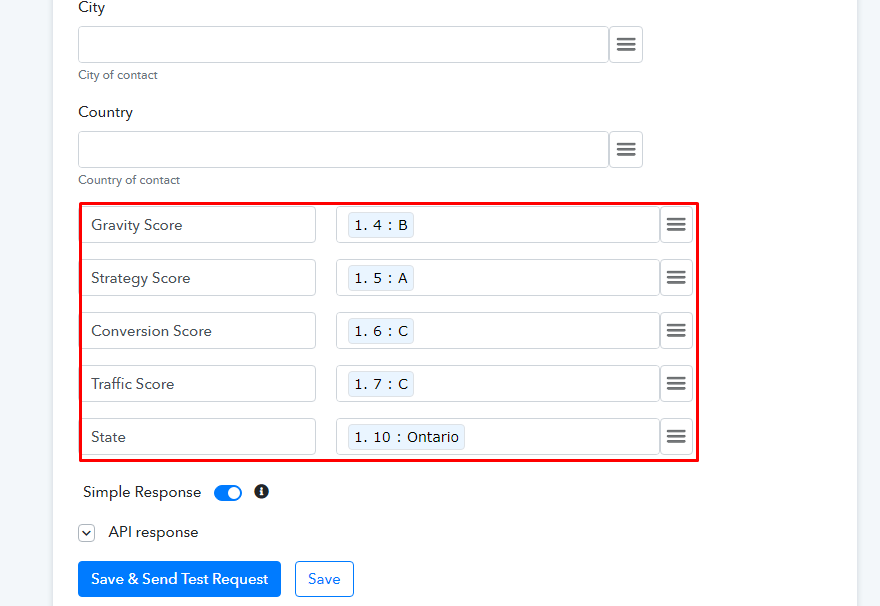
I added a field mapping called State (screen shot) and mapped it to my data. However, it does not import.
I verified that the field is called State in Zoho Campaigns by doing an export and that is what the field label is.
Attachments

We are looking into your concern, and soon update you for the same.
Can you let us know if you were just missing the field of STATE in your Zoho Campaign from Pabbly Connect or were you missing all the custom fields like in the image below-
Hello,
I was missing all custom fields and the state field from Pabbly. The custom fields I typed in (like Gravity Score) mapped and worked fine.
Thanks for the details.
We are working on your concern and will update you soon about it.
We have gone through your request and tried to add the custom fields. But unfortunately as of now, we won't be able to support the custom fields as that requires structural changes at our end.
Thanks for your understanding!
I'm fine with not adding the custom fields. I was able to add those and it worked.
The field I'm having difficulty with is STATE and that is not a custom field.
Hey There!
We have added a STATE field for you.
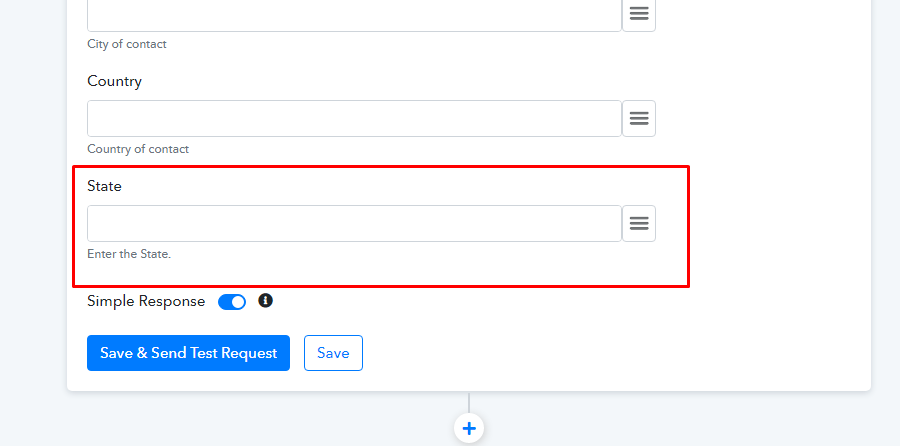
- We would suggest you to remove the custom STATE field from your end.
- Then re-authorize the Zoho Campaign action.
- And then you can see the STATE field in your field columns.
Hope it works for you now.
Voila!
Looks like it's working. Thanks for sticking with me to correct this!