[Solved]Number formatter - counter: 2748 + 742 = 298918
Status: Closed · Asked by Istvan on · 0 views
Hello,
The number formatter - counter always counts this way (incorrectly) when running (pic1), but it counts well for the Save and send button (pic2). 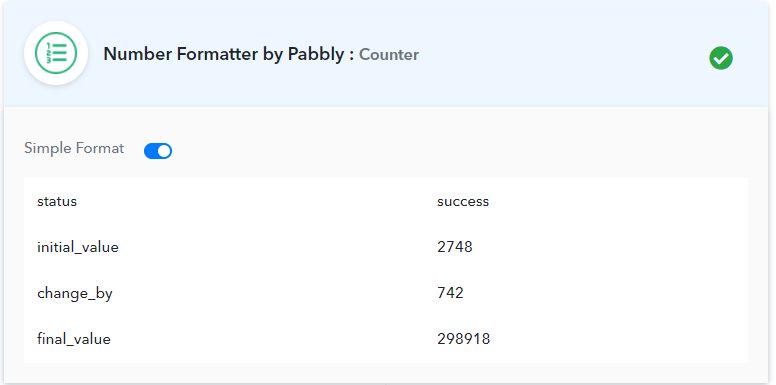
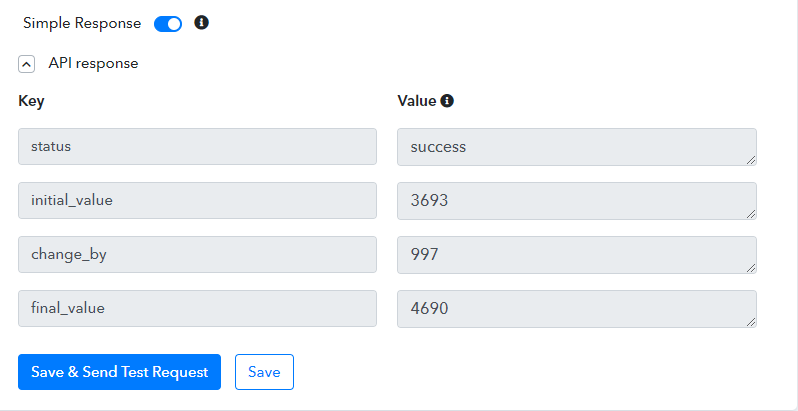
Are mapping counter value dynamically or Do you want to reset counter value after every workflow execution
Then make sure you have "YES" selected in ,
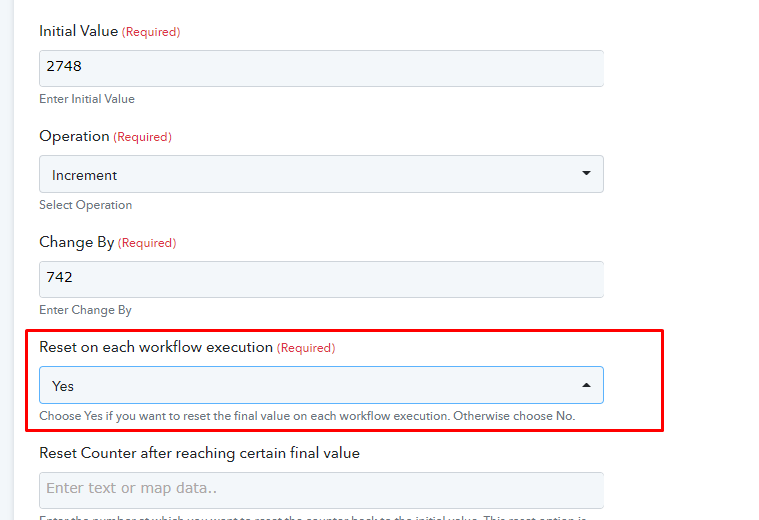
Other wise counter is working fine for me.
It shows intial value which you actually set for the first time, and final value you recevied after last workflow execution.
Hmm.
I just wanted to add two numbers together.
Increase the "Inital value" by the value of "Change by" and use the result in another Action.
In each workflow execution, new values received from the current webhook will be the new Inital and Change values.
I think, I dont understand the "Reset on each"funkcion, or I might need to use other Number formatter Action event.
Is it like a global variable, does its value increase after each workflow execution and hold it until the next workflow run?
You can use Number Formatter -> Spreadhseet Formulas and SUM to add the numbers,
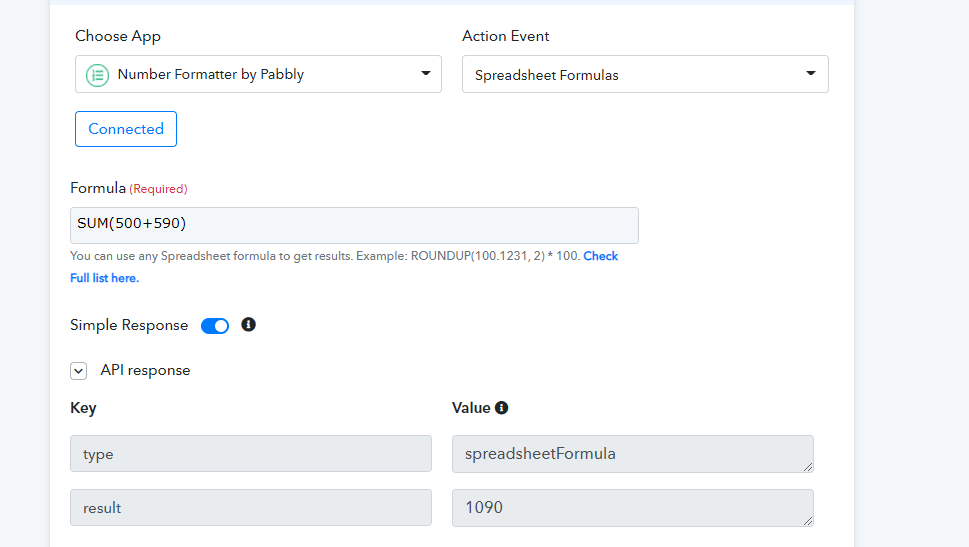
Yes, Counter does work like a Global Variable, its value increase after each workflow execution and hold it until the next workflow run
For example you setup,
Initial Value - 10, Change By - 5
During Testing final_value will be 15.
After 1st Execution of Workflow - 15 + 5 = 20
After 2nd Executuon of Workflow - 20 + 5 =25
Hello,
I want to use a loop variable for Iterator.
The Counter has changed from the post above.
No more Reset on each workflow, just Reset on execution.
I want to
- reset at the beginning of each workflow running
- increase by one on each Action run on Iterator
- keep its value within the workflow.
How can I solve this?
Thanks.