some facebook page connection problem
Status: Closed · Asked by max4321 on · 0 views
Hello, I am the administrator of several pages on FB. I needed an application that gets new posts on FB. I used Pabbly to this operation. Unfortunately, not on all pages on FB I could download posts. Most downloaded but with 2 did not want. I did according to the inducible pabbly and the integration from Business Integration to connect to FB again and check if it will be posted from all pages FB. Unfortunately, now no download of me does not work what I can do about it?
Hey @max4321
Since we have tested the same at our end and it is working fine also as we can see in your workflow your pages are not visible to the trigger event.
Kindly re-authenticate the Fb account and then allow the permission to the respective Pages.
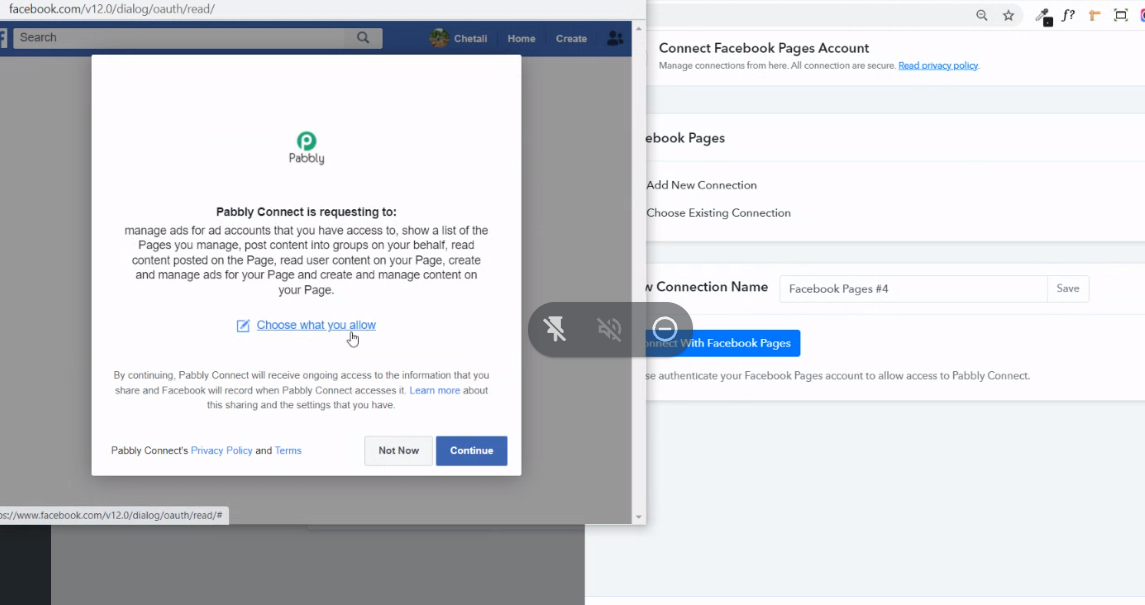
Hey @max4321Since we have tested the same at our end and it is working fine also as we can see in your workflow your pages are not visible to the trigger event.
Kindly re-authenticate the Fb account and then allow the permission to the respective Pages.
Hello. I corrected. If you have access to pabbly, there is an automation in the Home folder that does not work. The rest is already working, only this one has been left for now.
Hey @max4321Since we have tested the same at our end and it is working fine also as we can see in your workflow your pages are not visible to the trigger event.
Kindly re-authenticate the Fb account and then allow the permission to the respective Pages.
I have one fb account hooked up to pabbly. this account administers various pages. Posts are downloaded from the rest of the fb pages, but only from this one unintentionally. Do you know what's going on?
I also added a fb account with which I can not connect. Can this problem be solved?
Hey @max4321Since we have tested the same at our end and it is working fine also as we can see in your workflow your pages are not visible to the trigger event.
Kindly re-authenticate the Fb account and then allow the permission to the respective Pages.
Hey @max4321
Kindly try re-installing the Pabbly App from your Facebook Page, then add the app again. Please check out the following thread to do so.
https://forum.pabbly.com/threads/facebook-group.4068/
Hey @max4321Kindly try re-installing the Pabbly App from your Facebook Page, then add the app again. Please check out the following thread to do so.
Will it help because it is a page on fb and not a group? I think it connects to facebook, but I don't want to download posts in response, I get a response
Hey @max4321
Try removing the Pabbly App from the Page and then try adding it back while making a new connection.
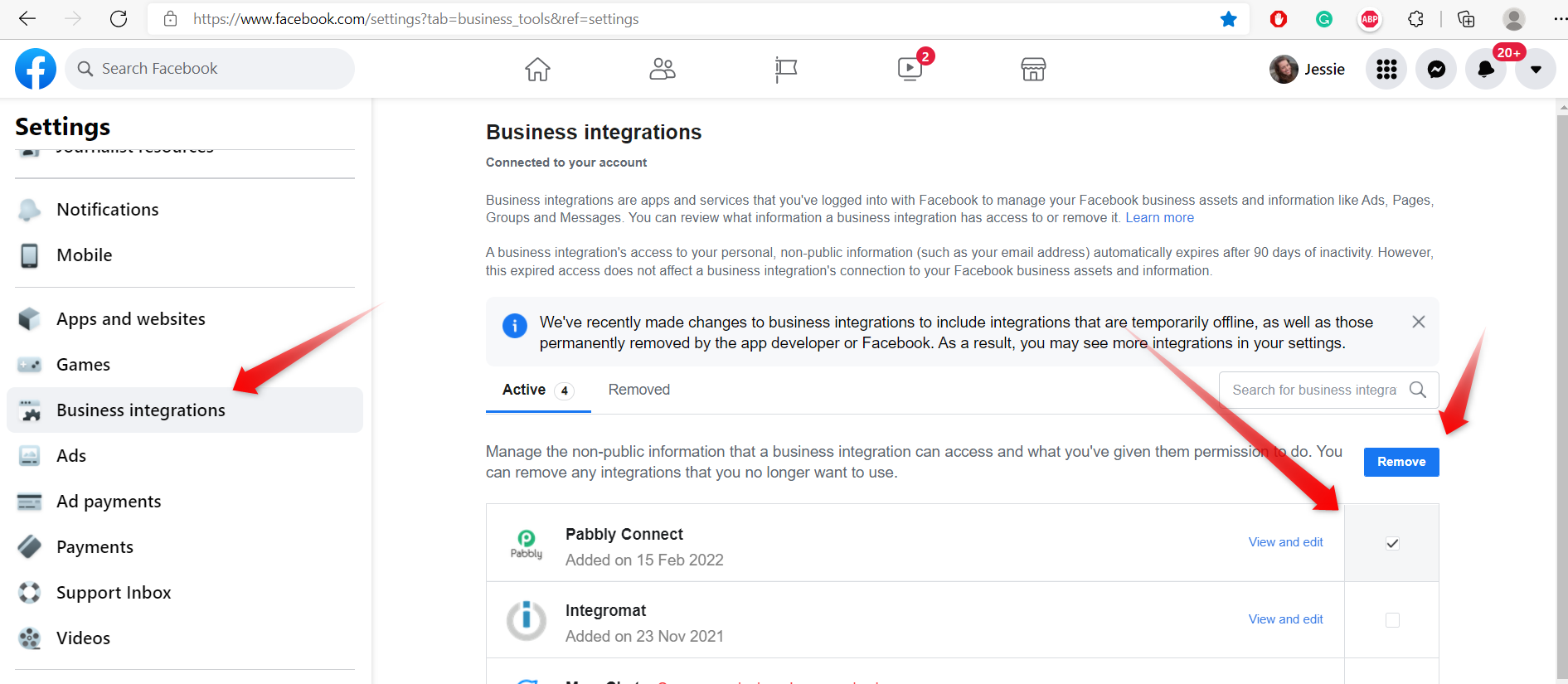
Authenticate the Facebook application and don't forget to allow all the permission to the respective Page-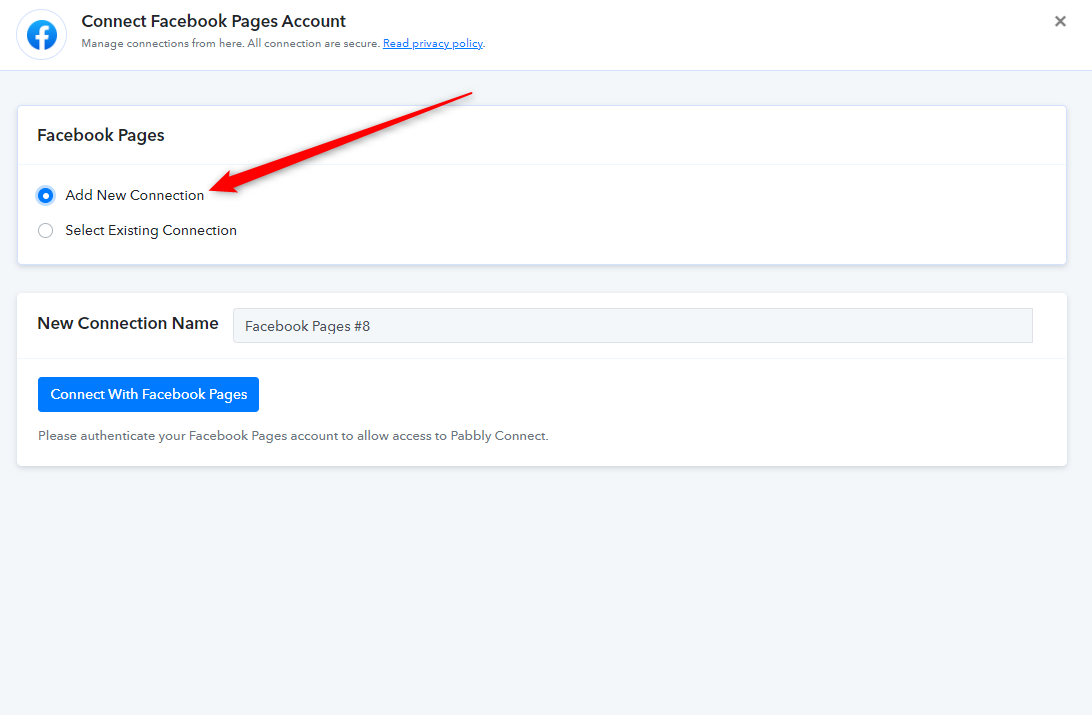
Hey @max4321Try removing the Pabbly App from the Page and then try adding it back while making a new connection.
Authenticate the Facebook application and don't forget to allow all the permission to the respective Page-
I've done it before and nothing has changed
Hey @max4321Try removing the Pabbly App from the Page and then try adding it back while making a new connection.
Authenticate the Facebook application and don't forget to allow all the permission to the respective Page-
I have administrator rights. I noticed that the website is not added to the business manager. Could this affect my problems?
Hey @max4321
As we can see from your account, didn't try re-adding your Facebook Account after re-installing the Pabbly app from your Facebook account.
Please try removing the app first and then try adding it back. Then kindly add a new connection in the Facebook trigger event.
[IMG width="574px" alt="2022-02-25_12h48_29.png"]https://forum.pabbly.com/attachments/2022-02-25_12h48_29-png.8149/[/IMG]
[IMG width="584px" alt="2022-02-25_12h51_52.png"]https://forum.pabbly.com/attachments/2022-02-25_12h51_52-png.8150/[/IMG]
this photo is the first one from pabble. in the sense of the instructional video. personally, at the end, I removed the pabbly and made the connection again, but it did nothing
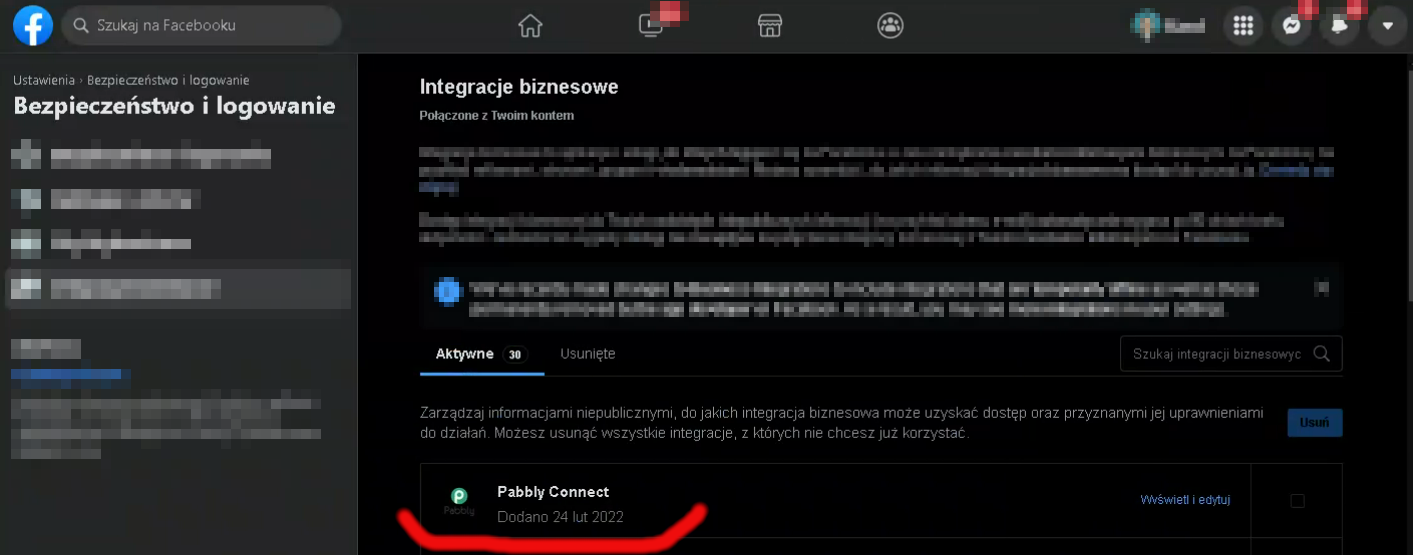
Hey @max4321As we can see from your account, didn't try re-adding your Facebook Account after re-installing the Pabbly app from your Facebook account.
Please try removing the app first and then try adding it back. Then kindly add a new connection in the Facebook trigger event.
I added a screen yesterday I was adding a new connection
Hey @max4321
We have recorded a short video for your better understanding, please check it out and try connecting your Facebook again.
https://www.screenpresso.com/=5kPOb
Response from our Facebook page which we have shown in the video -
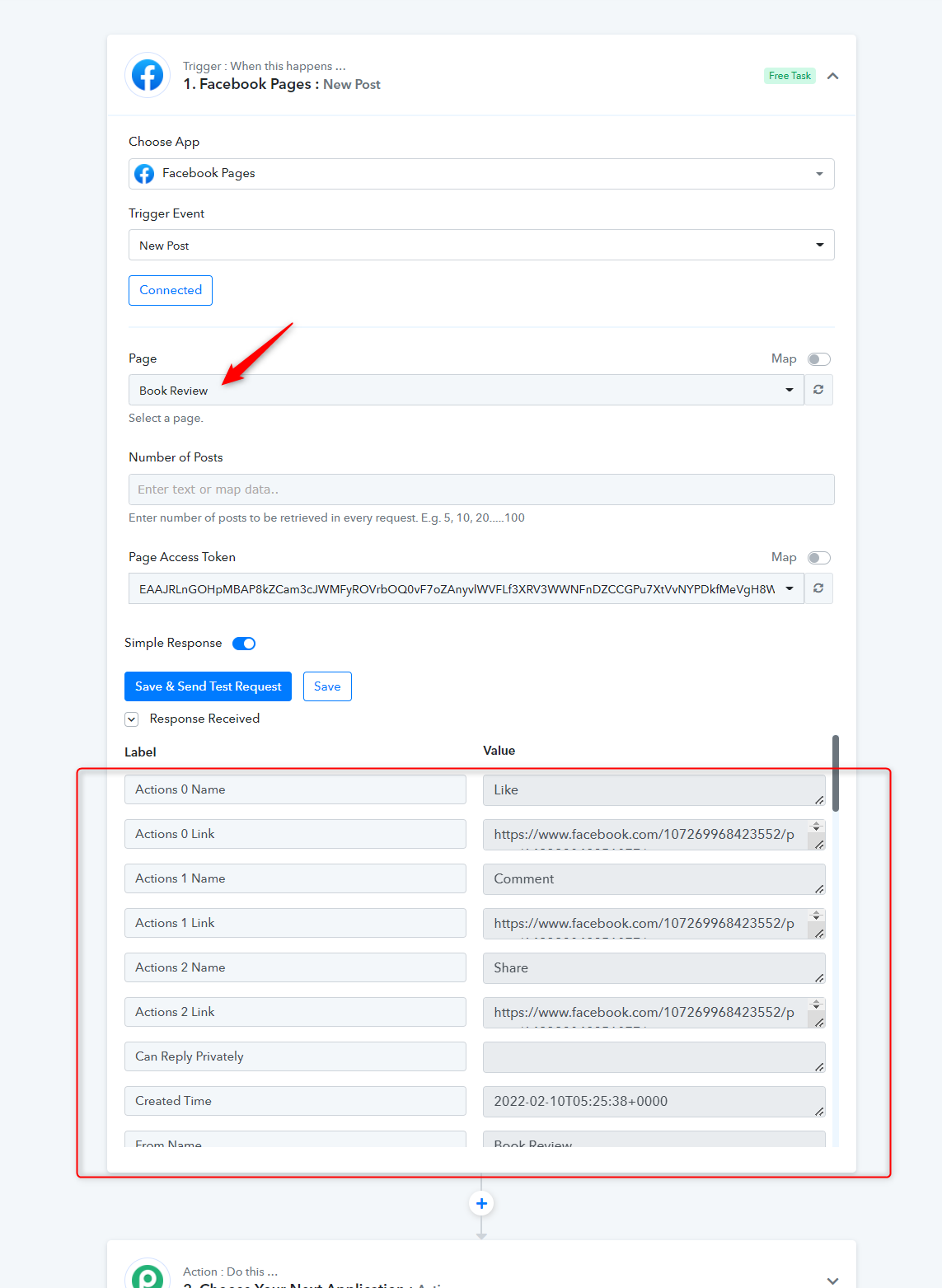
Hey @max4321We have recorded a short video for your better understanding, please check it out and try connecting your Facebook again.
https://www.screenpresso.com/=5kPOb
Response from our Facebook page which we have shown in the video -
Unfortunately, it didn't help. It still does not download posts from one particular fanpage.
Attachments
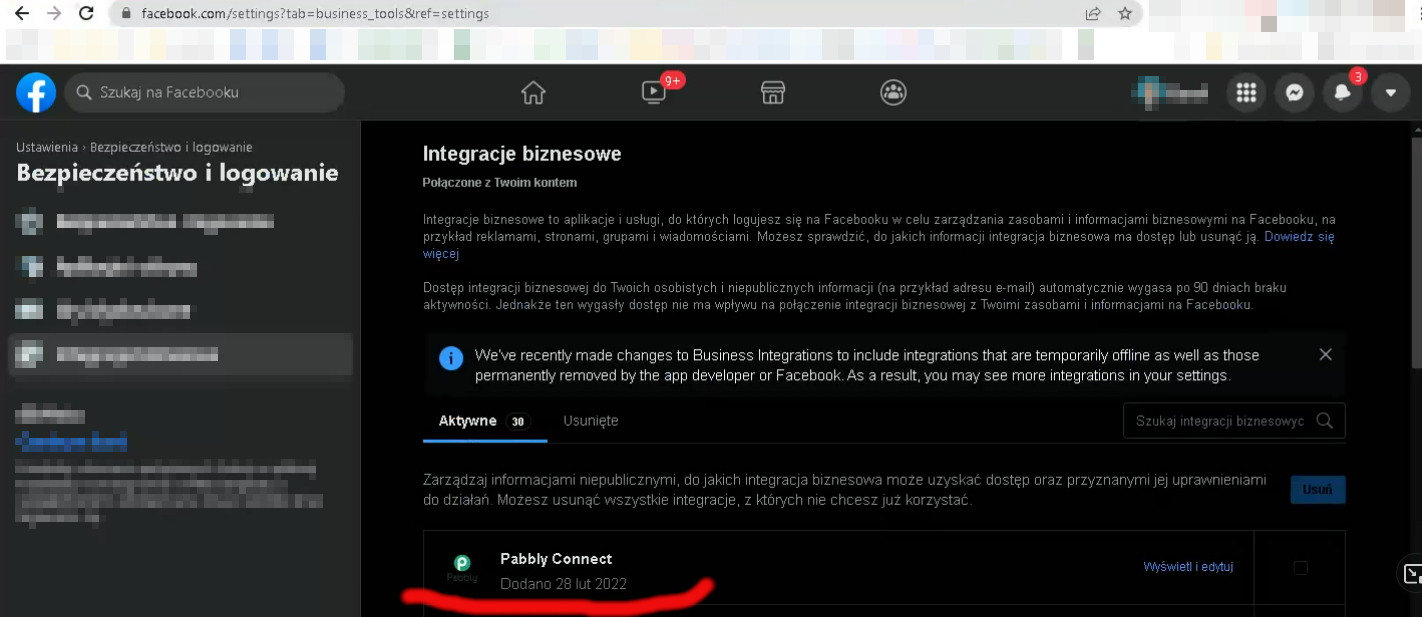
Hey @max4321We have recorded a short video for your better understanding, please check it out and try connecting your Facebook again.
https://www.screenpresso.com/=5kPOb
Response from our Facebook page which we have shown in the video -
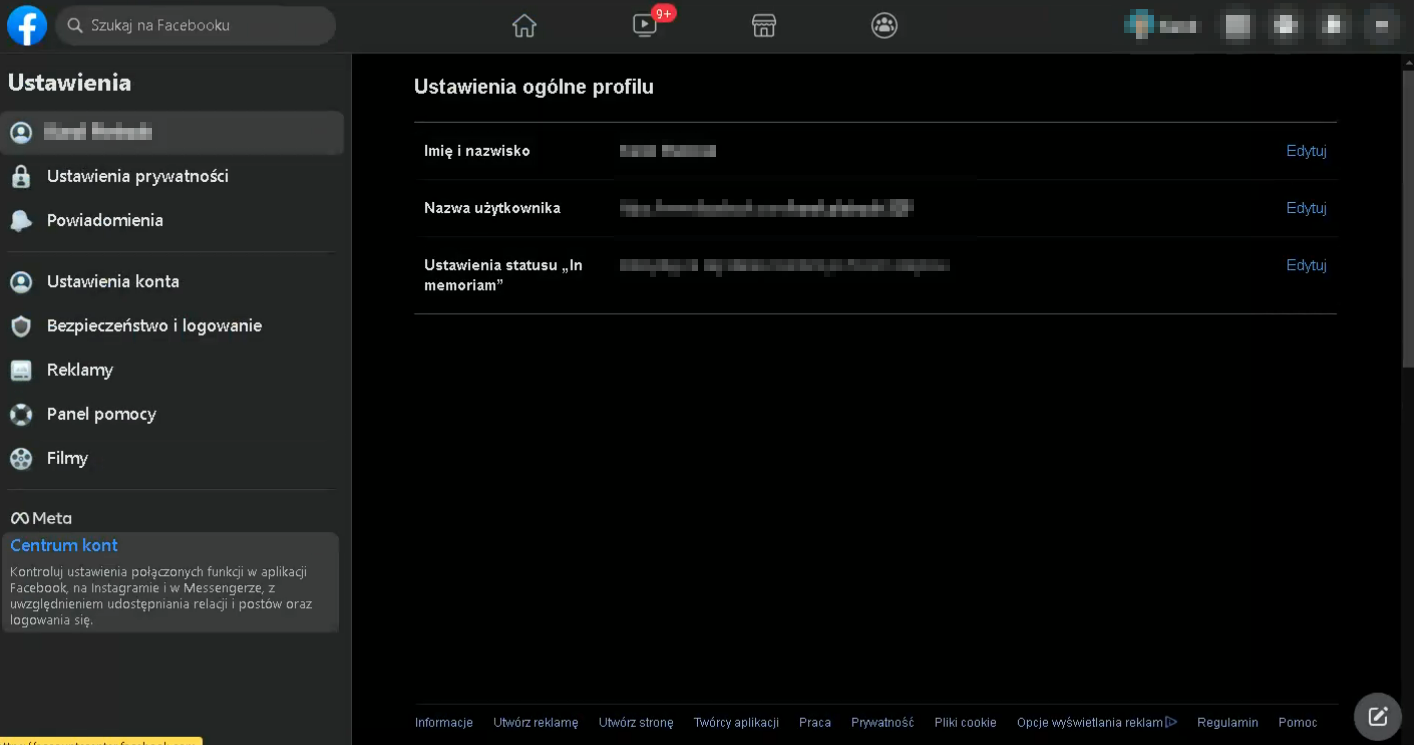
The second thing is that I can't enter these fb settings like you did in the video because they are not there. The only option is to go there via the link that is visible in the video. On the settings page itself, I only have options like on the screen.
Attachments
Hey @max4321
Could you please record a short video on how you are trying authenticating the Facebook trigger event?
Hey @max4321Could you please record a short video on how you are trying authenticating the Facebook trigger event?
I've already sent one directly to pabbly before. All my automations at pabbly run from the same connection. Most of them work properly, only 2 do not want to download posts. Repeating the joining operation over and over again seems pointless to me because it doesn't change anything, it only gives me more work.
Hey @max4321
We have tried the trigger event again in your workflow(SZNastula) and it is working fine now.
Kindly review now and let us know if it is working accordingly.
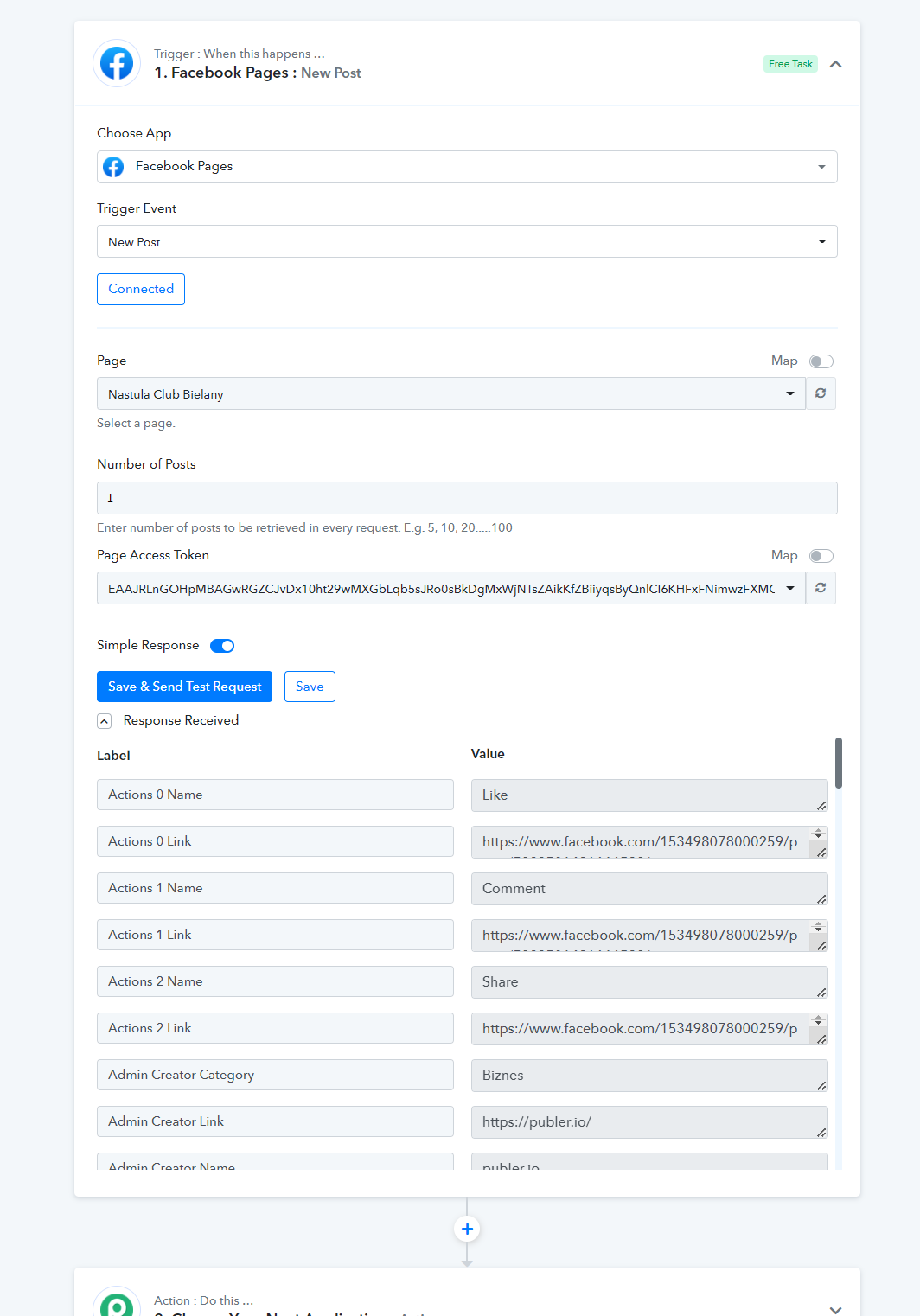
Hey @max4321We have tried the trigger event again in your workflow(SZNastula) and it is working fine now.
Kindly review now and let us know if it is working accordingly.
I was slowly losing faith that it would be possible to do it. Great thank you very much !!!