Spaces not working in lookup table
Status: Closed · Asked by Peter Pel1 on · 0 views
Hi @Supreme Verma @Pabbly
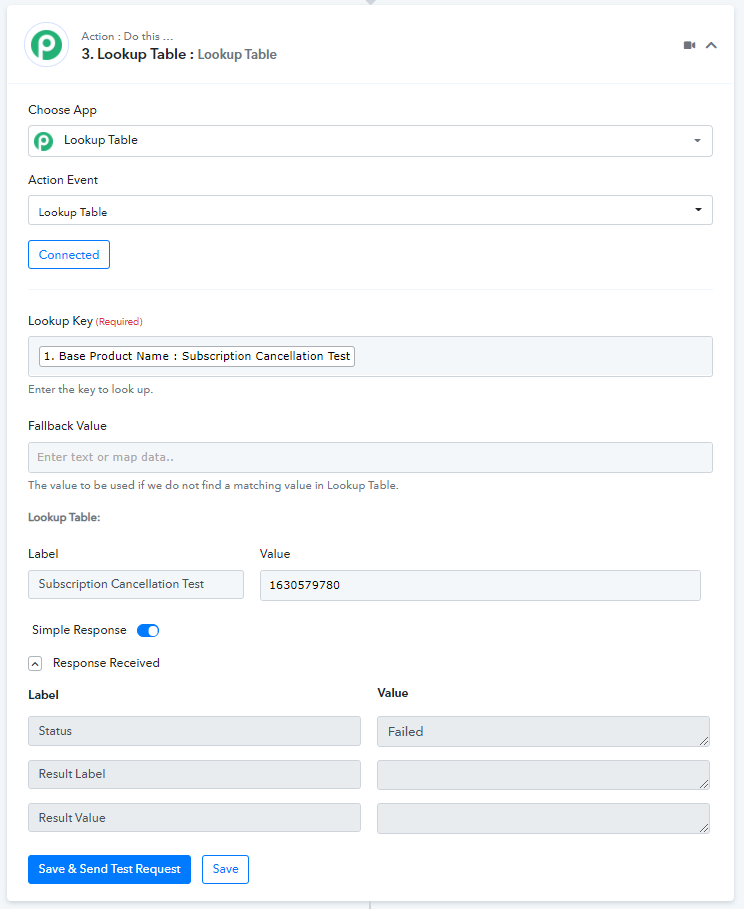
Spaces are not working in the lookup table for Wishlist Member.
How do I get this resolved?
My registered email id for my paid pabbly account is- [EMAIL][email hidden][/EMAIL]
Workflow url - https://connect.pabbly.com/workflow/mapping/IjE1OTE3OSI_3D
Hey @Peter Pel
Could you please explain to us that how and where you are passing the space in the wishlist with the help of Lookup Table?
Hey @Peter PelCould you please explain to us that how and where you are passing the space in the wishlist with the help of Lookup Table?
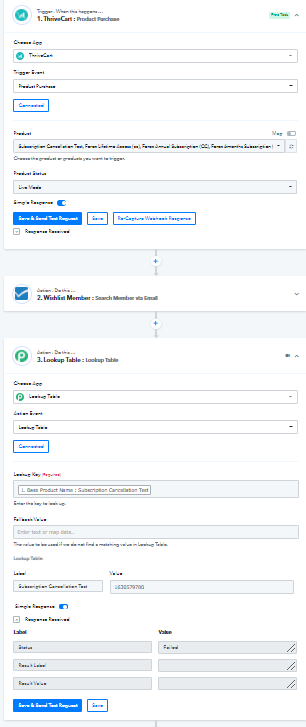
The product purchase happens in Thrivecart after which it should search member via email in Wishlist Member. I am then using the Lookup table to search the Membership Level. If I type the Membership Level without space, it's successful but if I type it with space as it is in Wishlist Member, the response I get fails. How do I fix this?
Attachments
Hey @Peter Pel
Thanks for your kind patience. We are currently looking into it and will notify you with an update soon.
Hey @Peter Pel
We have made some changes to the Action step of the Look-Up Table and now it is working accordingly.
Please try again at your end and let us know if it is working for you.
Thanks!
Hey @Peter PelWe have made some changes to the Action step of the Look-Up Table and now it is working accordingly.
Please try again at your end and let us know if it is working for you.
Thanks!
Its working at my end. Thank you