Specify which fields in BambooHR
Status: Closed · Asked by Jerome on · 0 views
How do I specify a particular field that I wish to retrieve data ?
Hey @Jerome
Could you please briefly elaborate on your concern once whcih you have specific fields/data want to retrieve?
Employee ID
Hey @Jerome
You are already getting the Employee Id in your Trigger response as Id.
Kindly check this once.
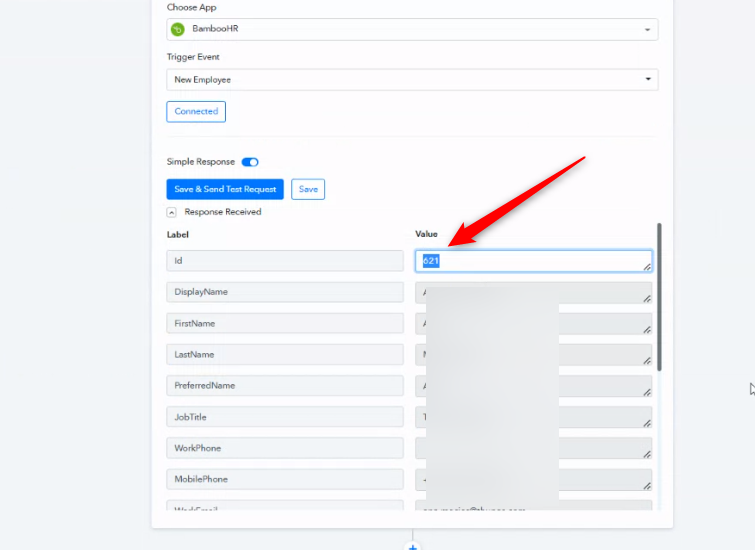
Isn't that record ID ?
In our BambooHR, we have EMPLOYEE ID.
Hey @Jerome
Kindly share a screenshot of the same for reference, so that we can look into it.
Hey @JeromeKindly share a screenshot of the same for reference, so that we can look into it.
This is what I have in our BambooHR, which is Employee Number or whatever it's called, and it starts with an alpha, then 4 numbers.
Attachments
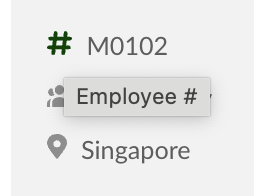
I found the field name ... this is what i want .. Employee Number, not ID
Attachments

Hey @JeromeYou are already getting the Employee Id in your Trigger response as Id.
Kindly check this once.
Oh, and you can see our data ........
Hey @Jerome
You can use the "BambooHR: Get Employee Details" action step to retrive the additional data from your Employee.
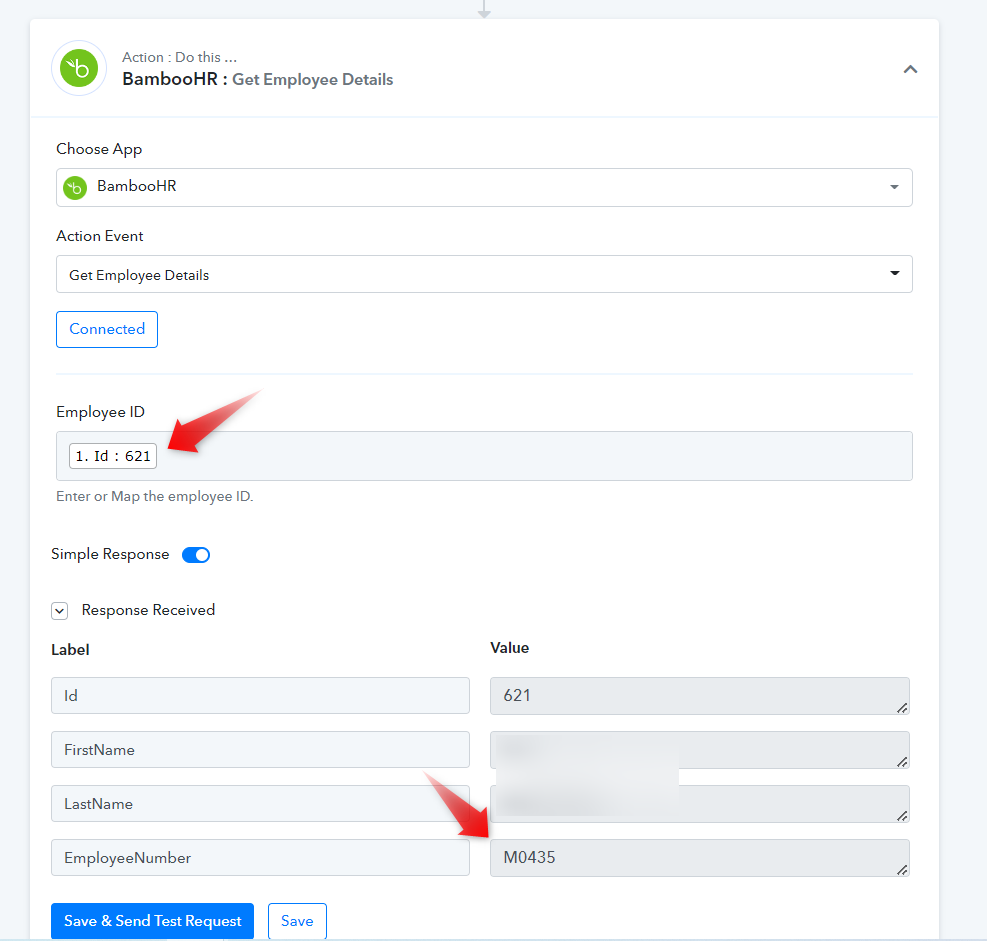
I am new to API & database etc ... but I would like to achieve the below, please advise steps because I failed after few attempts :
(1) Action gets triggered in BambooHR when there's a new employee added
(2) Action to perform > Checks if new employee's Employee Number exists. IF not, send employee's selected attributes to database in https://baserow.io. IF exists, updates database.
Hey @Jerome
(1) Action gets triggered in BambooHR when there's a new employee added
You can use the following trigger event for your concern.
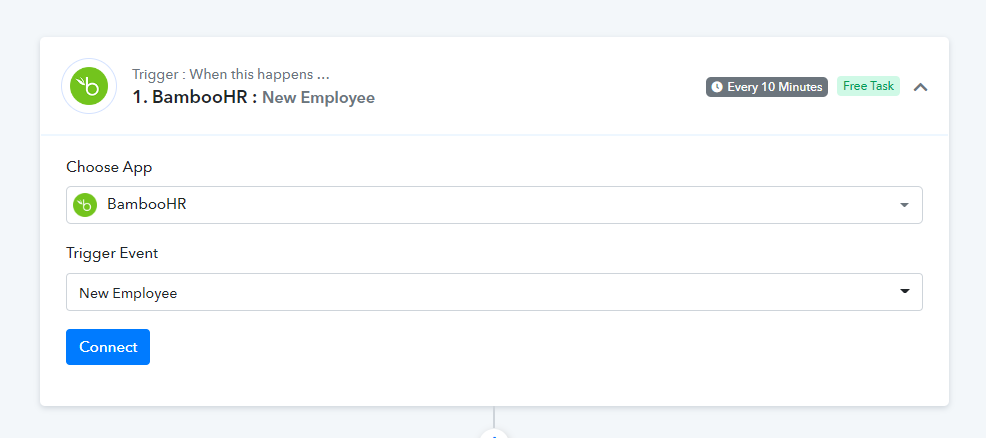
(2) Action to perform > Checks if new employee's Employee Number exists. IF not, send employee's selected attributes to database in https://baserow.io. IF exists, updates database.
You can use the Router action step for your work where you can make the condition to add or update the employee accordingly.
youtube.com/watch?v=6XDASZVv3tw
Further, if their application's rest API is available then you can build the action event with the help of API by Pabbly.
Hey @JeromeYou can use the following trigger event for your concern.
You can use the Router action step for your work where you can make the condition to add or update the employee accordingly.
youtube.com/watch?v=6XDASZVv3tw
Further, if their application's rest API is available then you can build the action event with the help of API by Pabbly.
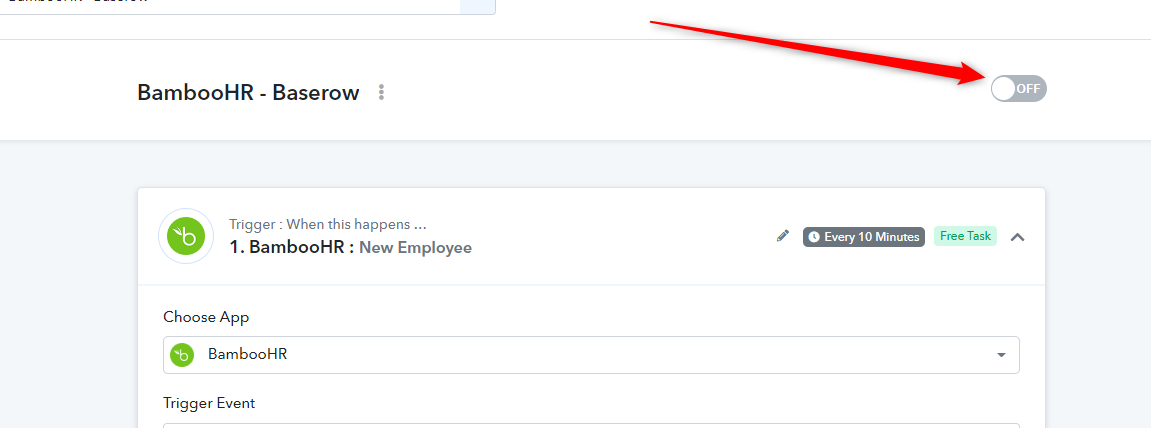
I created this Workflow > BambooHR - Baserow
Individually it works, but it's not triggered when a new employee is created in BambooHR.
Can you check and advise ?
Hey @Jerome
Kindly try to recapture the webhook response again and then made a test submission to your workflow by creating a new employee.
Moreover, the Bamboo HR trigger event is a pooling-based trigger event that will take up to 10 mins to get the data from the application itself.
Hey @JeromeKindly try to recapture the webhook response again and then made a test submission to your workflow by creating a new employee.
Moreover, the Bamboo HR trigger event is a pooling-based trigger event that will take up to 10 mins to get the data from the application itself.
I done that, and it has been more than 3 hours ... I am not getting any updates.
Hey @Jerome
Could you please tell us that while trying out your workflow is switched on?
As we can see your workflow is in switched-off condition, kindly switch it on and then try again.