Split Text then act on each split
Status: Closed · Asked by wibbler on · 0 views
I have a text file that I have split into multiple results. How do I now act on each result in turn (I want to further split out each result and hen import into Wrike)? I thought I used Iterator, but it cannot find any arrays.
qJDqdbF
Hey @wibbler
Could you please share the name of the workflow in which you are trying the same so that we can look into it and can guide you accordingly?
"Wrike Test"
"Wrike Test"
Kindly capture the API response in advance response by toggling the "Simple Response" button then you will get the JSON array format which you can pass further in the Iterator action step.
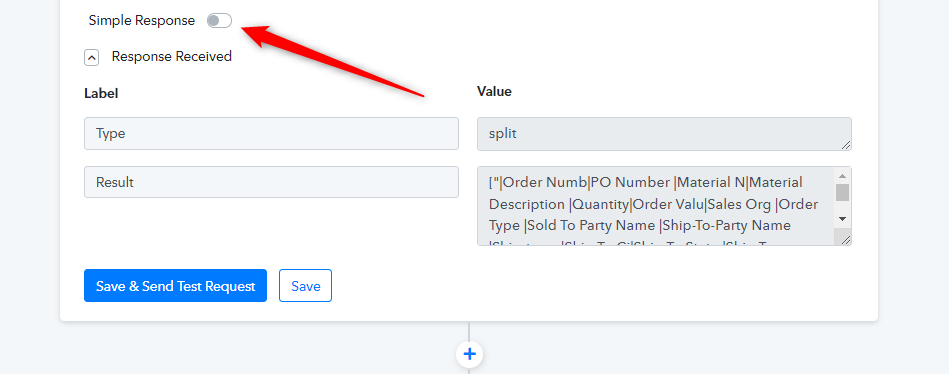
Thank you. That has helped!
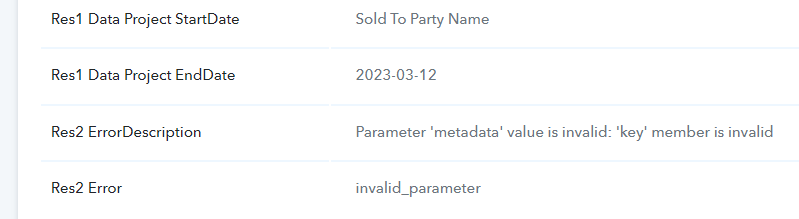
Now that I am able to separate out the data, I am getting an error regarding Metadata Key and Metadata Value when inputting into Wrike.
As far as I can see, this information is not visible in Wrike, so I don't know what should be in there? Is it possible to ignore these fields (seems not currently due to the error?)
Hey @wibbler
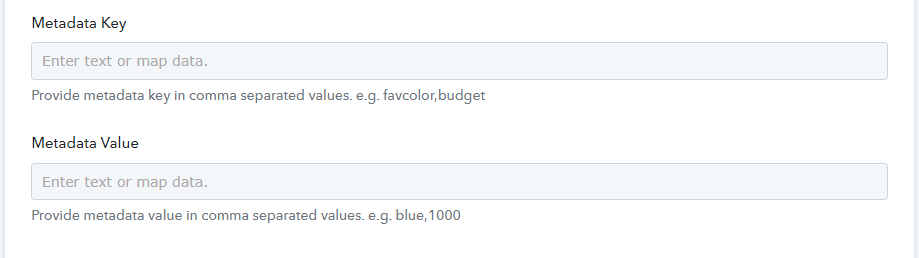
In the Wrike action step please try passing any sample data in the "Metadata Key" and in the "Metadata Value" field which will not interfere with the sent data to the application.
Kindly try once and let us know if that works for you.