SQB Results Integration
Status: Closed · Asked by HelenSoutar on · 0 views
Hi there,
I'm trying to set up an integration so that when someone completes my quiz in Smart Quiz Builder, their details are sent directly to Active Campaign. I seem to have it set up but it sends the answers to every question, rather than the outcome of the quiz - is there a way to change this? I just want to send name, email address, and quiz outcome (as a tag) to active campaign.
Many thanks
Helen
Hey @HelenSoutar
Could you kindly provide the URL for the workflow and inform us if we can do test the action step to address your requirements within the workflow? This will enable us to examine your concern and assist you accordingly.
Hi @Supreme,
Thank you for your reply. I'm not entirely sure how to get the URL so this might be wrong: https://connect.pabbly.com/workflow/mapping/IjU3NjUwNTY4MDYzMjA0MzI1MjZmNTUzMTUxM2Ei_pc
Happy for you to test it.
Many thanks,
Helen
'm trying to set up an integration so that when someone completes my quiz in Smart Quiz Builder, their details are sent directly to Active Campaign. I seem to have it set up but it sends the answers to every question, rather than the outcome of the quiz - is there a way to change this? I just want to send name, email address, and quiz outcome (as a tag) to active campaign.
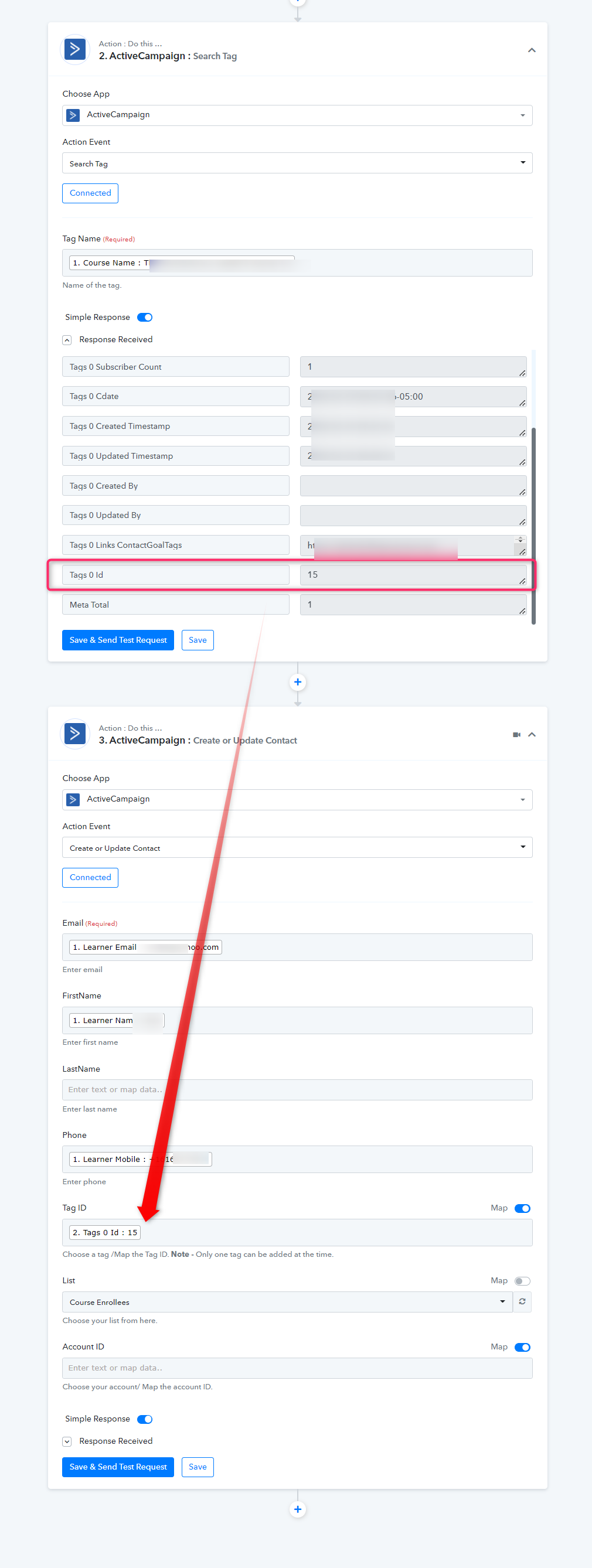
You can simply pass the Tag Id in the "Tag Id" field of the "ActiveCampaign: Create or Update Contact" If the desired Tag is already available in your Active Campaign then you can retrieve it with the help of "ActiveCampaign: Search Tag" or you can create one with "ActiveCampaign: Create a Tag" action event.
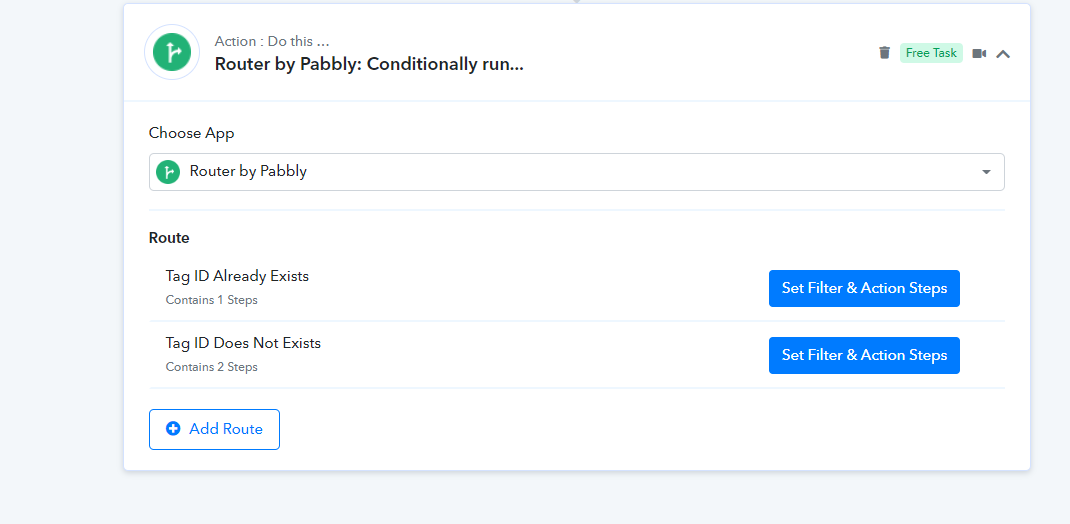
So, we need to first search whether the tag is already created or not. Then we can set the router action step according to the existing tags.
ActiveCampaign: Search Tag
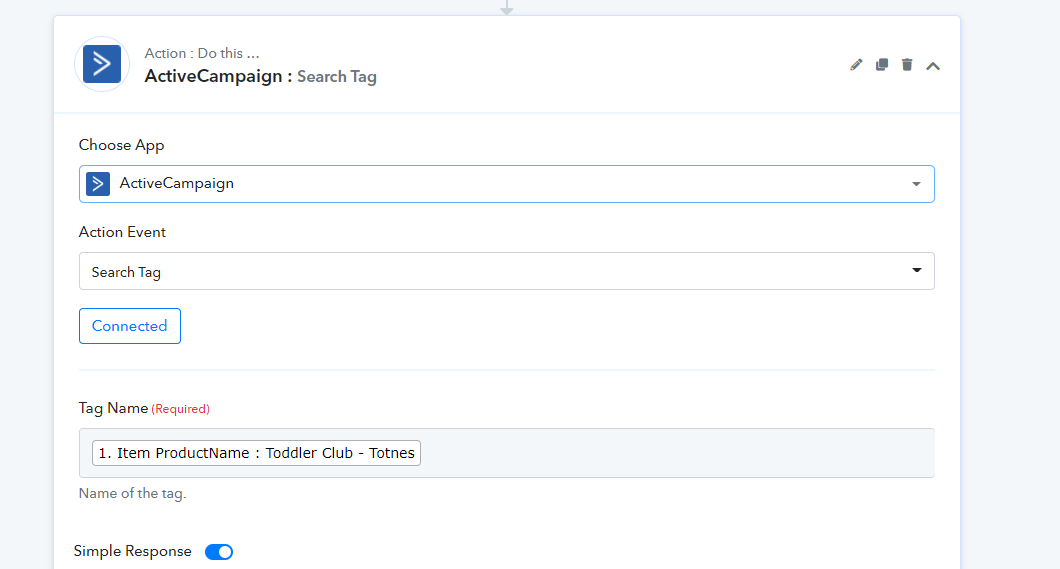
So the following two cases will be there -
Case 1 - Tag ID Already Exists >> Create or Update Contact
Case 2 - Tag ID Does Not Exists >>Create Tag>> Create or Update Contact
Hi @Supreme
Thank you for your reply. I'm not quite sure if I'm following this correctly.
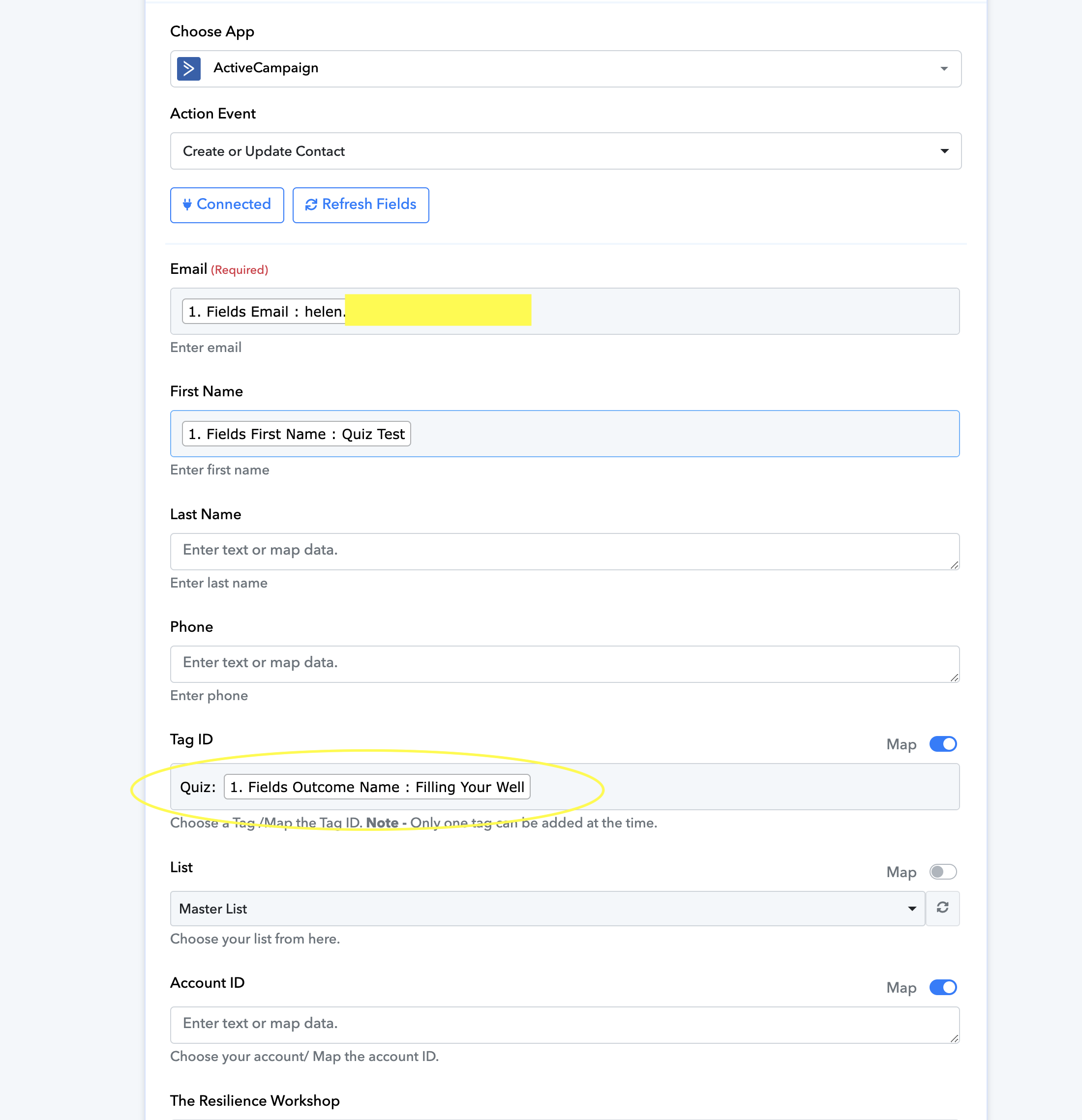
I added the tag ID, taken from here:
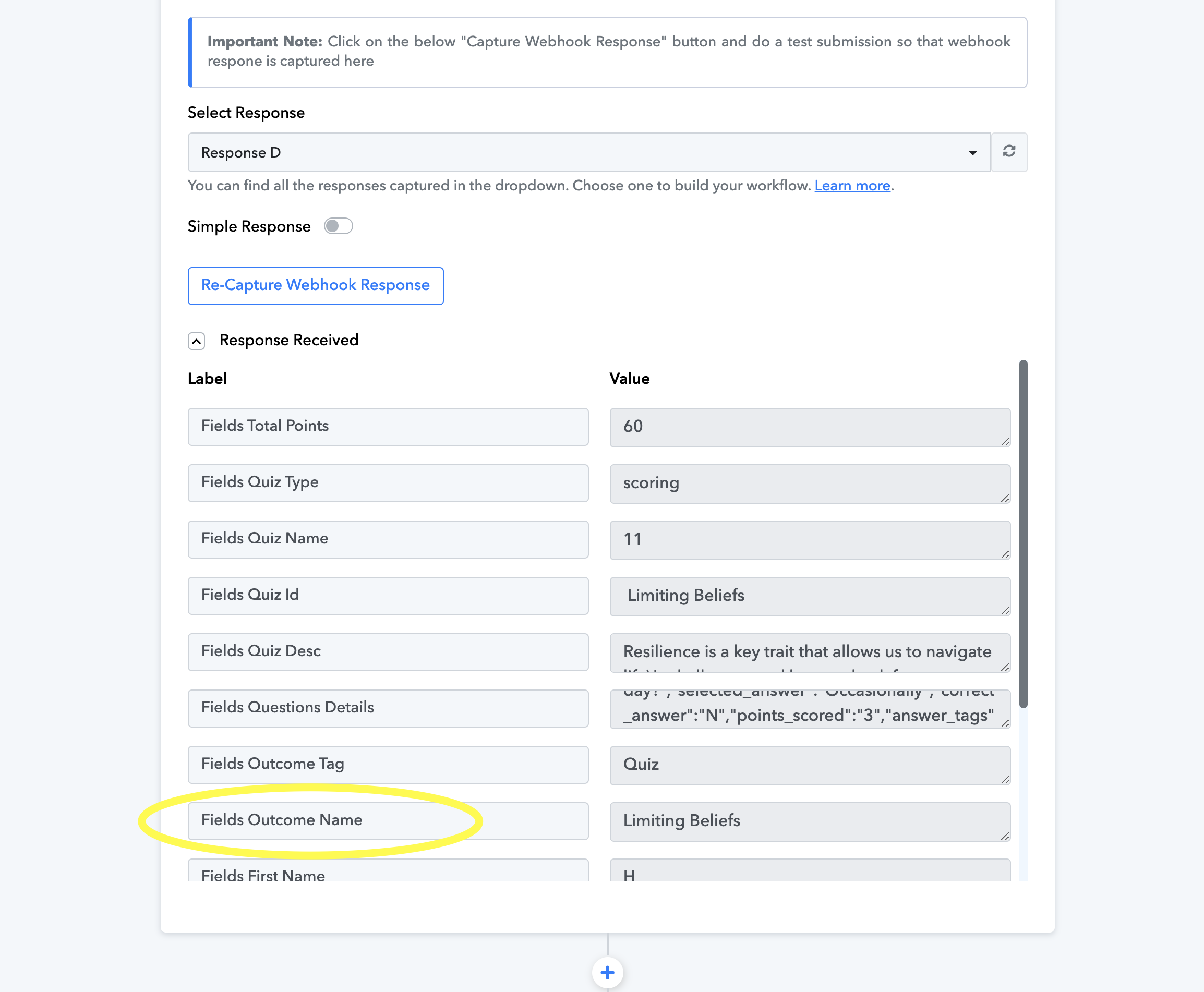
The integration did work this time in terms of sending something to Active Campaign - but there was no tag included:
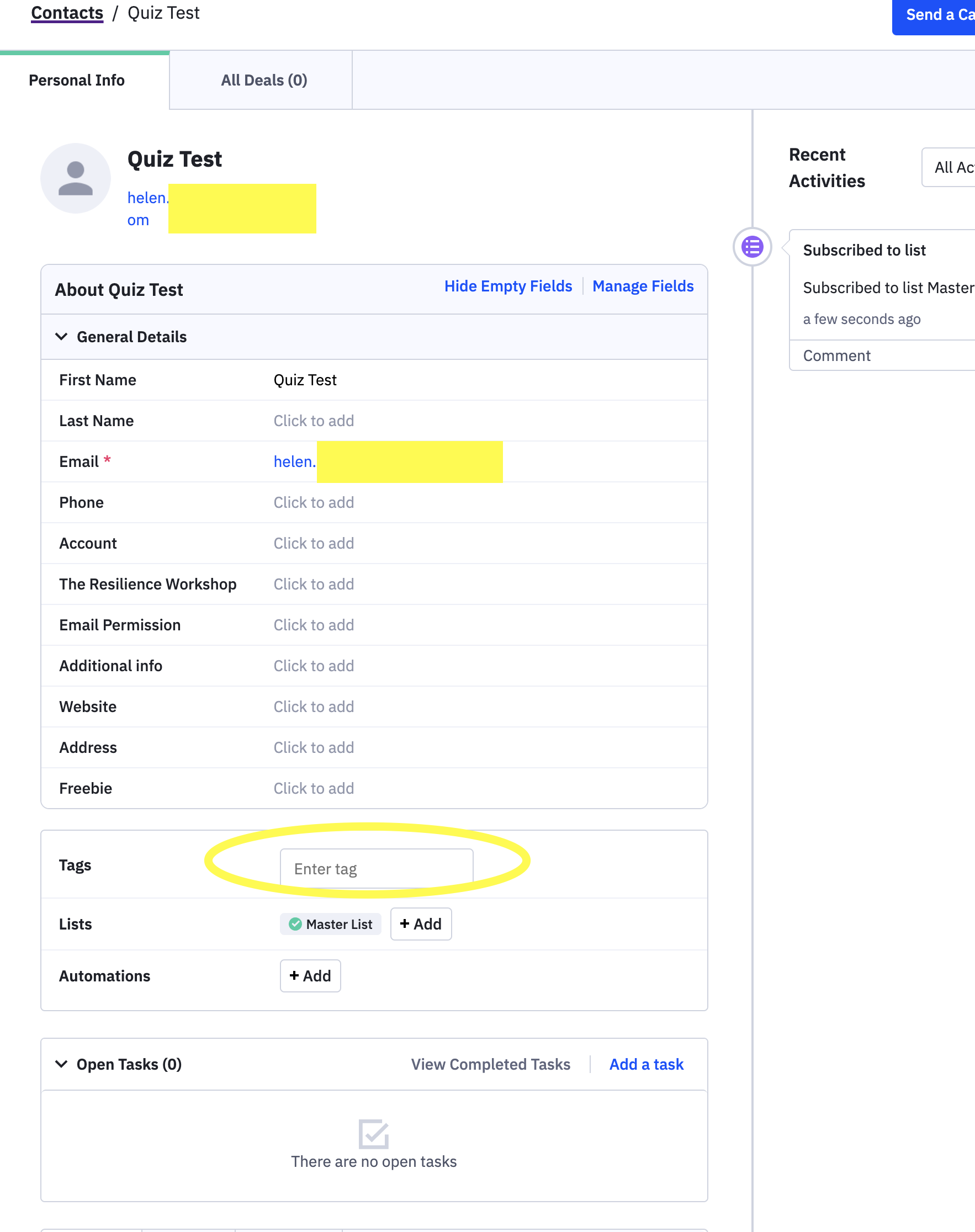
I'm not sure what I'm missing or doing wrong, but really appreciate your suggestions!
In the Tag ID field, you are supposed to map the ID associated with a particular tag, not the name of the tag. For example, the Tag ID of 'Quiz: Filling Your Well' is 65, so you should map 65 in the Tag ID field.
To obtain the Tag ID, you can use the 'Search Tag' action event, which will provide you with the Tag ID associated with a specific tag. I have made the necessary changes to your workflow on your behalf.
https://drive.google.com/file/d/1OEqfukmkfAtR9if3vns6QvNcURFSKtAP/view?usp=sharing
Hi @ArshilAhmad
Thank you so much for your help with this issue, and please accept my apologies for being so late to reply. I'm not entirely sure that I understand how you did it, but the workflow is now doing what I wanted it to do!
Thank you again,
Helen