Stackby Action - Search for records ERROR
Status: Closed · Asked by Kenny on · 0 views
Between Table (A) And Column (B) has some errors, i.e. The selected Table does not represent the populated Columns. The populated columns belong to the first populated table and they do not change as i change the Table.
Please advise. 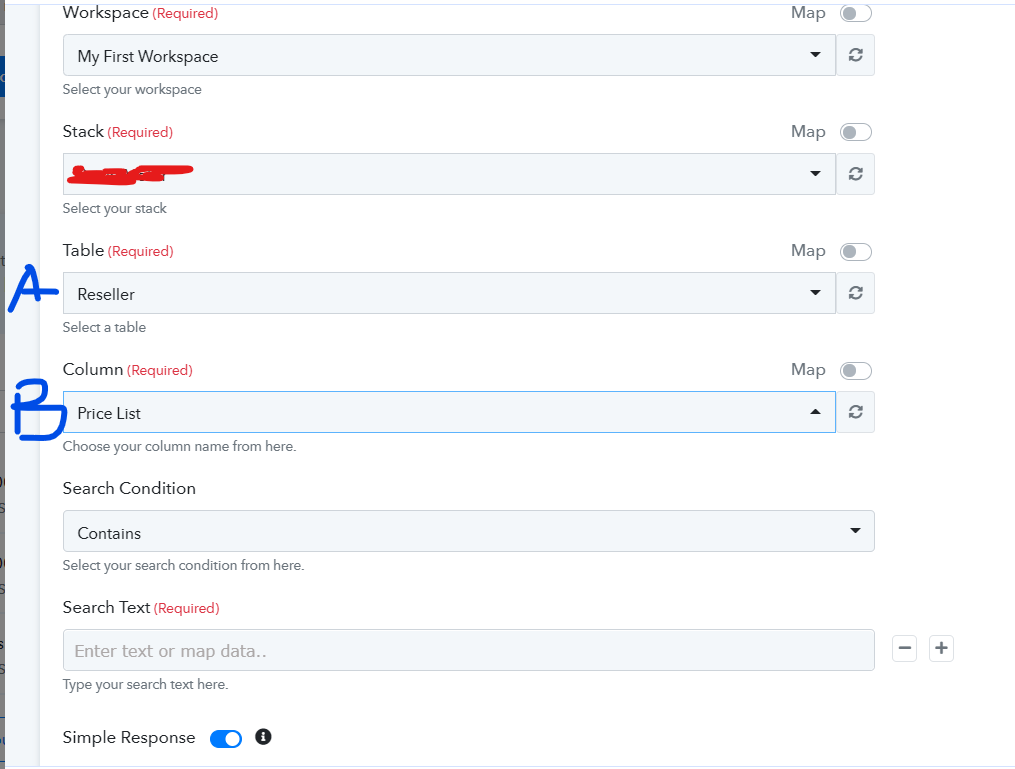
Hey @Kenny
Could you please share the desired column and the entities which you were looking for.
Also please refresh the fields of the table and column while testing the workflow.
The refresh button does not refresh the columns. I have MOBIL table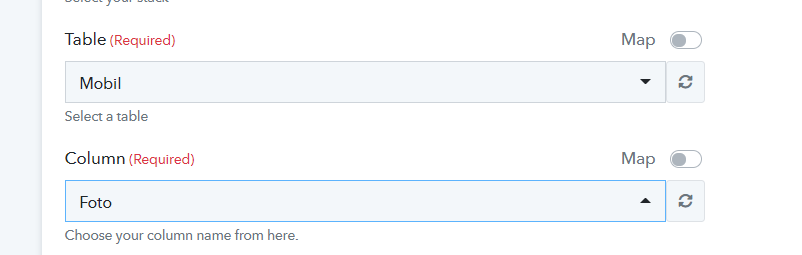
I clicked on the drop down and it shows like this below: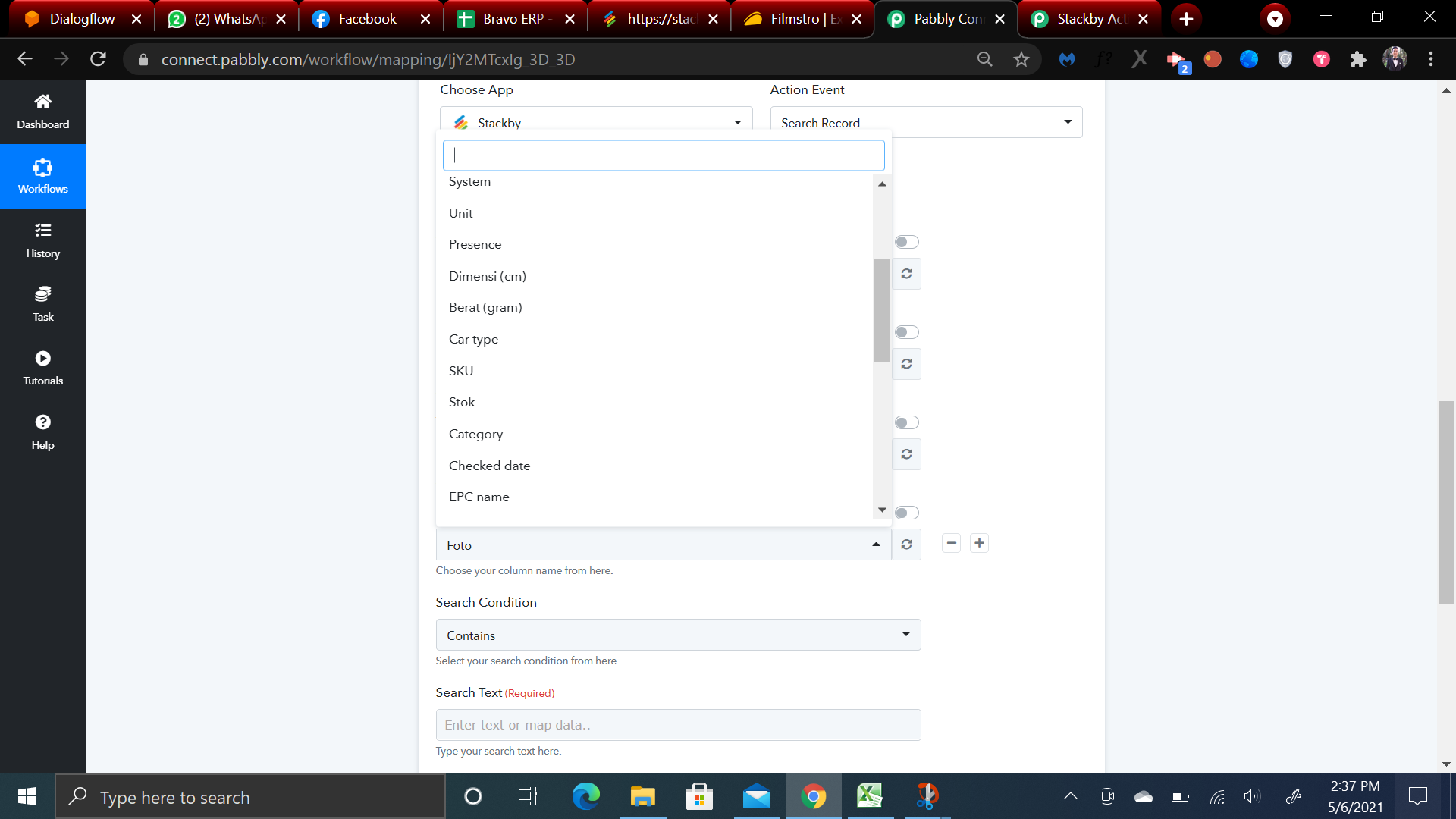
These columns do not belong to MOBIL Table. Where the columns of MOBIL Table are shown below:
@Kenny Thanks for sharing the details with us.
We are looking into the cause.
We will update you ASAP.
Hi, Supreme. How is it going?
Hey @Kenny
Sorry about the delay. We are still working on it. Will keep you posted with the updates!
Hey @KennySorry about the delay. We are still working on it. Will keep you posted with the updates!
Just want to give you heads up. The Search Record in Stackby does not return the value.
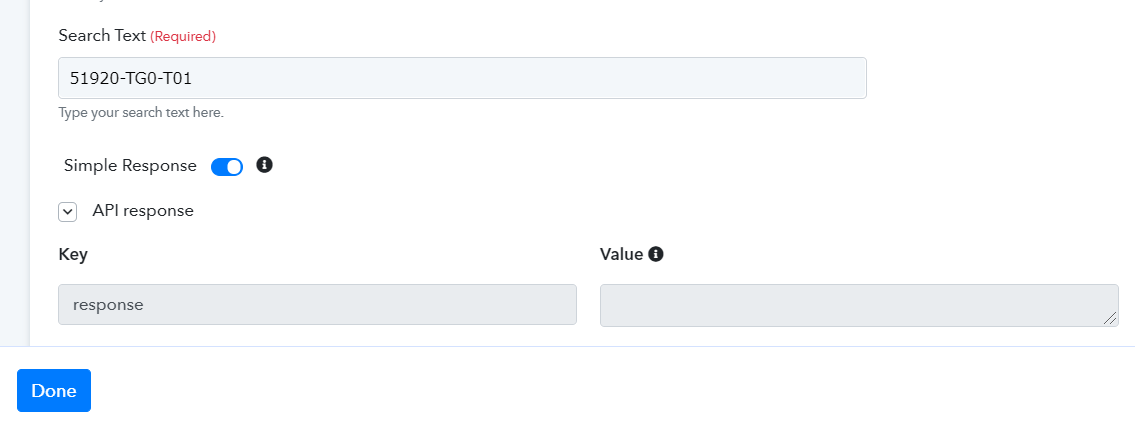
I definitely have this record
Hey @Kenny
Thanks for the record key.
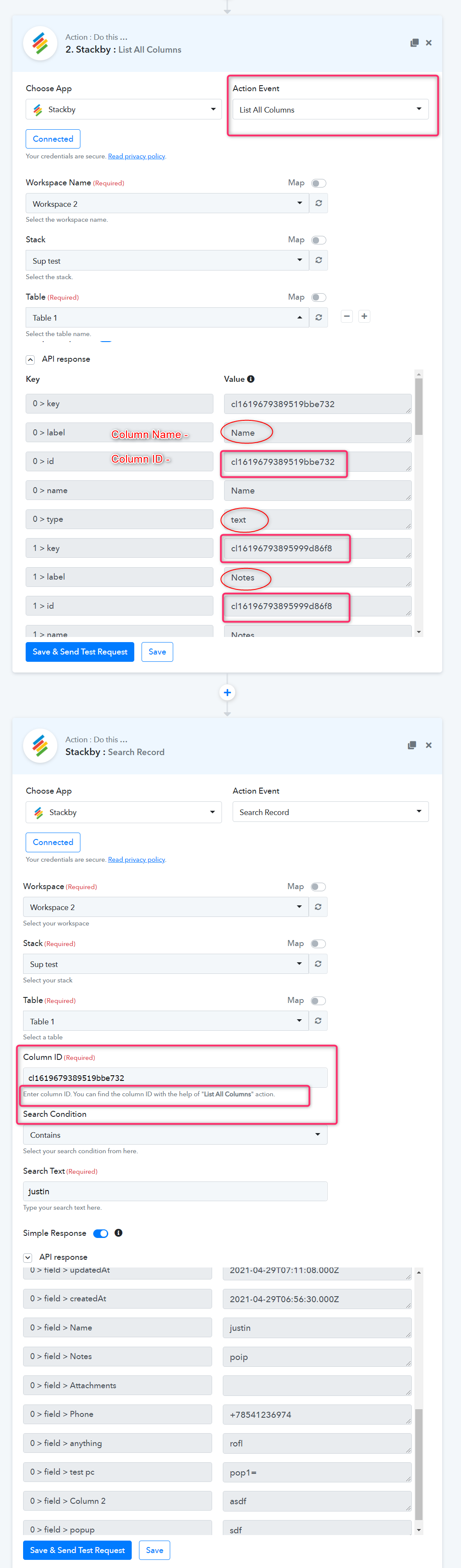
We have sort the issue, as the column field requires "Column ID".
So we have introduced an endpoint " List all the column " that will provide the column ID, which you can fill in the Search Record step under the field " Column ID", and it will give you the whole row's response at once.
Example -
My Stack Table 1 -
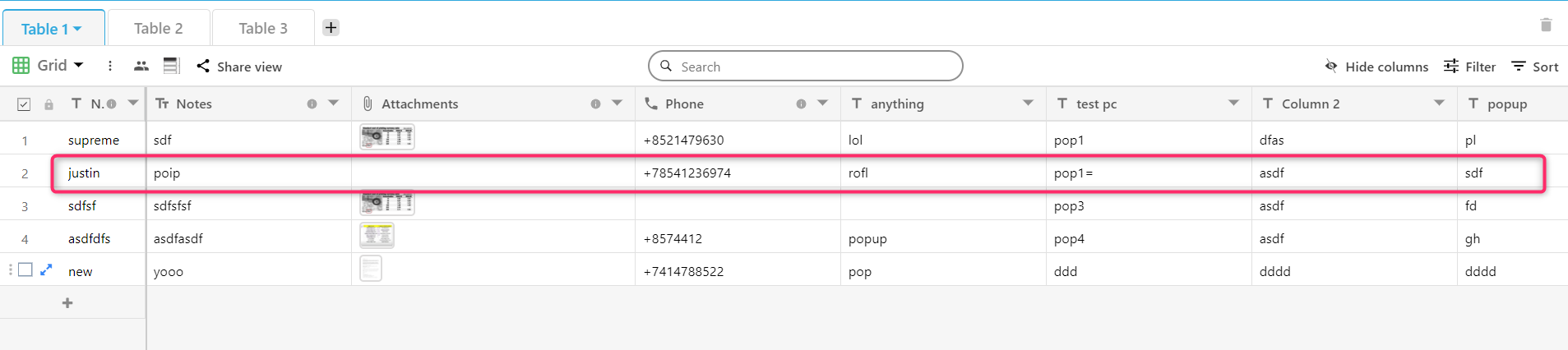
Please try this at your end and let us know how it goes.
Hello i found an issue here.
I am looking for "CRV" in a particular column. It returns the rowID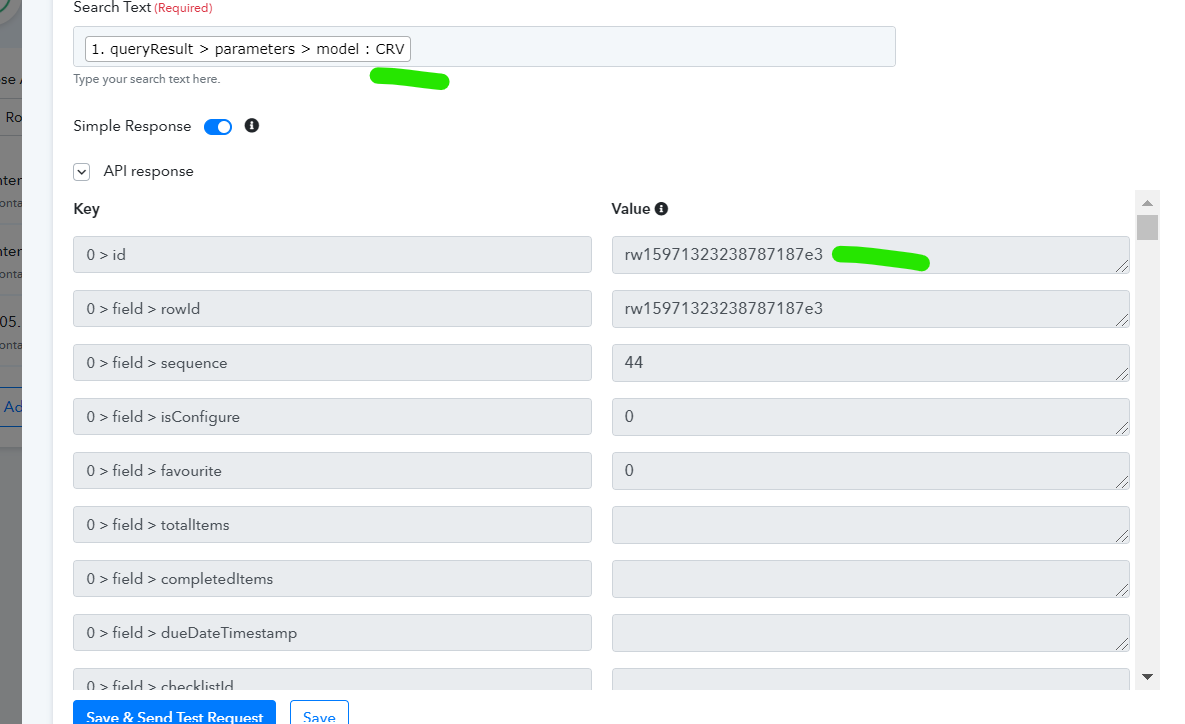
After that i scrolled down and see the result. An unexpected result (1 just give you 1 example, 1 have many unexpected results in this run) came as shown below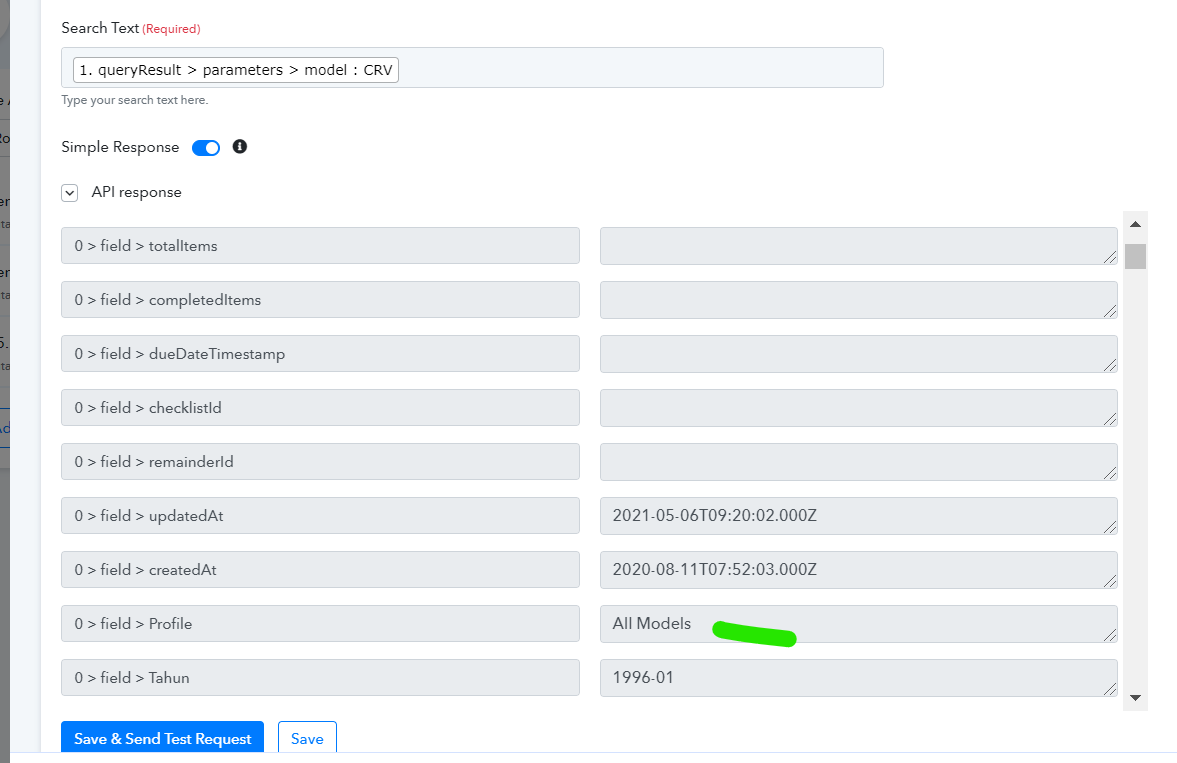
Where this "All Models" profile does not belong to this rowID. See below:
Please advise
Hey @Kenny
While searching the record, the endpoint fetches all the row entity which are having " CRV " with the row_ID, the " All Models " will also be in your record.
And as I can see from our end the response has shown all the cells entity which are having "CRV", so it is working fine.
Why the "All Models" must appear? I am using "parent model"'s column ID as the basis of search. Look, "All Model" does not have "CRV"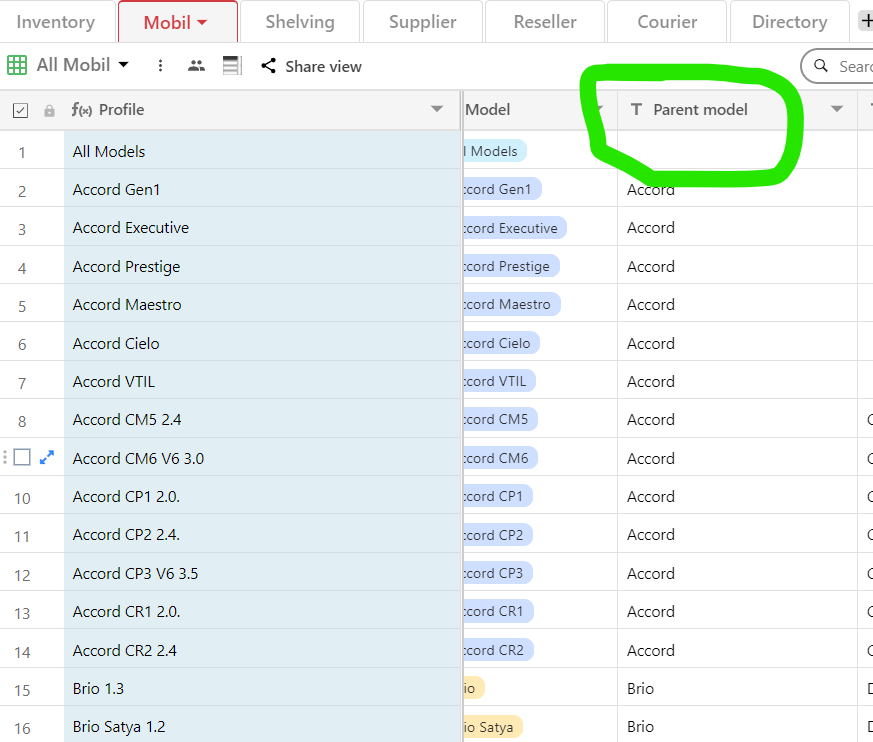
Hey @Kenny
Why the "All Models" must appear? I am using "parent model"'s column ID as the basis of search. Look, "All Model" does not have "CRV"
Because the "CRV", where you looking in the column, that row might contain the " All Model ".
As we have also tested all the possibility, it works fine.
Please check the Sheet entities carefully.
Sorry i am lost.
The word "All Models" is only typed in PROFILE and MODEL columns.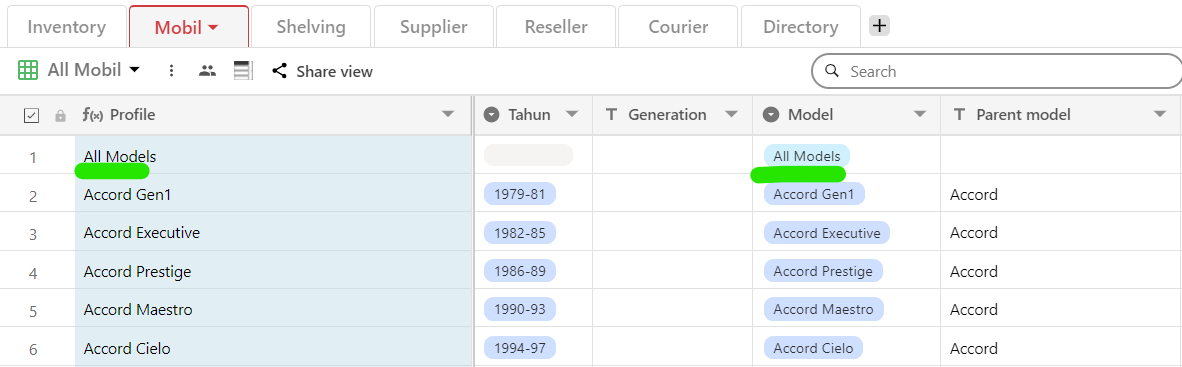
When i use LIST ALL COLUMNS action, i look for PARENT MODEL's ColumnID.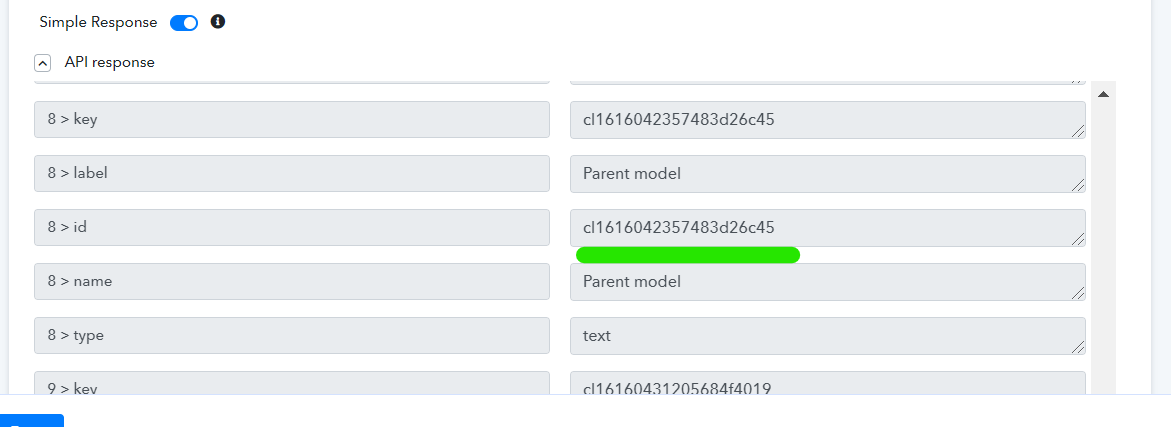
After that i use it as the base of search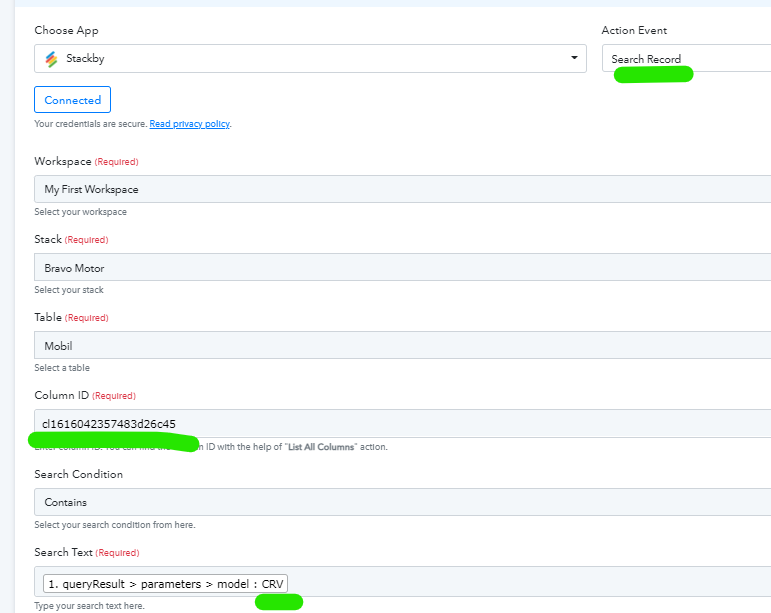
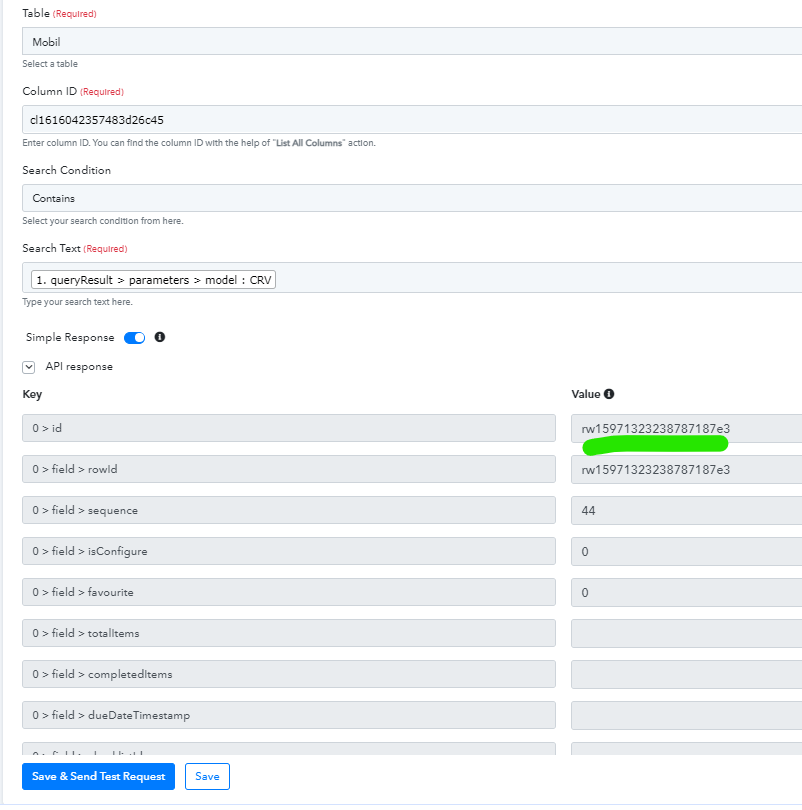
And the i test it. The populated record has an error,e.g. the row ID resulted there rw15971323238787187e3 belong to the Bundle 0,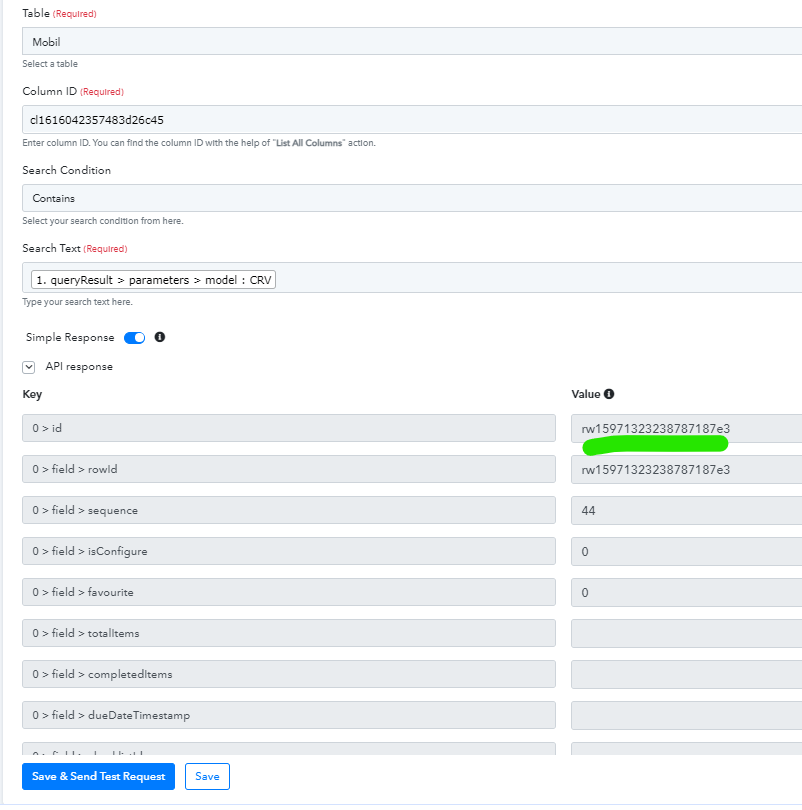
and i am not supposed to have "All Models" in the PROFILE column on this ROWID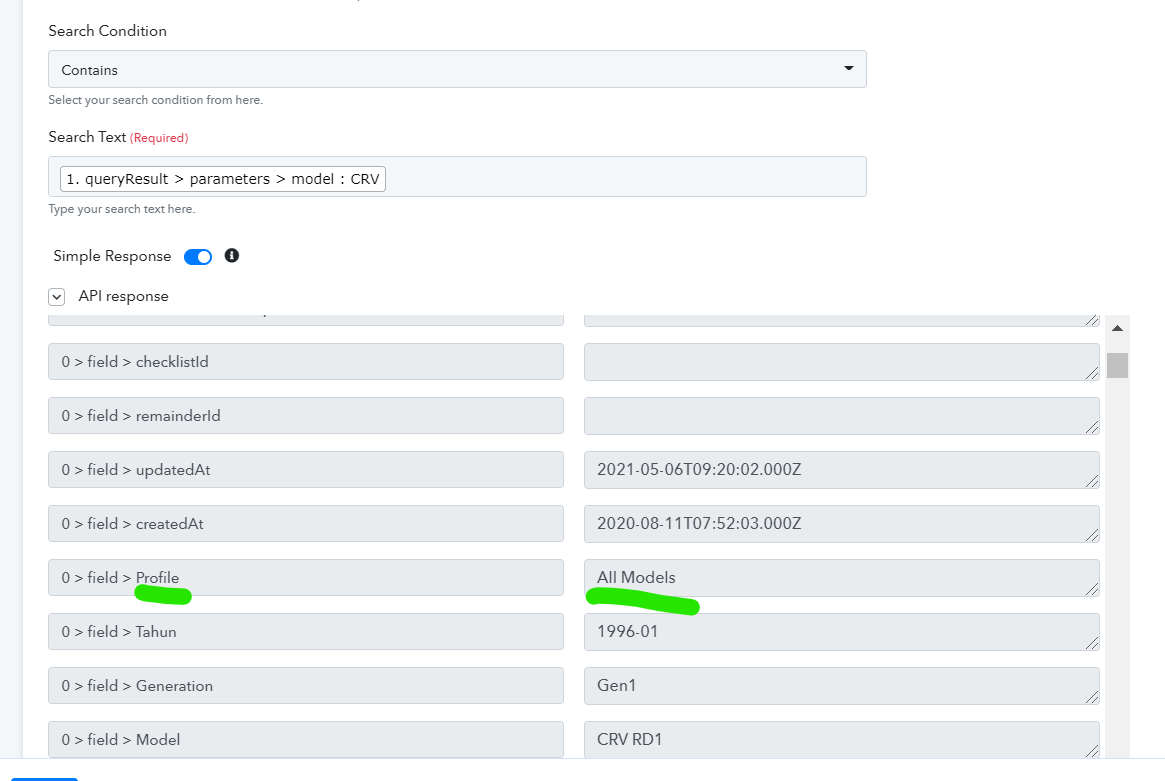
Because here is my proof: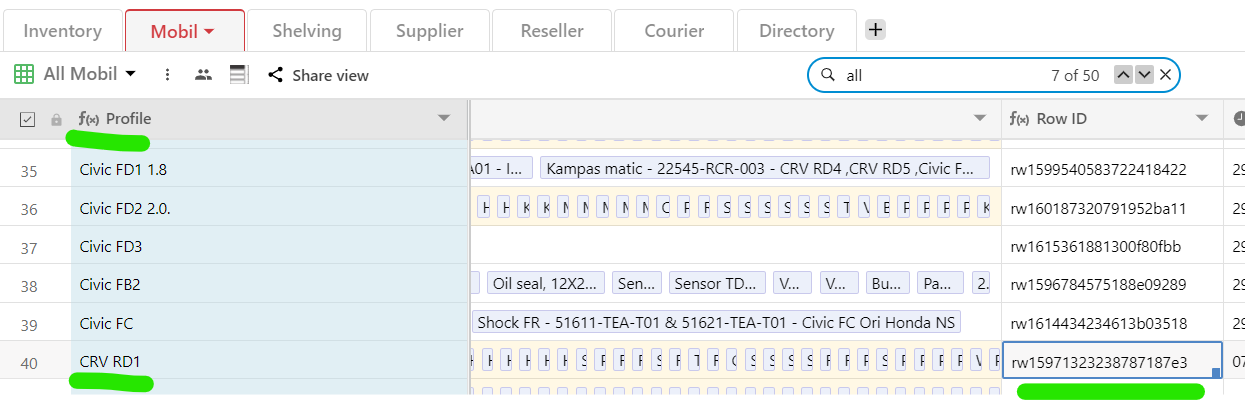
Attachments
Hey @Kenny
We have checked your issue and run several tests from our end of your sheet, as it is still taking the row which has "All Model", in every scenario.
Though the response from Stackby is sending this response only.
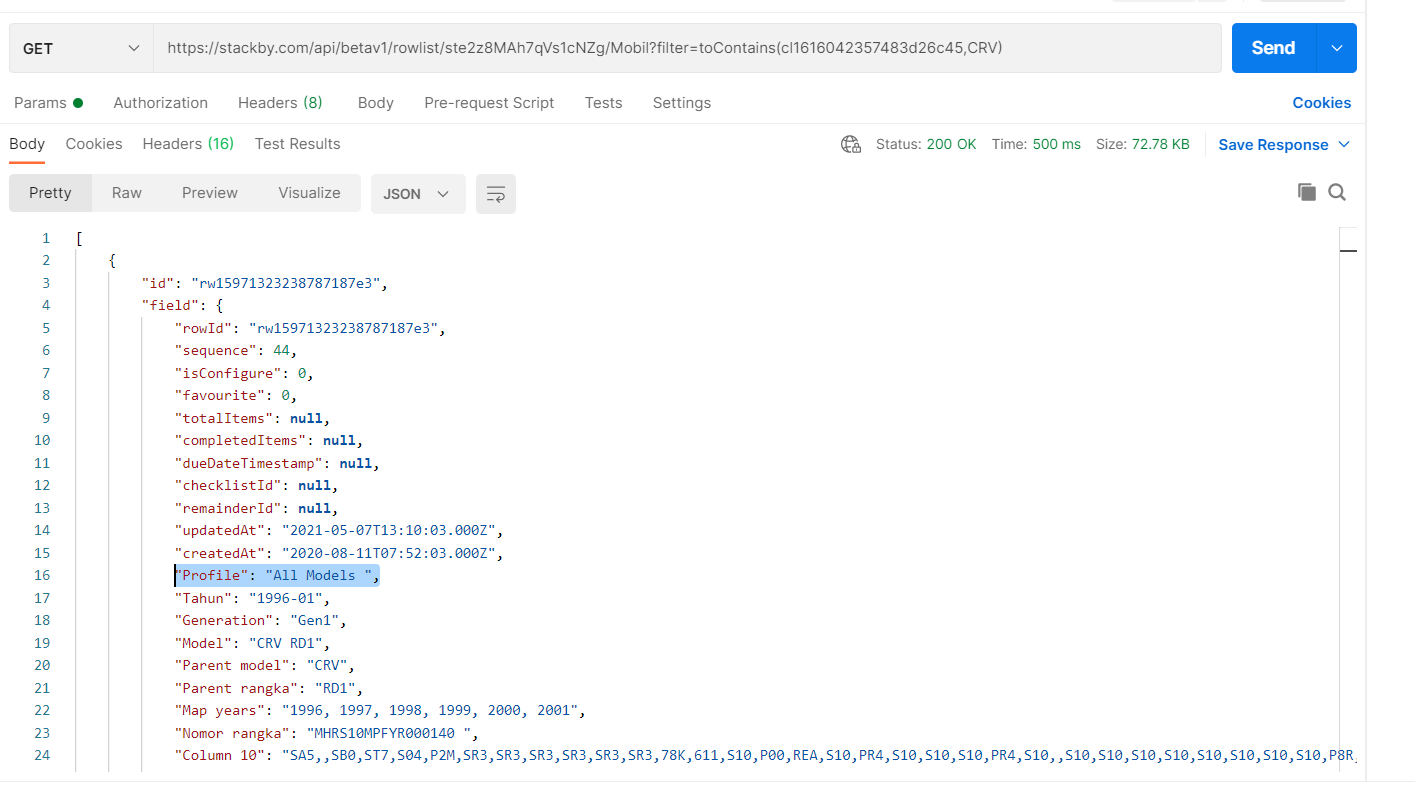
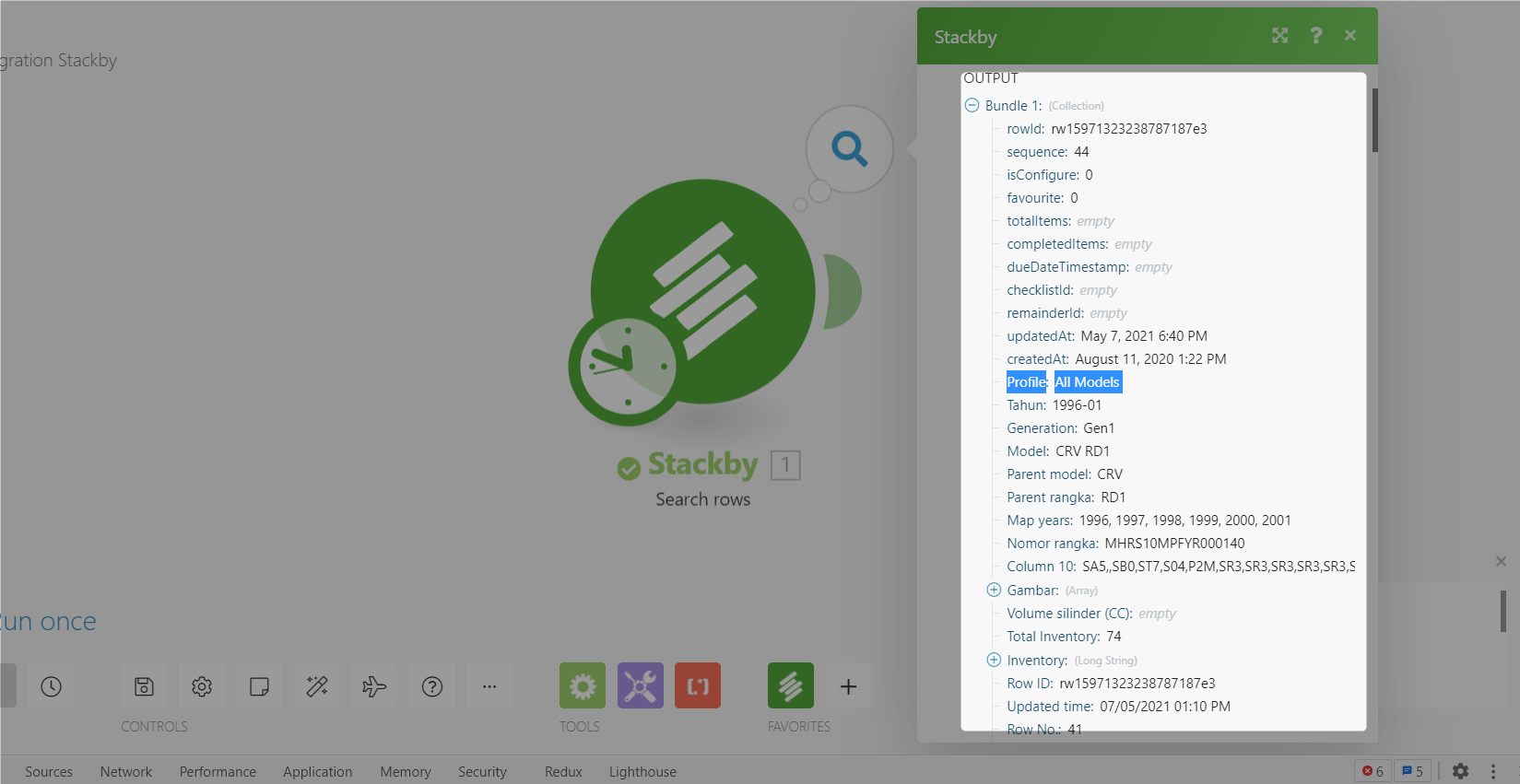
So, please contact once Stackby team regarding the issue, since the API is responding in this manner. We are contacting from our end as well.
Can you help me formulate the questions? So that i can just copy to him?
Hello i found an issue here.I am looking for "CRV" in a particular column. It returns the rowID
After that i scrolled down and see the result. An unexpected result (1 just give you 1 example, 1 have many unexpected results in this run) came as shown below
Where this "All Models" profile does not belong to this rowID. See below:
Please advise
You can send these questions which you asked us here in the previous threads to them.
Make sure to send them the whole screenshot as well. The issue is not from our end, rather their APIs are providing the response, which we are not manipulating in any way from our end.
Also, do share this thread link with them as that will help them assist you better.