Streak CRM Google Sheets Integration
Status: Closed · Asked by AVINASH AHUJA on · 0 views
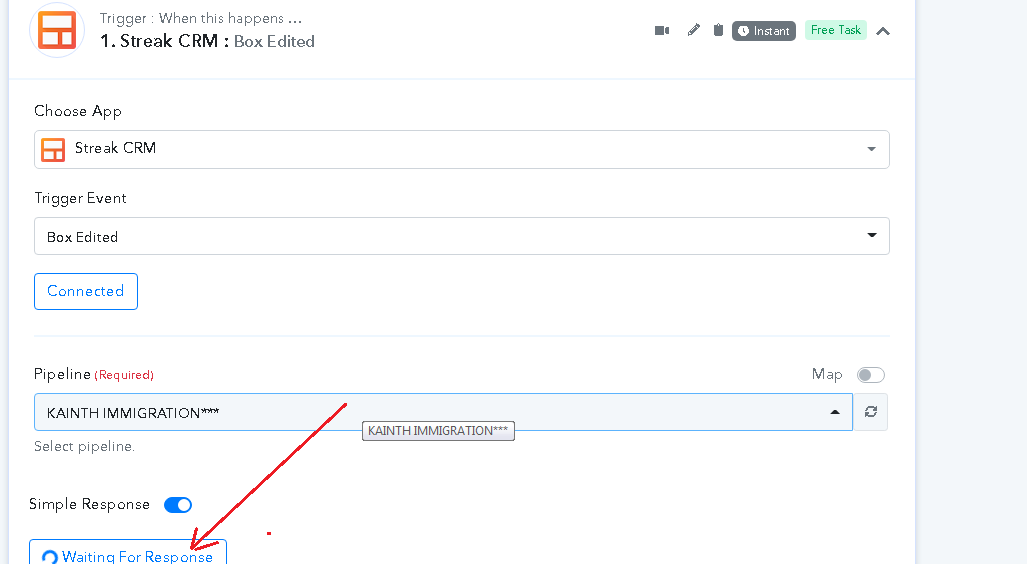
Hi Sir, I add API Streak CRM and after that (waiting for a response ) is buffering only. No, data capture from streak CRM. Any solutions for that? Thanks.
Attachments
Hey @AVINASH AHUJA
Have you tried capturing the webhook response properly from Streak CRM by editing a Box or passing a comment from your CRM?
You may refer to the first part of the following video tutorial -
Hey @AVINASH AHUJAHave you tried capturing the webhook response properly from Streak CRM by editing a Box or passing a comment from your CRM?
You may refer to the first part of the following video tutorial -
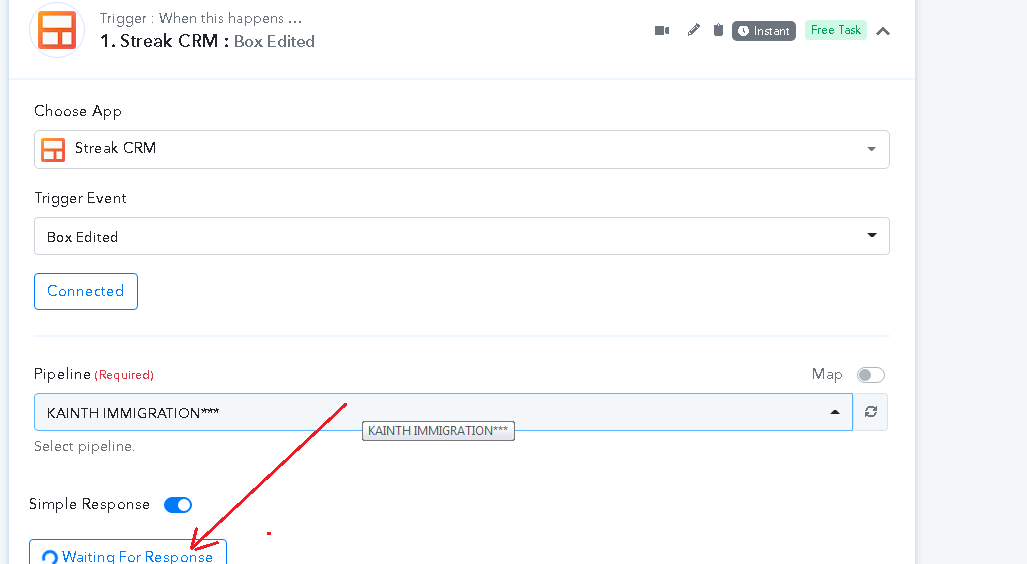
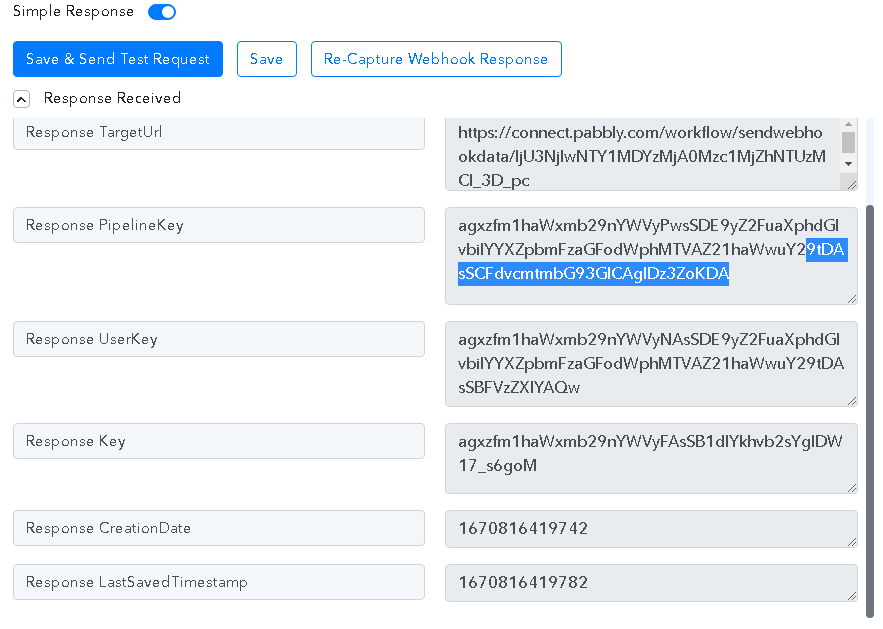
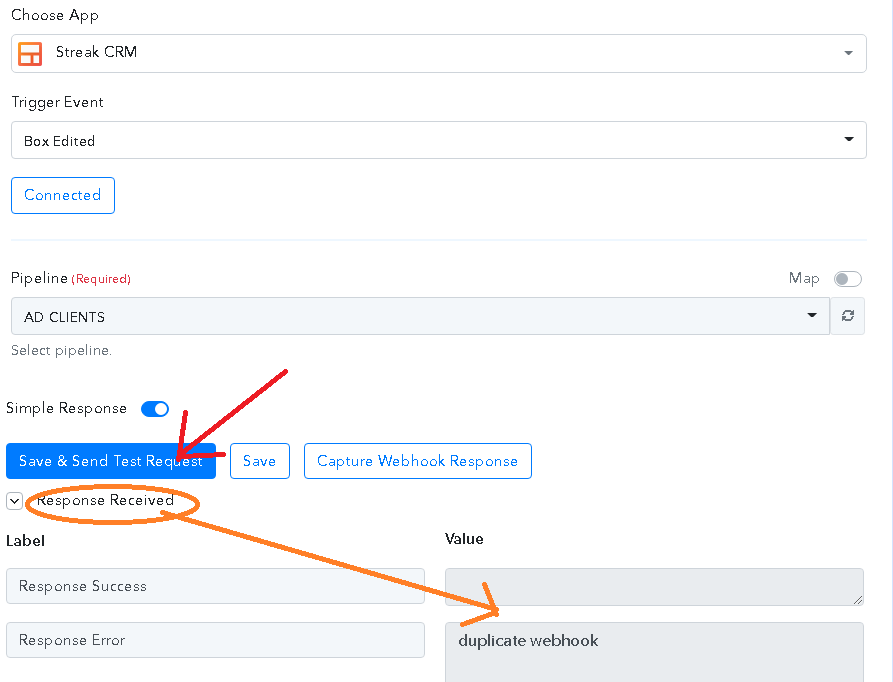
Hi Supreme, after receiving the first response See in pic 4 how I mapped the date on a new row in Google Sheets. There is no showing full data like Name, Email address, Phone number, etc, after that, I click on (re-capture webhook response) after that only buffering (Loading) all the time is shown in pic 2. After that, I try again any action to respond see Pic 3. Thanks.
Attachments
I was emailed Streak see replied by Strak CRM :
Hi Avinash, thanks for reaching out!
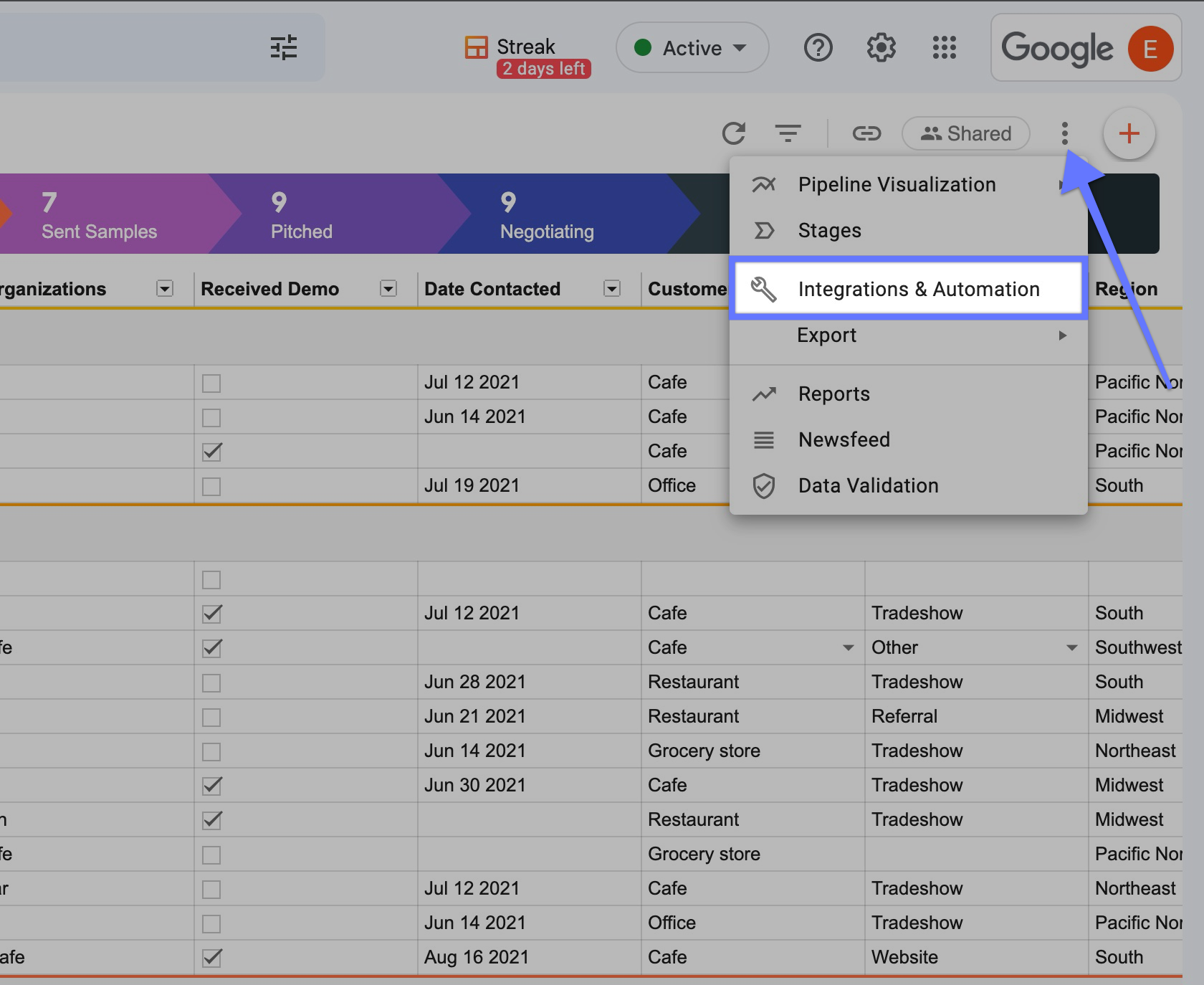
Mind letting me know which application you're using to integrate with Streak? We currently only recommend using Zapier or you can also use our native integrations and automation that are currently available in beta. You can find this from the pipeline by clicking on the 3-dot icon:
Seems like you have pressed the "Save & Send Test Request" multiple times and because of that, you are getting the error message.
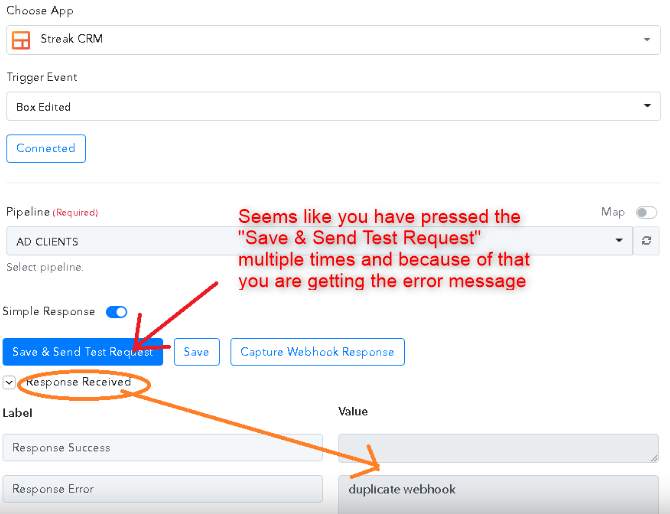
So, as a solution, we would recommend you create a new workflow, or else you can delete the duplicate webhook URL from your Streak CRM account.
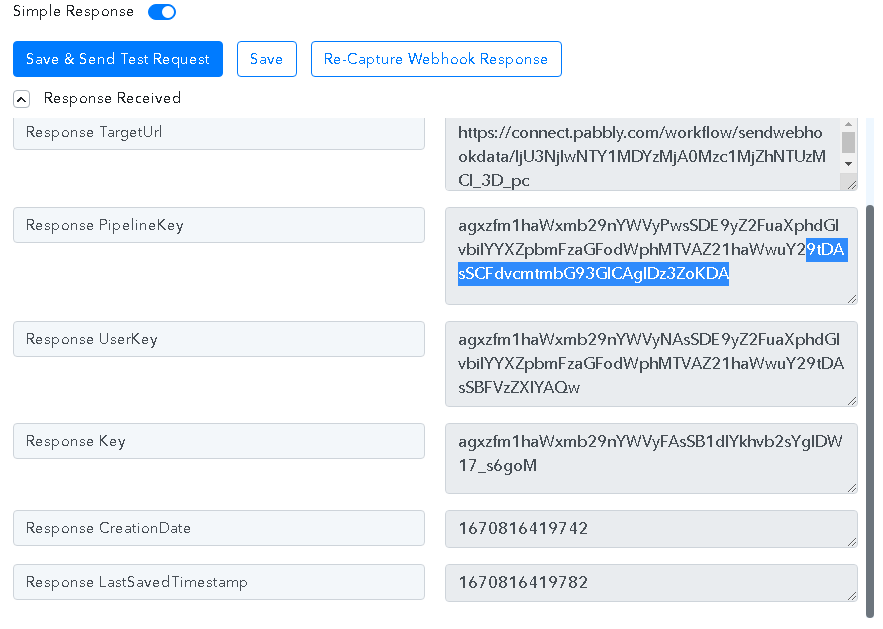
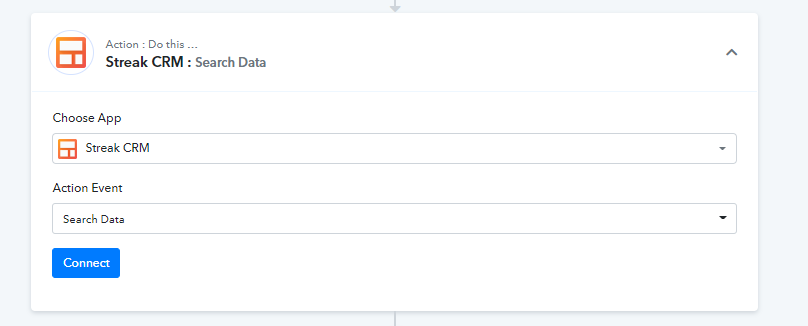
Moreover, if you get a trigger response like the following then you only need the "Streak CRM: Search Data" action step afterward to process the data.
Seems like you have pressed the "Save & Send Test Request" multiple times and because of that, you are getting the error message.
So, as a solution, we would recommend you create a new workflow, or else you can delete the duplicate webhook URL from your Streak CRM account.
Moreover, if you get a trigger response like the following then you only need the "Streak CRM: Search Data" action step afterward to process the data.
Hi Supreme, I delete all workflows of Streak CRM and tried again with API, Pipelines connected but after that save and response only see buffering (Loading). Now not see any data in response.
Hi Supreme, I delete all workflows of Streak CRM and tried again with API, Pipelines connected but after that save and response only see buffering (Loading).
Have you tried capturing the webhook response by making a submission from your Streak CRM?
Have you tried capturing the webhook response by making a submission from your Streak CRM?
No, I am using (Streak API) in the Pabbly Connect action window. All pipelines of my "Streak CRM" show in Pabbly connect but after that, I click on save and test request then which showing buffering data (Blue symbol rounding and rounding only).
Hey @AVINASH AHUJA
Could you please share the name of the workflow in which you have tried the same?
Since we could find any workflow with Streak CRM trigger event.
Hi Supreme, My workflow name is STREAK TO GOOGLE SHEET and the trigger is NEW BOX. Thanks,
Hey @AVINASH AHUJA
Have you tried capturing the trigger response from your Streak CRM, as mentioned in the help text and in the previous messages?
Hi Supreme, Now show connected only After that not any response from Streak showing blue color loading sign rounding and rounding. Thanks
Seems like you still have captured the webhook response yet.
Please refer to the share video tutorial on how you can capture the webhook response from the Streak CRM.
I see this video so many times. I follow this video and did the same, see the video attached STREAK CRM attached, which shows all pipelines but not any data coming from STREAK CRM. I tried so many times buffering and buffering, even after every 1 hour see the same loading as seen in the video, Check may be a problem with CRM Don't release data? Sorry, I am not able to attach the file so sent it to [EMAIL]admin@pabbly.com[/EMAIL] see in ticket no: the ticket ID 418479
Hey @AVINASH AHUJA
We looked into your shared video and seems like you haven't made a test submission when the trigger response was waiting for response.
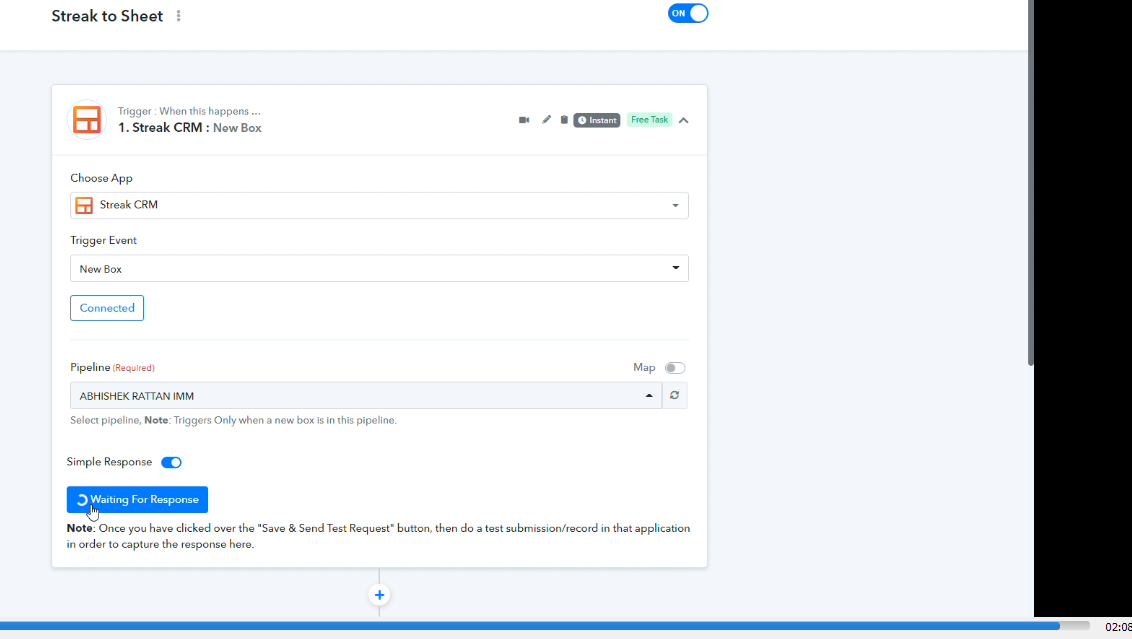
So, please make a test submission in your Streak CRM by creating a Box, so that your workflow captures the response from your Streak CRM.