Stripe: Charge a Card Integration
Status: Closed · Asked by bilalkamboh on · 0 views
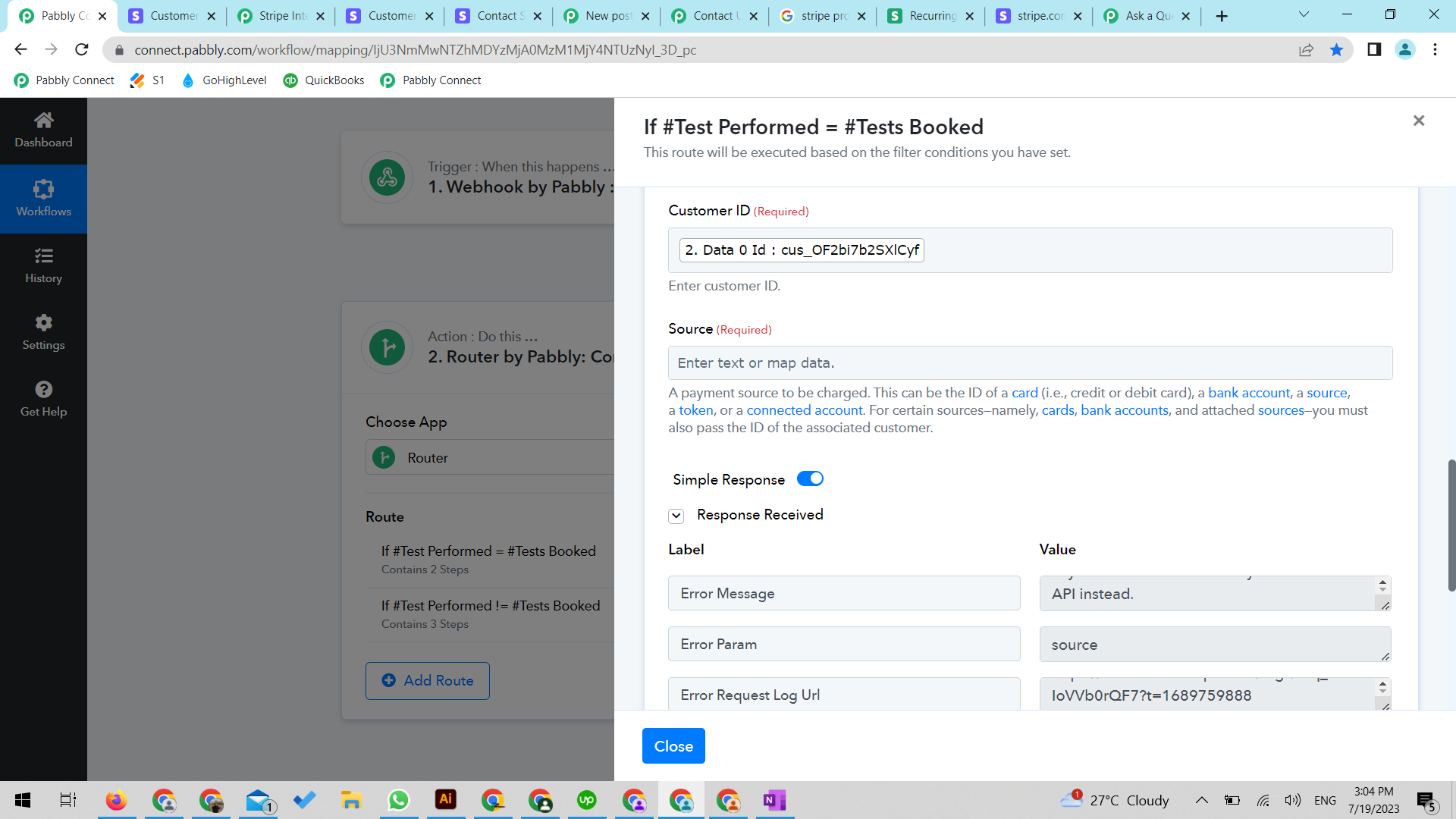
Hi, I'm trying to charge a card using Stripe with Charge a Card action event. What to add at Source location? I'm not able to find a card id in stripe. I tired adding payment method id but that gives me error. Please help me in this regard.
Hey @bilalkamboh
As we can see from your screenshot you haven't passed the Source in the action step to charge the card.

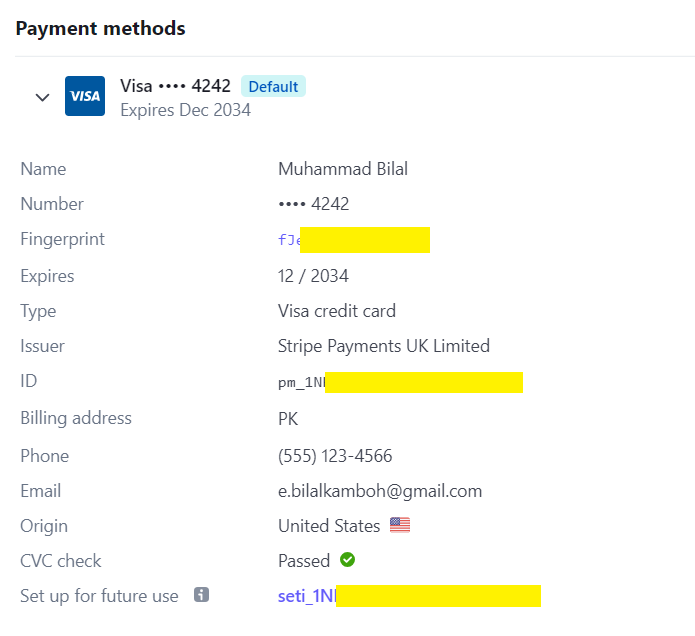
Hi @Supreme thank you for your guidance. That's same my question, what to put inside Source. I tried adding every info from my customer's saved card, like payment id, fingerprint, setintent but no success.
Hey @bilalkambohAs we can see from your screenshot you haven't passed the Source in the action step to charge the card.
Kindly check for the source Id as mentioned in the following screenshot. Also can you please check with form Stripe team that how you can get the Source Id?

Kindly check for the source Id as mentioned in the following screenshot. Also can you please check with form Stripe team that how you can get the Source Id?
Hi Supreme, from where I can see this screenshot? Can you please send to this screenshot doc link where I can read more details
Hey @bilalkamboh
You can refer to their Stripe API reference here - https://stripe.com/docs/api
Hi @bilalkamboh and @Supreme - I have looked at the API reference document provided and couldn't figure it out. Were you able to figure out?
What do we put in the 'Source" field and where do we find it?
Please let me know.
What do we put in the 'Source" field and where do we find it?
We recommend you to once check with the Stripe support team since it is not very clear on Stripes' API documentation.
Thanks @Supreme. This is definitely something we need to know from the Pabbly team as you are the ones who set this up. I wouldn't even know what to ask the stripe support "what should I put in the Pabbly source field?". Their response will be to go back to Pabbly team and ask them.
Before I entered this conversation I did speak with Stripe support to determine where I can find the ID of a card as this is the instruction in Pabbly:
"A payment source to be charged. This can be the ID of a card (i.e., credit or debit card), a bank account, a source, a token, or a connected account. For certain sources—namely, cards, bank accounts, and attached sources—you must also pass the ID of the associated customer."
They provided me with the ID of the card and the task still failed in Pabbly.
Are you able to escalate this and get a response on how to configure this, please?
Thank you.
Hey @scaleowl !
We have escalated your requirement to the tech team.
Please allow us some time to check the possibilities of your request.
We'll get back to you with an update soon.
Your kind patience will be highly appreciated.
@Subin Thank you. Let me know.
Hey @scaleowl
We've reviewed the feasible choices for including the source when generating a charge to a card. Kindly consult the provided screenshot and proceed accordingly.
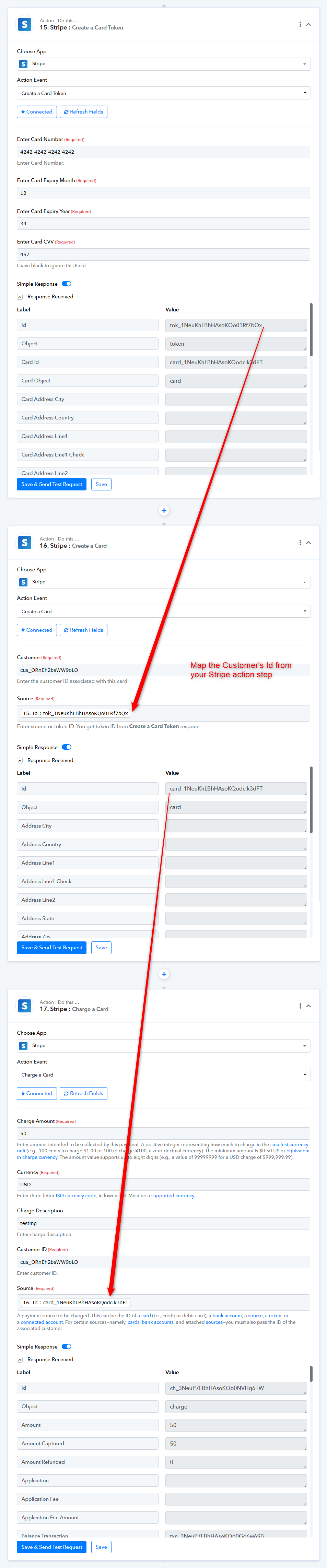
You can also use the "List Cards or Bank Accounts Soruces" action step from where you can get the card Id.
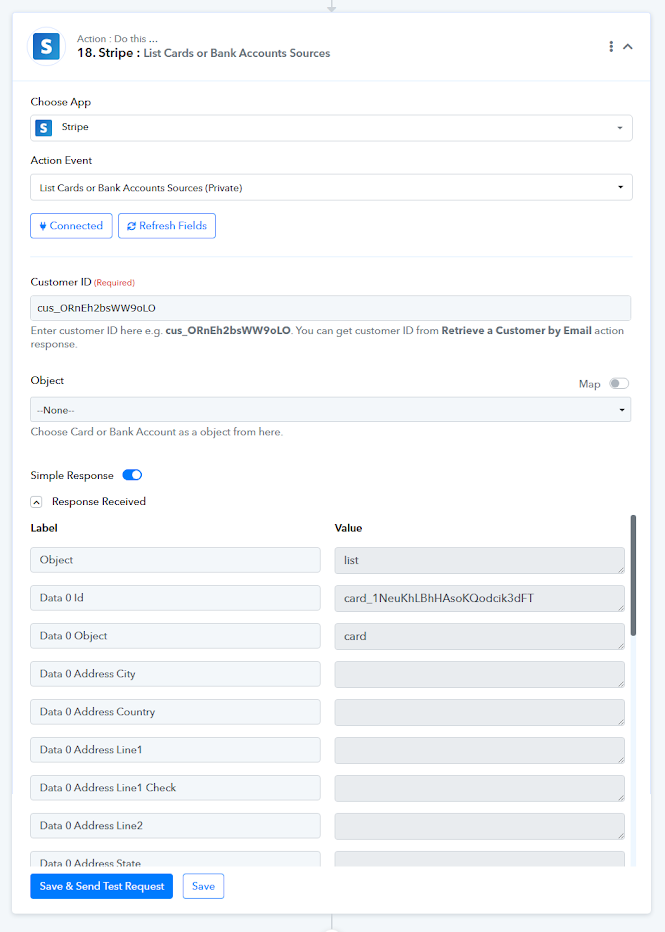
@Supreme This is great, thank you.
I will be billing existing customers so the second example is what I need, but I don't see the "List Cards or Bank Accounts Sources" action. Can you please provide me access to that?
Thank you.
Thanks for the update, the action step is live now you may give it a try.
@Supreme Thanks but it's still not working as the id is not pulling for the newer customers. Please see screen shot below.
I get the same "Response Received" whether I keep the "object" as none, card or bank account.
Attachments
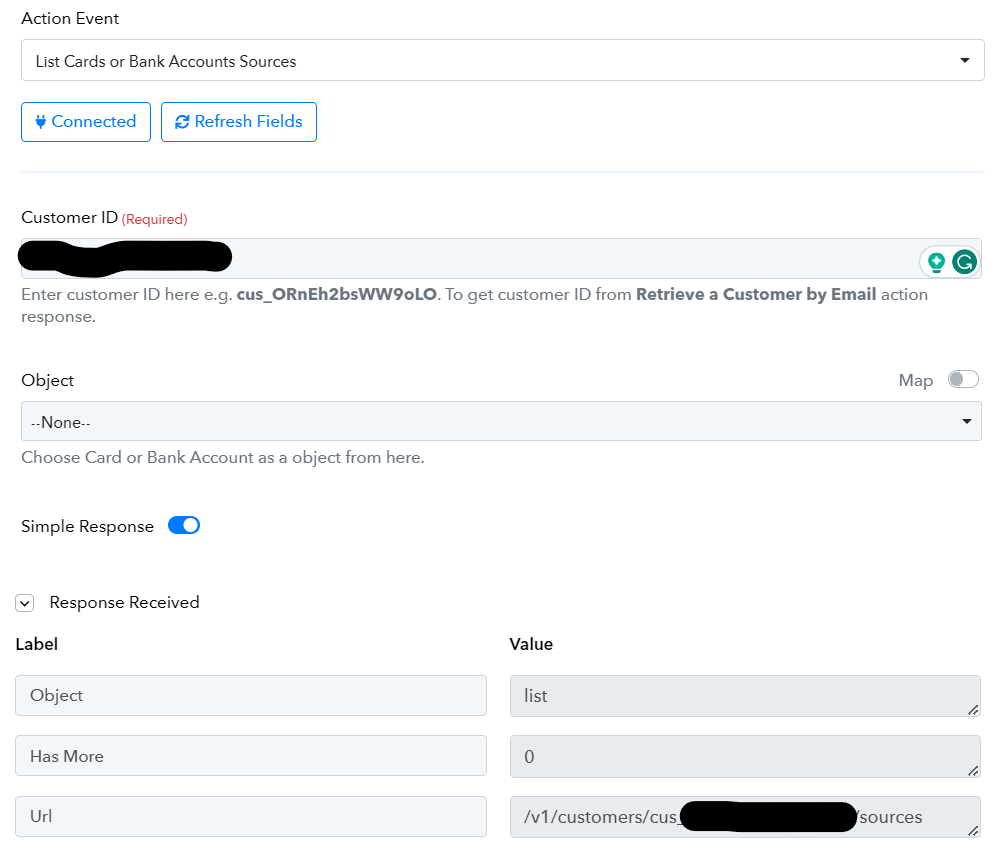
Please allow us some time, we are currently looking into it. Also can you please tell us whether that customer is associated with any payment or not?
@Supreme Thanks. Yes, the customer is associated with a payment
We've reviewed the feasible choices for including the source when generating a charge to a card. Kindly consult the provided screenshot and proceed accordingly.[IMG width="515px" alt="asdfimage (1).png"]https://forum.pabbly.com/attachments/asdfimage-1-png.30119/[/IMG]
Meanwhile, our team is looking into it, can you please tell us if you have tried the previously given workaround for the same?
Thanks @Supreme.
This doesn't work for me as I am trying to bill an existing customer, so there is no creation of anything to generate the "tok_" or the "card_".
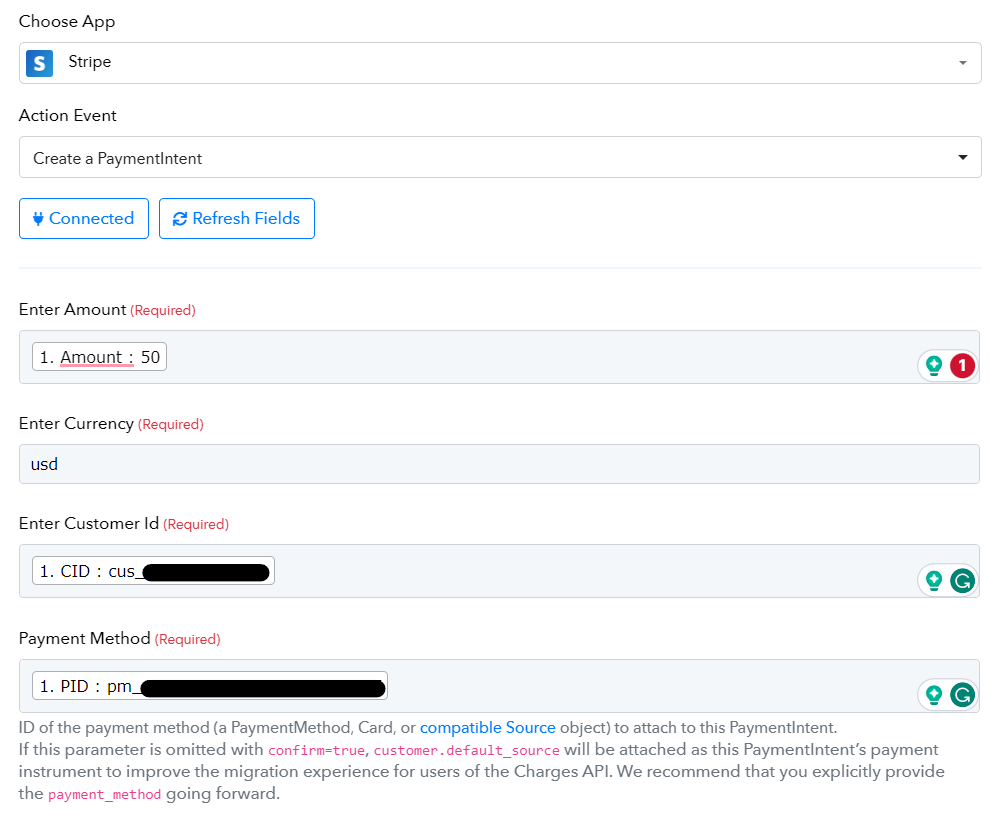
I do think I figured it out though. It is working when I use the "Create a PaymentIntent" action using the "pm_" string as the Payment Method it bills the account.
Thank you