Stripe Mailchimp campaign connection
Status: Closed · Asked by Annemarie on · 0 views
Hi,
I am trying to create a connection between stripe payment (successful) and automatise that campaign email is sent when this event occurs.
I successfully connect mailchimp with Pabbly and also choose see the name of the campaign but when I try to connect I get the response:
Bad request, error 400: Cannot send this campaign because it is currently" sent"
The campaign is already completed.
Can anyone help?I appreciate your help
Annemarie & Gregor
Hey @Annemarie
We have checked the workflow and found that you have already sent your campaign from Mailchimp. That's the reason you are getting the error message "Bad request, error 400: Cannot send this campaign because it is currently" sent".
Please select another campaign from the list to send campaigns.
Hey @AnnemarieWe have checked the workflow and found that you have already sent your campaign from Mailchimp. That's the reason you are getting the error message "Bad request, error 400: Cannot send this campaign because it is currently" sent".
Please select another campaign from the list to send campaigns.
Hello Kunal,
thank you so much for your reply.
If a campaign is not sent in the mailchimp it is actually still a draft, and a draft cannot be selected in the Pabbly to connect it. So I am not sure how to save a campaign in the mailchimp that it can be selected from the list in the pabbly connect. Is there a trick?
I am aware that the question is not directly connected to Pabbly but more to Mailchimp, but if you had an answer I would appreciate it dearly.
Kindly
Annemarie
Hey @Annemarie,
We have checked with the team and found that you can easily see the drafted campaign in the list.
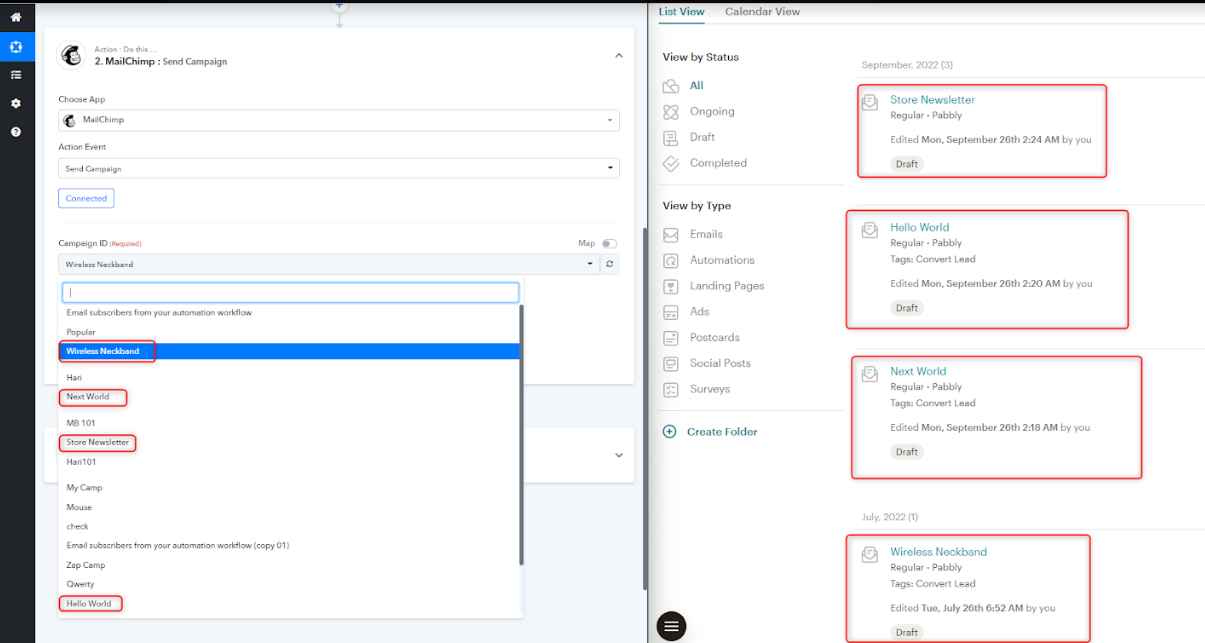
Could you please share the image of the drafted campaign and campaign id showing in the Pabbly connect for checking this scenario with the team?
Hey @Annemarie,We have checked with the team and found that you can easily see the drafted campaign in the list.
Could you please share the image of the drafted campaign and campaign id showing in the Pabbly connect for checking this scenario with the team?
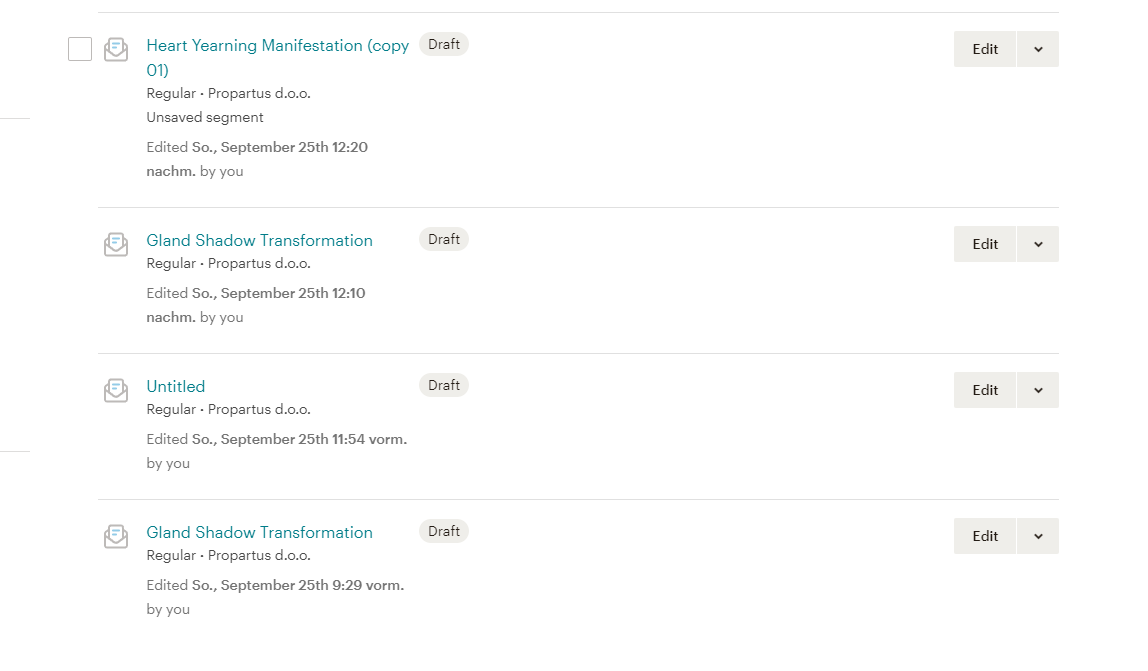
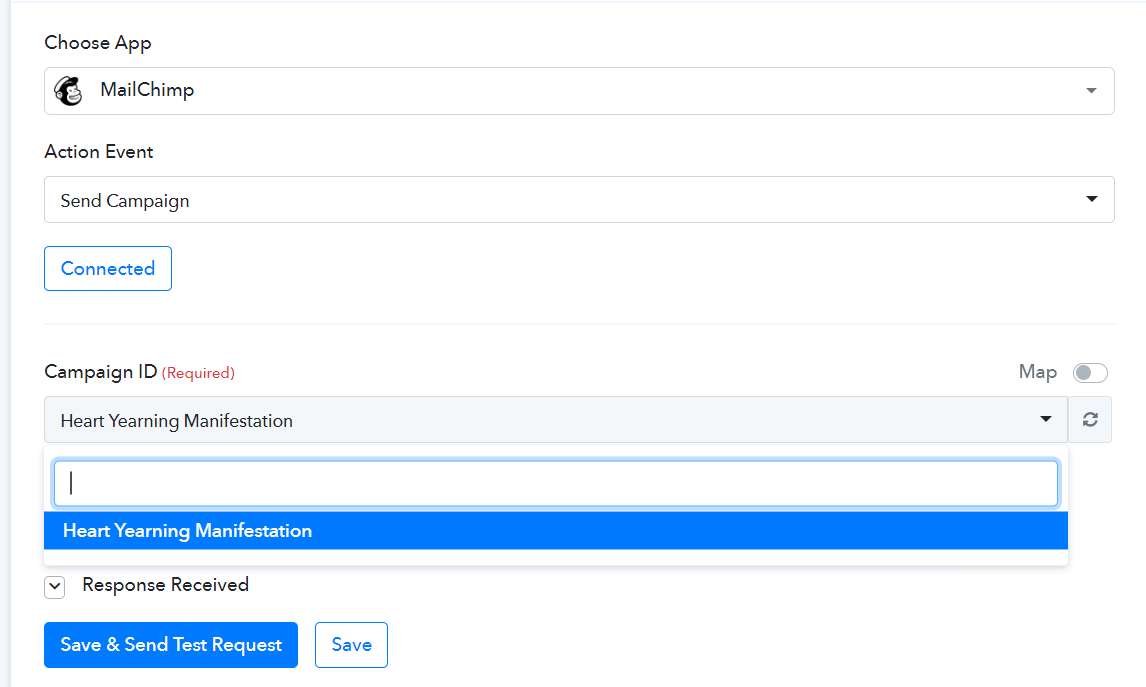
Ok, that is strange. I can still see only the sent campaign in pabbly connect. Screenshots attached.
Attachments
Hey @Annemarie
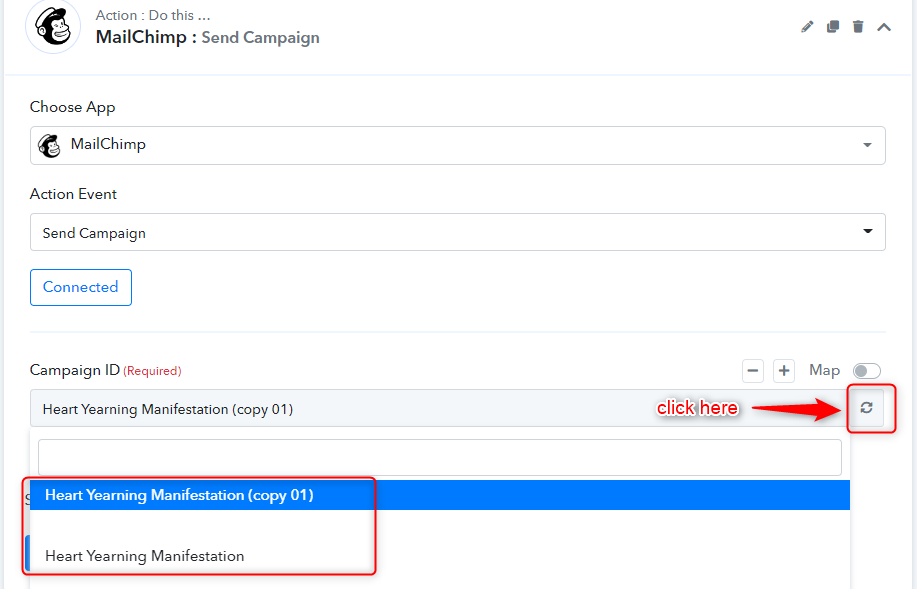
You will get the all the drafted campaign by clicking on the refresh button and the click on the campaign name.
Thanks
Kunal