Stripe - OMG so frustrating
Status: Closed · Asked by Mike Weiss on · 0 views
I just want to pull in Pabbly:
Customer Name
Customer Email
Date
Product Name
Amount
Subscription
Currency
I followed the tutorial and i got:
Name
Email
Amount Currency
I CANT GET PRODUCT NAME....
Is it me? Please help
Hey @weissm
Please use the "Retrieve an Event" action step after the trigger event and then try.
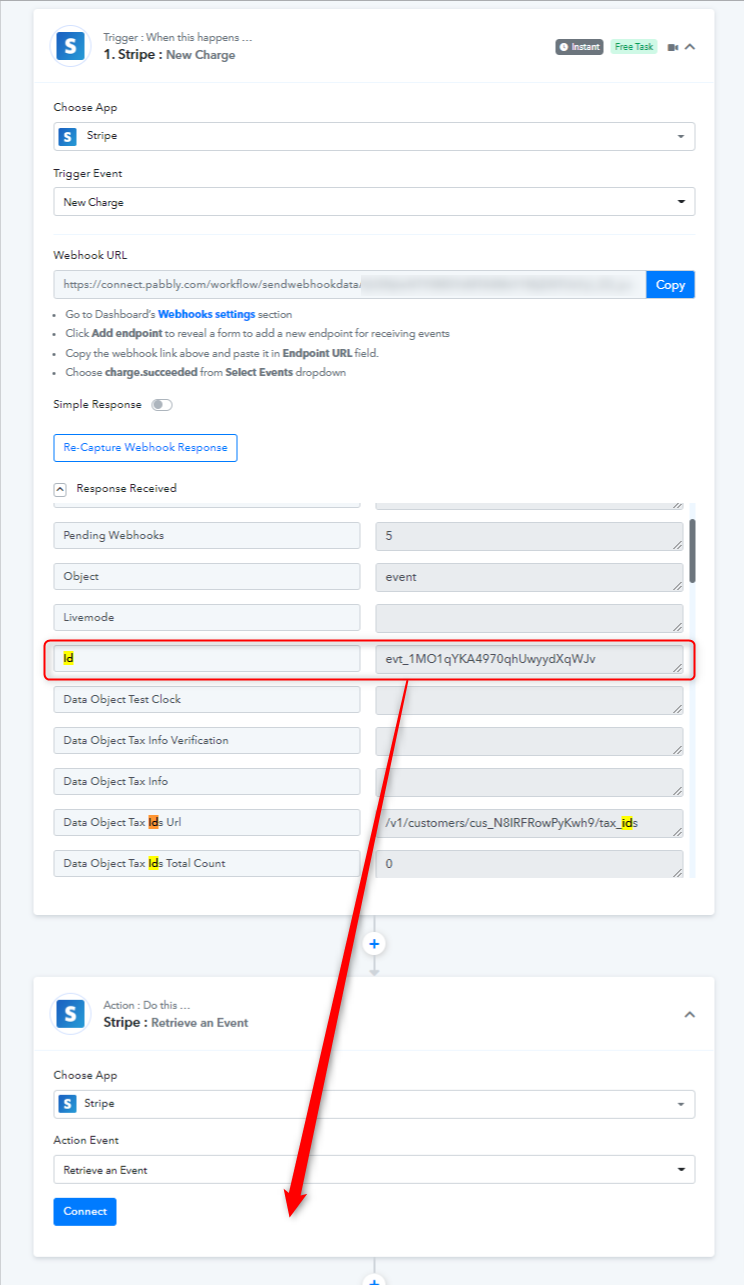
Thank you for your speedy reply... Ok first step, I get a bunch of numbers. How do i translate those numbers into a product name so the the bookkeeping and onboarding team know what the person purchased? THANKS @Supreme
Have you tried the mentioned action event in your workflow? So that we can look into the response and guide you accordingly.
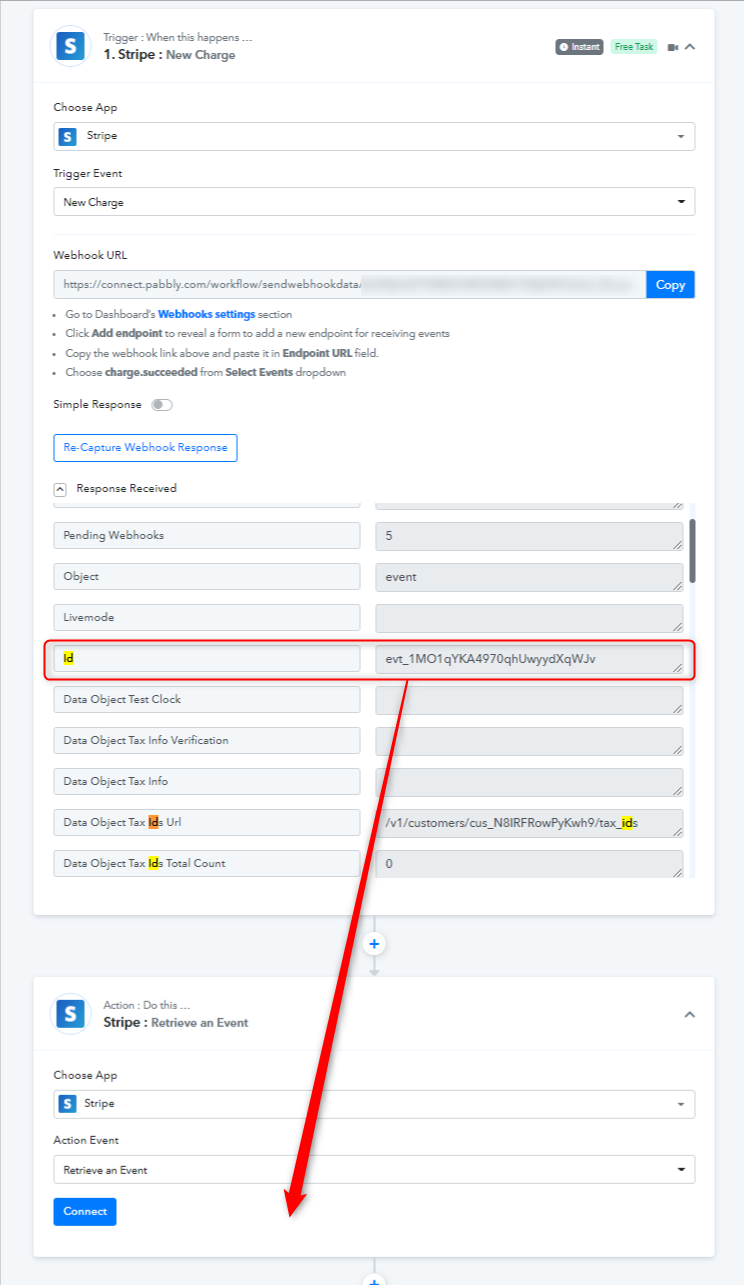
@Supreme can you explain this: "Have you tried the mentioned action event in your workflow? So that we can look into the response and guide you accordingly."
Hey @weissm
Yes, that might help you retrieve additional data from the stripe's trigger response with the help of Event Id.
Kindly give it a try and let us know.
I dont know what you are talking about: ->> @Supreme
"Yes, that might help you retrieve additional data from the stripe's trigger response with the help of Event Id.
Kindly give it a try and let us know."
WHAT am I supposed to give a try?
Please give me instructions so i can follow you step by step.
thanks
Please make a new connection first and then pass the event id in the action step as mentioned in the above action step.
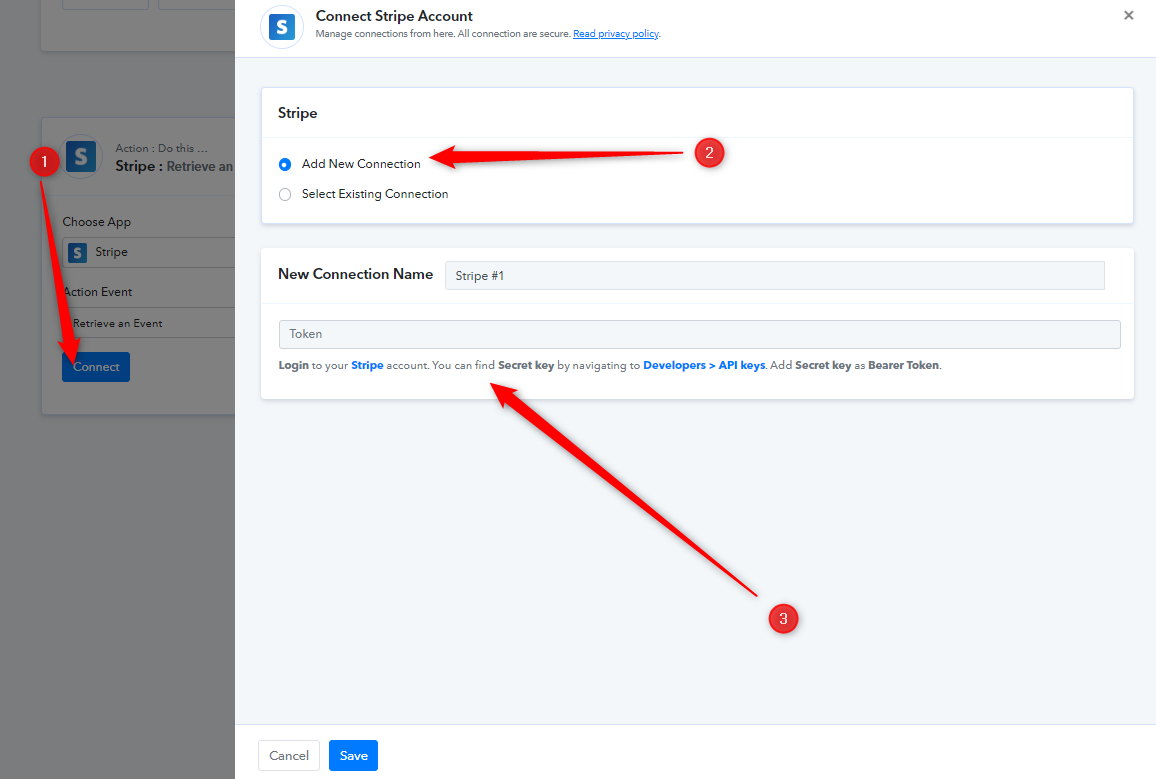
@Supreme can you check now if I have done what you requested? thanks
Please allow us some time, we are currently looking into it.
I just want to pull in Pabbly:
Customer Name
Customer Email
Date
Product Name
Amount
Subscription
Currency
Hey @weissm
Please try the "Stripe: Retrieve an Invoice by id" action step once and then try you will get the product name and customer details.
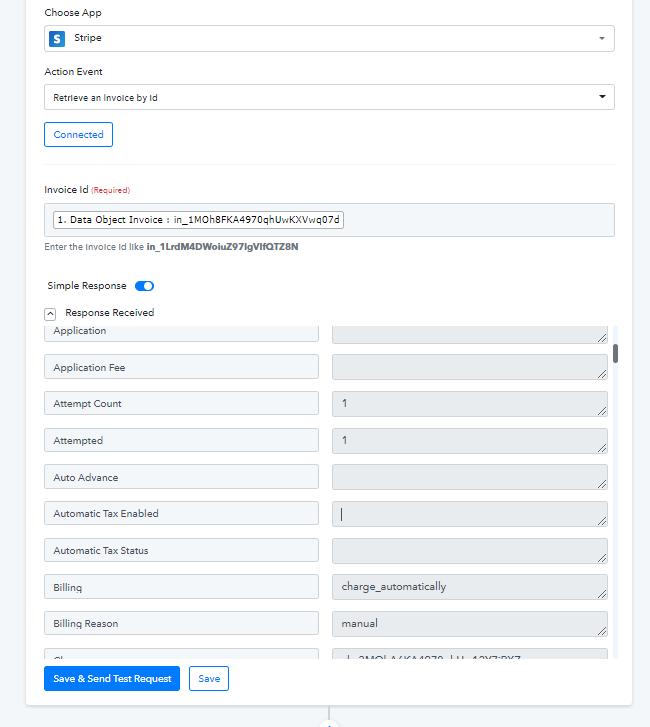
@Supreme please set this up on your end and take screen shots or a loom of what EXACTLY i am supposed to do...
1) what do i do with this: Stripe: Retrieve an Invoice by id
2) what does my final sequence look like
3) this has become all too confusing
Once i see your final configuartion, i can build it..
OR you can build it in my application
thanks!!!
@Supreme will you be sending this soon
Hey @weissm
Please check your workflow once the action step, the product name along with the customer's name is all mapped accordingly.
Kindly try it and let us know if that works for you.
I dont understand what you want me to do: Please check your workflow once the action step, the product name along with the customer's name is all mapped accordingly.
I am asking for you to shoot a loom of how to do it so i can set it up correclty
@Supreme
Hey @weissm
Please check your workflow once the action step, the product name along with the customer's name is all mapped accordingly.
We have mapped the product name from the get action step of the product in your workflow and according to it, all the fields are mapped correctly for you.
I am asking for you to shoot a loom of how to do it so i can set it up correclty
Everything is set up correctly.
We only want you now to test the complete automation by making a charge from your Stripe account.
i just made a charge for $297 subscription. real client charge. did it work correctly?
Hey @weissm
Yes, it will work correctly. Please let me know if it is not working for you. Kindly share the details for checking it.