Stripe or Paypal Delayed Payments
Status: Closed · Asked by Imperium Ultra on · 0 views
I am using Amelia and I need to be able to take payments automatically on date of appointment instead of taking payments at time of booking, is there a way I can do this using Pabbly Connect?
Thank you.
Hey @Quint
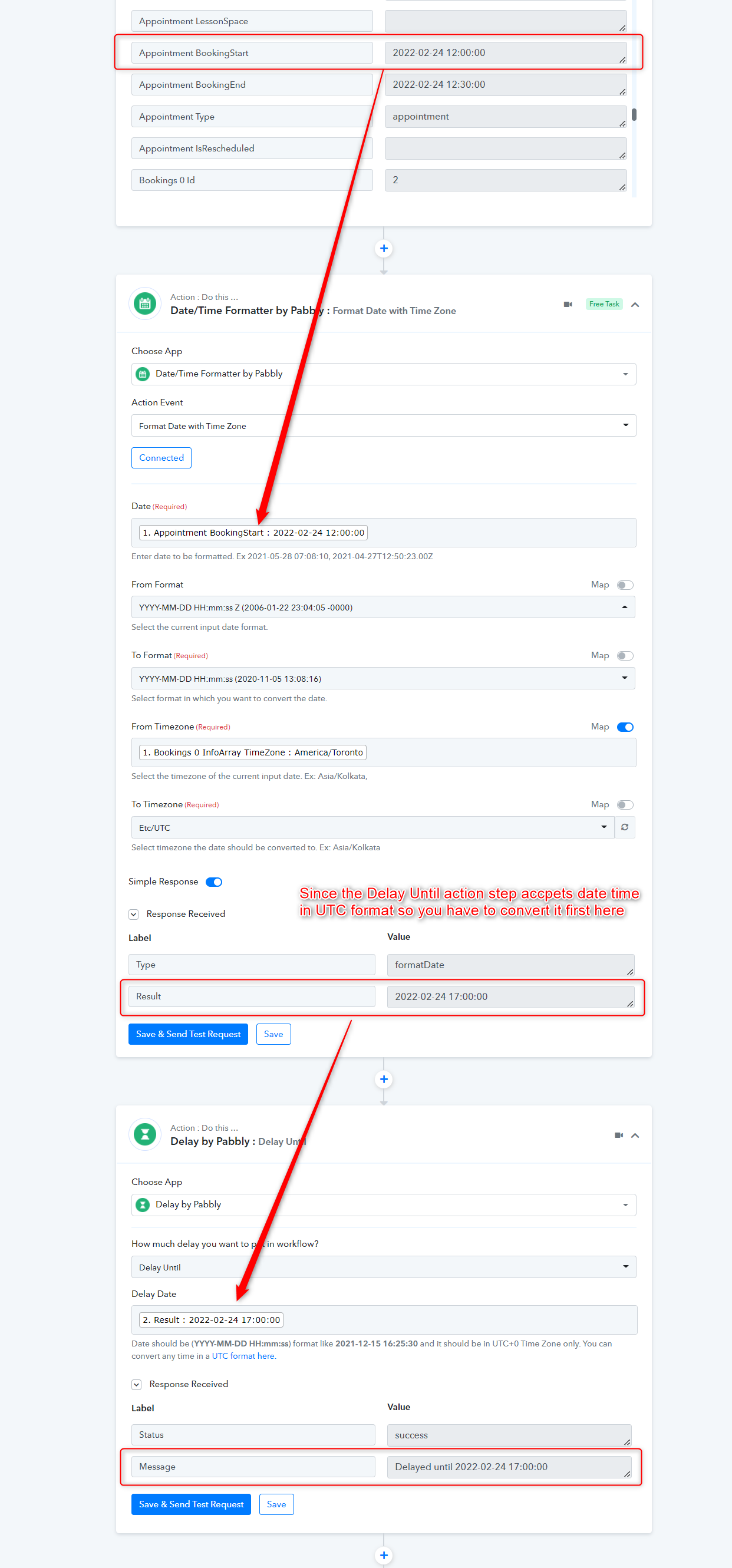
To delay the next action step in your workflow you can use the "Delay: Until" action step where you can assign a date and time to process it in that particular interval.
Please check out the following screenshot for a better understanding. Kindly try this at your end and let us know if that works for you.
I hope this might help you out.
Hi @Supreme,
The problem is stripe still takes the payment right away cause its integrated with amelia.
I tried leaving stripe in test mode to see if I can pull the card data from amelia then use pabbly to create a customer and use your method but I don't see the card data in pabbly.
Thanks
Hey @Quint
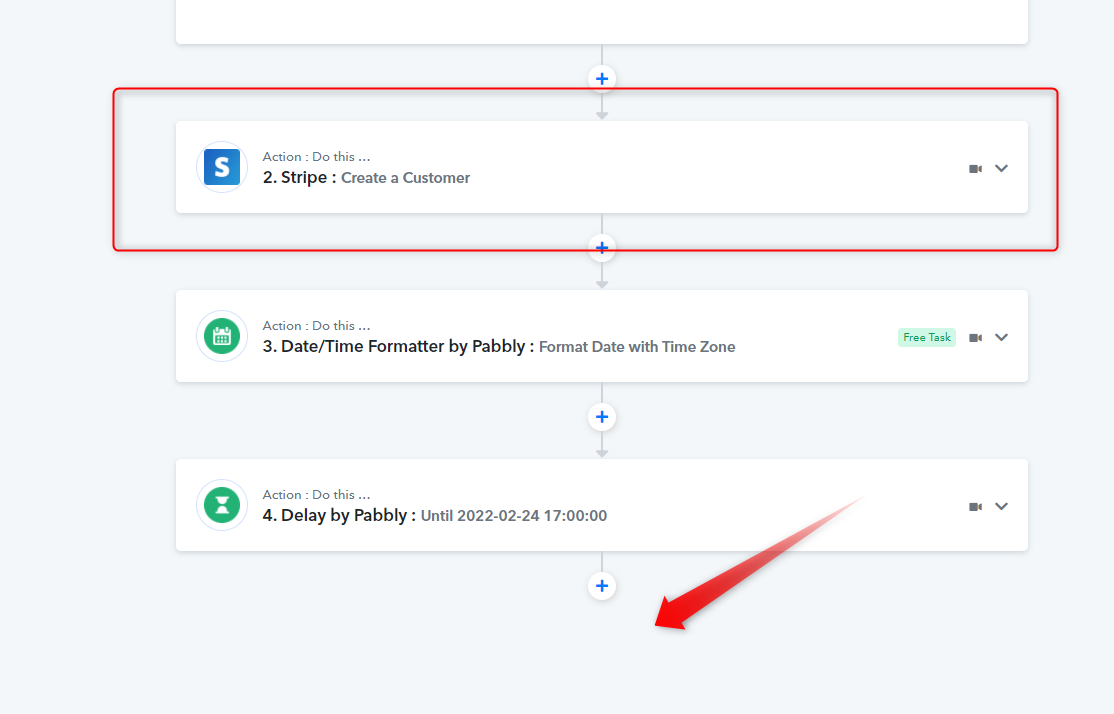
You have to add the Strip action event at the end of your workflow to work according to your use case.
Hi @Supreme
Yes I understand but I don't see the card data in Pabbly I want to be able to create a customer and payment method.
Thanks
Hey @Quint
Could you please explain your query clearly, since the workflow is creating a customer accordingly?
Hi @Supreme
I need to be able to pull the credit card data and save it to the customer as a payment method, I can create the customer but I cant pull the credit card data. I think it may be because Amelia doesn't pull that info.
Thanks Supreme
Hey @Quint
I need to be able to pull the credit card data and save it to the customer as a payment method, I can create the customer but I cant pull the credit card data. I think it may be because Amelia doesn't pull that info.
Neither of the application doesn't allow you to retrieve the card payment details via API, so it is not possible to pull the desired data from your customers' payment.