Stuck on creating flow with WATI and Woocomerce
Status: Closed · Asked by Subin Kumar on · 0 views
I have created a flow Woocommerce and WATI to send an order confirmation on WhatsApp. Now I wanted to create another task, if the order status changed to shipped I need to send another whatsapp message to the same customer. How can I do this?
Hey @vmpetsmart
You can try the Filter action step and use the Order status label field where you can manually type the name of the status which you want to process.
Kindly try this at your end and let us know if that works for you.
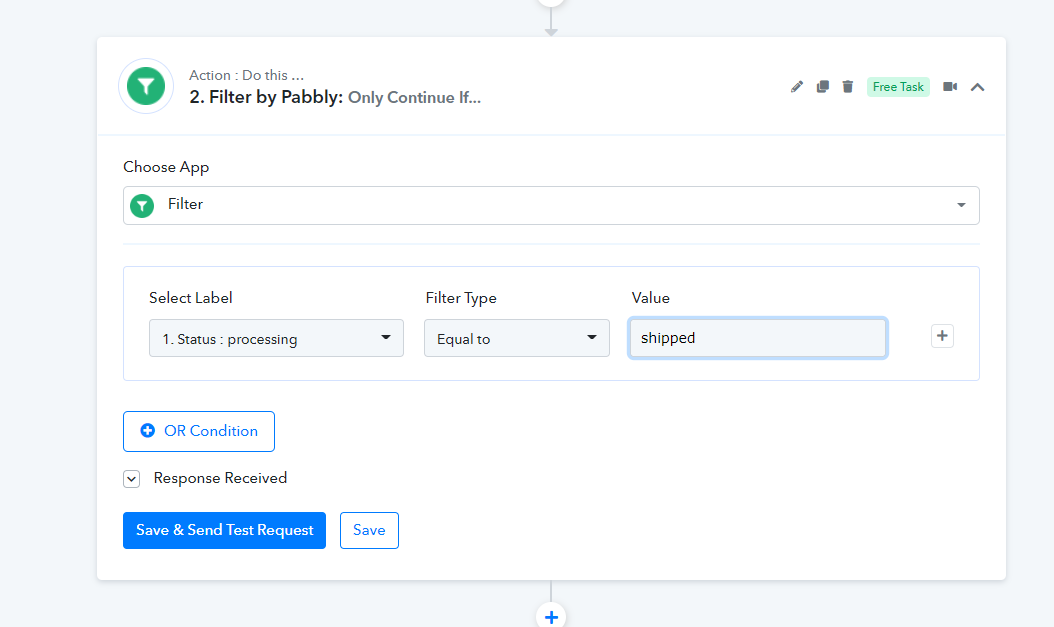
Hey @vmpetsmartYou can try the Filter action step and use the Order status label field where you can manually type the name of the status which you want to process.
Kindly try this at your end and let us know if that works for you.
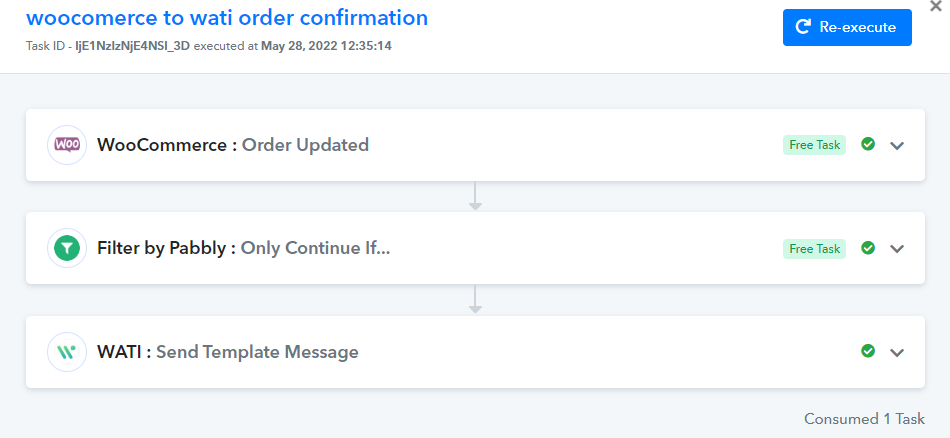
I am sharing my flow here.
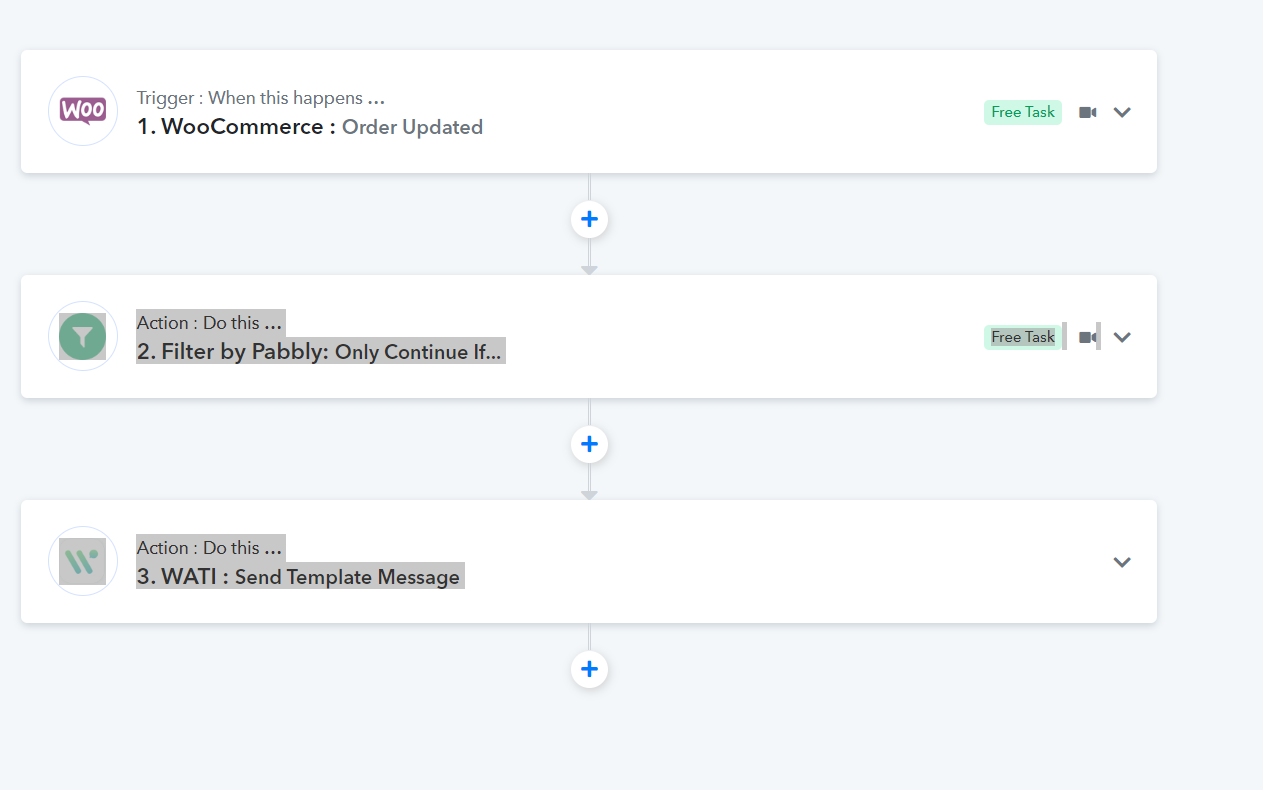
when this flow completed I need to sent the user with their tracking link on whatsapp. What I have did is add one more filter to get the status as shipped, but test response is error
Hey @vmpetsmart
We understood your concern, kindly place the filter condition to shipped and manually type the message as Shipped in the next action step, so that it will always send the message when an order gets shipped. Though setting up the filter condition will give you false results in the initial setup but will run accordingly in automation.
Please check out the following video tutorial on your basic understanding of the Filter action step.
yes but i need map the data of tracking link from the last filer response. If the response is error, how can retrieve the data and map to the next action
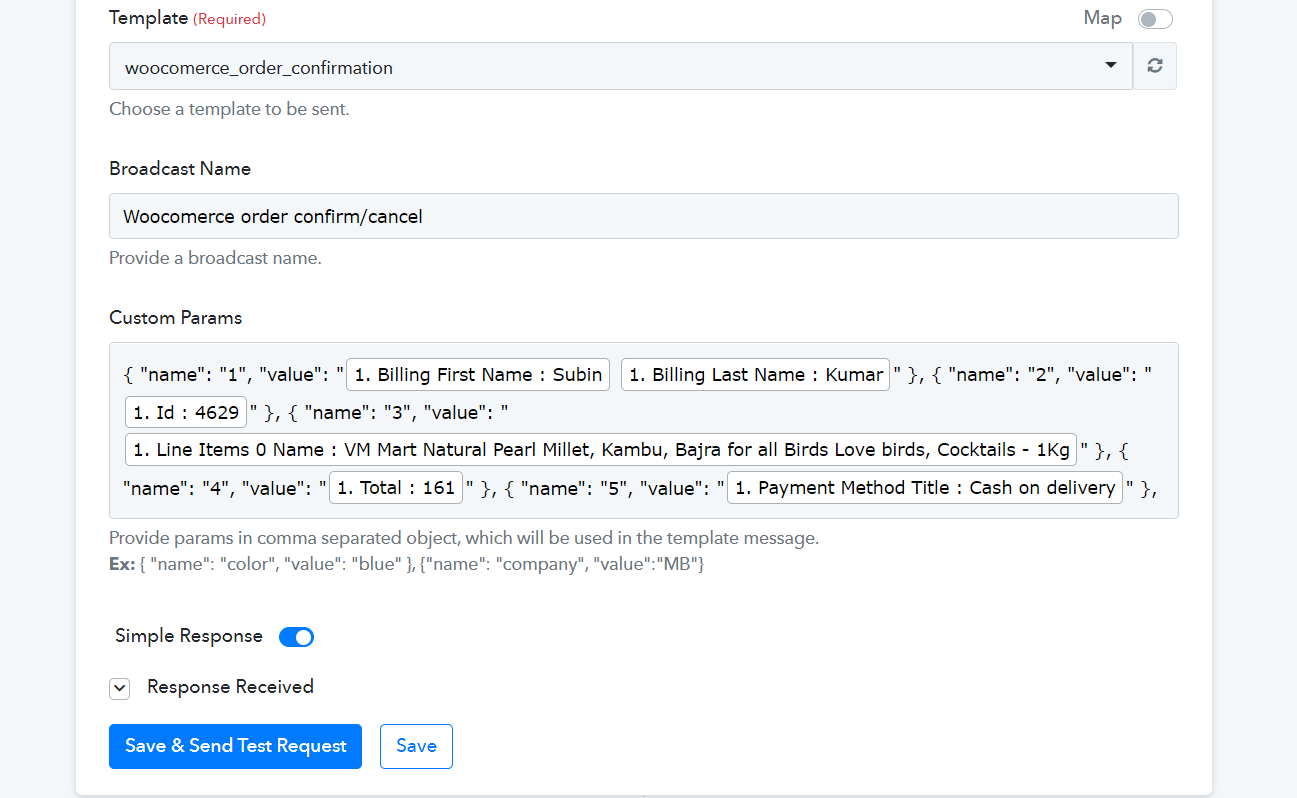
above custom parameters are fetched from woocomerce order, So after I applying the filter as shipped ->where can get the mapping data?
Hey @vmpetsmart
Could you please tell us that have you created a custom order status for "Shipped" in your WooCommerce?
Yes, When the order status changed to shipped from processing, I need to trigger a whatsapp template message.
Hey @vmpetsmart
Please tell us that have you created a custom order status for "Shipped" in your WooCommerce?
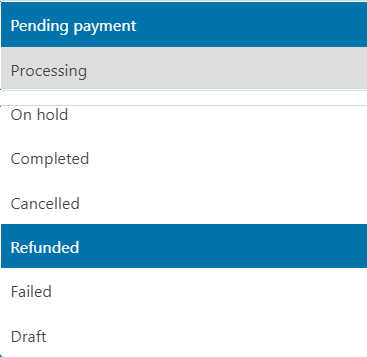
Actually I have renamed the Completed status as Shipped in woocomerce.

this is my whatsapp template. Now i need to fetch the above parameters.
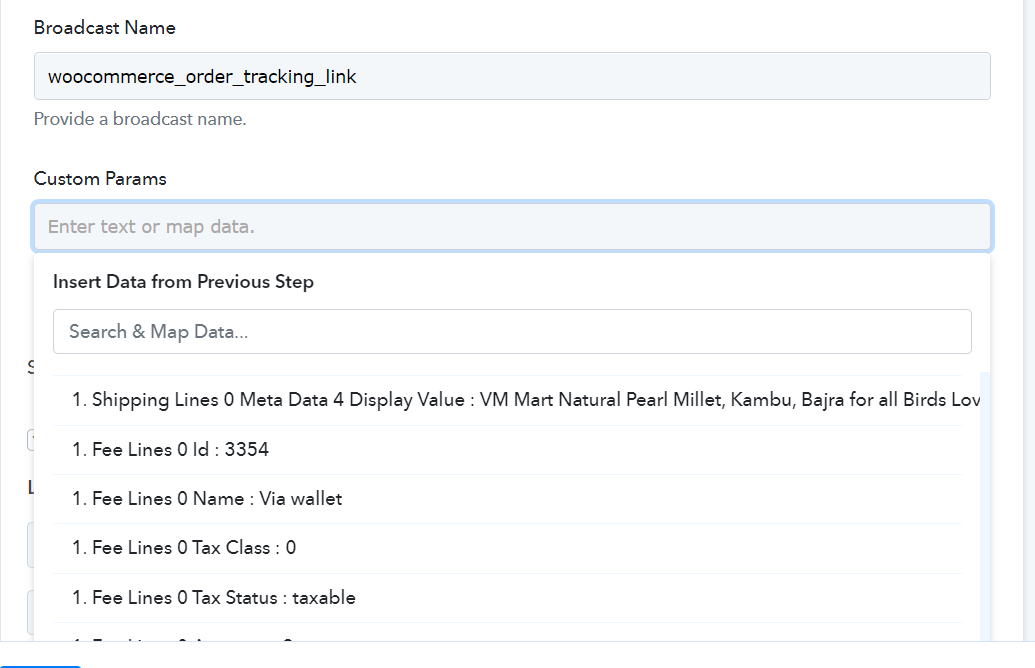
Those parameters were not available on pabbly system woocomerce, because of the filter doesn't getting the response as true.
Please help me into this, I am stucking for more than week.
Hey @vmpetsmart
If you have used the Completed order status as "Shipped" then you can simply use it in the filter condition and set the WhatsApp API accordingly for the order which is shipped.
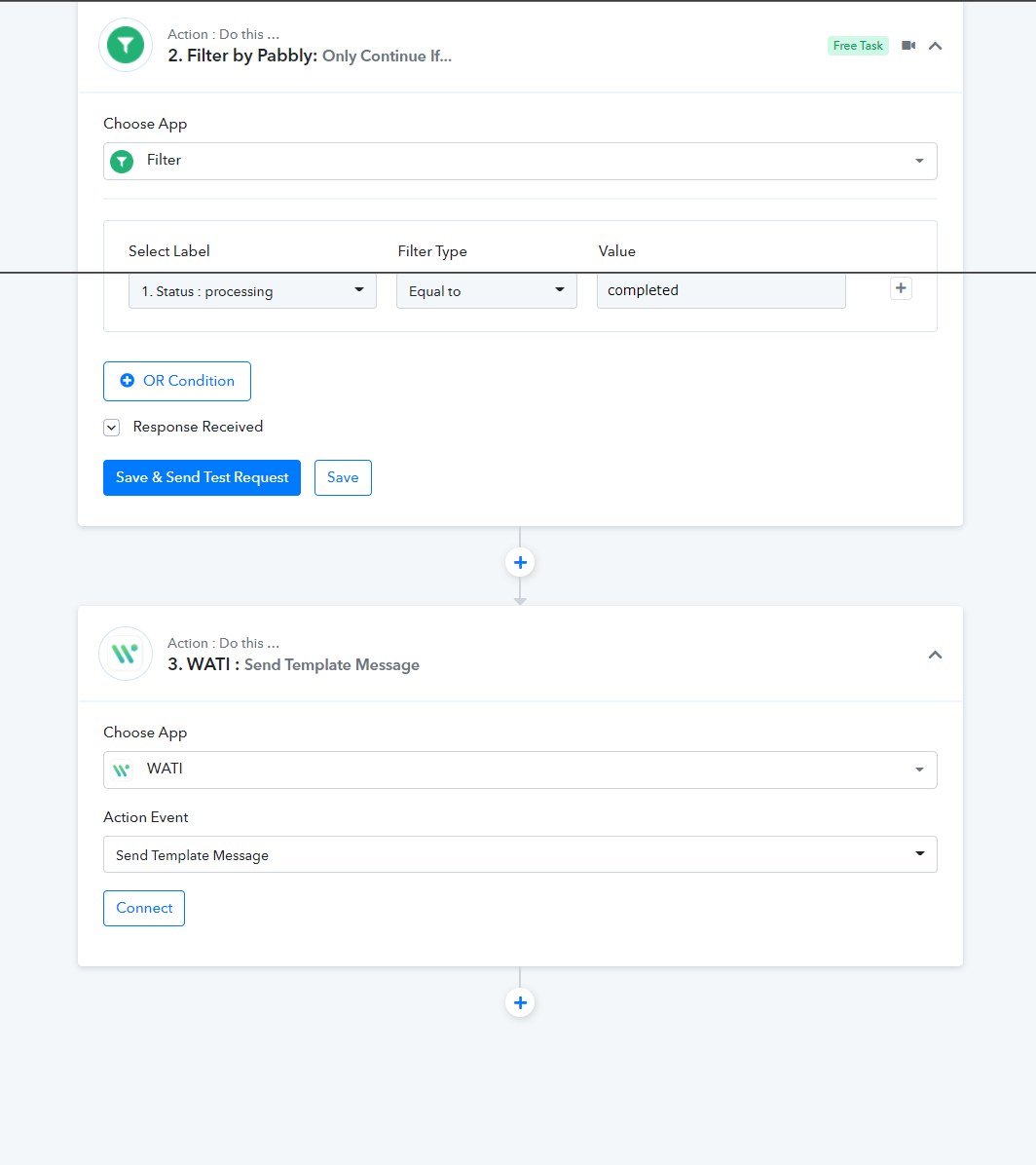
@Supreme ok. let me try this and update
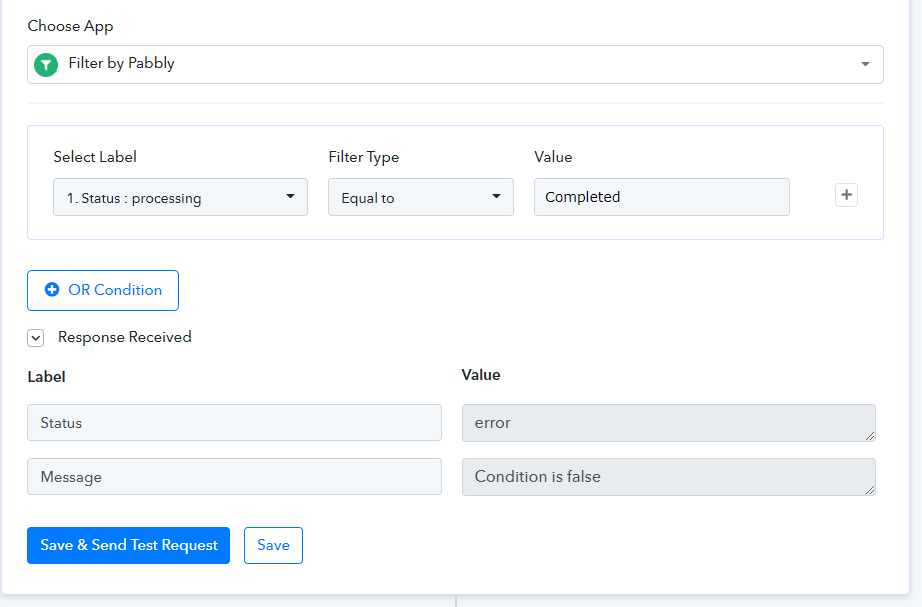
@Supreme . Test response is not getting.
Hey @vmpetsmart
Kindly avoid the initial setup response since you didn't have the correct values in the filter condition.
So, please give it a live test submission at your end and let us know if that works for you.
Hey @vmpetsmartKindly avoid the initial setup response since you didn't have the correct values in the filter condition.
So, please give it a live test submission at your end and let us know if that works for you.
I have tested it live. since there is no data received from it. The only problem is my filter condition status is not getting result. Only if getting the result means I can map the data for my WhatsApp template.
Hey @vmpetsmartKindly avoid the initial setup response since you didn't have the correct values in the filter condition.
So, please give it a live test submission at your end and let us know if that works for you.
I have an API details with me. Can you help which value to be filled in which places.
This is for retrieving my order tracking number and details
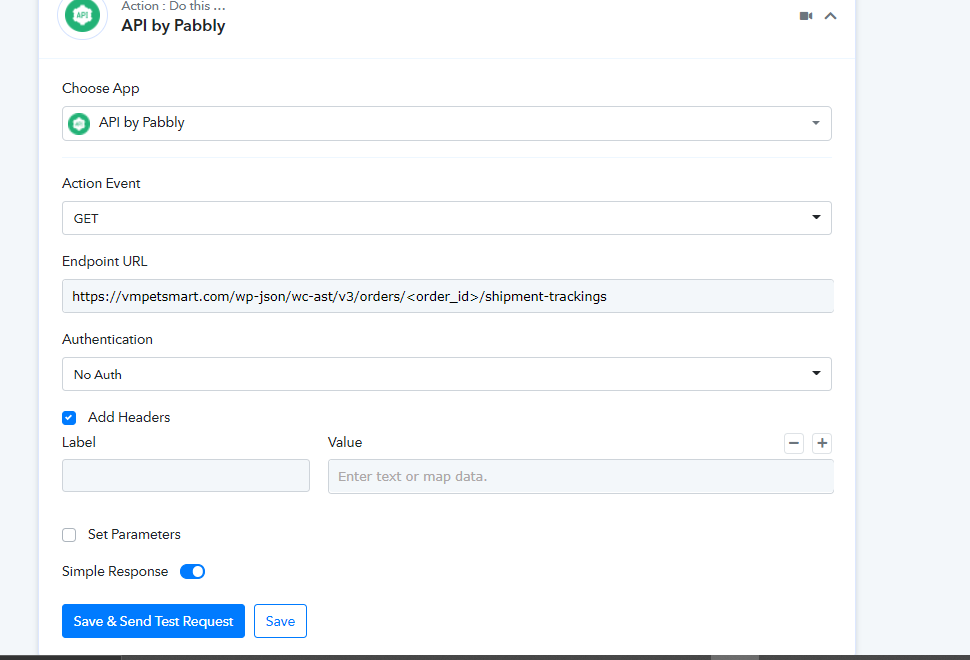
Above is the page I am connecting to by API.
Below images are the documentation provided by the plugin author website which I have connected with me woocomerce.
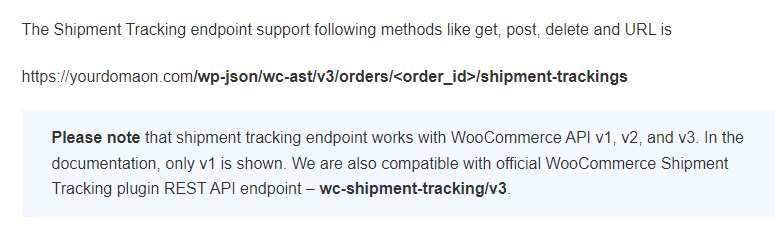
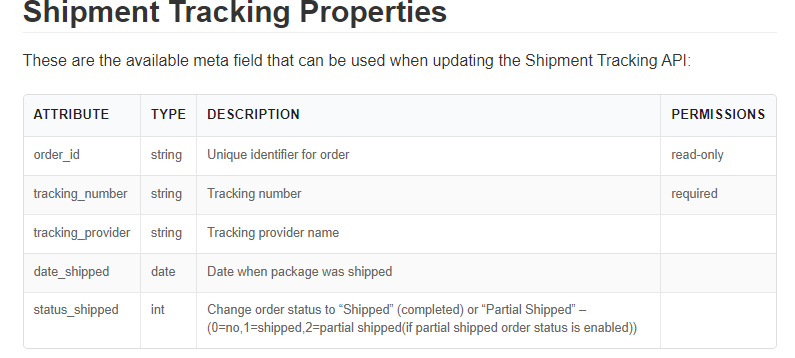
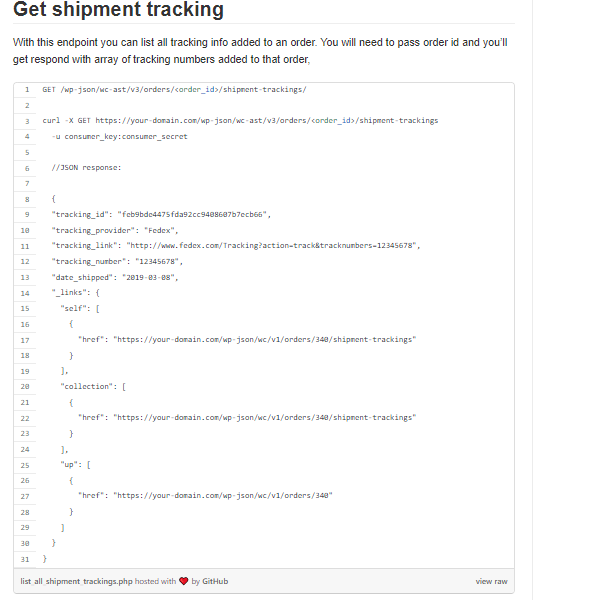
Hey @vmpetsmart
I have tested it live. since there is no data received from it. The only problem is my filter condition status is not getting result. Only if getting the result means I can map the data for my WhatsApp template.
As we can see from your recent workflow history logs your workflow is processing the WooCommcerce Order correctly as per your filter condition.
I have an API details with me. Can you help which value to be filled in which places.
This is for retrieving my order tracking number and details
[IMG width="183px" alt="1654089571528.png"]https://forum.pabbly.com/attachments/1654089571528-png.11527/[/IMG]
Above is the page I am connecting to by API.
Below images are the documentation provided by the plugin author website which I have connected with me woocomerce.[IMG width="262px" alt="1654089645660.png"]https://forum.pabbly.com/attachments/1654089645660-png.11528/[/IMG]
[IMG width="266px" alt="1654089714601.png"]https://forum.pabbly.com/attachments/1654089714601-png.11529/[/IMG]
[IMG width="212px" alt="1654089765660.png"]https://forum.pabbly.com/attachments/1654089765660-png.11530/[/IMG]
Kindly share the complete API documentation URL for the same.
@Supreme
https://docs.trackship.info/docs/trackship-for-custom-store/api-requests-authentication/
https://docs.trackship.info/docs/trackship-for-custom-store/create-shipment/
https://docs.trackship.info/docs/trackship-for-custom-store/api-reference/
https://www.zorem.com/docs/woocommerce-advanced-shipment-tracking/rest-api-support/
Hey @vmpetsmart
Please check out the following screenshot for using "Add Shipment tracking" in API by Pabbly, kindly use "custom request" to use the API.
In a similar way, you can design other action steps too at your end.
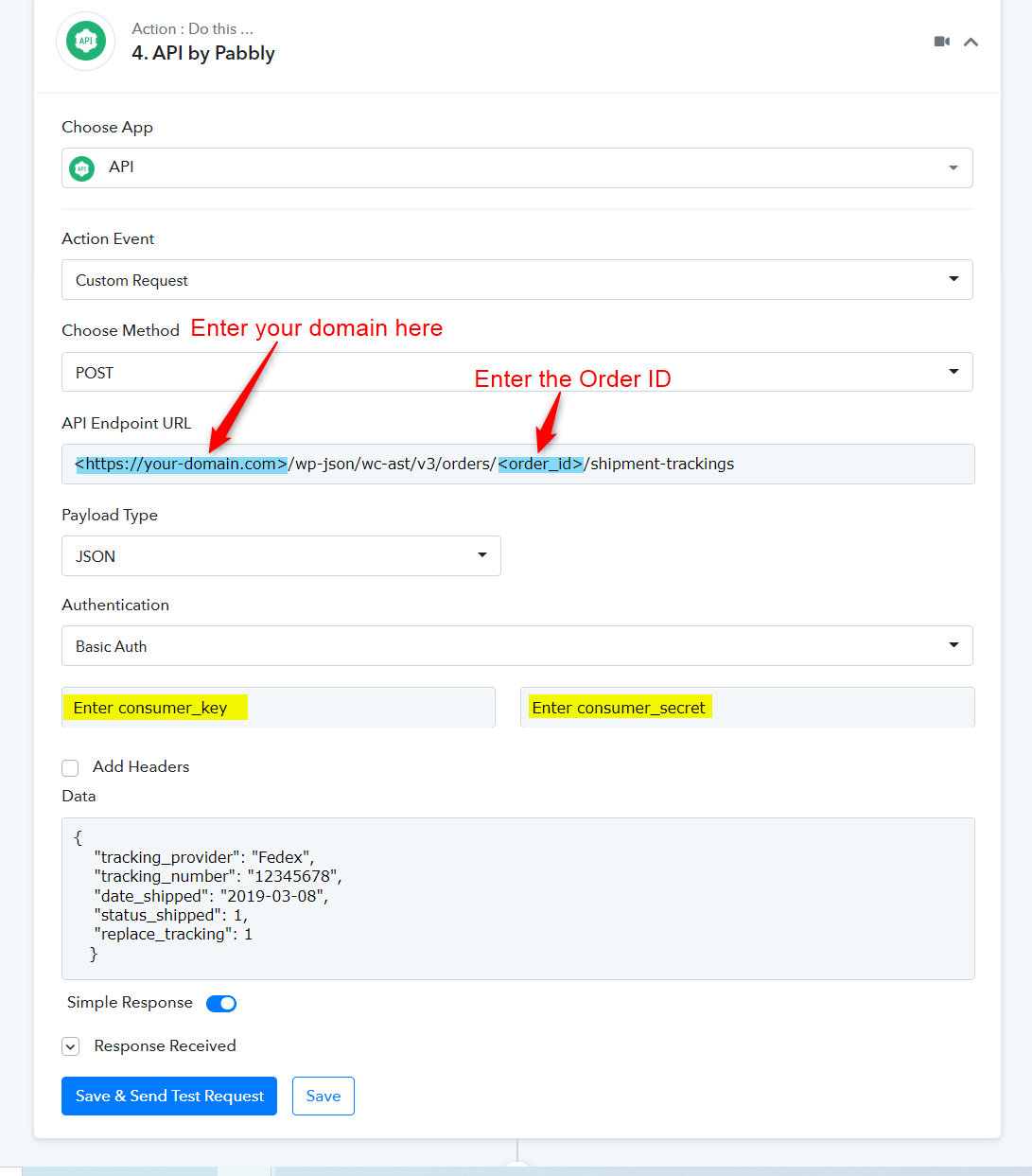
Hey @vmpetsmartPlease check out the following screenshot for using "Add Shipment tracking" in API by Pabbly, kindly use "custom request" to use the API.
In a similar way, you can design other action steps too at your end.
Thanks for your help, friend. This reference is to add shipment tracking. But I want to get shipment tracking. Is that same like before steps?
Yes, I have followed the reference document. It works and I am getting responses now.
Thanks for your help.
Solved.
It works! @Supreme
Now back to my template, it has a CTA Button with URL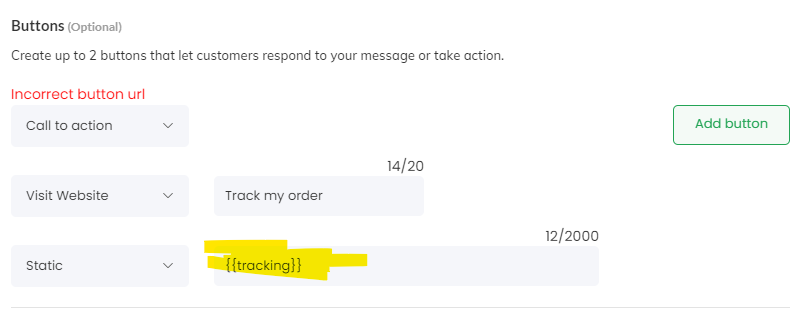
. I have got the tracking link from the below step now.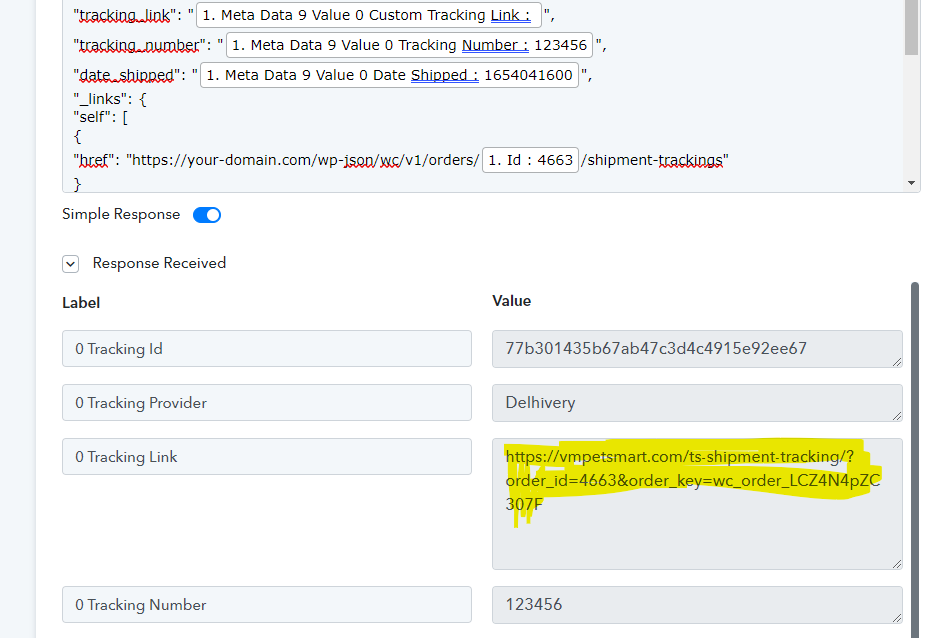
My question:
Template URL is incomplete, it should be like this https://vmpetsmart.com/{{1}} . But the response received already has the https:
How can I then separate the URL and map with the same template?