SyntaxError: Invalid or unexpected token when use javascript code
Status: Closed · Asked by ti saigon on · 0 views
Hi
i use simple flow with test code from topic but error "SyntaxError: Invalid or unexpected token"
My current code from https://forum.pabbly.com/threads/javascript-code-by-pabbly.9884/
please help
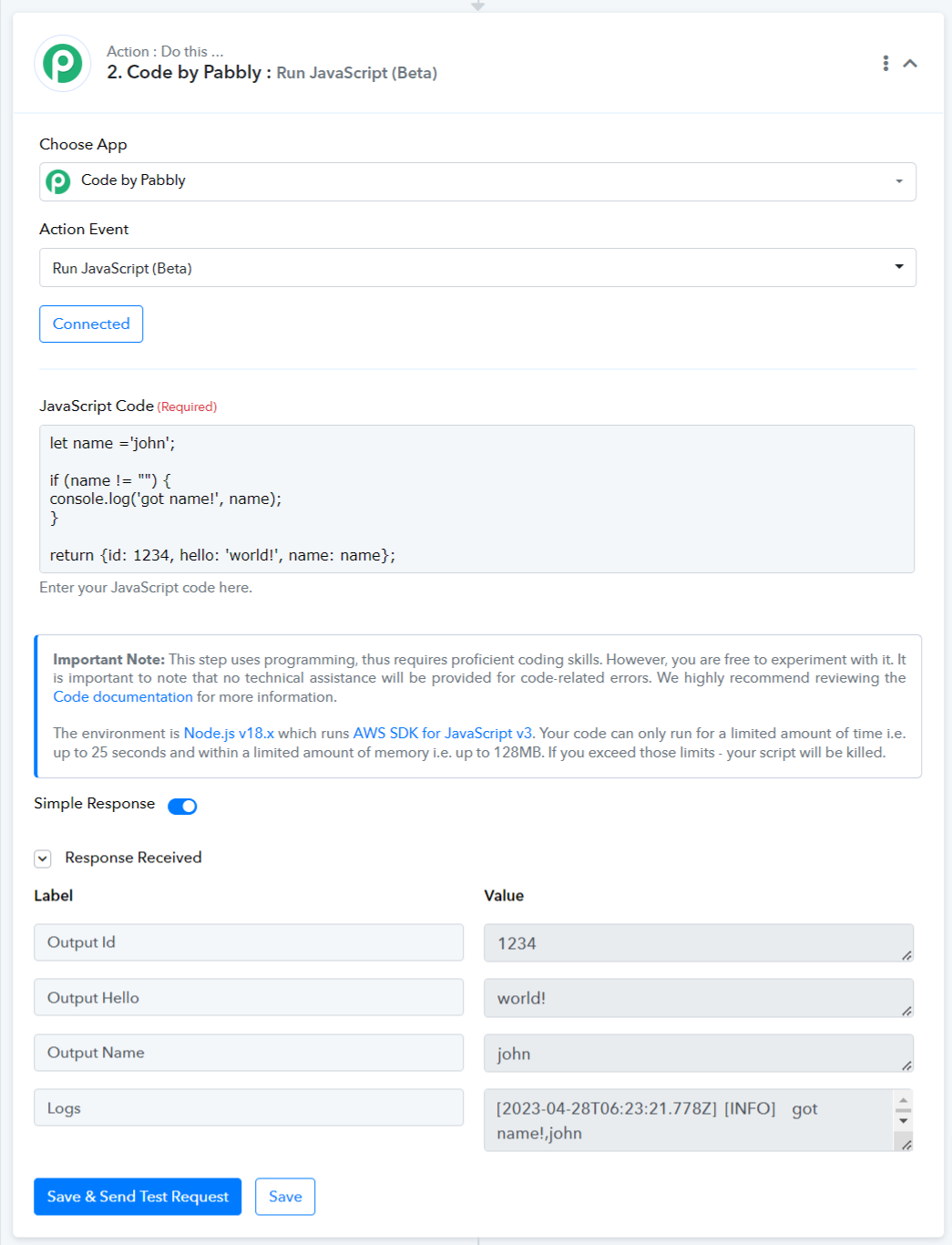
let name ='john';if (name != "") {
console.log('got name!', name);
}return {id: 1234, hello: 'world!', name: name};
Hey @tisaigon,
I tried running your code using Code by Pabbly: Run JavaScript (Beta), and it returned a correct response. I recommend that you try running the code again on your end and let us know of any issues.
Thanks @@ArshilAhmad
my flow
https://connect.pabbly.com/workflow/mapping/IjU3NmQwNTY4MDYzMjA0Mzc1MjZiNTUzNCI_3D_pc
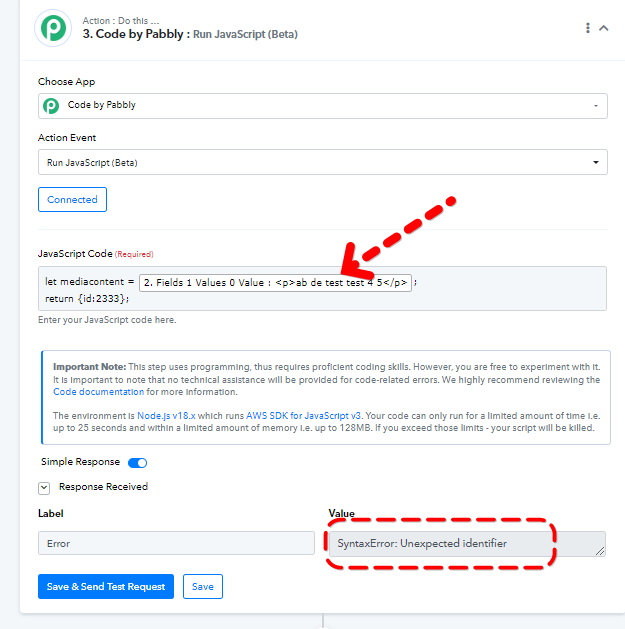
same issue with simple code for testing
Attachments
Hey @tisaigon,
There seems to be some issue with your code please check and try again.
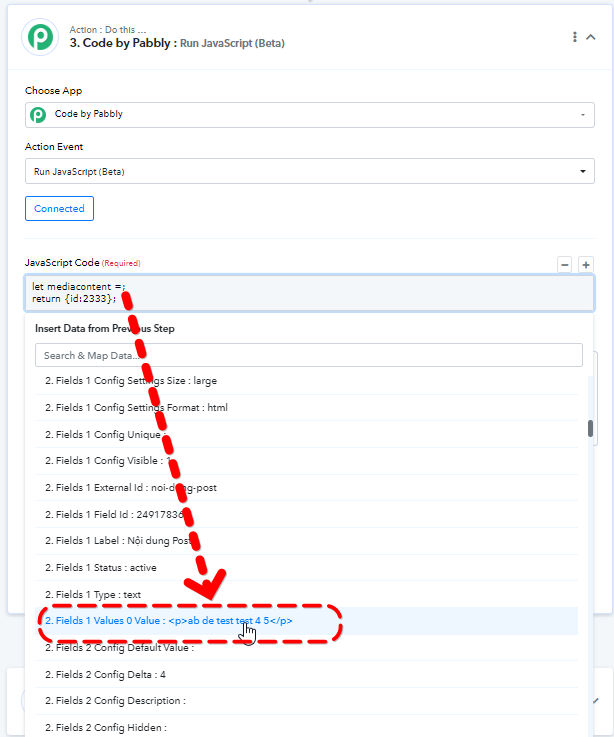
CAn i define variable like screenshot?
Let X = output of pre step?
thank you
@tisaigon, The code you are running contains an error. We have fixed the code by adding double quotes to it, and you can do the same on your end. Yes, you can define the variable like you did in the screenshot.
Please note that Code by Pabbly requires proficient skills. We kindly request that you test your code on a compiler to ensure it is functioning correctly. If you are unable to resolve any issues, we suggest seeking the help of a developer. Unfortunately, we will not be able to assist you further with fixing your code.
Please feel free to contact us if you have any other questions. Thank you.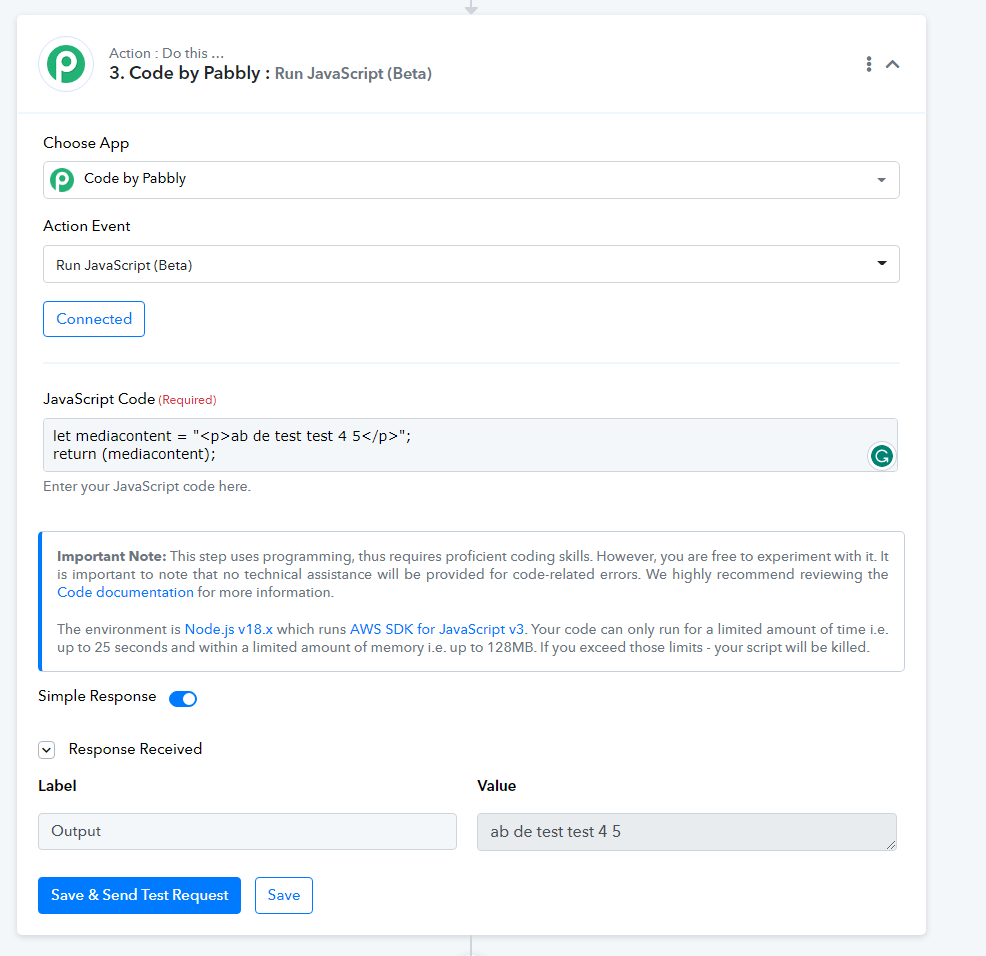
Sorry @@ArshilAhmad
in your above code, let mediacontent = string, and different with my code
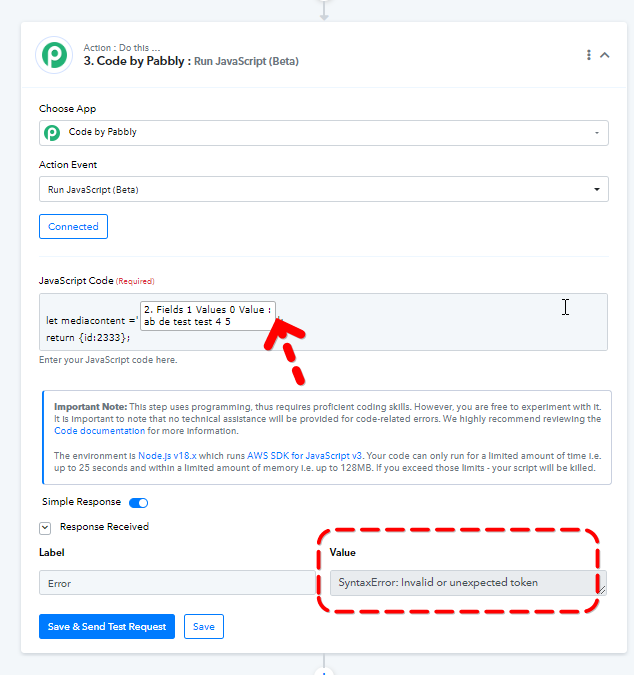
let mediacontent = variable from output of last Step
Same error when i add quote before and after :
let mediacontent ='2. Fields 1 Values 0 Value :ab de test test 4 5';
return {id:2333};
Thank you
My workflow:
https://connect.pabbly.com/workflow/mapping/IjU3NmQwNTY4MDYzMjA0Mzc1MjZiNTUzNCI_3D_pc
Attachments
fixed, thank you