Tags not working when creating a Deal in Zoho CRM
Status: Closed · Asked by manavmash on · 0 views
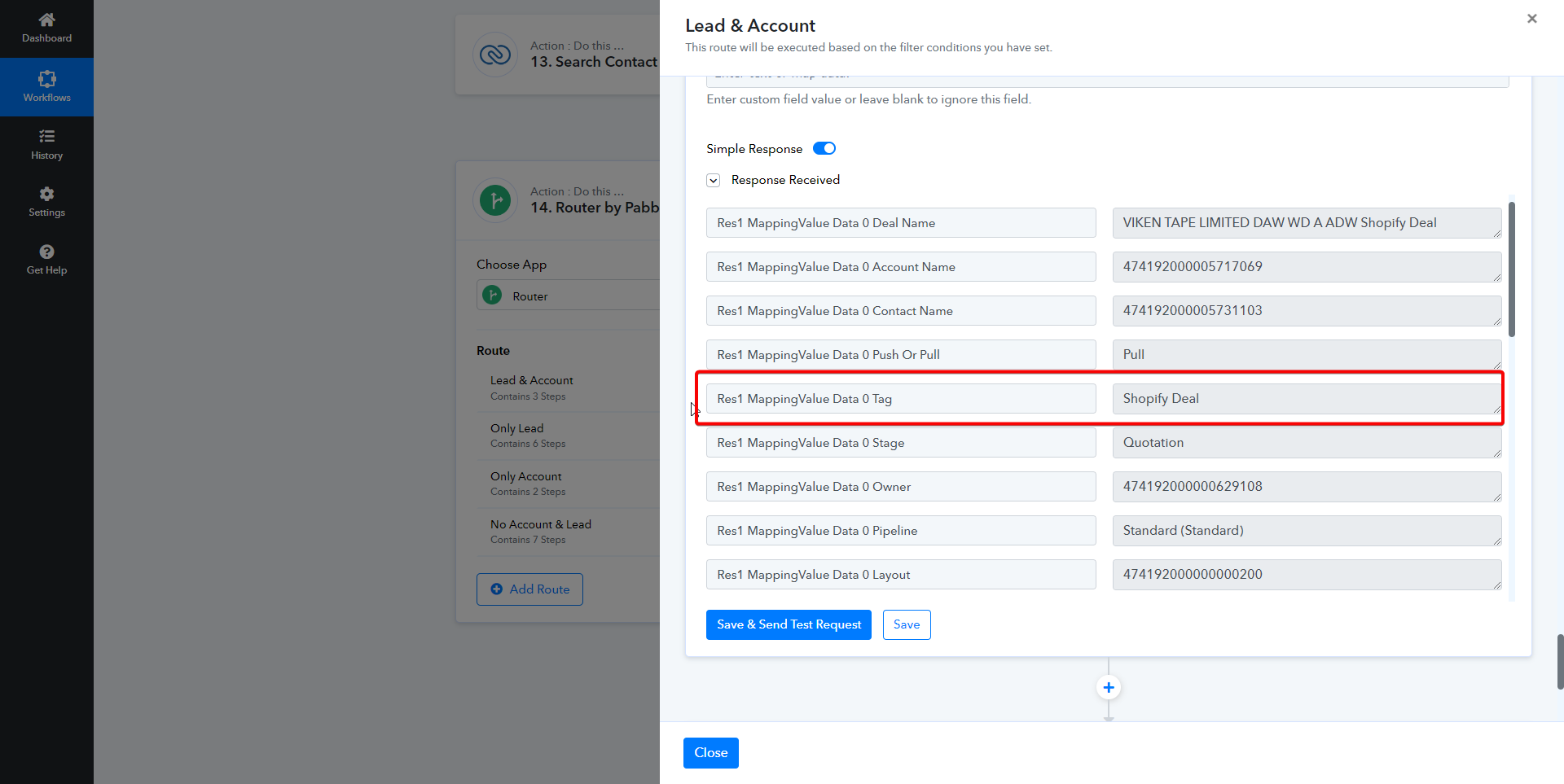
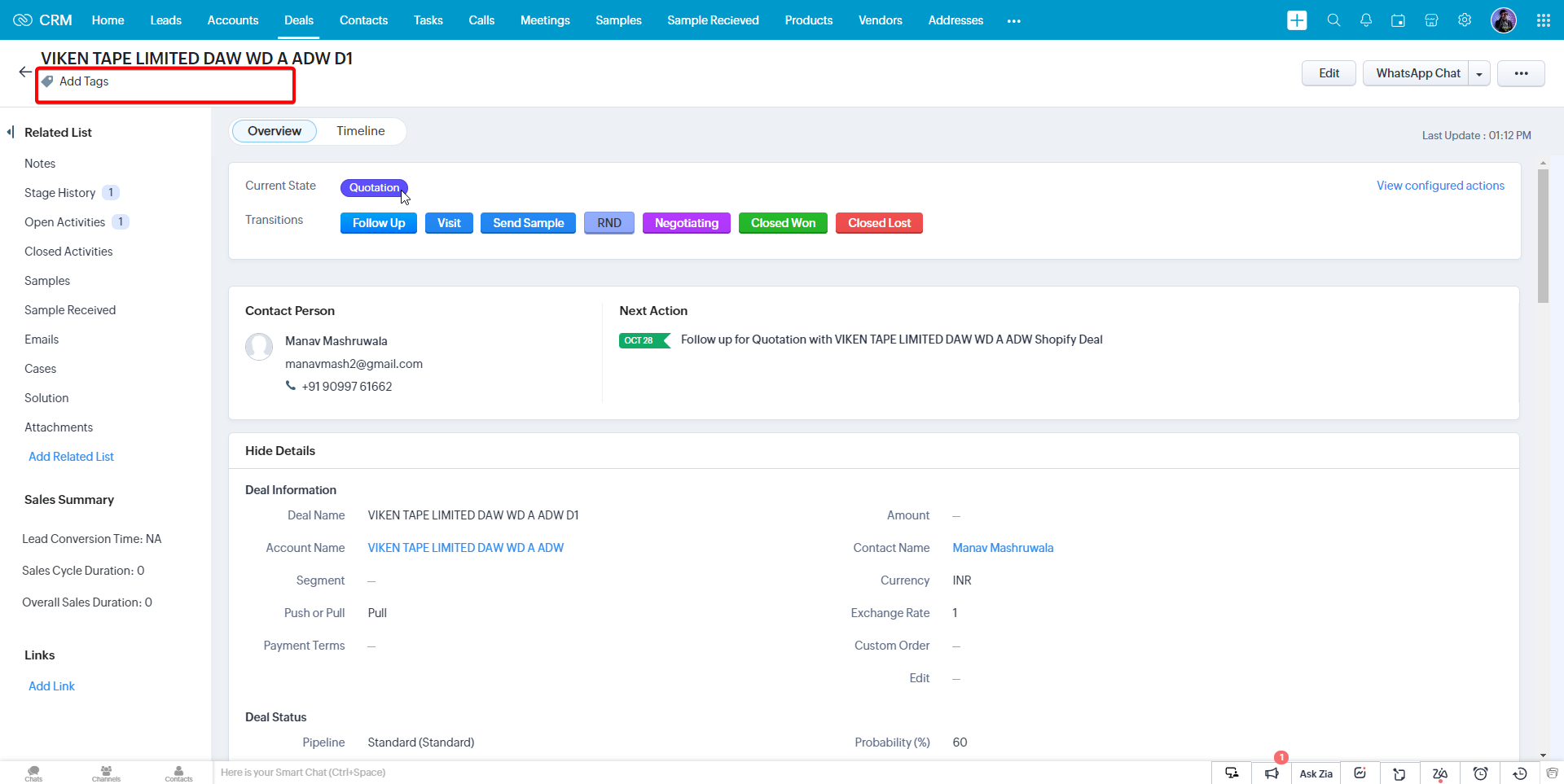
I am creating a deal in Zoho CRM through Pabbly Connect when I am using "Insert/Upsert Record" module in Pabbly Connect to create a deal I add a tag to the deal as seen in the screenshot, but in Zoho CRM it not showing up.
Attachments
Hey @manavmash
Could you kindly provide the workflow URL where you've attempted the same? This will allow us to investigate further.
IjU3NjUwNTZmMDYzZjA0MzU1MjY5NTUzZDUxM2Ii_pc
We have forwarded your concern to our technical team and they are currently looking into it.
Shall notify you with an update soon.
Any updates regarding this?
Our tech team is checking things out, and as soon as we have any news, we'll be sure to share it with you.
Okay, sure.
Upon thorough investigation, we have determined that tags are presently not supported within Zoho CRM API documentation. As a result, it is currently not possible to filter the tags to Zoho CRM for Deal. Rest assured, we will notify you as soon as we implement support for tags within the Create Deal action step.