Tally.so dropdown data not sent
Status: Open · Asked by Vincenzo Tortora on · 0 views
Hi Dear
I write here and report this: https://forum.pabbly.com/threads/problem-with-tally.22888/
in which the problem seems solved in their essence (error 500 was solved).
Now I think there is a problem with dropdown, data are not "stored" via the webhoo.
Tally seems to send it. See log (partial):
{
"key": "question_pezQ1J",
"label": "Area",
"type": "DROPDOWN",
"value": [
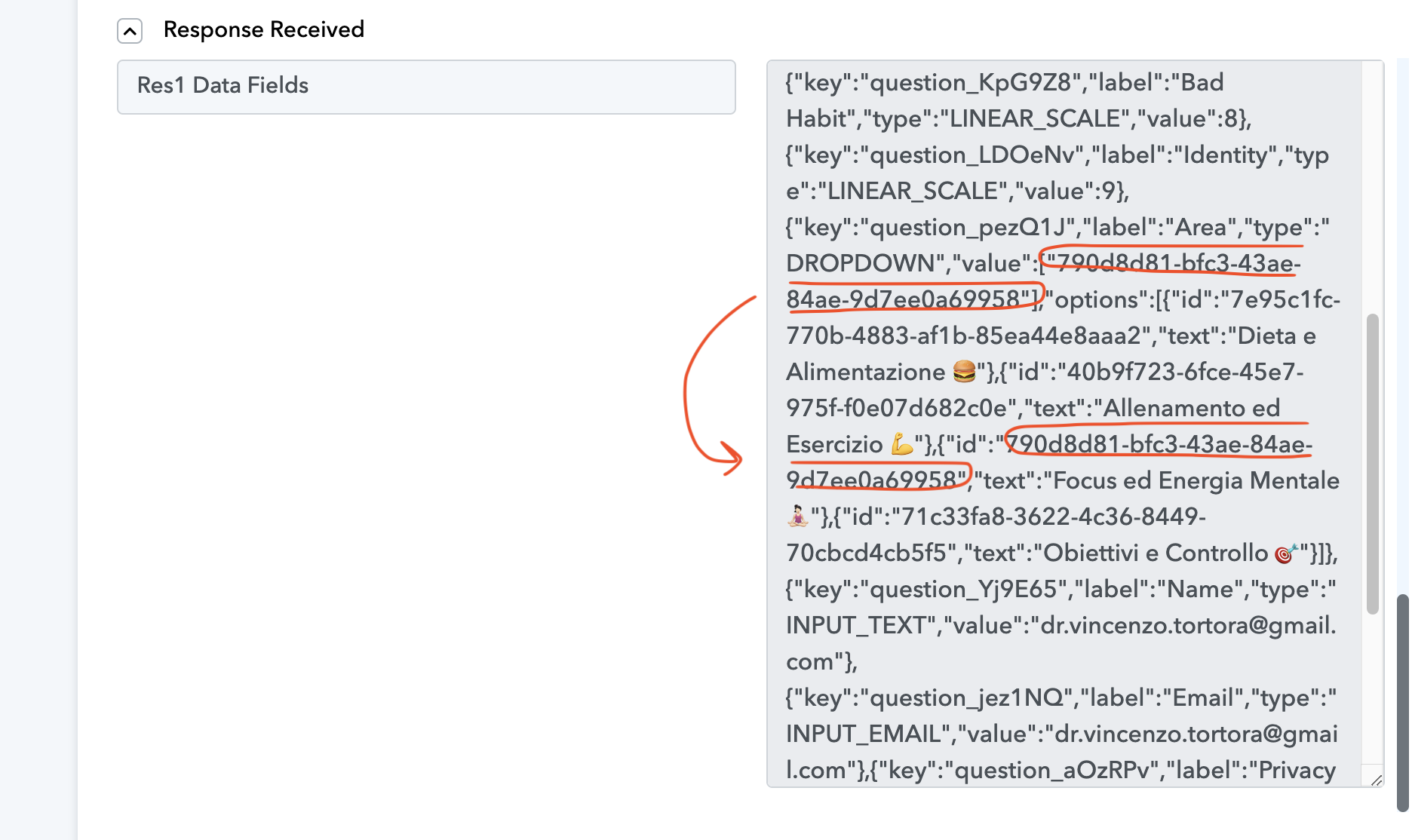
"790d8d81-bfc3-43ae-84ae-9d7ee0a69958"
],
"options": [
{
"id": "7e95c1fc-770b-4883-af1b-85ea44e8aaa2",
"text": "Dieta e Alimentazione ?"
},
{
"id": "40b9f723-6fce-45e7-975f-f0e07d682c0e",
"text": "Allenamento ed Esercizio ?"
},
{
"id": "790d8d81-bfc3-43ae-84ae-9d7ee0a69958",
"text": "Focus ed Energia Mentale ??♀️"
},
{
"id": "71c33fa8-3622-4c36-8449-70cbcd4cb5f5",
"text": "Obiettivi e Controllo ?"
}
]
},------------
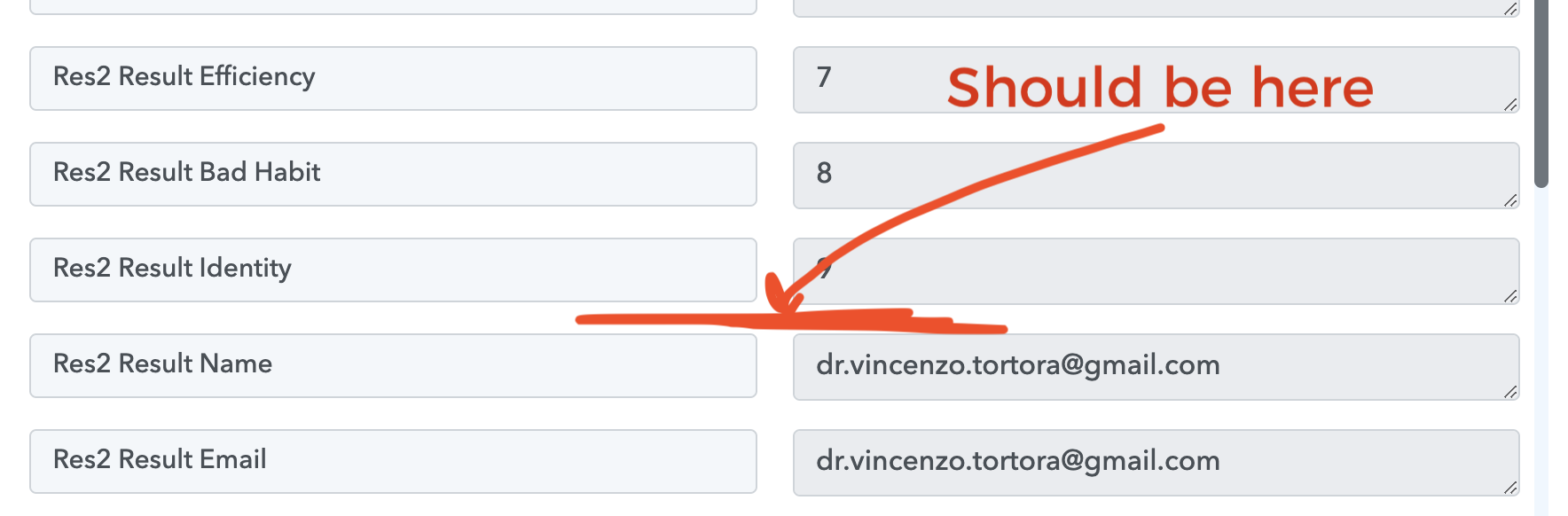
But in Pabbly seems to "doesn't exist":
---------
But appear in the whole json passed here:
---------
The fact is that before the problems of a few days ago (02/03 July) that data was sent; after fixing the problem, the data in the dropdown is no longer sent.
Hi @Oukside,
Please enable 'Simple Response', click on the 'Re-Capture Webhook Response' button, and make a test submission. This should give you the desired value.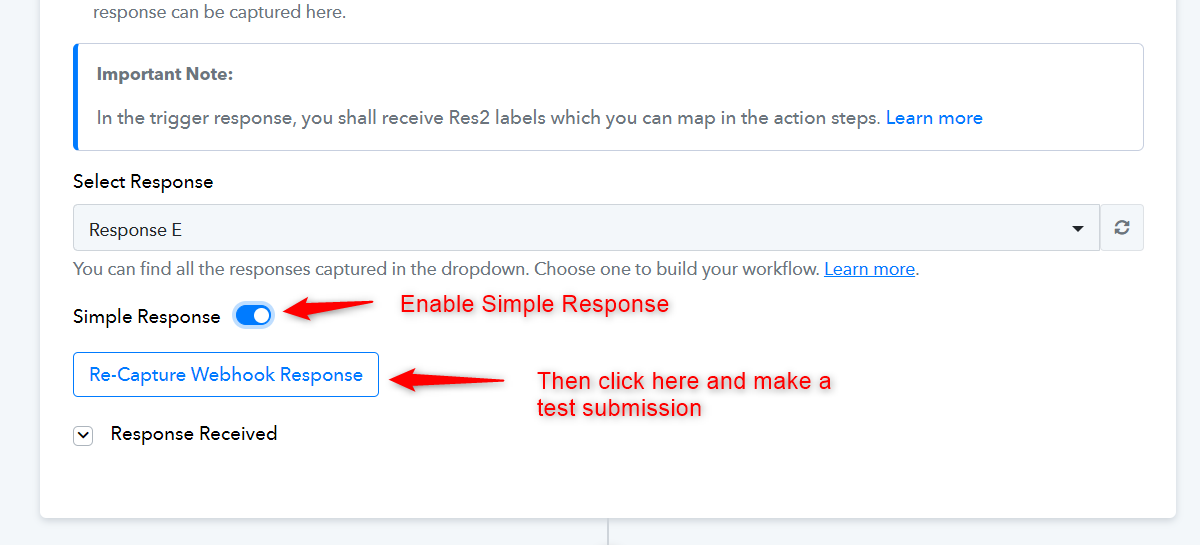
It's "mmmh" - it works, but it's a mess because I had to reassign all the values that are no longer "human readable". So maybe I need to put a couple more steps in the workflow to convert the raw data into human-readable data.
I wonder: is this solution more "solid" than the previous one? Because if so, I'll go ahead and stay with it. But, if we could get the same functioning as before again, avoiding further steps in the workflow (which create more complexity and less stability) it would be better!
If you are unable to capture the webhook response in a simple key-value pair format, you can use the JSON extractor action step. This allows you to pass the JSON array and extract the data into key-value pairs for further processing.
I don't understand how to do that. My view differ from what I see in the video you linked.
We have added a JSON Extractor as Step 2 in this workflow. Please check it out.
https://connect.pabbly.com/workflow/mapping/IjU3NjUwNTZhMDYzMjA0MzY1MjZmNTUzMzUxMzYi_pc