Telegram automatically user invite with Wordpress
Status: Closed · Asked by Coppenst on · 0 views
Hello. I have a question. Let me explain my Task:
I want to integrate my telegram group to the WordPress website like whenever anyone signup for membership on the WordPress website he should be added to the telegram group automatically, and when his membership will expire or he cancels his membership he should be removed from the group.
I saw there is an integration to a Telegram Bot. But i didnt found any direct MSG event to Telegram Users. Is there any way to solve my task?
Thank you!
Hey @Coppenst
I want to integrate my telegram group to the WordPress website like whenever anyone signup for membership on the WordPress website he should be added to the telegram group automatically
Regarding your use case, Telegram doesn't offer any action event to add a Chat Member to any group. So above mentioned use case is not possible.
when his membership will expire or he cancels his membership he should be removed from the group.
And WordPress does not offer any trigger event which can fetch the details of a User's membership.
Hey @CoppenstRegarding your use case, Telegram doesn't offer any action event to add a Chat Member to any group. So above mentioned use case is not possible.
And WordPress does not offer any trigger event which can fetch the details of a User's membership.
Thank you for your answers.
Okay, what would it look like if I requested the user IDs of each Telegram user in WP Forms from users via. a Webhook (Wordpress) ? And e.g. have the ID and lets automatically safe it into a Google Sheet. Could I then have the possibility that the Telegram Bot use the ID from the Sheet and send a private text message with a link (invitation to the group) to a user?
Hey @Coppenst
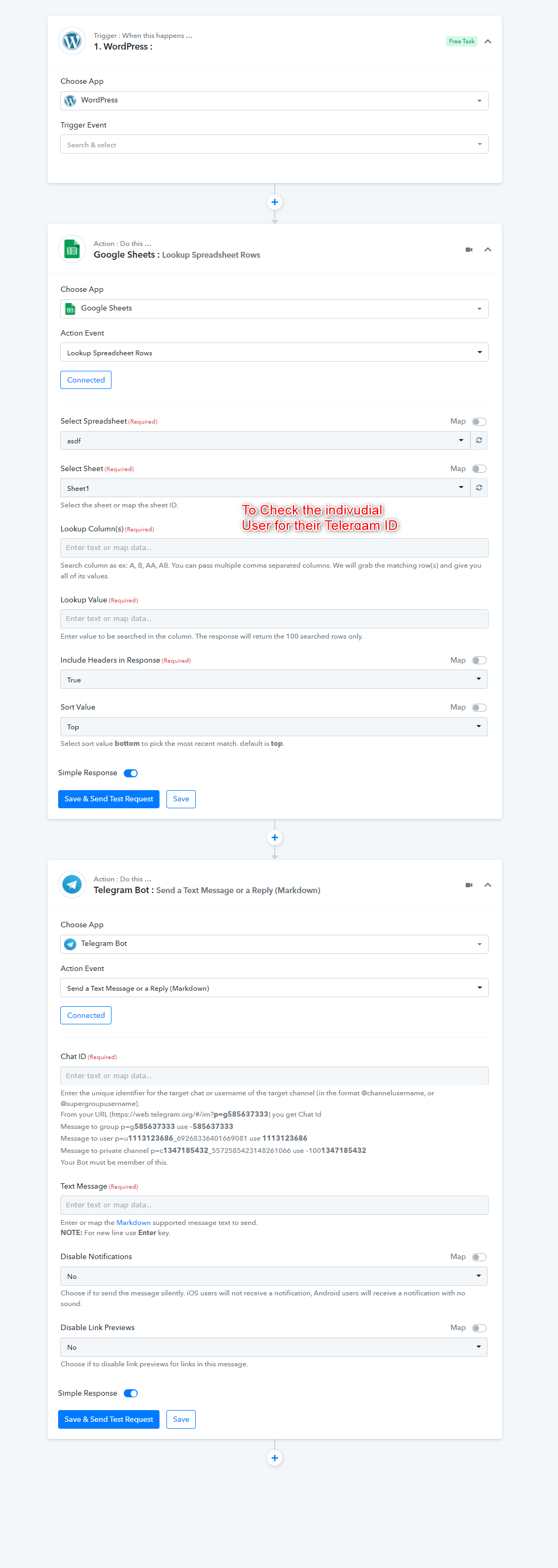
You can give it a try in your workflow bypassing the test submission. The desired workflow will somehow look like the following screenshot.
Kindly give it a try and let us know if you get stuck at any step.
Hey. Let me show you my way for now: First step. I used a telegram Field where the user have to type in his Telegram ID.
That worked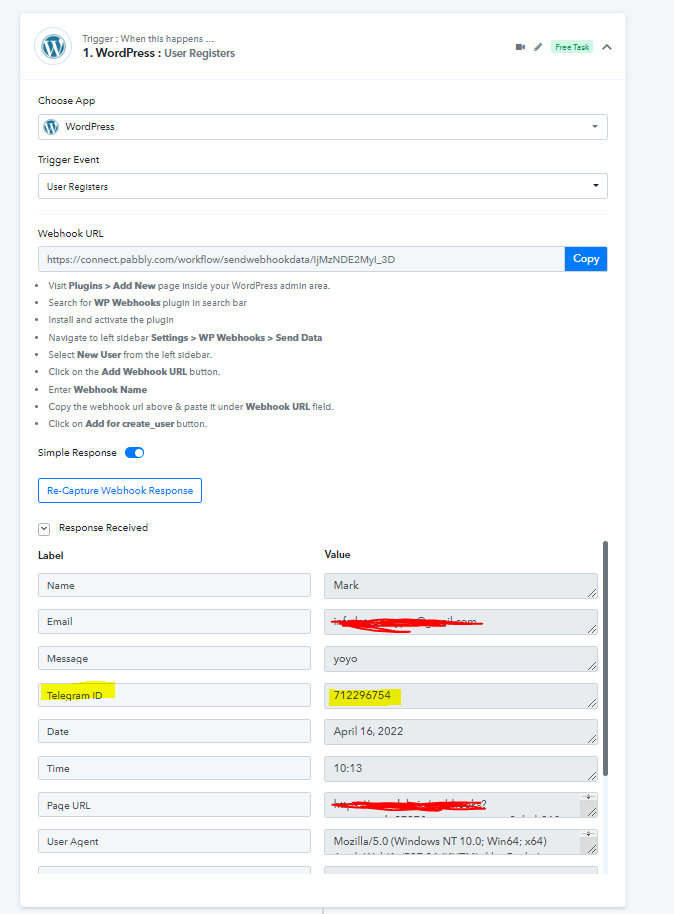
Step 2:
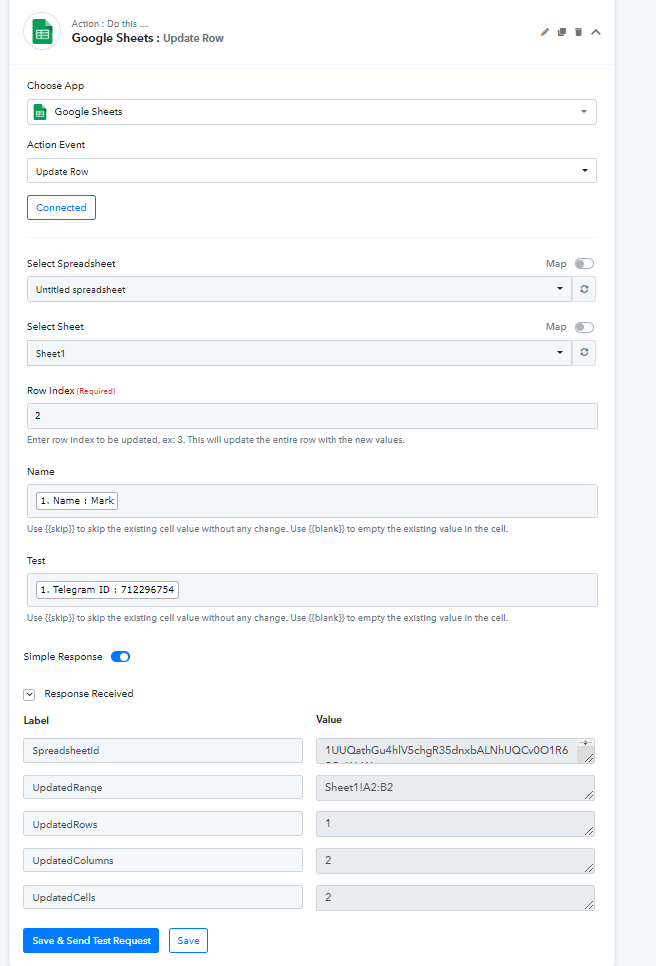
Trying to save the Telegram ID into the Google Sheet ( Name + ID ). Seems that worked properly.
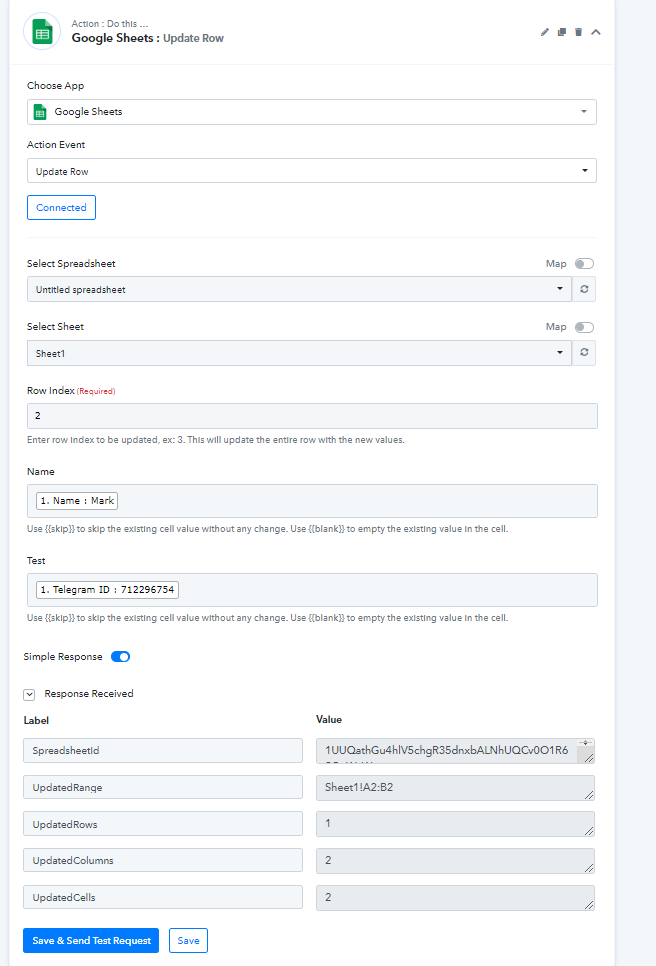
Step 3 :
Take a look into the Sheet to get a look into the saved ID from the User
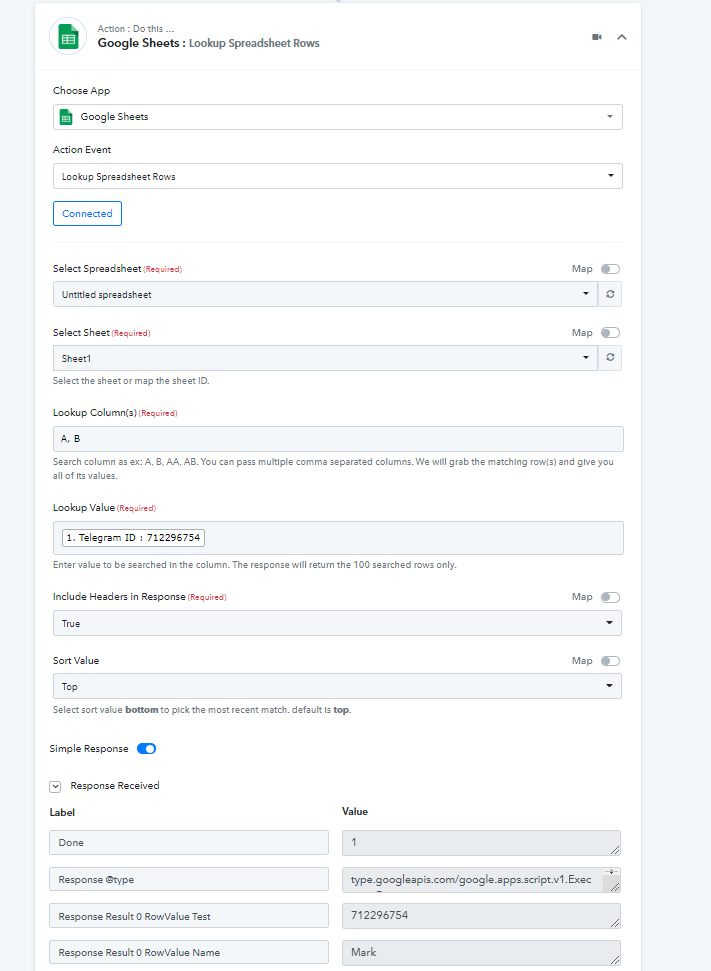
Step 4:
Used the Chat ID from the Lookup Event.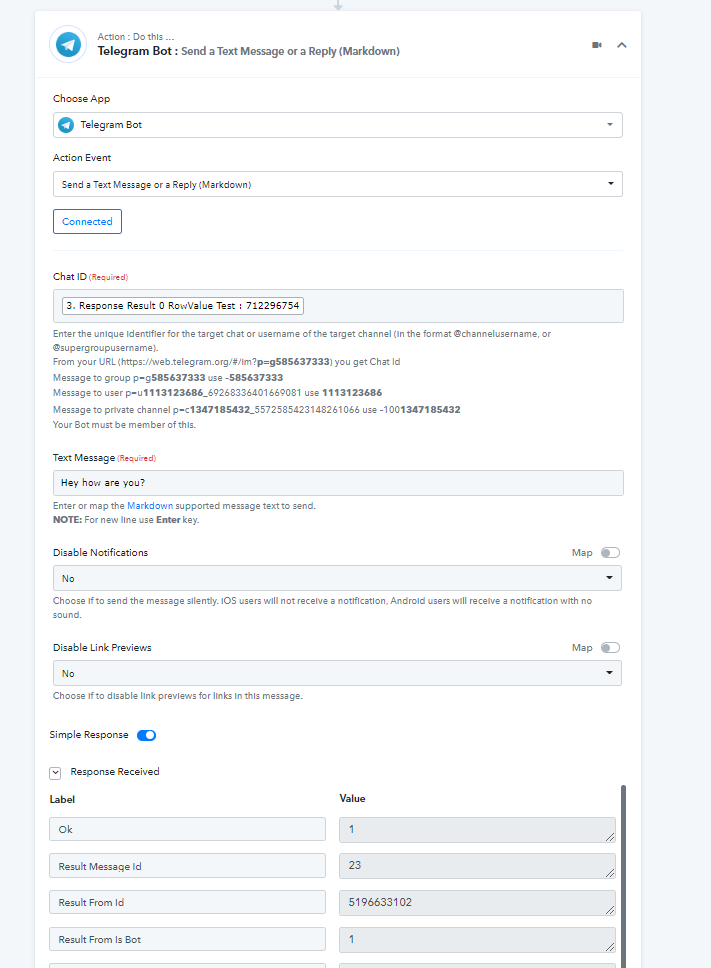
And what should i say. It worked?? The Bot sended a Text to this user ID.

Now. My question. What happend if a new user register. Does it add a new ID automaticlly to a new row? If not, what should change?
Attachments
Hey @Coppenst
Now. My question. What happend if a new user register. Does it add a new ID automaticlly to a new row? If not, what should change?
In your worklfow, you can remove the " Lookup Spreadsheet Rows" action step, since you are already getting the Telegram Id from your WordPress form.
Also, use the "Google Sheets: Add New Row " action step instead of the "Update Row" action step, where you are only trying to add the data to your Google Sheet.
Kindly makes the changes in your account and give it a try.