Telegram trigger event issue
Status: Open · Asked by Himesh Soni on · 0 views
Hello Team, I'm facing issue in Telegram trigger event. Please look into this videos and help me.
Telegram Issue video
Contact me - https://www.facebook.com/himeshsoni07
Email - [EMAIL][email hidden][/EMAIL]
Hi @Himesh,
Could you please share the Workflow URL in which you are facing this concern?
Hello @ArshilAhmad , please find workflow url.
https://connect.pabbly.com/workflow/mapping/IjU3NjUwNTZlMDYzMTA0MzA1MjZlNTUzYzUxM2Ii_pc
Account email:- [email hidden]
Contact me - https://www.facebook.com/himeshsoni07
Email - [EMAIL][email hidden][/EMAIL]
Have you tried enabling the 'Simple Response' feature and then capturing the data from Telegram? If not, please try enabling the 'Simple Response,' then add a new photo to your Telegram group, and let me know if that results in only a single file in the trigger response.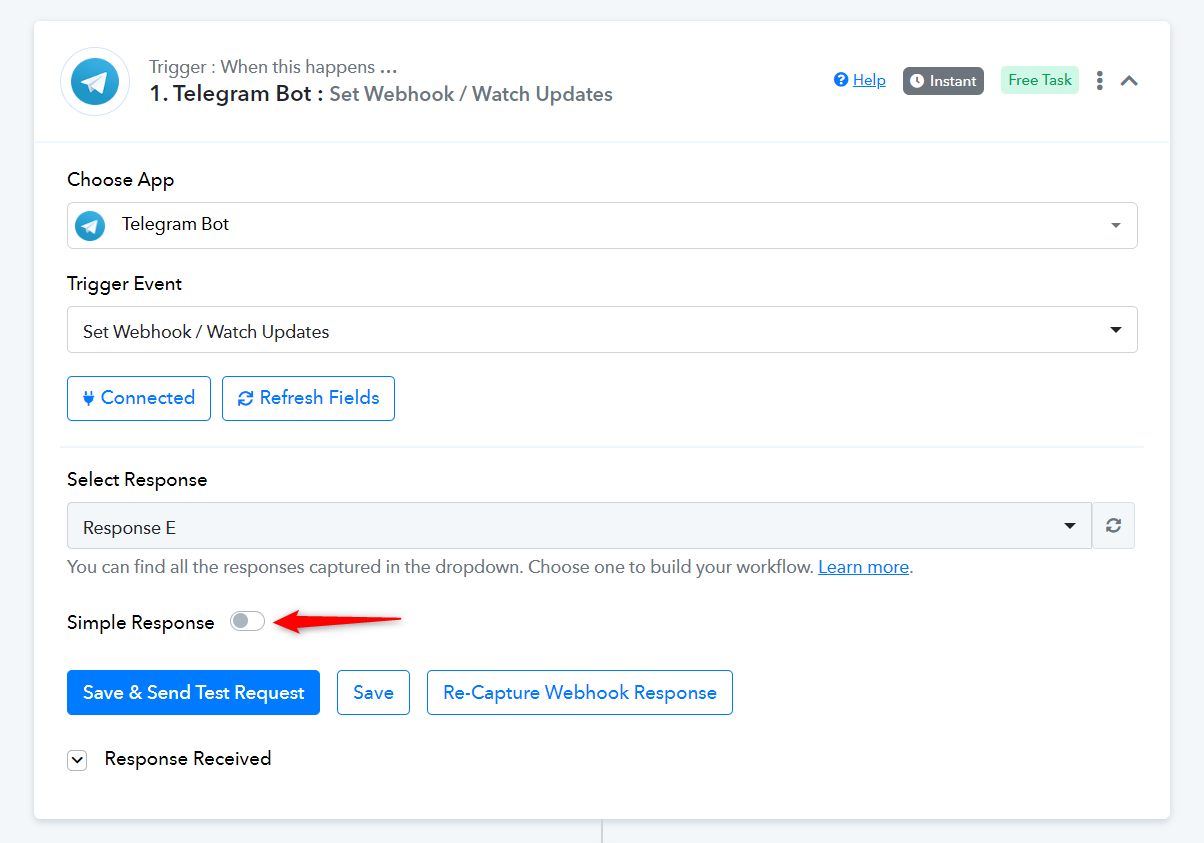
If there is a specific reason why you have disabled the Simple Response, then please let me know
It's giving me single file but by that approach how can i identify which is latest one. You can refer response type A(simple response turned on). And what if user wants to receive multiple images I've to turn off simple response for that case
Contact me - https://www.facebook.com/himeshsoni07
Email - [EMAIL][email hidden][/EMAIL]
The Telegram trigger gives you the same photo in different sizes. So, the response you received here does not contain older images, but rather the same image with different compression rates.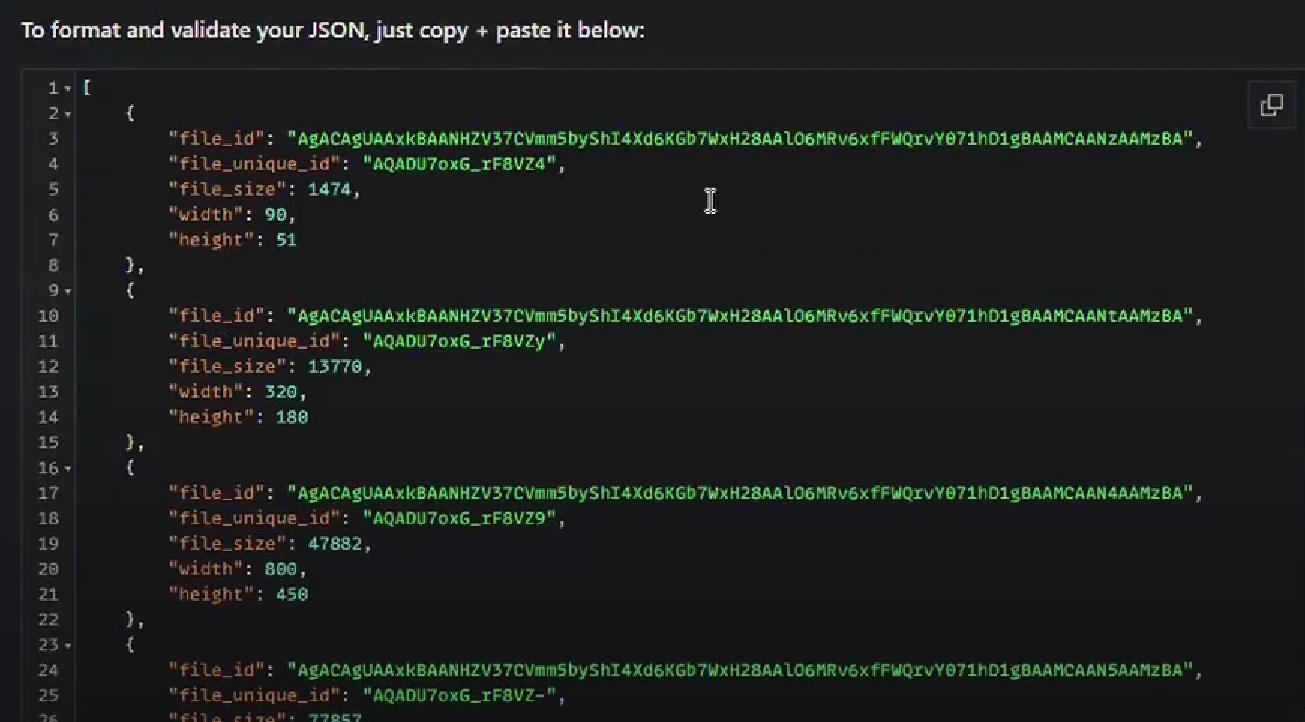
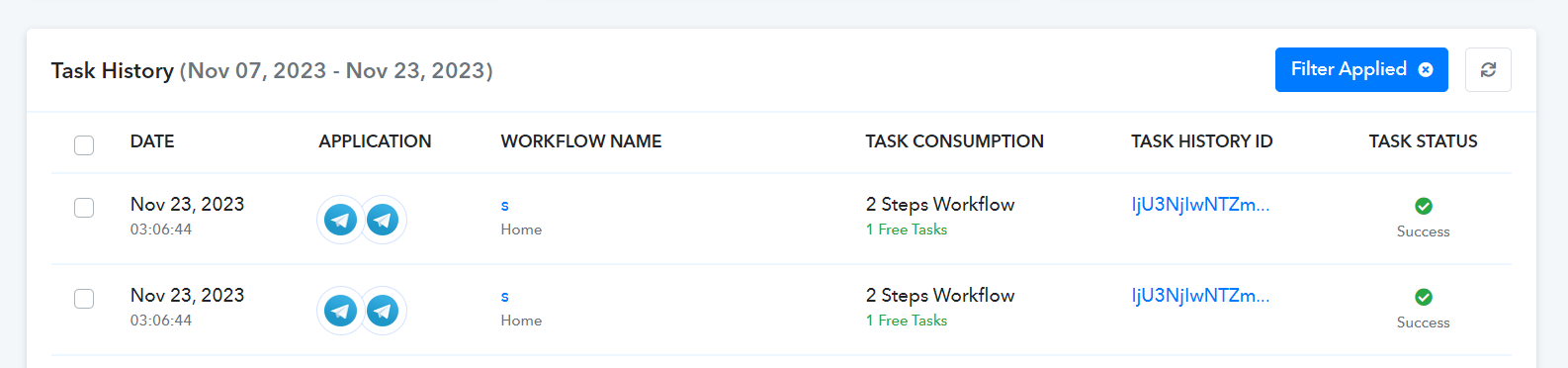
Every image added to your Telegram group, no matter if it's added in this manner where multiple images are uploaded simultaneously, will trigger your workflow that many times. For example, here I uploaded two images in the same message, therefore, the workflow got triggered twice.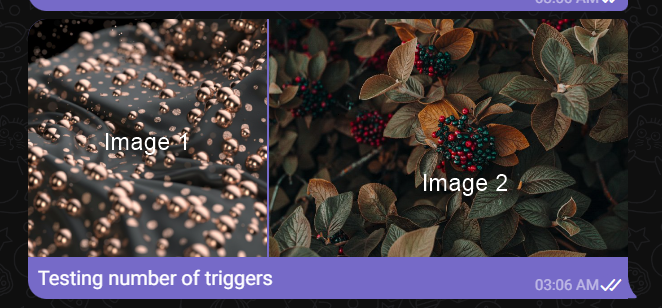
Ok thanks for clarification. Let me try again.
Contact me - https://www.facebook.com/himeshsoni07
Email - [EMAIL][email hidden][/EMAIL]
Hello @ArshilAhmad Can you please look into this once again as multiple images not being uploaded properly. You can use same task Id and Task history. Even sometimes it's not giving different variant of the images as well.
Contact me - https://www.facebook.com/himeshsoni07
Email - [EMAIL][email hidden][/EMAIL]
Can you share the latest task history ID once on the same, so that we can look into it?
Hello @Supreme Thanks for the quick response. Here it is :- IjU3NjIwNTZlMDYzNDA0MzM1MjZkNTUzMzUxMzM1MTY0NTQzMSI_3D_pc
Contact me - https://www.facebook.com/himeshsoni07
Email - [EMAIL][email hidden][/EMAIL]
Hello @Supreme , Any update on this
Contact me - https://www.facebook.com/himeshsoni07
Email - [EMAIL][email hidden][/EMAIL]
As the Telegram trigger provides various sizes of the same photo, the response you've received here doesn't include older images. Instead, it offers the same image in different compressions to accommodate diverse sizes and qualities.
So, we recommend you use the Filter action step where you can select the defined size which will only process one file at a time instead of processing the same image with multiple sizes.
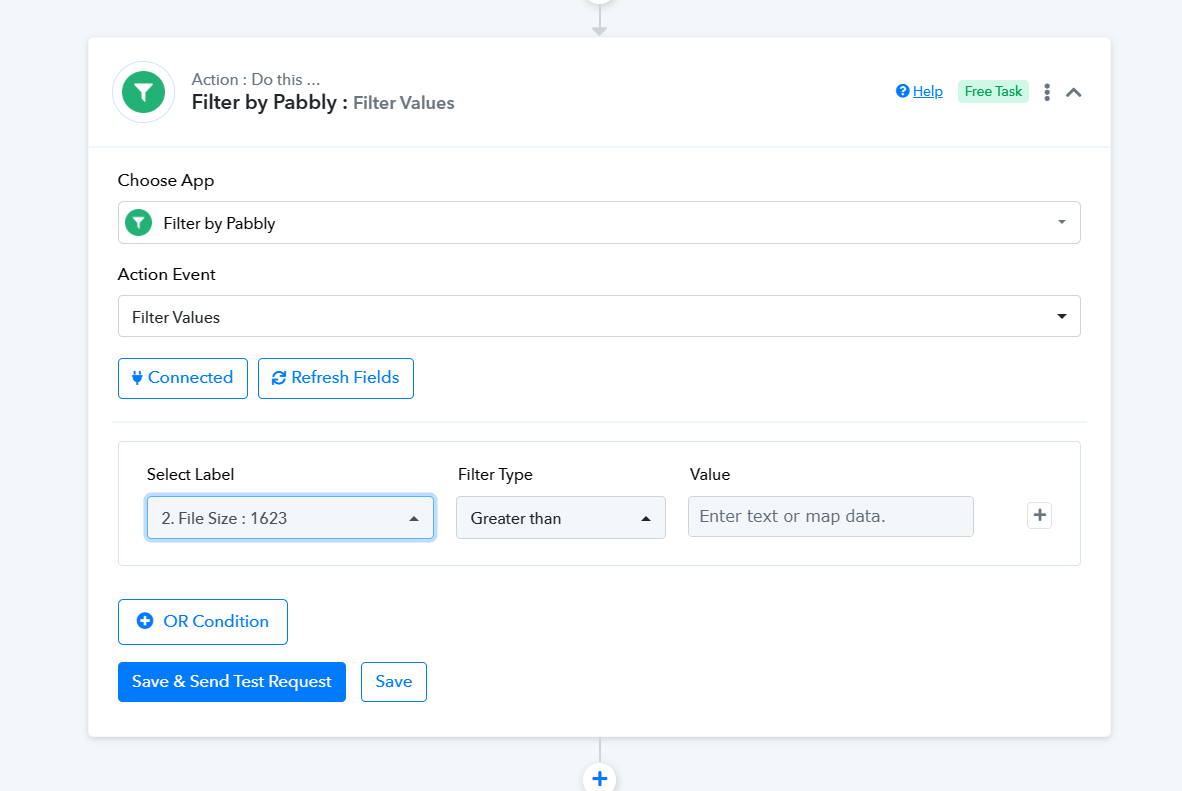
That i understood but I've captured 3 images in this task but it has only provided 1 image with different size and rest it has not provided any image. Can you please test it with 4 images as I'm facing issue while uploading 4 images or 3 images at a same time.
Contact me - https://www.facebook.com/himeshsoni07
Email - [EMAIL][email hidden][/EMAIL]
Yes, the Telegram trigger events only process one image at a time as their API only sends image responses one by one.
So any solution for this Like how can I proceed with multiple images Or any suggestions
Contact me - https://www.facebook.com/himeshsoni07
Email - [EMAIL][email hidden][/EMAIL]
As mentioned before, if you upload multiple files, your workflow will be executed that many times. For example, if you upload three images in the same message, your workflow will be triggered three times, resulting in the creation of three task IDs.
Ok let me try that.
Contact me - https://www.facebook.com/himeshsoni07
Email - [EMAIL][email hidden][/EMAIL]