Text encoding problem
Status: Closed · Asked by Marlène on · 0 views
Hello,
I've set up a link between Typebot and Fluent CRM via Pabbly Connect.
Everything works fine, except for one detail.
Some variables are badly encoded, and I see some undesirable characters appear, such as \\n instead of line breaks or \ before quotation marks and apostrophes. This is very annoying, as my final text becomes difficult to read.
(I've attached some screenshots).
Although the data retrieved by Pabbly is "clean", it's really in the link between Pabbly and Fluent CRM that the problem appears.
How can I ensure that Fluent CRM receives clean text, without adding these unwanted characters?
Thanks for your help
Attachments



Hey @Marlène
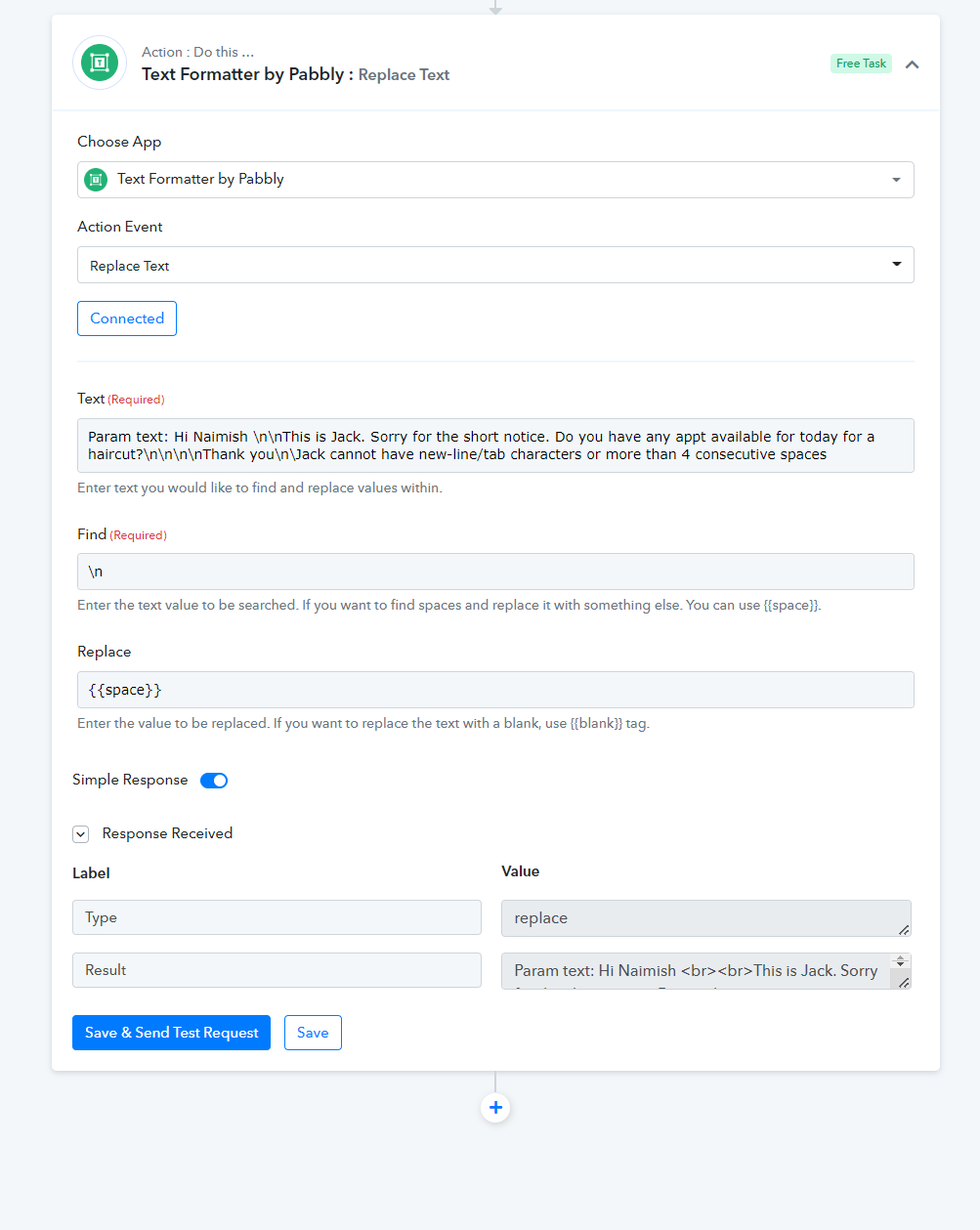
You can use the "Text Formatter by Pabbly: Replace Text" action step to replace the \n with the space or with
to avoid \n from your content.
Sample -
Hello, unfortunately the problem does not appear when the text is received but when it is encoded in fluent CRM. So I can't use this search/replace feature.
By the way, my message dates back to September 2023, but the problem is still there.
Thanks in advance
Hey @Marlène
Apologies for the inconvenience, but could you please share the workflow URL where you encountered the issue? This will allow us to investigate and assist you accordingly.